New releases and improvements are usually shipped on a bi-monthly basis here at Desk365. And we’re back now with a new set of releases for June.
In this edition, we’ve introduced survey response notifications, enhancements within ticket search, permissions management, and multilingual support within the Agent Portal.
Here’s everything that’s new.
Trigger notifications for survey responses
We’ve expanded survey automation capabilities with new survey response notifications.
You can now automatically notify agents and groups whenever contacts respond to customer surveys sent via Desk365.
With the new Survey Response Notification settings, teams can route survey feedback directly to the right support owners, helping improve visibility, follow-ups, and customer recovery workflows.
What’s new:
Configure automated notifications whenever contacts respond to surveys.
Navigate to: Settings > Surveys > Survey Response Notification
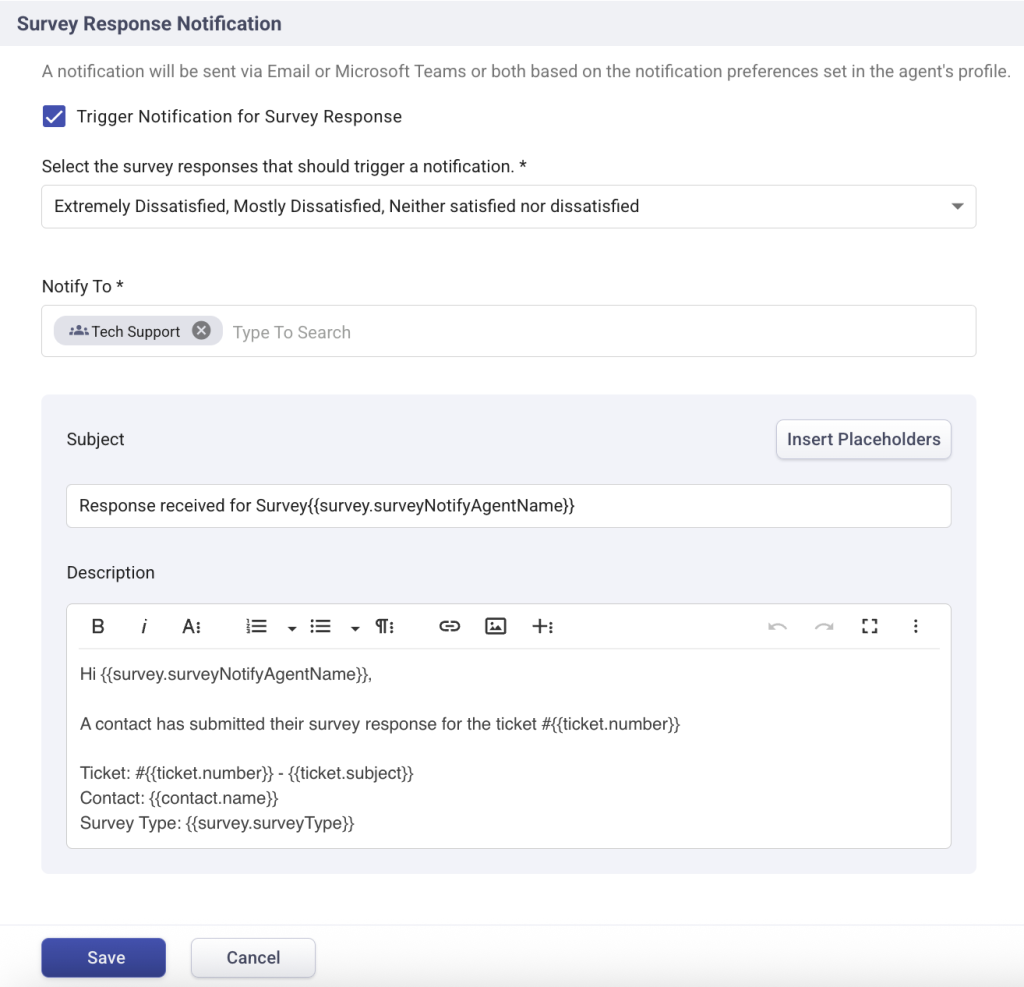
From here, administrators can:
- Choose which survey responses trigger notifications – positive, negative, or all
- Notify specific agents, groups, ticket assignees, or task assignees
- Configure email notification templates with specific placeholders
- Send notifications through both email and Microsoft Teams
This makes it easier for teams to:
- Monitor negative feedback faster
- Respond quickly to dissatisfied customers
- Track survey activity in real time
- Improve customer follow-up workflows
Precise ticket search with search operators
We’ve also improved ticket search capabilities to provide more precise and flexible results. Previously, ticket search relied primarily on broad match behavior, where results were matched based on query words appearing in any order.
What’s new
Ticket search now supports operator-based matching for more precise search experiences.
You can now:
- Use quotes (“ ”) for exact phrase matching
- Use asterisks (*) for partial word matching
Examples:
- “password reset” → exact phrase search
- *365 → matches words ending with 365
- *pass* → matches words containing “pass”
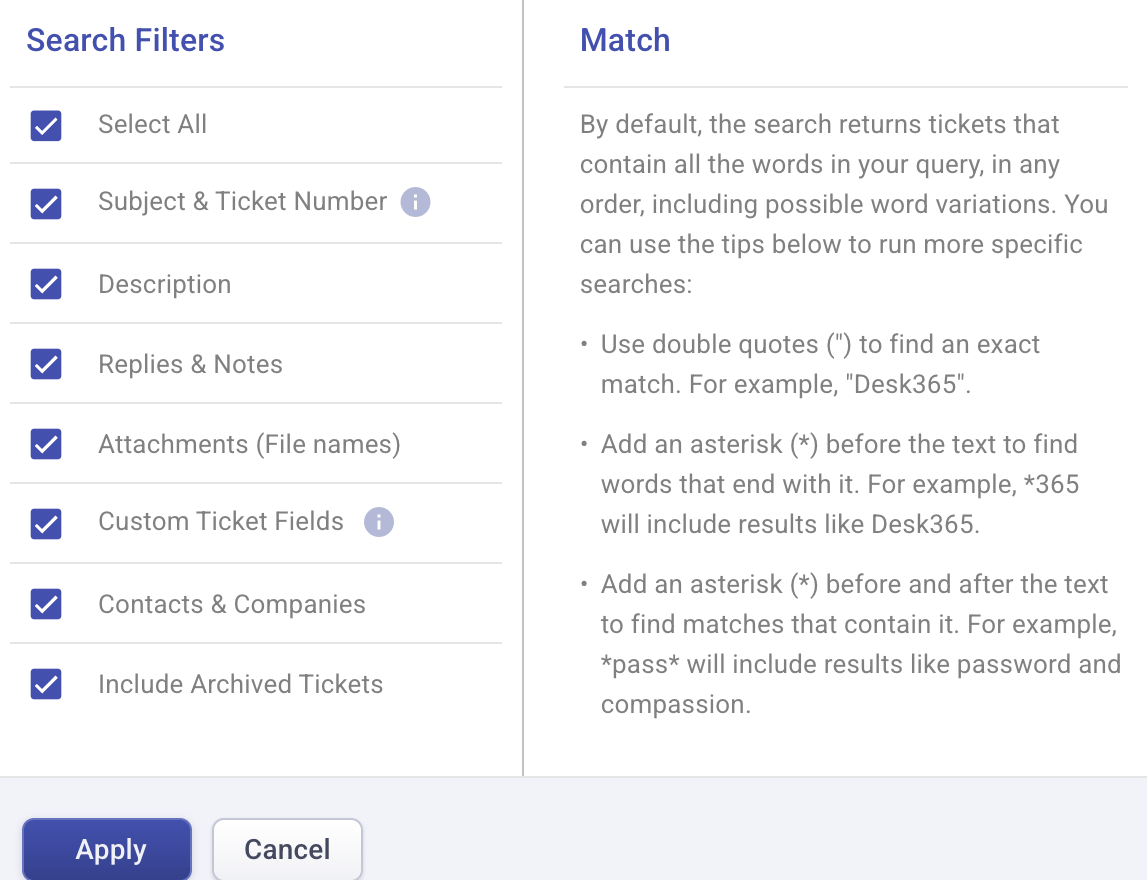
This gives agents more control over ticket discovery and improves search accuracy across large ticket volumes.
New role permission: Can Edit Ticket
Administrators now have more granular control over ticket editing permissions.
What’s new
A new ‘Can Edit Ticket’ permission is now available within Roles.
Navigate to Settings > Roles > [Select Role]
Roles with this permission enabled can edit:
- Ticket contact
- Subject
- Description
- Attachments
This helps organizations better control ticket modifications across different agent roles and departments.

Polish language now available in the agent portal
Agents can now use the Agent Portal interface in Polish, helping multilingual teams work more comfortably in their preferred language.
This update continues our ongoing investment in localization and multilingual accessibility across the platform.
Read more on language settings here.
We’ve also improved Draft with AI responses with better formatting and outputs for correct grammar and translation.
And that’s everything! Whether you’re improving AI-powered support workflows, refining ticket search, automating survey response notifications, or strengthening permission management, these enhancements are designed to help teams work faster and more efficiently.
Already using Desk365? Log in and start exploring the new features today.
New to Desk365? Start your free 21-day trial and see how modern customer support and IT service management can work together in a single platform.