TL;DR: Best helpdesk software at a glance
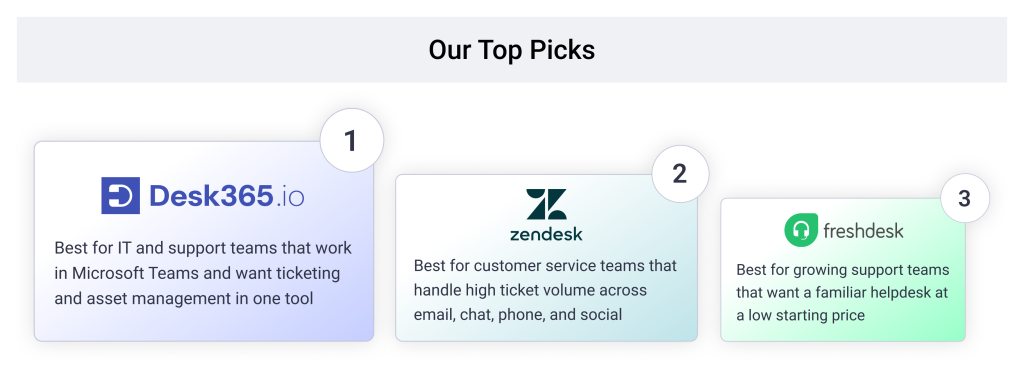
- Desk365 is the best helpdesk software for small and mid-sized businesses that run on Microsoft 365, with Teams ticketing and IT asset management from $12 per agent per month.
- Zendesk is the best helpdesk for multichannel customer support at mid-market and enterprise scale.
- Freshdesk is the best helpdesk for growing customer support teams that want a familiar tool at a low entry price.
- Zoho Desk is the best helpdesk for budget-conscious teams already using Zoho apps.
- Help Scout is the best helpdesk for small, email-first support teams.
- HubSpot Service Hub is the best helpdesk for teams that want support tickets inside their CRM.
- Freshservice is the best helpdesk for mid-market IT teams that want a well-known ITSM tool.
- Jira Service Management is the best helpdesk for software companies whose engineers already work in Jira.
- ManageEngine ServiceDesk Plus is the best helpdesk for IT teams that must host the software on their own servers.
- TeamDynamix is the best helpdesk for colleges and universities.
- ServiceNow is the best helpdesk for large enterprises with complex, multi-department IT.
When I started researching this list, I did what most buyers do. I opened review sites, sorted by rating, and checked which helpdesk tools kept showing up at the top of other “best of” lists. Within an hour, I had a shortlist that looked a lot like everyone else’s.
Then I remembered something Kenneth Gonzalez said in a recent Humans of Support interview with my colleague Ranjani Raghupathi. Kenneth spent years covering IT service management as a Gartner analyst. Ranjani asked him how much buyers should rely on Gartner’s Magic Quadrant when they shortlist vendors. He didn’t hold back:
Quite frankly, "this company's in the top right, so we should buy top right" is the stupidest thing I've ever heard.
His point was simple. A vendor at the top of a ranking can have a great product that is still too big, too costly, and too complex for a particular organization. A smaller tool that costs less is often the better fit. Rankings tell you who the established players are and whether they’ll be around for the long run. They don’t tell you whether a product does what your team needs.
That changed how I built this list. A five-person IT team at a law firm and a 200-agent support team at a SaaS company shouldn’t end up with the same tool just because it tops a ratings chart. So instead of one ranking, I’ve sorted these 11 helpdesk tools by team size and by industry. You’ll find picks for small businesses, mid-market teams, and enterprises, plus nine industries, including healthcare, schools, MSPs, legal, and government.
The list covers both internal IT helpdesks and customer service helpdesks. Whether you support employees, external customers, or both, there’s a section here for your team.
Disclaimer
I work for Desk365, and our product is on this list. It sits first because it covers both IT and customer support inside Microsoft Teams at published prices, which fits a large share of the teams reading this. Every tool here, Desk365 included, gets real limits pulled from G2 reviews. Prices were checked in November 2026 and link to their sources so you can check my work. Read more about our review methodology.
How I picked these helpdesk tools
I judged each tool on the things IT managers and support leads deal with every day, not on feature counts. Each entry covers these five checks where pricing pages or G2 reviews give real evidence.
- Setup time and agent onboarding. A small team can’t spend a quarter configuring a tool before it handles its first ticket.
- Daily ticket handling. How much effort it takes to route, reply to, and close tickets once the tool is live.
- Fit with the tools you already use. Microsoft 365, Google Workspace, Jira, or a CRM. A helpdesk that works where your team already works gets used.
- Reporting without exports. Whether you can show your manager response times and SLA results without building a spreadsheet.
- Price at the plan you’ll actually need. The entry price rarely includes automation, SLAs, or asset tracking. I note which plan includes them.
IT helpdesk vs. customer service helpdesk: which do you need?
An IT helpdesk handles requests from your own employees, while a customer service helpdesk handles questions from your customers. Most tools on this list lean toward one side.
An IT helpdesk deals with password resets, laptop problems, software access, and new-hire setup. It needs asset tracking, approvals, and a way for employees to raise tickets where they already work, such as Microsoft Teams. Freshservice, Jira Service Management, ManageEngine, TeamDynamix, and ServiceNow sit on this side.
A customer service helpdesk deals with order questions, product issues, and account changes from outside the company. It needs a shared inbox, live chat, a public help center, and customer history. Zendesk, Freshdesk, Zoho Desk, Help Scout, and HubSpot Service Hub sit on this side.
Some teams need both. An MSP supports many client companies. A mid-sized business might run IT, HR, and customer support from one place. Desk365 is built for that mix, with Teams ticketing for employees and email, portal, and web form channels for customers. If you’re still deciding between a basic helpdesk and a full ITSM tool, our guide on the difference between a help desk and a service desk explains where the line sits.
Comparison of the 11 best helpdesk software
| Tool | Best for | Built for | Team size fit | G2 rating | Starting price | Free plan or trial |
|---|---|---|---|---|---|---|
| Desk365 | Helpdesk inside Microsoft Teams | IT and customer support | Small, mid-market | 4.9 | $12 | Free plan for 50 tickets a month, 21-day trial |
| Zendesk | Multichannel customer support at scale | Customer support | Mid-market, enterprise | 4.3 | $19 (Support Team), $55 (Suite Team) | 14-day trial |
| Freshdesk | Growing customer support teams | Customer support | Small, mid-market | 4.4 | $19 | Free trial |
| Zoho Desk | Budget teams on Zoho | Customer support | Small, mid-market | 4.4 | $7 (Express, up to 5 agents) | Free plan for 3 agents |
| Help Scout | Email-first small teams | Customer support | Small | 4.4 | $25 per user, monthly billing | Free plan for 5 users |
| HubSpot Service Hub | Support tied to a CRM | Customer support | Small, mid-market | 4.4 | $20 per seat, monthly billing | Free tools |
| Freshservice | Mid-market IT teams | IT | Mid-market | 4.6 | $19 | 14-day trial |
| Jira Service Management | Software companies on Jira | IT and engineering | Mid-market, enterprise | 4.3 | $25 for up to 15 agents, monthly billing | Free plan for 3 agents |
| ManageEngine ServiceDesk Plus | Self-hosted IT helpdesk | IT | Mid-market, enterprise | 4.2 | $13 per technician (on-premises) | Free for 5 technicians, 30-day trial |
| TeamDynamix | Higher education IT | IT | Enterprise | 4.5 | Custom quote | No free trial |
| ServiceNow | Complex enterprise IT | IT | Enterprise | 4.5 | Custom quote | Demo on request |
Desk365, Zoho Desk, and Jira Service Management have the lowest-priced entry points for a full helpdesk, while TeamDynamix and ServiceNow only sell through custom quotes. Ratings come from each product’s G2 page in November 2026. Prices are per agent per month on annual billing unless the cell says otherwise.
The 11 best helpdesk software in 2026

4.9/5
4.9/5
Desk365 is the best helpdesk software for small and mid-sized businesses that run on Microsoft 365. Employees raise and track tickets in Microsoft Teams on every plan, and agents can reply without leaving Teams. Plans start at $12 per agent per month, and the same tool covers IT requests and external customer support.
- Team size fit: Small businesses and mid-market teams
- Industry fit: Healthcare, schools, MSPs, law firms, government, banking, manufacturing, SaaS, and non-profits
Why I'd consider Desk365:
It keeps the helpdesk where your people already work. Users sign in with Microsoft Entra ID, raise tickets from Teams, email, a support portal, web forms, or a web widget, and get updates in Teams. Agents get notified in Teams and can work tickets from there.
IT asset management is built in, not bolted on. The Premium plan imports devices from Microsoft Intune, tracks assets from purchase to retirement, manages software licenses and vendors, and links assets to tickets. Most helpdesks on this list either skip asset tracking or sell it as a separate product.
Pricing is published and the steps are small. Change and approval management, round-robin assignment, and the AI Copilot start on Plus at $22. Asset management, audit logs, encrypted PHI fields, and data redaction come with Premium at $32. Setup and data migration are free, and teams still under contract elsewhere can onboard on an extended trial and pay when their current contract ends.
JDA TSG, a managed services provider, chose Desk365 over ServiceNow and SysAid. Today more than 80 agents across HR, recruitment, finance, IT, and operations work in it. Read the JDA TSG customer story.
The main limit: Desk365 does not offer problem management or a formal service catalog, and it doesn’t integrate with Slack. Its channels are email, Teams, a portal, web forms, and a web widget, so teams that need phone or social media channels should look at Zendesk or Freshdesk.
Desk365 key features
- Microsoft Teams ticketing: Employees create tickets and get status updates through the Desk365 Support Bot in Teams. Agents use the Agent Bot to reply, add private notes, and change ticket fields without leaving Teams, and any Teams message can be turned into a ticket. On every plan.
- Omnichannel inbox: Tickets from email, Teams, the support portal, web forms, and the web widget land in one inbox. Agents see the full history of each requester in one view. On every plan.
- Automation and SLAs: Automation rules run when tickets are created or updated, and SLA policies send reminders and escalations before deadlines slip. Plus adds time-based automations, round-robin and load-based assignment, ticket closure rules, and multiple business hours for different teams.
- Change and approval management: Multi-stage approval workflows for IT changes, purchases, or access requests, with a clear record of who approved what. Starts on Plus.
- IT asset management: Imports devices from Microsoft Intune and tracks hardware and software from purchase to retirement. Covers software licenses, vendors, locations, depreciation, and links between assets and tickets. On Premium.
- AI Copilot: Drafts and rephrases replies, translates responses, summarizes long tickets, and turns resolved conversations into knowledge base articles. On Plus and Premium.
- AI Agent add-on: Build AI agents trained on specific topics, test them, and deploy them on your support channels. They answer questions in context and escalate to a ticket when a person is needed. Priced at $50 per 1,000 credits.
- Knowledge base: Unlimited articles in public and internal knowledge bases, with sections, versioning and restore, article feedback, and knowledge bases scoped to a specific company. On every plan.
- Collaboration: Ticket watchers, “Share To” for internal or external teams, task checklists, time tracking, and company managers who can oversee their organization’s tickets. Starts on Plus.
- Reporting and dashboards: Productivity, ticket trend, agent performance, and custom reports on every plan. Plus adds CSAT surveys, multiple dashboards, and scheduled exports.
- Security and compliance: SOC 2 Type II, GDPR, and HIPAA compliance, with MFA, custom password policies, and Microsoft Entra ID single sign-on. Premium adds audit logs, encrypted PII and PHI fields, and sensitive data redaction. Data centers are available in the US and EU.
- Integrations: Power Automate connector, REST API, webhooks, and a Microsoft 365 Copilot plugin. Jira and Power BI connect through the API, and Asana, Planner, and Azure DevOps connect through Power Automate.
Desk365 pricing
- Free: up to 50 tickets a month, no end date
- Standard: $12/agent/month
- Plus: $22/agent/month
- Premium: $32/agent/month
- AI Agent credits: $50 per 1,000
START YOUR FREE TRIAL · REQUEST DEMO
Switch to a better Ticketing System now!
4.4/5
4.3/5
Zendesk is the best helpdesk for mid-market and enterprise teams that support customers across email, chat, phone, and social channels. It is one of the most established customer service platforms, with a large app marketplace and deep reporting. The trade-off is price, since the plans most teams need start at $55 per agent per month.
- Team size fit: Mid-market and enterprise customer support teams
- Industry fit: E-commerce, SaaS, and healthcare teams on HIPAA-enabled plans
Why I'd consider Zendesk
If your customers reach you on many channels, Zendesk pulls them into one workspace. G2 reviewers like how email, live chat, and phone land in one place, and how it connects to CRM tools.
The plan you pick matters a lot. Support Team at $19 covers email ticketing only. Messaging, live chat, and voice need a Suite plan from $55. For healthcare, Zendesk signs a business associate agreement only on Suite Professional or Enterprise with its Advanced Compliance option. Copilot AI is a separate add-on. Our Zendesk pricing guide walks through the full cost.
Zendesk key features
- Unified agent workspace: Email, messaging, live chat, voice, and social conversations show up in one workspace with the customer’s full history. Support Team covers email only, so messaging and voice need a Suite plan.
- Help center and community: A branded help center for self-service articles, plus a community forum where customers answer each other’s questions.
- Triggers, automations, and SLAs: Rules route, tag, and prioritize tickets as they arrive, and SLA policies track first reply and resolution targets.
- AI agents: Bots that answer customers on their own across channels. Each Suite plan includes a small monthly allowance of automated resolutions per agent, and usage beyond it is billed per resolution.
- Copilot: Agent-assist AI that suggests replies, summarizes tickets, and recommends next steps. Sold as a $50 per agent per month add-on.
- Reporting and analytics: Prebuilt and custom dashboards for ticket volume, response times, CSAT, and agent performance.
- Multibrand support: Run several brands with separate help centers and email addresses from one account.
- Compliance options: HIPAA-enabled accounts are available on Suite Professional or Enterprise with the Advanced Compliance option.
Zendesk pricing
- Support Team: $19/agent/month (email ticketing only)
- Suite Team: $55/agent/month
- Suite Professional: $115/agent/month
- Suite Enterprise: custom quote
Prices are billed annually. Monthly billing costs more. The free trial lasts 14 days.
4.5/5
4.4/5
Freshdesk is the best helpdesk for small and mid-sized customer support teams that want a familiar tool at a low entry price. Reviewers like how easy it is to set up automations and manage email, chat, and calls in one place. Its Growth plan starts at $19 per agent per month.
- Team size fit: Small and mid-market customer support teams
- Industry fit: SaaS, retail, and service businesses
Why I'd consider Freshdesk
Freshdesk is quick to get running. Growth covers ticketing, automations, and SLAs, which is enough for many small teams. Deeper reporting and custom objects move to Pro at $55.
Watch the AI costs. Freddy AI Copilot and AI Agent sessions are priced apart from the seat, so the plan price is not the full bill. Freshdesk also raised every tier in 2026, its first increase in five years. Growth went from $15 to $19, Pro from $49 to $55, and Enterprise from $79 to $89. Our Freshdesk pricing guide breaks down what each plan includes.
Freshdesk key features
- Multichannel ticketing: Email, chat, and phone conversations turn into tickets in one inbox, so agents don’t switch between tools.
- Automations and SLAs: Rules assign, tag, and escalate tickets on creation, update, or after a set time. SLA policies with escalation rules start on Growth.
- Knowledge base and customer portal: Customers search articles and track their own tickets in a branded portal, which cuts repeat questions.
- Collaborators: Pro and Enterprise include view-only collaborator seats, useful when other teams need to see or comment on tickets without a full agent license.
- Advanced reporting: Custom dashboards, deeper analytics, and custom objects start on Pro.
- Enterprise controls: Skill-based routing, audit logs, and a sandbox for testing changes come with Enterprise.
- Freddy AI Copilot: Suggests replies, summarizes conversations, and helps with tone and translation. A $29 per agent per month add-on, sold on Pro and Enterprise only.
- Freddy AI Agent: A customer-facing bot that resolves common questions on its own. Accounts start with 500 sessions, and more are sold in packs.
Freshdesk pricing
- Growth: $19/agent/month
- Pro: $55/agent/month
- Enterprise: $89/agent/month
Prices are billed annually. A free trial is available.
4.5/5
4.4/5
Zoho Desk is the best helpdesk for small teams that want a full customer support tool at the lowest price, especially if they already use Zoho CRM. It has a free plan for 3 agents and paid plans from $7 per agent per month. Reviewers describe one small MSP getting it running as its helpdesk in about two weeks.
- Team size fit: Small and mid-market teams
- Industry fit: Small businesses, MSPs on a budget, and companies on Zoho One
Why I'd consider Zoho Desk
The price ladder is gentle. Express at $7 suits up to 5 agents, Standard at $14 opens multichannel support and automation, and Professional at $23 adds Zoho’s own Zia AI. On Standard, generative AI replies need your own OpenAI key.
The catch is setup depth. G2 reviewers say the settings menu is long and some automations are hard to configure. Our Zoho Desk pricing guide covers each plan’s limits.
Zoho Desk key features
- Multichannel ticketing: Email, web forms, phone, chat, and social messages come into one inbox. The free plan covers email ticketing for up to 3 agents.
- Multi-department support: Separate departments, such as billing and technical support, each with their own agents, rules, and help center sections. Starts on Professional.
- Automation and SLAs: Workflow rules handle routing, assignment, and escalations, with SLA targets and business hours per department.
- Zia AI: Zoho’s own AI suggests replies, analyzes sentiment, and spots unusual ticket trends. Included on Professional and Enterprise, while Standard needs your own OpenAI key for generative replies.
- Answer Bot: A customer-facing bot that answers questions from your knowledge base. On Enterprise.
- Self-service portal: A branded help center with articles, community forums, and ticket tracking, hosted on your own domain.
- Light agents: Low-cost seats for people who only need to view tickets and add notes. Sold as an add-on from Standard, with 50 included on Enterprise.
- Zoho ecosystem: Native links to Zoho CRM, Analytics, and other Zoho apps, so agents see sales and account data next to each ticket.
Zoho Desk pricing
- Free: up to 3 agents
- Express: $7/agent/month, up to 5 agents
- Standard: $14/agent/month
- Professional: $23/agent/month
- Enterprise: $40/agent/month
Prices are billed annually.
4.6/5
4.4/5
Help Scout is the best helpdesk for small customer support teams that mostly work over email. One G2 reviewer says it doesn’t feel like a ticketing system, which is the point. Customers see normal emails, and agents get a clean shared inbox with a help center on the side.
- Team size fit: Small customer support teams
- Industry fit: SaaS startups, e-commerce brands, and service businesses
Why I'd consider Help Scout
It is easy to learn and has a free plan for up to 5 users, capped at 100 contacts a month. AI drafting and editing tools come with every paid plan at no extra seat cost. AI Answers, its customer-facing bot, is billed per resolved conversation.
It stays light by design. G2 reviewers say reporting is basic and that phone and chat options are limited compared to Zendesk or Freshdesk. Our Help Scout pricing guide shows where the plans differ.
Help Scout key features
- Shared inbox: Conversations look like normal email to customers, while agents get assignment, saved replies, tags, and folders such as Unassigned and Mine.
- Collision detection: Shows when a teammate is already viewing or replying to a conversation, so two people don’t answer the same customer.
- Docs knowledge base: A public help center for self-service articles, included on every plan.
- Beacon widget: An embeddable widget that offers help articles and live chat on your website or app.
- AI drafts and editing: AI drafts replies from your docs and past conversations, and AI Assist rewrites for tone, grammar, and translation. Included on paid plans, with AI Summarize on Plus and Pro.
- AI Answers: A customer-facing bot that answers questions from your content. Billed at $0.75 per resolved conversation.
- Customer profiles: Each conversation shows the customer’s history and details pulled from connected apps.
- Integrations: More than 100 integrations, including Slack, Salesforce, HubSpot, and Jira.
Help Scout pricing
- Free: up to 5 users, 100 contacts a month
- Standard: $25/user/month
- Plus: $45/user/month
- Pro: $75/user/month
- AI Answers: $0.75 per resolved conversation
4.4/5
4.4/5
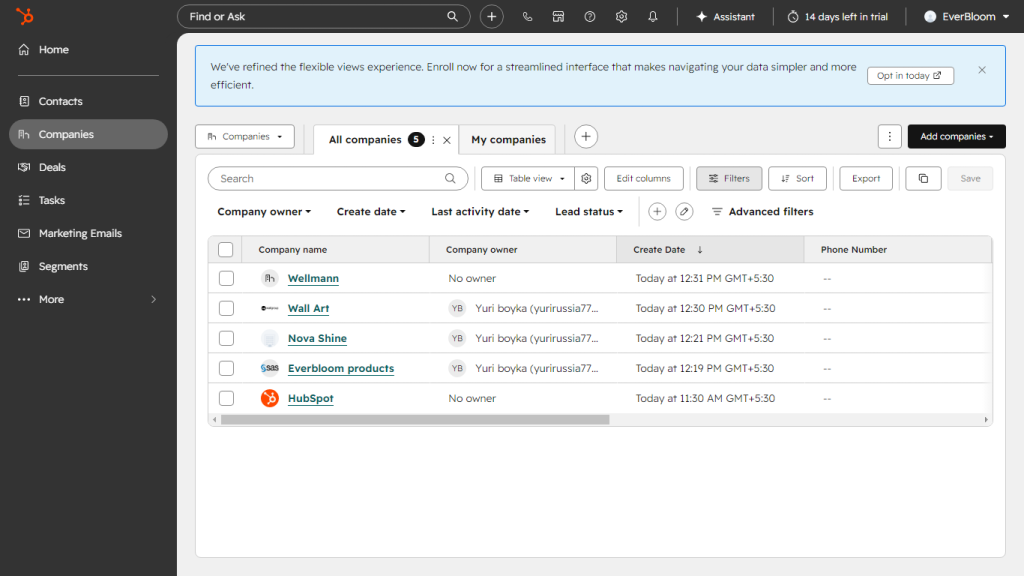
HubSpot Service Hub is the best helpdesk for teams that want every support ticket next to the customer’s sales and marketing history. If your company already runs on HubSpot CRM, agents see deals, emails, and past conversations without switching tools. Paid seats start at $20 per month.
- Team size fit: Small and mid-market teams already on HubSpot
- Industry fit: B2B SaaS, agencies, and non-profits using HubSpot’s nonprofit program
Why I'd consider HubSpot Service Hub
The CRM link is the reason to buy it. G2 reviewers say it handles several inbound channels in one place and that contact information is easy to find.
Costs jump at Professional. Starter is $20 per seat on monthly billing, while Professional is $90 per seat billed annually plus a one-time onboarding fee of $1,500. Eligible non-profits can get up to 40% off through HubSpot for Nonprofits.
HubSpot Service Hub key features
- CRM-linked ticketing: Every ticket sits on the same record as the contact’s deals, emails, and marketing activity in HubSpot’s Smart CRM.
- Help desk workspace and shared inbox: Agents work email, chat, and form tickets from one workspace. Starter includes one inbox, while Professional supports many.
- Live chat and chatbots: Add chat to your website and build bots that collect details or route conversations before an agent joins.
- Knowledge base: Self-service articles that customers search and AI features can reference. Starts on Professional.
- Customer feedback surveys: CSAT, NPS, and customer effort surveys, with responses tied to each contact record.
- Workflows and routing: Automated ticket routing, assignment, and follow-up workflows built in a visual editor. Most automation starts on Professional.
- AI features: AI drafts replies, summarizes conversations, and powers a customer agent. Usage draws from HubSpot credits included with each plan.
- Integrations: Connects with more than 1,500 apps through the HubSpot marketplace.
HubSpot Service Hub pricing
- Free tools: $0
- Starter: $20/seat/month on monthly billing
- Professional: $90/seat/month billed annually, plus $1,500 onboarding
- Enterprise: $150/seat/month billed annually
HubSpot often runs lower promotional Starter prices for new customers.
4.5/5
4.6/5
Freshservice is the best helpdesk for mid-market IT teams that want a well-known ITSM tool with a low entry price. Reviewers like its clean interface and how much works out of the box. Starter costs $19 per agent per month, though the features most IT teams want sit on higher plans.
- Team size fit: Mid-market IT teams
- Industry fit: General business IT, with day passes for occasional agents
Why I'd consider Freshservice
Starter covers incidents, a knowledge base, and a self-service portal. Problem, change, and release management start on Growth at $49. Freddy AI Copilot is a $29 per agent add-on, sold only with Pro at $99 or Enterprise.
G2 reviewers like the no-code workflows. They also mention hidden add-on costs and limited custom reporting. Our Freshservice pricing guide adds up the full cost.
Freshservice key features
- Incident management: Employees raise tickets by email or the self-service portal, and agents track them through to resolution with SLAs. From Starter.
- Self-service portal and knowledge base: Employees find answers and check ticket status without contacting IT. From Starter.
- Problem, change, and release management: ITIL processes for finding root causes, approving changes, and planning releases. Starts on Growth.
- No-code workflow automation: A drag-and-drop builder for routing, approvals, and multi-step processes, which G2 reviewers rank among its strengths.
- Directory integrations: Free Active Directory and Google Workspace integrations help onboard users and keep accounts in sync.
- Freddy AI Copilot: Drafts replies, summarizes tickets, and suggests solutions for agents. A $29 per agent per month add-on, sold only with Pro or Enterprise.
- Day passes: Short-term agent access for people who only handle tickets now and then.
Freshservice pricing
- Starter: $19/agent/month
- Growth: $49/agent/month
- Pro: $99/agent/month
- Enterprise: custom quote
- Freddy AI Copilot add-on: $29/agent/month
Prices are billed annually. The free trial lasts 14 days.
4.5/5
4.3/5
Jira Service Management is the best helpdesk for software companies whose engineers already track work in Jira. Support requests and bugs link to engineering issues without a connector. It is free for up to 3 agents.
- Team size fit: Mid-market and enterprise teams with Jira admins
- Industry fit: SaaS and software companies
Why I'd consider Jira Service Management
If a customer ticket often turns into a bug, JSM keeps the trail in one system. Standard includes queues, SLAs, automation, and asset and configuration management. Incident, problem, and change management need Premium, which costs more than twice as much.
The trade-off is complexity. G2 reviewers say it can be hard to configure and maintain without someone who knows Jira well. Our Jira Service Management pricing guide explains the agent bands.
Jira Service Management key features
- Request intake: Requests arrive through a branded help center, email, chat, Slack, or Microsoft Teams, with unlimited customers on every plan.
- Queues, SLAs, and automation: Agents work from queues with SLA timers. Standard includes 3,000 automation steps per user per month.
- Assets and configuration management: Track devices and their relationships. Standard includes 5,000 asset objects and Premium includes 50,000.
- Incident, problem, and change management: Change management with AI risk assessment, deployment gating, and AIOps alert grouping. On Premium.
- Rovo AI: AI search, chat, and agents across your Atlassian tools, with 250 credits per user a month on Standard and 700 on Premium.
- Virtual service agent: Answers employee requests in chat and hands off to an agent when needed. On Premium with 1,000 assisted conversations a month included.
- Native Jira and Confluence links: Tickets link straight to engineering issues, and help articles come from Confluence.
- Service Collection bundle: Sold only with Customer Service Management, Assets, and Rovo as one subscription.
Jira Service Management pricing
- Free: up to 3 agents
- Standard: $25/agent/month for up to 15 agents (monthly billing)
- Premium: $57.30/agent/month for up to 15 agents (monthly billing)
- Enterprise: custom quote
Per-agent prices drop as your agent count grows.
4.4/5
4.2/5
ManageEngine ServiceDesk Plus is the best helpdesk for IT teams that must run the software on their own servers. It publishes full pricing for both cloud and on-premises editions, which is rare at this level. The Standard edition is free for up to 5 technicians.
- Team size fit: Mid-market and enterprise IT teams
- Industry fit: Government agencies, manufacturers, and other organizations that keep data on their own servers
Why I'd consider ManageEngine ServiceDesk Plus
You pay only for the scope you need. Standard covers the IT service desk, Professional adds asset management, and Enterprise adds change management, projects, and a CMDB. On-premises editions start at $13, $27, and $67 per technician per month.
Add-ons are where the bill grows. Change and release management costs $3,195 a year on Standard or Professional, and Professional and Enterprise also price by the number of assets. G2 reviewers praise the automation but call advanced setup complex. Our ManageEngine ServiceDesk Plus pricing guide shows how totals stack up.
ManageEngine ServiceDesk Plus key features
- Cloud or on-premises: The same product runs as a cloud service or on your own servers, with published prices for both.
- ITIL-aligned workflows: Incident, problem, and change management follow ITIL practices, with ticket automation and escalation rules G2 reviewers rate highly.
- Asset management and CMDB: Professional adds IT asset management, and Enterprise adds a CMDB to map how assets and services connect. Both editions price by the number of assets managed.
- Change and release management: Included on Enterprise, or a $3,195 a year add-on on Standard and Professional.
- Service catalog and problem management: Included on Enterprise, or $1,595 a year each as add-ons on lower editions.
- Projects: Enterprise includes project management so IT can track larger work alongside tickets.
- Multiple service desks: Run up to 15 service desk instances for teams such as HR and facilities.
- AI on every edition: Predictive and generative AI features come at no extra cost, with Zia Agents on Enterprise.
- ManageEngine ecosystem: Connects with other ManageEngine IT tools for endpoint, network, and identity management.
ManageEngine ServiceDesk Plus pricing
- Standard: free for up to 5 technicians, then from $13/technician/month (on-premises)
- Professional: from $27/technician/month (on-premises)
- Enterprise: from $67/technician/month (on-premises)
- Cloud: priced in annual bundles by technician and asset count
A 30-day free trial is available for cloud and on-premises.
4.4/5
4.5/5
TeamDynamix is the best helpdesk for higher education IT. The company started on The Ohio State University campus and has built its platform around colleges, universities, and the public sector. It combines IT service management with project portfolio management in one no-code tool.
- Team size fit: Large institutions with dedicated IT teams
- Industry fit: Higher education, K-12 districts, state and local government
Why I'd consider TeamDynamix
Northwestern University chose TeamDynamix as its ITSM platform because of the vendor’s focus on education, the public sector, and healthcare. One campus can run IT, facilities, and other departments from the same system.
Setup takes real time. G2 reviewers call workflows, permissions, and forms complex to configure, and there is no free trial or published price. Plan for a demo and a quote.
TeamDynamix key features
- No-code ITSM: Incident, request, and change management configured without code, built for IT teams in colleges, universities, and the public sector.
- Enterprise service management: Other campus departments, such as facilities, HR, and residential life, can run their own service desks on the same platform.
- Project and portfolio management: IT projects and tickets live in one system, so leaders see project work and service work together.
- Configurable intake forms and routing: Custom request forms, SLA targets, routing rules, and approval workflows that G2 reviewers say work well out of the box.
- Support for many business units: One platform can serve several departments or schools with their own settings.
- Knowledge base and self-service portal: Students and staff find answers and submit requests through a branded portal.
- Integration platform (iPaaS): Built-in tooling to connect TeamDynamix with campus systems.
- Conversational AI and automation: AI and automation features handle routine requests and steps.
TeamDynamix pricing
- Custom quote only
- No free trial
4.5/5
4.5/5
ServiceNow is the best helpdesk for large enterprises that run IT, HR, and other services across many departments and regions. It has the deepest ITSM feature set on this list and a large partner network for implementation. For US federal work, its Government Community Cloud is certified at FedRAMP High and DoD IL-4.
- Team size fit: Enterprises with well over 1,000 employees and a dedicated platform team
- Industry fit: Federal and state government, large banks, and global enterprises
Why I'd consider ServiceNow
If you need incident, problem, change, and service catalog workflows across a large organization, ServiceNow covers it all on one platform. G2 reviewers say it makes managing incidents, requests, and changes easy once it is in place.
Getting there is the cost. Reviewers mention a steep learning curve, long setup, and licensing costs that keep rising. Prices are quote-only. Our ServiceNow pricing breakdown covers what drives the total.
ServiceNow key features
- Full ITIL suite: Incident, problem, change, and release management on one platform, built for large, multi-department IT organizations.
- Service catalog: A catalog of requestable services, such as hardware, software access, and onboarding, with approval workflows behind each item.
- Enterprise service management: HR, facilities, legal, and other departments can run their own service workflows on the same platform.
- AI and Now Assist: AI agents and generative AI features for summarizing, routing, and resolving requests. Priced by quote.
- Workflow automation: Low-code tools to automate multi-step processes across departments and connected systems.
- Regulated clouds: The US Government Community Cloud is certified at FedRAMP High and DoD IL-4, and a separate National Security Cloud serves US defense customers.
- Reporting and dashboards: Performance analytics and dashboards for service levels, workloads, and trends.
- Partner network: A large network of implementation partners for setup and ongoing changes.
ServiceNow pricing
Custom quote only
Best helpdesk software by team size
Desk365 fits small and mid-sized teams best, while ServiceNow and Zendesk lead for large enterprises. I’ve used G2’s company size groups, since the ratings above come from G2. The agent ranges are my own guide to what each size usually needs.
| Company size | Employees | Typical helpdesk team | What matters most | Top picks |
|---|---|---|---|---|
| Small business | 50 or fewer | 1 to 5 agents | Free plan or low price, setup in days | Desk365, Help Scout, Zoho Desk, Freshdesk |
| Mid-market | 51 to 1,000 | 5 to 50 agents | Automation, SLAs, asset tracking, small price steps | Desk365, Freshservice, Zendesk, Jira Service Management |
| Enterprise | More than 1,000 | 50+ agents across departments | Compliance, many departments, admin capacity | ServiceNow, Zendesk, ManageEngine, Jira Service Management |
Best helpdesk for small businesses
Desk365 is the best helpdesk software for small businesses that use Microsoft 365. Its free plan covers 50 tickets a month, paid plans start at $12 per agent, and setup help is free. A small IT team can let staff raise tickets in Teams on day one.
If your small team mostly answers customer email, Help Scout is the simplest choice and is free for up to 5 users. Zoho Desk is the cheapest paid option at $7 per agent for up to 5 agents. For more no-cost options, see our roundup of free ticketing systems.
Best helpdesk for mid-market teams
For mid-market teams that want IT asset management and change approvals without enterprise pricing, Desk365 is the top pick. Plus at $22 per agent adds change management and round-robin assignment. Premium at $32 adds Intune asset sync, audit logs, and data redaction.
Freshservice suits mid-market IT teams that want a fuller ITSM tool and can pay $49 per agent for problem and change management. Zendesk suits mid-market customer support teams with heavy chat and phone volume. Jira Service Management suits software companies where tickets often become engineering work.
Best helpdesk for enterprises
ServiceNow is the best helpdesk for large enterprises that need a full ITIL suite across many departments and regions. It is also the most demanding to buy and run, so it fits organizations with a dedicated platform team.
Zendesk is the best enterprise choice for large customer support operations. ManageEngine fits enterprises that must self-host. Desk365 is worth a look for large Microsoft 365 organizations whose needs center on ticketing, approvals, and asset tracking rather than a full ITIL suite. JDA TSG runs more than 80 agents across five departments on it. If you plan to roll a helpdesk out beyond IT, our guide to enterprise service management covers how teams like HR and facilities fit in.
Best helpdesk software by industry
Each industry puts a different requirement first, such as HIPAA for clinics, client separation for MSPs, or confidentiality for law firms. The table gives the short answer, and each section below explains the pick.
| Industry | What it needs most | Best picks |
|---|---|---|
| Healthcare | HIPAA compliance, PHI protection | Zendesk for patient support at scale (Suite Professional or Enterprise), Desk365 for internal IT and support on Microsoft 365 |
| Schools and universities | Routing across departments and campuses, low cost | TeamDynamix for large universities, Desk365 for schools and colleges on Microsoft 365 |
| MSPs | Many client companies, per-client SLAs | Desk365 for Microsoft 365-based MSPs, Zoho Desk for small MSPs on a tight budget |
| Law firms | Confidential matters, restricted access | Desk365 for firms that need encrypted, role-restricted fields |
| Government | Audit trails, data location, compliance | ServiceNow for federal agencies (FedRAMP High), Desk365 for local agencies, ManageEngine for self-hosting |
| Banking and finance | Audit logs, data redaction, SOC 2 | ServiceNow for large global banks, Desk365 for regional banks and financial firms |
| Manufacturing | Asset tracking across sites, shift hours | Desk365 for Intune-based asset tracking, ManageEngine for on-site hosting |
| SaaS | Customer portal, chat, engineering escalation | Zendesk for heavy chat and phone volume, Desk365 for support plus internal IT, Jira Service Management for engineering escalation |
| Non-profits | Low cost, easy setup | HubSpot Service Hub for non-profits already on HubSpot, Desk365 for non-profits on Microsoft 365 |
Best helpdesk software for healthcare
Ryan Geiler, IT Director at Community Medical Center, explains why his team chose Desk365: “We heavily utilize Teams and other Microsoft 365 products and with Desk365’s easy and tight integration with Office 365, it was a natural fit.” Staff now raise far more requests as tickets instead of phoning or walking over. That fit, plus HIPAA compliance, makes Desk365 the best helpdesk software for healthcare teams that need compliance without enterprise pricing. Desk365 is SOC 2 Type II certified and HIPAA and GDPR compliant, and Premium at $32 per agent adds encrypted PHI fields, data redaction, and audit logs.
For patient support at scale, Zendesk is the alternative. Digital care company Omada Health moved from Help Scout to Zendesk and reports 95% CSAT for patient support, though Zendesk signs a BAA only on Suite Professional or Enterprise. See our guide to HIPAA-compliant helpdesk software and Desk365’s healthcare helpdesk page.
Best helpdesk software for schools and universities
The University of Kentucky, the University of Virginia, Larkin University, and LeMoyne-Owen College all appear on Desk365’s list of education customers. For schools and universities on Microsoft 365, Desk365 is the strongest fit. It routes requests by department or campus, notifies students and staff in Teams, and can encrypt fields such as student IDs. Large universities that want IT projects and tickets in one platform should look at TeamDynamix, which Northwestern University chose for its focus on education and the public sector. See Desk365’s school helpdesk software page.
Best helpdesk software for MSPs
Two managed service providers moved their client support to Desk365 from other tools. CTS UK replaced Freshdesk, and Service Delivery Manager Andrew Wilson says, “We needed a platform that handled tickets, auto-created requests from emails, supported multiple clients, and simply worked” (customer story). JDA TSG chose Desk365 over ServiceNow and SysAid. Both moves show why Desk365 suits MSPs that support many clients from one workspace, with separate SLAs, business hours, and rules for each client. For MSPs on a tight budget, Zoho Desk is an option, and one small MSP on G2 says it had Zoho Desk running as its helpdesk in about two weeks (review). Neither is a full PSA, so MSPs that need RMM and billing should compare the best MSP ticketing systems. See Desk365’s helpdesk for MSPs page.
For MSPs on a tight budget, Zoho Desk is an option, and one small MSP on G2 says it had Zoho Desk running as its helpdesk in about two weeks (review). Neither is a full PSA, so MSPs that need RMM and billing should compare the best MSP ticketing systems. See Desk365’s helpdesk for MSPs page.
Best helpdesk software for law firms
Law firms put privileged client information into their helpdesk, so security comes first. Desk365 is SOC 2 Type II certified and GDPR compliant, and firms can encrypt fields such as client names and case numbers and limit them to authorized roles. That makes Desk365 the best helpdesk software for law firms that need to keep client matters restricted. SLA timers track court dates and filing deadlines, and tickets can be shared securely with co-counsel. See Desk365’s helpdesk for legal teams page.
Best helpdesk software for government
The Los Angeles Police Department and Alameda County are Desk365’s customers. Desk365 is the best helpdesk software for local government and public agencies on Microsoft 365, with SOC 2 Type II certification, US and EU data centers, and audit logs on Premium. Federal agencies that need FedRAMP should look at ServiceNow, whose Government Community Cloud is certified at FedRAMP High and DoD IL-4. Agencies that must self-host can use ManageEngine ServiceDesk Plus, which councils such as Laois County Council and Stevenage Borough Council run. See Desk365’s government helpdesk software page.
Federal agencies that need FedRAMP authorization should look at ServiceNow’s Government Community Cloud. Agencies that must keep data on their own servers can self-host ManageEngine ServiceDesk Plus. See Desk365’s government helpdesk software page.
Best helpdesk software for banking and finance
Capra Bank, First Carolina Bank, and Standard Bank are among the financial institutions on Desk365’s customer list. For banks and financial firms that need audit and data controls at a mid-market price, Desk365 is the pick. It is SOC 2 Type II certified, and Premium adds audit logs, encrypted fields, and automatic redaction of sensitive data. Large global banks usually need ServiceNow’s depth. NatWest Group used it to replace 13 ITSM tools for 14,000 users and cut the time to raise a change by 76%. See Desk365’s banking and finance helpdesk page.
Best helpdesk software for manufacturing
Panasonic, Yamaha, and Konica Minolta are among the manufacturers on Desk365’s customer list, and Tuttnauer chose Desk365 over Zendesk (customer story). Desk365 suits manufacturers that track devices across plants and offices. Premium syncs assets from Intune and tracks locations and vendors, and Plus supports separate business hours for shifts. Manufacturers that must host on site can use ManageEngine ServiceDesk Plus, which Toyota Industries Engine India has run for more than six years. For more options, see our review of IT asset management software and Desk365’s manufacturing helpdesk software page.
Best helpdesk software for SaaS companies
Jugal Piplani, Technical Solutions Manager at Gapcloud, says his team uses Desk365 “to manage support for our inhouse & partner product portfolios, custom developments and change management requests.” That mix of customer support and internal change work is why Desk365 is the best helpdesk software for SaaS companies that want both in one affordable tool. It offers a customer portal, web widget, AI Agent, and Jira links through its API.
Teams with heavy chat and phone volume may prefer Zendesk, whose published customer stories include software companies such as Box, Prezi, and SwiftKey (Zendesk Support case studies). See our guide to SaaS help desk setups and Desk365’s SaaS helpdesk software page.
Best helpdesk software for non-profits
Non-profits handle donor and beneficiary data on tight budgets, so cost and easy setup come first. Desk365 has a free plan for 50 tickets a month and paid plans from $12 per agent with free setup. That makes Desk365 the best helpdesk software for non-profits on Microsoft 365 that want one low-cost tool. Non-profits already on HubSpot can get up to 40% off eligible Service Hub plans. Youth golf non-profit Youth on Course handled 75% more tickets on Service Hub while improving response times by 16%. See Desk365’s helpdesk for non-profits page.
What a 10-agent team pays per month
| Tool | Plan compared | Monthly cost for 10 agents |
|---|---|---|
| Desk365 | Plus | $220 |
| Zoho Desk | Professional | $230 |
| Help Scout | Plus (monthly billing) | $450 |
| Freshservice | Growth | $490 |
| Freshdesk | Pro | $550 |
| Jira Service Management | Premium (monthly billing) | $573 |
| HubSpot Service Hub | Professional | $900, plus $1,500 onboarding |
| Zendesk | Suite Professional | $1,150 |
On each vendor’s mid-tier plan, where automation, SLAs, and better reporting usually start, a 10-agent team pays from $220 a month with Desk365 to $1,150 with Zendesk. Entry prices look close, but the gap widens at the plan most teams actually need.
Prices are list prices billed annually unless the row says otherwise. Add-ons change the math. Desk365 Premium with asset management comes to $320 for 10 agents, and AI add-ons from Zendesk, Freshdesk, and Freshservice cost extra per agent. ManageEngine, TeamDynamix, and ServiceNow aren’t shown because their totals depend on asset counts or custom quotes.
What a 100-agent team pays per month
At 100 agents, the same mid-tier plans range from $2,200 a month with Desk365 to $11,500 with Zendesk, a gap of more than $110,000 a year. Per-agent pricing means the difference you see at 10 agents grows tenfold.
| Tool | Plan compared | Monthly cost for 100 agents | Yearly cost |
|---|---|---|---|
| Desk365 | Plus | $2,200 | $26,400 |
| Zoho Desk | Professional | $2,300 | $27,600 |
| Jira Service Management | Premium (51 to 100 agent band) | $4,250 | $51,000 |
| Help Scout | Plus (monthly billing) | $4,500 | $54,000 |
| Freshservice | Growth | $4,900 | $58,800 |
| Freshdesk | Pro | $5,500 | $66,000 |
| HubSpot Service Hub | Professional | $9,000 | $108,000, plus $1,500 onboarding |
| Zendesk | Suite Professional | $11,500 | $138,000 |
Jira Service Management sells annual plans by agent band, so 100 agents pay the full price of the 51 to 100 band (Atlassian Service Collection licensing). At this size, Desk365 Premium with Intune asset sync comes to $3,200 a month. Most teams of 100 agents can also negotiate below list price, so treat these figures as a starting point for a quote.
What a 500-agent team pays per month
At 500 agents, Desk365 Plus costs $11,000 a month and Zendesk Suite Professional costs $57,500, before any AI. At this size most buyers move to an enterprise plan and negotiate, so list prices mark the ceiling rather than the final bill.
| Tool | Plan compared | Monthly cost for 500 agents | Yearly cost |
|---|---|---|---|
| Desk365 | Plus | $11,000 | $132,000 |
| Zoho Desk | Professional | $11,500 | $138,000 |
| Jira Service Management | Premium (401 to 500 agent band) | About $13,170 | $158,000 |
| Help Scout | Plus (monthly billing) | $22,500 | $270,000 |
| Freshservice | Growth | $24,500 | $294,000 |
| Freshdesk | Pro | $27,500 | $330,000 |
| HubSpot Service Hub | Professional | $45,000 | $540,000, plus $1,500 onboarding |
| Zendesk | Suite Professional | $57,500 | $690,000 |
Three things change at this size. Volume discounts matter more, since Jira Service Management already drops its per-agent rate in bands and other vendors discount in negotiation. Enterprise plans start to make sense for SSO, sandbox, and audit needs. Jira’s Enterprise plan, for example, is sold only on annual billing, and Atlassian shows its price in the calculator on its Service Collection pricing page. And AI costs can outgrow seat costs, which the next section covers. ServiceNow and TeamDynamix aren’t shown because they publish no prices, but at 500 agents they belong on most shortlists.
How much AI and other extras add to the bill
AI is often the biggest cost that pricing pages don’t show. Vendors charge for it in three different ways, and the method matters more than the headline price as your team grows.
- Agent-assist AI per seat. Drafting replies, summarizing tickets, and suggesting answers, charged per agent per month.
- AI agents per resolution or conversation. A bot that answers customers or employees on its own, charged each time it resolves or handles a conversation.
- Credits. A pool of usage credits that AI features draw from, with more sold in packs.
| Tool | Agent-assist AI | AI agent for customers or employees |
|---|---|---|
| Desk365 | Included on Plus and Premium (draft replies, summaries, KB articles from tickets) | AI Agent add-on at $50 per 1,000 credits, with 100 free credits a month on Plus and 200 on Premium |
| Zendesk | Copilot add-on at $50/agent/month | Included up to 5, 10, or 15 automated resolutions per agent a month (Team, Professional, Enterprise), then billed per resolution, reported at about $1.50 committed or $2.00 pay-as-you-go |
| Freshdesk | Freddy AI Copilot at $29/agent/month, Pro and Enterprise only | 500 AI Agent sessions included once, then sold in session packs |
| Freshservice | Freddy AI Copilot at $29/agent/month, Pro and Enterprise only | Freddy AI Agent, priced separately |
| Zoho Desk | Zia included on Professional and Enterprise. Standard needs your own OpenAI key | Answer Bot on Enterprise |
| Help Scout | AI drafts and editing included on paid plans | AI Answers at $0.75 per resolution |
| HubSpot Service Hub | Draws from HubSpot credits included with each plan | Customer agent draws from the same credits |
| Jira Service Management | Rovo credits included per user (250 on Standard, 700 on Premium) | Virtual service agent on Premium with 1,000 conversations a month, then $0.30 each. Customer service AI agent at $1.00 per resolution |
| ManageEngine ServiceDesk Plus | AI features on every edition | Zia Agents on Enterprise |
| ServiceNow | Now Assist, custom quote | Custom quote |
| TeamDynamix | Not published | Not published |
Atlassian starts billing most of its usage meters on December 3, 2026, including Rovo AI credits, automation steps, and assets objects, according to its usage-based pricing page. Atlassian says the exact date can depend on the feature and your billing cycle.
How to choose the right helpdesk software
Start with who raises your tickets and where your team already works, then price the plan that covers your must-haves. These shortcuts cover most situations.
- If your company runs on Microsoft 365, start with Desk365. Tickets live in Teams, Entra ID handles sign-in, and Intune feeds the asset list. Our list of the best Microsoft Teams ticketing systems compares other Teams-based options.
- If you only support external customers across many channels, look at Zendesk or Freshdesk.
- If you’re a small team answering mostly email, try Help Scout or Desk365’s free plan.
- If your engineers live in Jira, Jira Service Management keeps tickets and bugs linked.
- If you must self-host, ManageEngine ServiceDesk Plus offers full on-premises pricing.
- If you need a full ITIL suite across a large enterprise, ServiceNow is the standard. Our list of ServiceNow alternatives helps if it’s more than you need.
Before you sign, run one real week of tickets through a trial. Time how long it takes to onboard a new agent, route a ticket to the right person, and build the report your manager asks for. Those three tests tell you more than any ranking.
Frequently asked questions
It depends on your team. Desk365 is the best helpdesk software for small and mid-sized businesses on Microsoft 365. Zendesk leads for large customer support teams, and ServiceNow leads for complex enterprise IT.
Desk365 is the best helpdesk for small businesses that use Microsoft 365, with a free plan for 50 tickets a month and paid plans from $12 per agent. Help Scout is free for up to 5 users, and Zoho Desk is free for up to 3 agents.
Desk365 runs ticketing inside Teams on every plan, so employees create and track tickets without leaving the app. Many other tools offer a Teams notification app instead. Ask each vendor how much of the ticket lifecycle actually happens in Teams.
Helpdesk software focuses on logging, routing, and resolving tickets. ITSM software adds structured processes such as change, problem, and asset management. For a deeper comparison of ITSM-focused tools, see our list of the best ITSM tools.
Yes. Desk365 has a free plan for 50 tickets a month, Zoho Desk is free for 3 agents, Help Scout is free for 5 users, Jira Service Management is free for 3 agents, and ManageEngine ServiceDesk Plus Standard is free for 5 technicians.
By use case, the top five are Desk365 for Microsoft 365 teams, Zendesk for multichannel customer support, Freshdesk for growing support teams, Jira Service Management for software companies, and ServiceNow for large enterprises.
Most do. Zendesk sells Copilot at $50 per agent per month and bills AI agents per resolution past a small allowance. Freshdesk and Freshservice sell Freddy AI Copilot at $29 per agent on Pro and Enterprise only. Desk365 includes its AI Copilot on Plus and Premium and sells its AI Agent as a credit-based add-on.