The process of forwarding a customer ticket or inquiry from one support agent to a higher-level agent or authority for specialized assistance or resolution.
What is agent escalation?
Agent escalation is the process of transferring a support issue to another agent, a specialist, or a higher support level when the current owner cannot resolve it within the required scope or timeframe. Escalation helps ensure that complex or urgent requests receive appropriate attention.
When should an agent escalate a ticket?
Escalation may be needed when an issue requires specialist access, exceeds an agent’s authority, affects many users, or risks missing a service target. Teams should define escalation criteria, ownership, and the information that must accompany a handoff.
Benefits of agent escalation
Right expertise: Complex issues reach specialists faster.
Clear responsibility: Everyone knows who owns an unresolved ticket.
Faster urgent response: Critical issues get attention quickly.
Repeatable handoffs: Escalations follow the same steps every time.
How does Desk365 help teams manage escalation?
Desk365 supports escalation in three ways.
Reassign in one step: Move a ticket to another agent or group.
Loop people in: Add watchers or add a private note and notify specific agents.
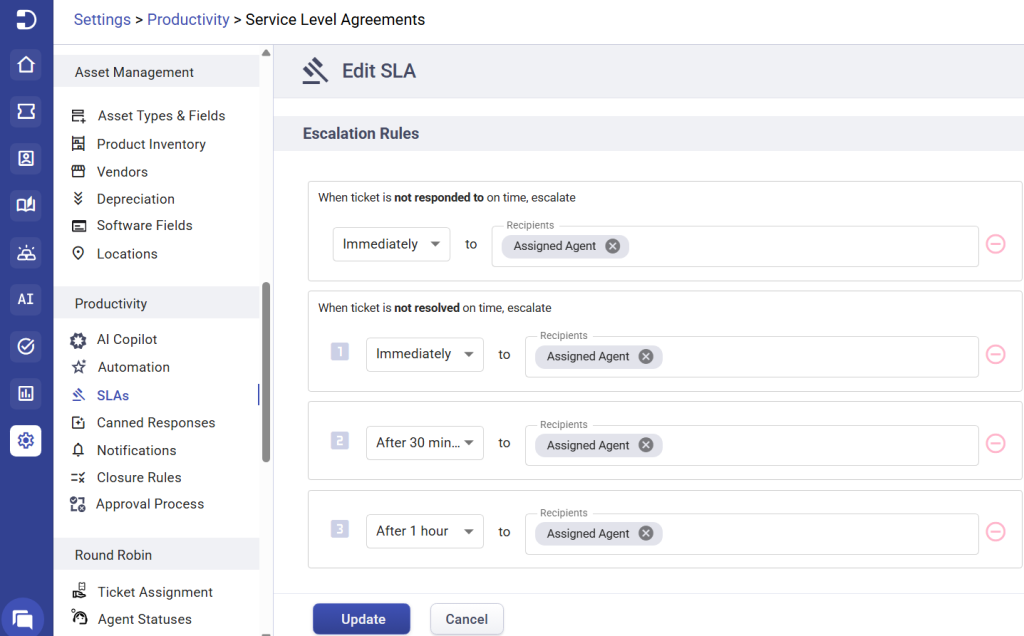
SLA escalations: Notify chosen people by email or Microsoft Teams when a response or resolution target is missed.