You’re three vendor demos in. Every platform looks polished in a screenshare. Every sales rep says their tool handles your use case “out of the box.”
Then you sign, and reality starts.
This review is for IT managers who are still in the evaluation window and want to know what ServiceNow actually looks like six months after go-live, not in a demo environment, not in a best-case deployment, but in a real IT team with real constraints, a lean admin staff, and a budget someone has to justify.
We pulled feedback from G2, Gartner, and Reddit’s r/servicenow community to give you the unfiltered version before you commit.
Recommended reading: ServiceNow ticketing tool: What to know before choosing?
ServiceNow reviews: Overview and comparison
1. Pricing: The invoice will surprise you
Let’s start here because it’s where most procurement conversations go sideways.
ServiceNow doesn’t publish pricing publicly. You’ll get a custom quote, shaped by user count, modules, and implementation scope. That’s a deliberate choice on their part, and it means you’re negotiating without a clear reference point unless you come prepared.
Here’s what you’re typically looking at once the quote arrives:
Licensing: ITSM starts around $90 per user per month. Add IT Operations Management (ITOM), and you’re looking at $150 to $200 per user per month on top of that. The more modules you need, HR Service Delivery, Customer Service Management, and Field Service Management, the more those numbers compound.
Implementation: This is where budgets get uncomfortable. Setup, configuration, integrations, testing, and training routinely run between $10,000 and $100,000, depending on environment complexity. Organizations connecting ServiceNow to legacy systems, Active Directory, and multiple internal tools often land at the higher end. For a closer look at what drives costs within that range, this guide on how much does ServiceNow cost breaks it down by organization size and deployment scope.
Ongoing costs: Annual maintenance starts around $200, but grows as you add users, expand to new departments, or unlock advanced features. The platform has a way of becoming load-bearing infrastructure across the business, which means the support resources required to maintain it grow too.
Read more – ServiceNow pricing 2026: The complete breakdown
Their pricing model is a bit complex and it could be pricey. Further, since the product can become the core of so many areas of the enterprise, it can require quite a large investment in support resources and it requires these resources to understand SaaS management differences vs traditional application support development.
A Reddit user offered the analogy I keep coming back to whenever someone from a 30-person company asks me about ServiceNow: “Using ServiceNow for 10 people is like using a surface-to-air missile to kill a squirrel in your backyard.”
That’s not a knock on ServiceNow. It’s a sizing problem. The platform is built for enterprises running complex, multi-department workflows at scale. If that’s you, the TCO is defensible. If you’re running IT support for a 50-person org, you’re paying for capability you’ll never touch.
On negotiation: ServiceNow pricing is more flexible than their initial quote implies. Multi-year commitments typically unlock better per-user rates. Bundling modules you know you’ll need at signing is usually cheaper than adding them later. If you’re a public sector org or a nonprofit, ask specifically about those programs. Most sales reps won’t lead with those levers unless you ask

For comparison: Alternatives like Desk365 start at $12 per user per month and cover the core needs most mid-market IT teams actually require: ticketing, SLAs, automation, asset management, and Microsoft Teams integration. The cost difference depending on configuration can run 80 to 87%.
Ticketing: The part that actually works well
Here’s where I’ll give ServiceNow genuine credit. The ticketing engine is solid. For IT teams handling high volumes of incidents, service requests, and change tickets, it holds up where it needs to.
What consistently works well based on user feedback and real deployments:
- SLA configuration per ticket type and category: Once set up correctly, it runs without much intervention.
- Jira and Outlook integrations: Actually useful, especially in environments where dev and ops teams live in different tools.
- AI-assisted routing via Predictive Intelligence: Categorizes and routes tickets based on historical patterns. Meaningful time savings on triage once the model has enough data to work with.
- Workflow customization per project or department: More flexibility here than most platforms offer out of the box.
ServiceNow can be pretty expensive, especially for smaller businesses or organizations with tighter budgets. While it offers a ton of features and is a powerful platform, the costs can add up quickly when you factor in subscriptions, implementation, and ongoing support.
If you’re looking for a more affordable option, Desk365 might be a game-changer. By switching to Desk365, you could save up to 87% on costs compared to ServiceNow. Desk365 starts at just $12 per user per month and provides many of the essential features you’d need, like AI-powered ticketing, asset management, automation, and seamless integrations with tools like Microsoft Teams—all without the heavy price tag or the complex setup process that comes with ServiceNow.
For many businesses, Desk365 offers a more budget-friendly alternative while still meeting their service management needs, making it easier to save money without sacrificing functionality.
The ticketing system is the best thing about ServiceNow ITSM. It is easy to use and can handle the load very well. I use it everyday for my work. It is easy to use and even saves my time.
Key takeaways
The agent interface is clean enough, volumes don’t cause issues, and SLA tracking works once configured. The friction starts when you need to modify something after go-live, which leads directly to the customization section.
AI: More than you'd expect
ServiceNow’s AI capabilities are more developed than those of its peers in the market, but the value you get depends heavily on which product tier you’re on and how much setup work you’re willing to do.
The main AI components worth knowing about by name:
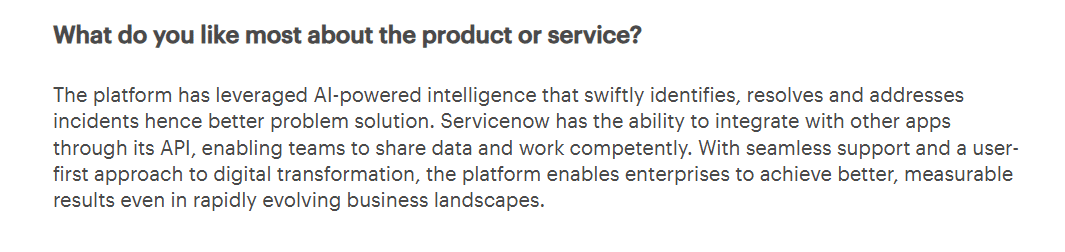
Now assist is ServiceNow’s generative AI layer, released in late 2023 and significantly expanded since then. It powers summarization of incidents and cases, draft response suggestions for agents, and natural language search across the knowledge base. It’s available on select SKUs and requires the Vancouver release or later.
Predictive intelligence is the older ML layer that handles ticket classification, routing, and field recommendations based on historical data. This is what most mid-size deployments are actually using when they talk about “AI-powered routing.” It works well once you have a few thousand resolved tickets to train on.
Now assist for the virtual agent is the conversational AI component. It handles password resets, software access requests, and status checks without human involvement. Deflection rates vary widely depending on how well the flows are configured. Teams that invest time tuning it see real results. Teams that treat it as set-and-forget see modest ones.
Source: Gartner
The honest caveat: none of these features work well if you’re starting with messy data or migrating from email-based support. Budget time for data cleanup before expecting the intelligent features to deliver. And confirm with your sales rep exactly which AI features are included in your proposed package, because they are not all available on every tier.
Customer support: Where the frustration accumulates
This is the section that generates the most candid feedback from IT managers I’ve spoken with. Not because ServiceNow support is outright bad, but because the gap between what’s promised and what’s delivered post-contract is real. What comes up repeatedly:
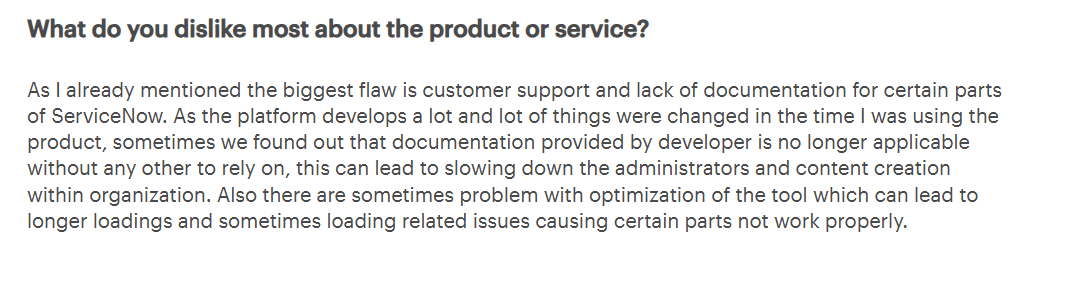
Documentation falls behind the platform. ServiceNow ships updates on a quarterly release cycle. The documentation doesn’t always keep pace. Administrators troubleshooting customized configurations often find that the relevant guides are out of date or don’t exist for their specific version. One Gartner reviewer called this out directly: documentation quality hasn’t kept up with the platform’s evolution.
The customization deflection. When something breaks, the first response from support is often that the issue stems from customization. That may be technically accurate, but it puts IT teams in a bind. The customization exists because the out-of-the-box behavior didn’t meet the business requirement. Now the team owns a problem that support won’t resolve.
Performance inconsistency. Slow load times in certain modules, particularly in complex multi-environment setups, come up often enough to be worth asking about before you sign.
To be fair, some users report a positive experience. One G2 reviewer noted that ServiceNow provides multiple ways to resolve issues and that the platform integrates well across environments. The experience seems to vary significantly based on contract tier.
Source: Gartner
I like the different ways of resolving the issues in all the ways. A user can easily use servicenow and also implement. The customer support is atmost priority in servicenow and also frequently being used. Now a days it is also being integrated into multiple environments
What to do when support falls short:
The ServiceNow Community is genuinely useful for troubleshooting, particularly for scripting issues and customization edge cases. Certified ServiceNow partners can fill the gap when first-party support is slow or unhelpful. For critical issues, escalating directly through your Customer Success Manager, if your contract includes one, moves things faster than the standard support queue.
Customization
ServiceNow can be configured to do almost anything. That’s both the appeal and the risk.
The pattern I’ve seen play out at organizations that went deep on customization follows a predictable arc. The initial project takes longer than scoped because customization is genuinely complex. Several months later, a platform upgrade breaks something that was working. The person who built the original configuration has moved on. Nobody has a complete picture of what was changed or why. Support says the issue is related to customization, and the team is back to square one.
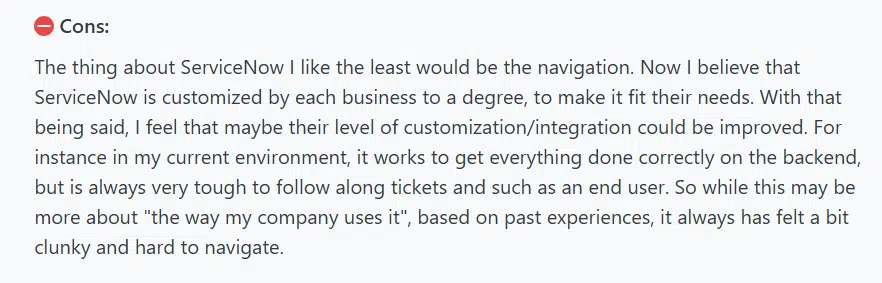
While ServiceNow has many strengths, there are a few aspects that can be a bit frustrating. For one, the initial learning curve can be steep. Even though the platform is user-friendly, navigating all its features and capabilities can feel overwhelming at first, especially for new users or those without a tech background. Additionally, customization, while a strong point, can sometimes lead to complexity. Organizations may find themselves needing to invest significant time and resources to tailor the platform to their specific needs, which can be a bit of a hurdle. Another common concern is the cost. For smaller businesses, the pricing model can be a barrier, especially when trying to access some of the more advanced features.
Source: Capterra
Do people enjoy using ServiceNow?
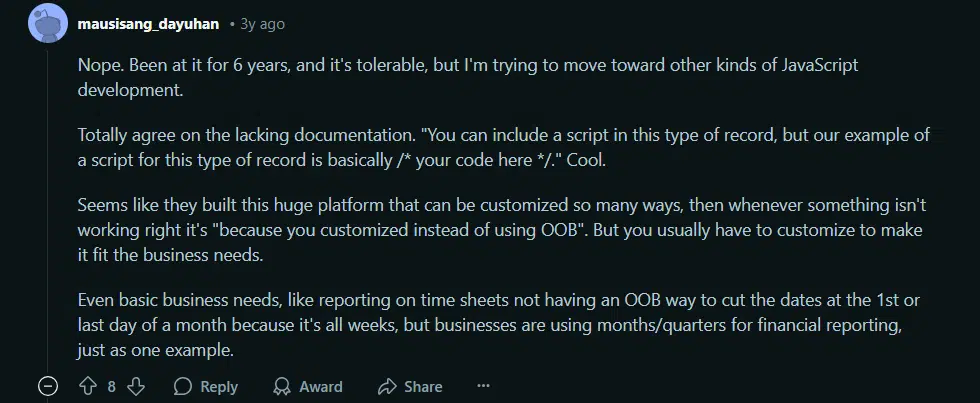
A Reddit user who had been on the platform for six years described the experience as “tolerable but not enjoyable.” The specific frustrations were poor documentation for scripting and custom record types, and basic features missing out of the box that most businesses would expect, like the ability to configure monthly or quarterly reporting dates.
Source: Reddit
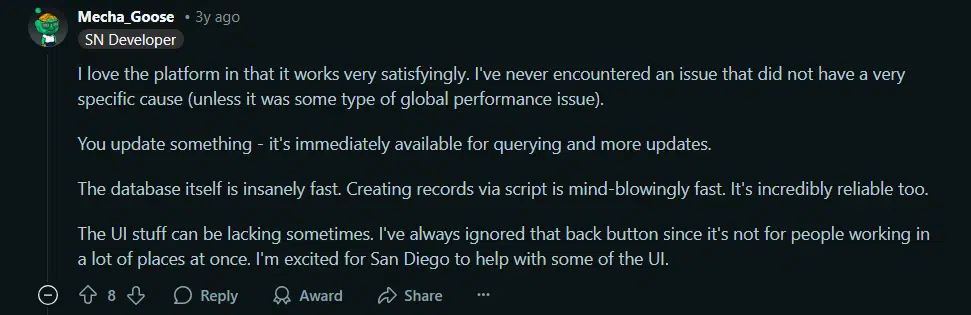
On the other side, technically strong teams genuinely value what ServiceNow makes possible. Another commenter described the database performance as “mind-blowingly fast” and praised the stability of the scripting environment. The infrastructure is solid. The UI has room to improve for power users managing complex workflows, but the foundation is reliable.
The practical framing: if you have dedicated ServiceNow developers or experienced admins, you can build something genuinely powerful. If you’re a lean team expecting the platform to work out of the box for your specific use case, you will hit friction, and resolving it will take longer and cost more than the initial estimate suggested.
Source: Reddit
Key takeaways
ServiceNow earns strong praise for its performance, reliability, and flexibility, especially from technical users. However, the steep learning curve, sparse documentation, and reliance on heavy customization can make the experience frustrating—particularly for those working outside of core development. Whether someone enjoys using the platform largely depends on their role, how much customization their org uses, and how deep their technical knowledge goes.
Questions to ask before you sign
Most IT managers I know wish they had asked these before getting locked into a contract:
On pricing and contract:
- What happens to our per-user rate if we grow from 200 to 400 users mid-contract?
- Is there a multi-year discount, and what are the exit terms if we need to reduce seats?
- Which AI features are included in this package, and which require an upgrade?
On implementation:
- What’s the realistic go-live timeline for an environment with our level of complexity?
- Who owns the implementation, your team or a third-party partner, and what’s included in the implementation fee?
- What does the upgrade process look like, and what’s our responsibility when an upgrade breaks a customization?
On support:
- What support tier are we on, and what’s the SLA for P1 issues?
- Do we have a dedicated Customer Success Manager, and if not, what’s the escalation path?
- Can you connect us with two or three reference customers of a similar size and environment complexity?
On customization:
- What’s the recommended approach for keeping customizations upgrade-safe?
- How do you recommend we document configurations to protect against team turnover?
So, is ServiceNow right for your organization?
ServiceNow fits well if:
- You’re in a 500+ seat enterprise with multi-department ITSM requirements
- You have budget for implementation, ongoing licensing, and dedicated admin resources
- You need deep workflow automation across IT, HR, facilities, and other departments
- Your team has the technical depth to maintain a customized environment over time
It’s worth evaluating alternatives if:
- You need to be operational in weeks rather than months
- You’re managing IT support for a mid-sized or growing organization
- Your IT team doesn’t include a dedicated ServiceNow developer
- Cost is a real constraint, not just a negotiating position