
Keep your helpdesk users in sync. Keep sign-in simple.
Automatically sync your Microsoft Entra ID users with Desk365 using SCIM provisioning. Keep contact information updated without manual imports, and give agents and end-users a seamless sign-in experience with Microsoft Entra single sign-on.
Trusted by 7,000+ businesses around the world


























Why sync Microsoft Entra ID with your helpdesk
Keep user information up to date
Automatically sync users and profile details from Microsoft Entra ID to Desk365, reducing manual updates and duplicate data entry.
Simplify user provisioning
Create and manage helpdesk contacts as users join, leave, or change roles within your organization.
Improve data consistency
Sync details such as names, email addresses, companies, departments, and custom contact fields across Microsoft Entra ID and Desk365.
Make sign-in easier and more secure
Let agents and end-users access Desk365 with Microsoft Entra SSO, while using your existing Microsoft authentication in a single click.
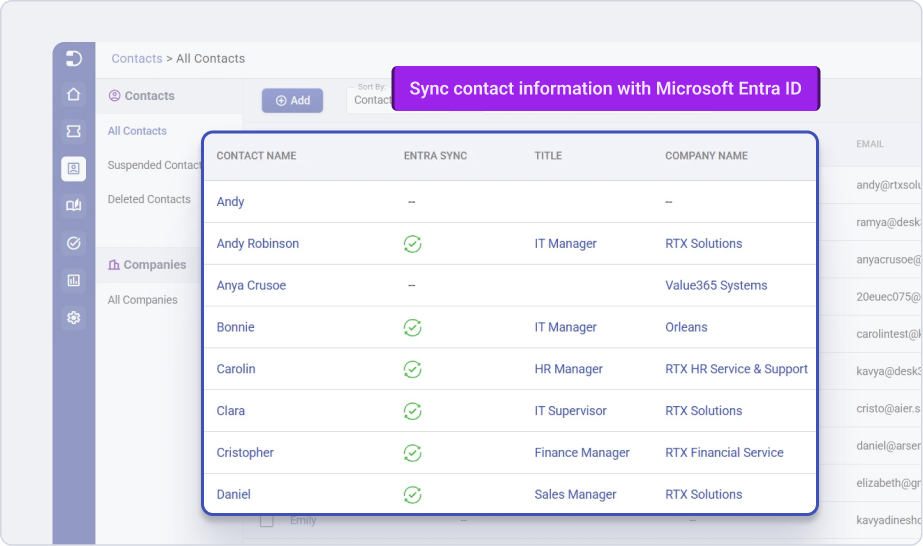
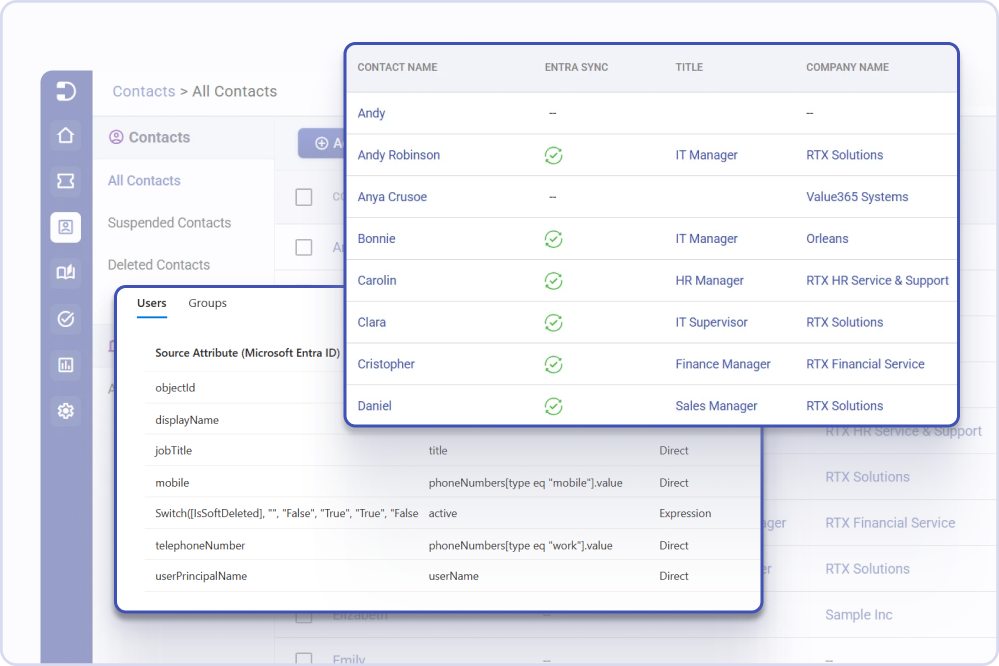
Sync users automatically with Microsoft
Entra ID
Connect Microsoft Entra ID with Desk365 to keep your helpdesk directory updated without manual imports. Automatically provision users, sync contact information, and reduce the effort required to manage user records. Keep user details updated across both systems and reduce manual imports and repetitive administration.
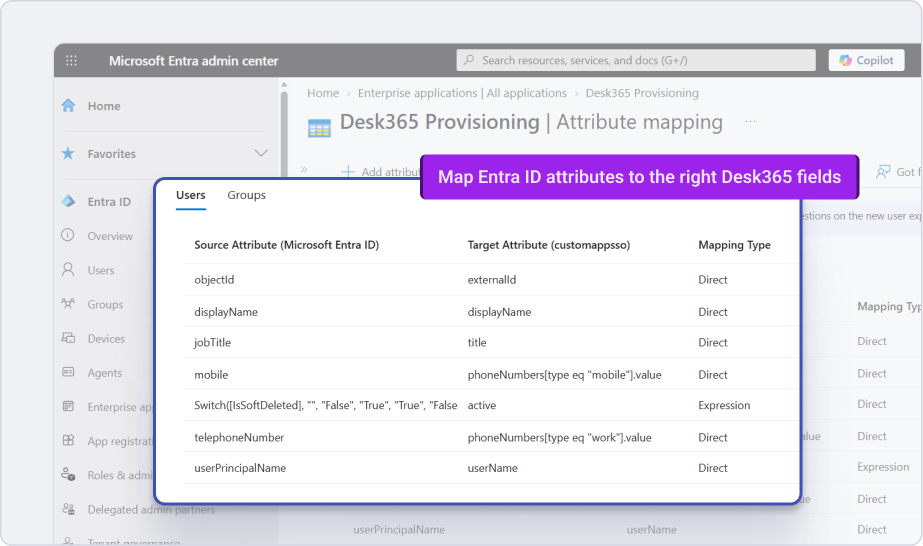
Map user fields to Desk365 contact fields
Use the contact fields you already have in Desk365, or create custom fields to match your organization’s directory. Map relevant Microsoft Entra ID attributes to the right Desk365 fields and keep your contact records consistent.
- Use standard or custom contact fields
- Map Microsoft Entra ID attributes to Desk365 fields
- Sync details such as company, department, and other user information
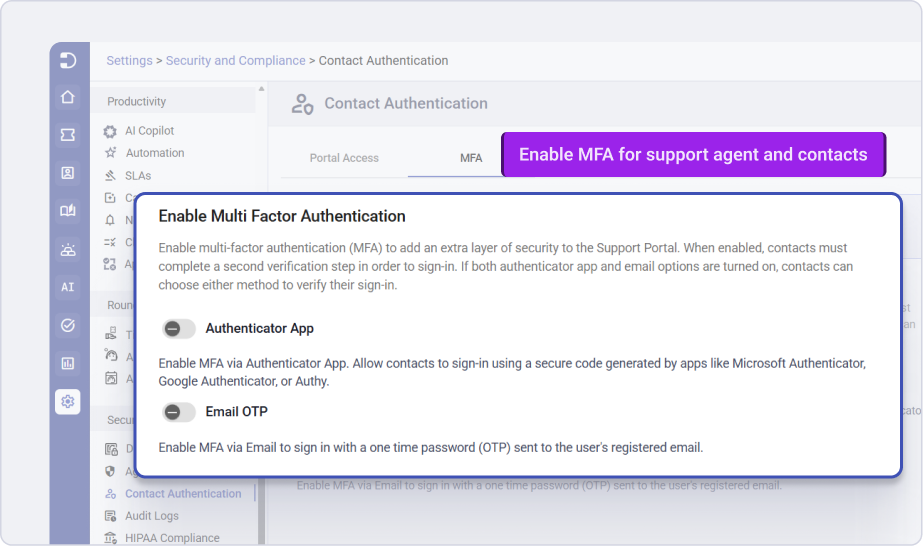
Simplify sign-in with Microsoft Entra SSO
Give agents and end-users a seamless way to access Desk365 using their Microsoft credentials. Reduce password fatigue and use your existing Microsoft authentication and MFA policies to support secure access.
- Enable SSO for agents and end-users
- Sign in with existing Microsoft credentials
- Support MFA through Microsoft Entra ID
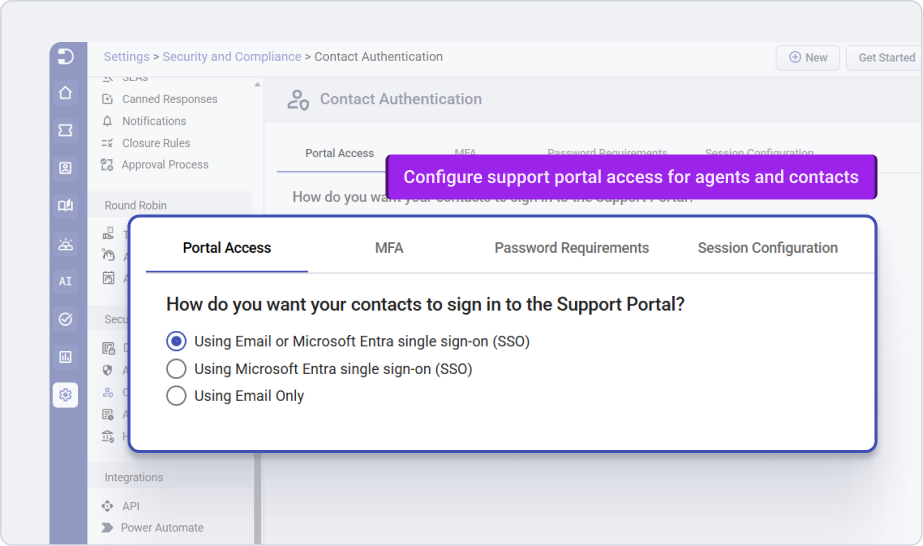
Control authentication and user access
Choose how agents and contacts authenticate with Desk365. Configure Microsoft Entra SSO, email login, MFA, and other authentication settings based on your organization’s requirements.
- Allow email login, Microsoft Entra SSO, or SSO-only access
- Configure MFA for email-based authentication
- Manage authentication settings for agents and contacts
Frequently asked questions
Microsoft Entra ID Sync lets you automatically provision users from Microsoft Entra ID into Desk365. User profile updates can also be synchronized to help keep your Desk365 contacts accurate.
Yes. Desk365 supports user provisioning through the SCIM 2.0 protocol, allowing Microsoft Entra ID to create and update contacts in Desk365.
Yes. You can map Microsoft Entra ID attributes to Desk365 custom contact fields, including text, paragraph, checkbox, date, number, decimal, dropdown, and URL fields.
Yes. You can configure agent and contact authentication via multiple methods including sign in using Microsoft Entra single sign-on.
We're committed to your Microsoft investment
Desk365 doesn’t just plug into Teams – it’s built to live inside the Microsoft ecosystem. From SSO to Entra ID Sync, you can do it all within Desk365 out-of-the-box.
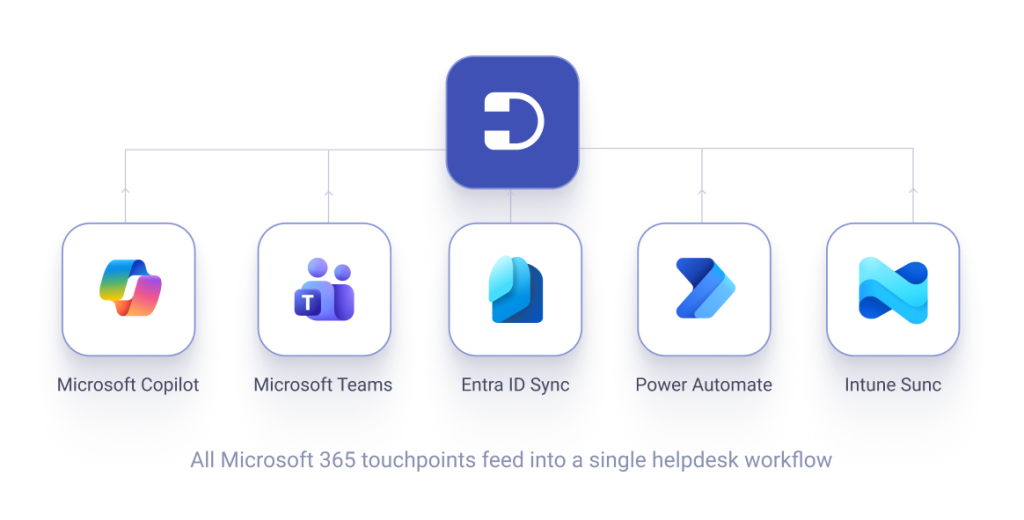

Microsoft Entra ID Sync
Automatically syncs your user directory – no manual imports, always up to date.

Microsoft Entra SSO
Single sign-on for agents and end-users. Seamless M365 authentication, one less password.

Power Automate Connector
Connect Desk365 to hundreds of Microsoft and third-party apps via native Power Automate.

Microsoft 365 Copilot Plugin
Interact with Desk365 from Word, Excel, PowerPoint, Outlook, and Teams via M365 Copilot.

Microsoft Intune Sync
Import existing assets from Microsoft Intune and keep them synced with Desk365 Asset Management.
Don't just take our word for it, see why our customers choose us!
Hear from real people who have experienced the difference.
"Desk365 has got all the right ingredients that a Helpdesk solution needs under its belt."
Desk365 has got all the right ingredients that a Helpdesk solution needs under its belt. We use them to manage support for our inhouse & partner product portfolios, custom developments and change management requests. They are constantly innovating and bringing great features at a rapid pace. Apart from the great product itself, they have a fantastic customer support team that is always there to support you and get the features that you want to be implemented in the Helpdesk .
Jugal Piplani
Technical Solutions Manager, Gapcloud
"Highly Recommend."
Desk365 has absolutely improved our ability to process internal/external requests. I needed a software solution that could be easily implemented for a reasonable price point and Desk365 delivered. I have been very impressed with the responsiveness of the Desk365 team and their assistance in configuring the software to fit our needs. Highly Recommend.
Jessica Harrison
Sr. Associate, Christopher Consultants, Ltd.
"They really make you feel they are part of your team."
Desk365 does what you expect from a much more expensive ticket system. The best thing however is the customer support. All questions about the software are answer quickly and completely and suggestions for improvement are treated seriously. They really make you feel they are part of your team.
Jeroen H
Scientist Sensortechnologies
"A very good system all round."
After testing many other helpdesk solutions, we have been utilizing Desk365 for 10 months and have been hugely impressed with its ease of use, speed and simplicity. Everything we need to provide excellent customer support via email (our primary support channel) is available in one place, updates on new features are regular and concise and any requests for new features are reviewed and implemented quickly. A very good system all round.
Andy Roberts
Network & Communications Support Specialist, CSG
"Truly an outstanding product with a knowledgeable, prompt and courteous staff."
We heavily utilize Teams and other Microsoft 365 products and with Desk365’s easy and tight integration with Office 365, it was a natural fit. Our adoption was seamless and we now have a much (much) higher use of the ticket system by end users—instead of the office visit ticket or phone call. With the ability for users to make a ticket in Teams, email or the portal at a click of a button—users naturally gravitate to actual ticket creation. Truly an outstanding product with a knowledgeable, prompt and courteous staff.
Ryan Geiler
IT Director, Community Medical Center
"The Helpdesk system everyone should know about"
Performance, Support, Easy-to-use. The Performance is incredible – one of the fastest Helpdesk systems I have ever worked with. The Support is just amazing. Any inquiries will be answered quickly and professionally. Easy-to-use: almost no one, from our ~100 employees, needed any training. It’s self-explanatory.
Mirko B
System & Network Administrator
"Desk365 has plenty of features which we love to use."
“Desk365 has plenty of features which we love to use. With other tools, we tried, there was always a learning curve. Not with Desk365, simple and fast. The email ticketing module is very intuitive to set up and use. The integration with Microsoft Teams was a big selling point to us. We can work on Tickets within MS Teams, even the customers Tenant can be integrated. Very fast way to communicate with the customers. The standard SLA and the option to set different, special SLAs to some customers make it easy to keep up with all the tickets.”
Jan Schwärzel
CTO, ComSet AG
"Teams integration is fantastic!"
Teams integration is fantastic and has improved user interaction by at least 500%. Tech team is notified in Teams when tickets come in. Users see tech questions and comments in their teams. Automation features are great. Knowledgebase is more than adequate and search functions work well.
Lonny L
IT Manager
Trusted by industry reviewers
Desk365 is highly rated on platforms like G2 and Capterra, earning recognition for its innovation, ease of use, and support capabilities.

Why choose Desk365?
Customers who choose Desk365 feel the difference. Built for and by customers, every feature, every detail is crafted so our users’ lives are simplified.
Set up in minutes
Migrate, onboard, and get started with your new helpdesk almost instantly.
Easy to use
Intuitive software your teams can pick-up in no-time. Ensure a smooth experience for both your agents and your customers.
Support that goes the extra mile
Have questions? Need help? Desk365 is committed to real human support and providing true resolution.
Highest ROI and product value
Reduce costs and increase agent productivity from day 1 so your business sustains growth.
No credit card required.
Security, Safety and Compliance
- At Desk365, ensuring the security of your data is our top priority. We adhere to stringent security policies and controls that meet leading industry standards.
- To cater to our customers, we operate data centers in both the US and EU, specifically offering EU-based centers for those in the European Union.
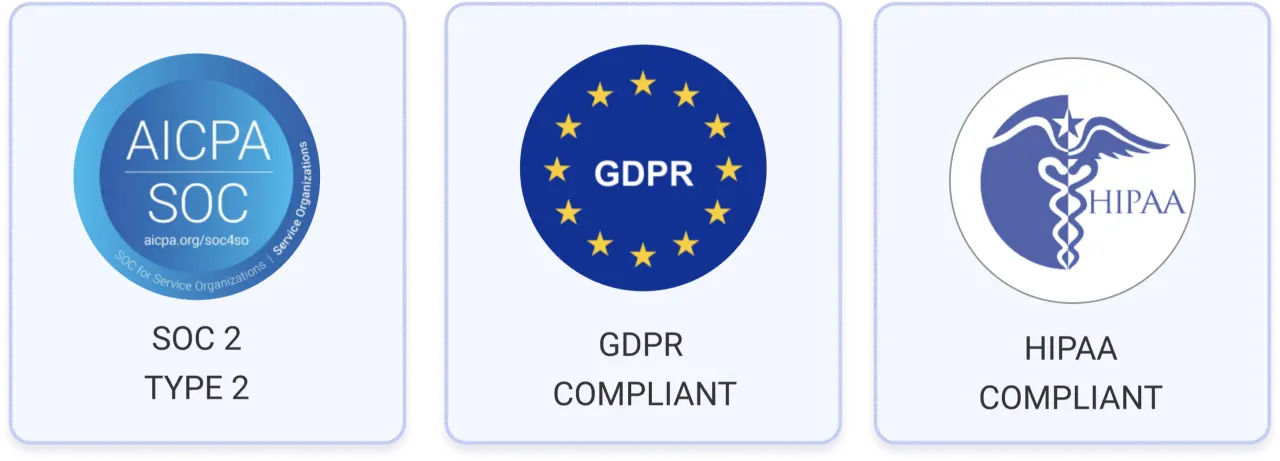
- We are SOC 2 Type 2 Certified and GDPR compliant.
Sync your users from Microsoft Entra ID within Desk365
Keep your helpdesk directory updated and make sign-in easier for your team.








Microsoft Teams Ticketing System
Manage support within Microsoft Teams. Let users raise tickets and agents resolve them without leaving Teams.