

When you’re managing a business, keeping track of your assets can get messy fast. Laptops, tools, equipment, vehicles, furniture, and other company resources all need to be tracked properly. Without a good system, things can easily get lost, misplaced, or forgotten.
That’s why many businesses look for asset management software like Asset Panda. It helps companies organize their assets, monitor usage, track maintenance, and manage everything from one place.
But before choosing any software, one big question always comes up: How much does it actually cost?
Asset Panda pricing is not always simple to understand at first because it can depend on things like the number of assets you manage, the features you need, and the size of your business. In this blog, we’ll break down Asset Panda pricing in a simple way so you can understand what to expect and decide whether it’s the right fit for your asset management needs.
TL;DR - Asset Panda Pricing
- Asset Panda is a cloud-based asset management platform that helps businesses track assets like laptops, tools, equipment, vehicles, furniture, and other company resources from one place.
- Asset Panda does not publish a full pricing table on its website, so the exact final cost is not fully transparent.
- However, it does publicly mention starting prices, with plans starting at $3,000 per year for the Starter package and $7,500 per year for the Business+ package. So while we know the starting cost, businesses still need to contact Asset Panda to confirm the exact quote based on their users, assets, and feature needs.
What is Asset Panda?

Asset Panda is a cloud-based asset management and tracking software designed to help businesses keep an accurate record of the physical assets they own, use, assign, maintain, and replace.
In everyday terms, Asset Panda helps companies move away from messy spreadsheets, paper records, or scattered manual tracking systems. Instead of guessing where an asset is, who has it, or whether it needs maintenance, businesses can manage everything from one centralized platform.
An “asset” can be almost anything a company wants to track, such as laptops, tablets, tools, machinery, office furniture, vehicles, medical equipment, school devices, construction equipment, or warehouse items.
Asset Panda is especially useful for organizations that have a lot of assets moving between people, departments, locations, or job sites.
For example, an IT team can use Asset Panda to track which employee has which laptop, when it was issued, its warranty details, repair history, and when it should be replaced. A construction company might use it to track tools and heavy equipment across different job sites. A school could use it to manage student devices, classroom equipment, and maintenance requests.
One of the main reasons businesses use Asset Panda is that it gives them better visibility and control over their assets. The platform can store important information such as serial numbers, purchase dates, asset condition, assigned users, locations, warranty details, maintenance schedules, photos, documents, and service history.
How much does Asset Panda cost?
Asset Panda does not fully disclose detailed pricing on its website. You will not find a complete public pricing table where you can easily compare every plan, feature, user limit, asset limit, and add-on.
Instead, Asset Panda usually encourages businesses to request a demo or contact the sales team to get a custom quote based on their needs.
That said, Asset Panda does mention some starting prices publicly. According to the company, its pricing is user-based and starts at $3,000 per year for the Starter package and $7,500 per year for the Business+ package.
Based on the information available from Asset Panda and third-party pricing references, here is a general breakdown:
We also evaluate how easy each tool is to set up, since complicated and time-consuming software can create more problems than it solves. By combining real user feedback with practical setup considerations, we aim to give a clear and trustworthy view of which ticketing systems are actually worth considering.
| Plan | Estimated Pricing | What it may include |
|---|---|---|
| Free offering | 7-day free trial | Access to the platform for testing, but no permanent free plan |
| Starter | Starts at $3,000/year | Basic asset tracking for smaller teams |
| Business+ | Starts at $7,500/year | More advanced features, larger teams, integrations, and API access |
| Enterprise | Custom quote | Designed for larger organizations with advanced workflows, integrations, support, and higher asset management needs |
Asset Panda detailed pricing plan
Asset Panda Starter Plan: $3,000/year
| Feature | Details |
|---|---|
| Annual Price | $3,000/year |
| Included Users | 5 users |
| Asset Limit | Up to 1,000 assets |
| Free Trial | 7-day free trial |
| Best For | Small teams, startups, schools, nonprofits, and businesses moving away from spreadsheets |
| Core Features | Basic asset tracking, asset records, barcode/QR code scanning, mobile access, check-in/check-out tracking, and basic reporting |
| Use Case | Helps teams track where assets are, who has them, and what condition they are in |
| Good Fit If | You need a simple asset tracking system without complex workflows or advanced integrations |
The Starter plan is Asset Panda’s entry-level package. It is designed for smaller teams that want to move away from spreadsheets and manage their assets in a more organized way.
With this plan, businesses can track basic asset details such as asset name, serial number, location, assigned user, purchase date, warranty information, condition, and maintenance history. It gives teams a central place to see what they own, where each asset is located, and who is responsible for it.
This plan is a good fit for businesses that need simple asset visibility without requiring advanced automation, integrations, or complex workflows.
Asset Panda Business+ Plan: $7,500/year
| Feature | Details |
|---|---|
| Annual Price | $7,500/year |
| Included Users | 10 users |
| Asset Limit | Up to 5,000 assets |
| Free Trial | 7-day free trial |
| Best For | Growing businesses, IT teams, operations teams, healthcare teams, and companies with multiple locations |
| Core Features | Asset tracking, barcode/QR scanning, mobile access, custom fields, advanced reporting, workflows, integrations, and API access |
| Use Case | Helps teams manage asset assignments, audits, maintenance, approvals, repairs, and lifecycle tracking |
| Good Fit If | You need stronger customization, reporting, integrations, and workflow control |
The Business+ plan is built for growing companies that need more flexibility than the Starter package. It works well for teams that do not just want to track assets but also want to manage the full asset lifecycle more efficiently.
With Business+, companies can create more structured processes for asset assignments, audits, maintenance requests, approvals, repairs, and reporting. It is also a better option for teams that need integrations or API access to connect Asset Panda with other business systems.
This plan is ideal for organizations managing assets across multiple departments, locations, or job sites and needing more control over workflows and reporting.
Asset Panda Enterprise Plan: $18,000/year
| Feature | Details |
|---|---|
| Annual Price | $18,000/year |
| Included Users | 20 users |
| Asset Limit | Up to 10,000 assets |
| Free Trial | 7-day free trial |
| Best For | Large organizations, enterprise IT teams, universities, healthcare networks, government teams, and manufacturers |
| Core Features | Advanced asset tracking, custom workflows, API access, integrations, advanced reporting, offline access options, AI-powered tools, onboarding support, and advanced permissions |
| Use Case | Helps large teams manage thousands of assets across departments, locations, warehouses, job sites, or facilities |
| Good Fit If | You need a scalable asset management system with custom setup, deeper integrations, and advanced support |
The Enterprise plan is designed for larger organizations with complex asset management needs. It is best for companies that manage thousands of assets across multiple departments, facilities, warehouses, campuses, or job sites.
This plan may include advanced customization, deeper integrations, expanded user access, stronger permissions, offline access options, AI-powered tools, advanced reporting, onboarding support, and more hands-on assistance.
Enterprise is a strong fit for large IT teams, healthcare networks, universities, government organizations, and manufacturers that need a scalable system to support long-term asset management operations.
Note: Asset Panda does not publish a fully detailed public pricing table on its website. The company publicly mentions pricing starting at $3,000/year for Starter and $7,500/year for Business+, while Enterprise pricing, user limits, asset limits, and included features may vary. Businesses should contact Asset Panda directly to confirm the latest pricing and plan details.
Where Asset Panda falls short
While Asset Panda is a powerful and highly customizable asset management platform, it may not be the perfect fit for every business. Here are a few areas where it may fall short:
1. Pricing may be high for smaller teams
Asset Panda’s pricing starts in the thousands per year, which can feel expensive for small businesses, startups, or teams that only need basic asset tracking. Since it is designed more for business and enterprise use, companies with limited budgets may find it costly compared to simpler asset tracking tools.
2. Full pricing is not clearly listed
Asset Panda does share starting prices for some packages, but it does not provide a full public pricing table with every plan, feature, user limit, asset limit, and add-on. Businesses usually need to request a demo or speak with the sales team to understand the exact cost.
3. Advanced features may take time to learn
Because Asset Panda is highly customizable, there can be a learning curve. Features like custom workflows, API integrations, advanced reporting, and automation may require some setup time and technical knowledge.
4. May be more than what simple teams need
For teams that only want basic asset tracking, Asset Panda may feel more advanced than necessary. If a business only needs to track a small number of laptops, tools, or office items, a simpler and cheaper platform may be enough.
5. Custom setup can take effort
One of Asset Panda’s strengths is customization, but that also means businesses may need to spend time setting up fields, workflows, permissions, reports, and processes before the system feels fully useful.
Instead, Try Desk365 for Asset Tracking
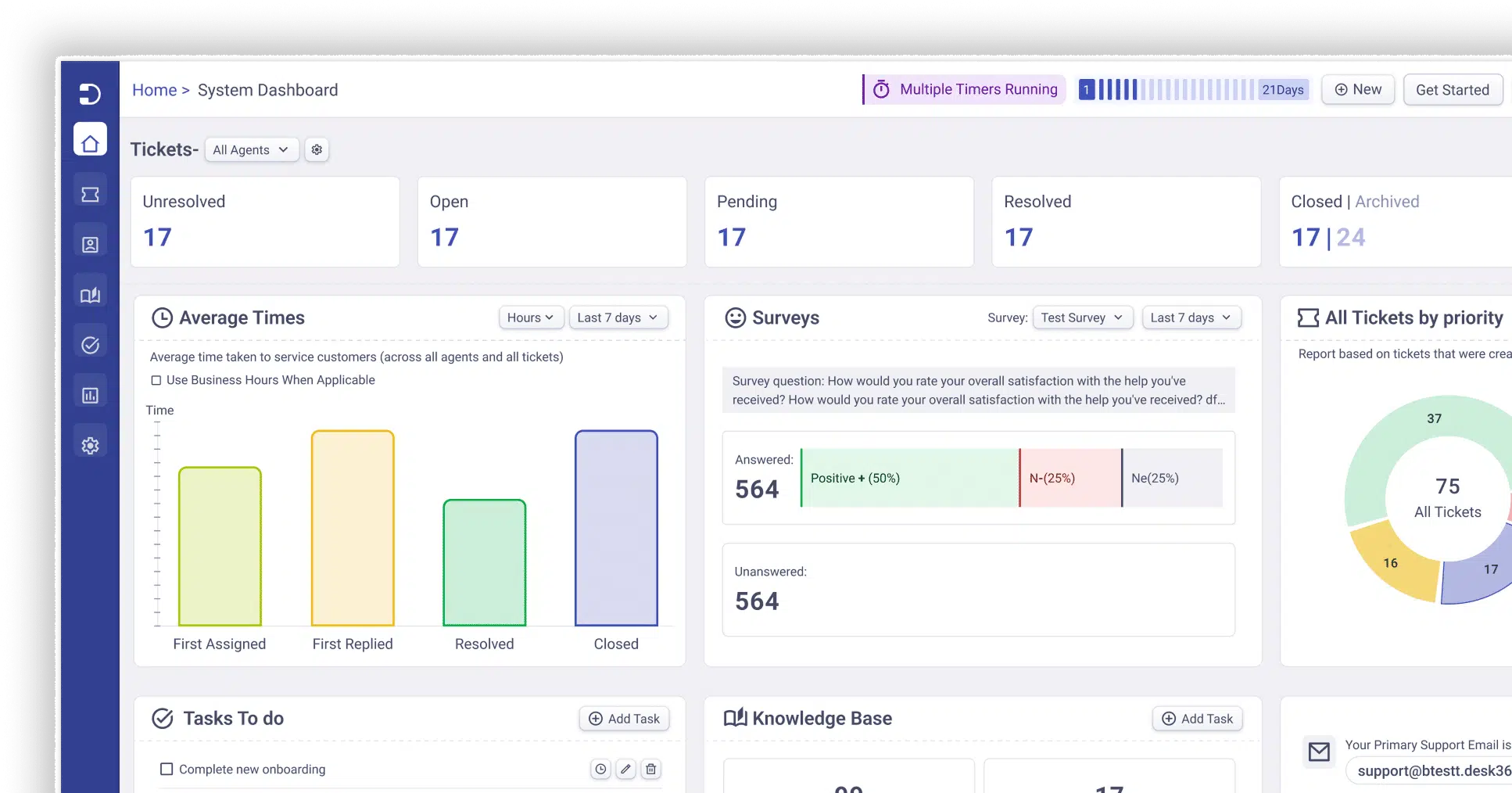
If Asset Panda feels too expensive or too complex for your team, Desk365 can be a more affordable alternative for asset tracking, especially for small and mid-sized IT teams.
While Asset Panda’s pricing starts at $3,000/year for the Starter package and $7,500/year for Business+, Desk365’s Premium plan starts at $32 per agent/month, billed annually, and includes Asset Management. That makes Desk365 easier to budget for, especially if your team wants asset tracking inside a helpdesk system rather than a separate enterprise asset platform.
With Desk365 Asset Management, teams can track hardware, software, and consumable assets directly inside their ticketing system. This is useful because support agents do not have to switch between tools to understand what device, software, or equipment a ticket is related to. Assets can be linked directly to tickets, giving agents visibility into ownership, status, and asset history while they work on issues.
Desk365 also supports important IT asset details such as vendors, locations, procurement history, lifecycle status, and depreciation tracking.
| Area | Desk365 |
|---|---|
| Starting price | Premium plan starts at $32 per agent/month, billed annually |
| Asset management | Included in the Premium plan |
| Best for | Small to mid-sized IT teams that want helpdesk + asset management together |
| Asset types | Hardware, software, and consumable assets |
| Ticket integration | Assets can be linked directly to support tickets |
| Useful features | Vendor tracking, procurement history, lifecycle status, depreciation tracking, automations, SLAs, knowledge base, and Microsoft Teams ticketing |
Frequently asked questions
Asset Panda’s pricing may depend on factors such as the number of users, number of assets, and the level of functionality required. Since the pricing is not openly published, it is best to request a direct quote before comparing it with other asset management tools.
Asset Panda’s pricing may depend on factors such as the number of users, number of assets, and the level of functionality required. Since the pricing is not openly published, it is best to request a direct quote before comparing it with other asset management tools.
Asset Panda does not show a full pricing table publicly, so businesses usually need to request a demo or contact the sales team for a custom quote. However, Asset Panda pricing starts at $3,000 per year for the Starter package and $7,500 per year for the Business+ package.




 AI Agent
 Asset Management
 Knowledge Base
 Automations
 SLAs
SLAs
 Customization
 Ticket Assignment
 Reports & Analytics
 Approval Management
 Helpdesk Security
 Explore All Features
 Banking and Finance
 Healthcare
 MSP
MSP Government
  Non Profit
 IT Services
 Customer Support
 Human Resources
 Facilities







