IT Assets are a part of every organization today. Laptops, software, cloud tools, servers, subscriptions. All of it keeps the business running.
But as technology grows, it becomes harder to keep track of what you actually have. Devices get reassigned. Software renews automatically. Hardware gets old. Costs increase without anyone fully noticing.
That is where IT Asset Management, or ITAM, comes in.
ITAM is an organized way to track and manage all your IT assets from the moment you get them until the time you retire them. It helps organizations stay organized, reduce waste, control costs, and make better technology decisions.
What is IT Asset Management?
Let’s start with something familiar.
Think about your home for a moment. You probably know how many phones, laptops, chargers, and gadgets you have. You know which ones still work, which ones need fixing, and which one somehow disappeared into a drawer years ago.
Now imagine doing that for a company with hundreds or thousands of devices, software tools, and subscriptions.
That’s where IT Asset Management comes in.
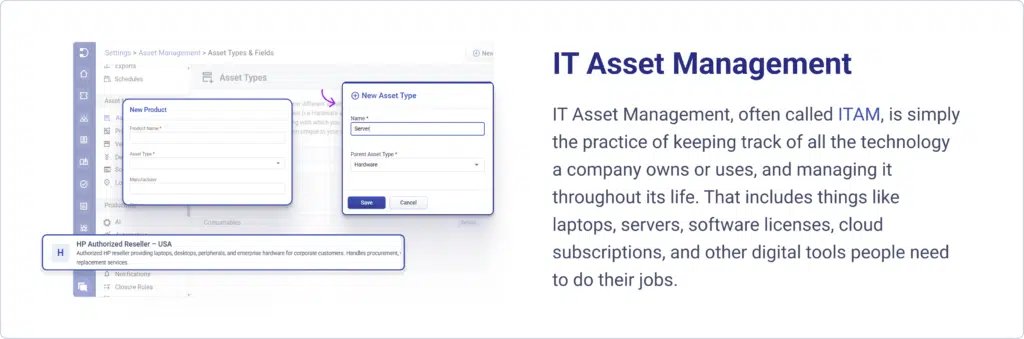
IT Asset Management, often called ITAM, is simply the practice of keeping track of all the technology a company owns or uses, and managing it throughout its life. That includes things like laptops, servers, software licenses, cloud subscriptions, and other digital tools people need to do their jobs.
At its heart, ITAM answers very practical questions:
- What technology do we have?
- Where is it?
- Who is using it?
- Is it still needed?
- When should it be replaced?
Without IT Asset Management, companies lose visibility fast. Devices go missing; software keeps renewing even when nobody uses it, and old systems stay in place longer than they should. Things become expensive and messy without anyone meaning for that to happen.
With ITAM, everything is known and intentional. Technology is purchased thoughtfully, tracked while in use, maintained when needed, and retired at the right time.
So, in simple terms, IT Asset Management is how organizations stay aware of, responsible for, and in control of their technology.
What is an IT asset?
An IT asset is any piece of technology a company uses to run its business. That’s the simplest way to think about it. If a device, software, or digital service helps employees do their jobs, store information, communicate, or deliver products or services, it counts as an IT asset.
Some IT assets are easy to picture, like laptops or servers. Others are less visible, like software licenses or cloud subscriptions quietly running in the background. But they all have something in common. They provide value to the organization and need to be tracked and managed.
You can group IT assets into a few familiar categories.
Hardware
Physical technology that people can touch and use.
Laptops, desktops, monitors, phones, servers, network equipment, and printers.
Software
Programs and applications are installed on devices or accessed online.
Productivity tools, design software, security tools, and operating systems.
Cloud and digital services
Subscriptions and online platforms are the company’s reliance.
Cloud storage, SaaS tools, hosting environments, and collaboration platforms.
Consumables
IT-related supplies that get used up or replaced regularly.
Printer toner, ink cartridges, batteries, cables, keyboards, mice, and other supporting accessories.
Data and digital resources
Information systems and digital environments that support operations.
Databases, virtual machines, digital infrastructure.
So, when we say, “IT asset,” we are really talking about all the technology resources that support how a company works day to day.
If someone in the organization depends on it to do their job, it is very likely an IT asset.
Why is IT Asset Management important?
In many organizations, information about technology lives in too many places at once.
- Some details sit in spreadsheets.
- Some live inside ticketing systems.
- Some stay in procurement records.
- Some exist only in someone’s memory.
Over time, different teams start tracking the same assets in their own way, for their own needs. IT keeps one list. Finance keeps another. Security maintains a third. None of them is fully complete, and none of them fully agree.
This is how confusion quietly grows.
No one can say with confidence exactly how many devices exist, which software is truly in use, or which assets are still active. People spend hours chasing updates, reconciling lists, and checking whether information is still accurate. In some companies, entire roles end up focused on manually tracking technology inventory just to keep things somewhat current.
The problem is not effort. It is fragmentation.
IT Asset Management changes this by creating a single, reliable view of all technology assets in one place. Instead of scattered records, there is one shared source that shows what exists, where it is, who uses it, and what state it is in.
That clarity has a ripple effect.
- IT teams spend less time hunting for information and more time improving systems.
- Managers make decisions based on real data instead of estimates.
- Finance sees accurate costs and lifecycle timing.
- Security teams know which assets actually exist in the environment.
In simple terms, ITAM replaces guesswork with shared understanding.
When everyone looks at the same accurate picture of technology, coordination becomes easier, decisions become faster, and the organization regains a sense of order over something that naturally grows complex.
That is why a single source of truth is one of the most powerful outcomes of IT asset management.
Stages of the IT asset lifecycle
Every IT asset inside an organization follows a lifecycle. It begins with a need and ends when the asset is no longer in use. Understanding these stages helps organizations manage technology intentionally instead of reacting to problems as they appear.
While the details can vary, most IT assets move through the same core stages.
1. Planning and requirement analysis
Everything starts with a need.
A department may require new laptops for onboarding. The IT team may need upgraded servers to handle increased traffic. A business unit may request new software to improve productivity.
During this stage, organizations:
Define technical requirements
Estimate quantity
Set budgets
Evaluate compatibility with existing systems
Assess long term business impact
Good planning prevents overbuying, underbuying, or purchasing assets that do not align with future goals.
This stage directly connects to asset types and fields, because defining the right specifications early makes tracking easier later.
2. Procurement and vendor management
Once requirements are clear, the asset is acquired.
This involves:
Selecting vendors
Negotiating pricing
Reviewing contracts
Understanding warranty and support terms
Recording purchase information
Vendor details are important because they affect support, renewals, and long term costs. Strong vendor management ensures the organization gets value beyond just the initial purchase.
This is where financial tracking begins.
3. Asset registration and inventory
As soon as the asset enters the organization, it should be formally recorded in the asset management system.
Important details captured here may include:
Asset ID
Serial number
Purchase date
Assigned user or department
Location
Cost
Expected lifespan
This step builds the foundation for accurate product inventory and ensures the asset becomes visible across the organization.
Without proper registration, assets can easily become invisible.
4. Deployment and assignment
Now the asset is configured and put into use.
Hardware is installed. Software is activated. Cloud services are provisioned. The asset is assigned to a user, team, or specific business function.
At this stage, accountability is established. Knowing who owns or uses the asset prevents loss and confusion later.
Deployment connects closely with locations and software fields, as both physical and digital assets must be properly assigned.
5. Usage, monitoring, and maintenance
This is the longest phase of the lifecycle.
During active use:
Performance is monitored
Updates and patches are applied
Repairs or replacements may occur
Assets may be reassigned
Usage patterns are analyzed
Maintenance ensures the asset continues delivering value. Monitoring helps detect underused assets, overused systems, or potential failures before they disrupt operations.
This stage supports operational efficiency and risk reduction.
6. Financial tracking and depreciation
Over time, assets lose value.
Depreciation tracking helps organizations:
Understand asset value over time
Plan future budgets
Align accounting with operational data
Evaluate the total cost of ownership
Financial visibility ensures technology investments remain aligned with business strategy.
Depreciation also signals when an asset may be nearing the end of its useful life.
7. Review and optimization
As assets age, organizations reassess them.
Questions asked during this stage include:
Is the asset still performing well?
Is maintenance cost increasing?
Is there a more efficient alternative?
Is the asset underutilized?
Sometimes assets are upgraded. Sometimes they are reassigned. Sometimes they are consolidated.
This stage ensures technology remains efficient and cost effective.
8. Retirement and disposal
Eventually, every asset reaches end of life.
At this stage:
Data is securely wiped
Hardware is recycled or disposed of
Software licenses are terminated
Subscriptions are canceled
Records are updated
Proper retirement planning prevents security risks and unnecessary ongoing costs.
Closing the lifecycle correctly is just as important as starting it properly.
How to choose the right ITAM software
Choosing IT Asset Management software is less about finding the most feature packed tool and more about finding the one that fits how your organization actually works.
Every company has a different mix of devices, software, scale, and processes. The right ITAM solution is the one that makes asset information clearer and easier to maintain, not more complicated.
Here are a few things to look for when evaluating ITAM software.
Start with your asset environment
Before comparing tools, understand what you need to manage.
- How many devices exist?
- How much software and how many subscriptions are in use?
- Do you rely heavily on cloud services?
- Is your environment mostly on site, remote, or hybrid?
Some ITAM tools are stronger in hardware tracking, others in software licensing or cloud visibility. The best choice matches your asset landscape.
Look for reliable discovery and inventory
Accurate asset data is the foundation of ITAM.
Good software should automatically discover devices, installed software, and services across your environment and keep that inventory updated. If inventory depends heavily on manual entry, accuracy will fade over time.
Make sure lifecycle tracking is clear
The tool should show where each asset sits in its lifecycle.
You should be able to see when assets are acquired, who uses them, their condition, and when they approach the end of life. Clear lifecycle visibility supports planning and budgeting.
Check license and contract management
If your organization uses many software tools or subscriptions, license tracking becomes essential.
Look for software that can monitor license allocation, usage, and renewal dates. This helps avoid compliance issues and unnecessary spending on unused licenses.
Evaluate reporting and insights
ITAM data is most valuable when it supports decisions.
The software should provide dashboards and reports that show inventory status, costs, lifecycle stages, and utilization. Decision makers should be able to understand the technology landscape without digging through raw data.
Consider integrations with existing systems
ITAM rarely operates alone.
The software should connect smoothly with systems you already use, such as service desk platforms, procurement tools, directory services, or cloud environments. Integration keeps data consistent and reduces duplicate work.
Match complexity to your organization
Some ITAM platforms are built for large enterprises with complex environments. Others are designed for smaller teams.
The right tool feels proportionate to your scale. It should add structure without adding unnecessary overhead or configuration burden.
Think about usability and adoption
Even powerful software fails if teams avoid using it.
Look for an interface that is clear, logical, and easy to maintain. Asset updates, assignments, and reports should feel straightforward. Adoption across IT, finance, and operations is what makes ITAM effective.
IT Asset Management standards
When organizations take IT Asset Management seriously, they often look to established standards for guidance.
Standards are not just formal documents. They provide a structured way to manage assets consistently, reduce risk, and ensure that processes can scale as the organization grows. They also help during audits and regulatory reviews because they show that asset management follows recognized best practices.
Here are the key standards most commonly associated with ITAM.
ISO/IEC 19770
ISO/IEC 19770 is the main international standard dedicated specifically to IT Asset Management.
It provides a framework for building, maintaining, and improving ITAM processes across the organization. The standard focuses on creating controlled, measurable, and repeatable Asset Management practices.
It covers areas such as:
- Establishing ITAM policies and governance
- Maintaining accurate asset records
- Managing lifecycle activities
- Tracking software entitlements and usage
- Improving processes over time
In simple terms, ISO/IEC 19770 defines what good IT asset management looks like at an organizational level.
ISO/IEC 19770-1
This part of the standard outlines requirements for an effective ITAM management system.
It helps organizations define roles, responsibilities, controls, and documentation needed to manage assets properly. Companies that align with this standard demonstrate maturity and discipline in how they handle technology resources.
ISO/IEC 19770-2
This section focuses specifically on software identification.
It introduces the concept of standardized software identification tags, which make it easier to recognize and manage software assets accurately across systems.
This is especially useful for organizations that manage large volumes of software licenses.
ITIL framework
Although ITIL is not strictly an ITAM standard, it strongly supports Asset Management practices.
ITIL connects IT Asset Management with service management processes such as incident management, change management, and configuration management. This ensures that assets are not managed in isolation but as part of the services they support.
For organizations already using ITIL, ITAM becomes integrated into broader IT governance.
Software Asset Management guidance
Many ITAM standards and frameworks include guidance specific to software Asset Management, often referred to as SAM.
These guidelines focus on:
- License compliance
- Usage monitoring
- Vendor contract management
- Reducing software overspending
Given the growth of subscription and cloud based software, SAM standards have become increasingly important.
IT Asset Management best practices
Maintain a single source of truth for all IT assets
Use automated discovery tools to keep inventory accurate
Track assets across the full lifecycle from acquisition to retirement
Assign clear ownership for every asset
Regularly reconcile asset records with actual inventory
Monitor software licenses and renewal dates proactively
Integrate ITAM with service management and procurement systems
Review asset utilization regularly to identify waste
Document policies and standard operating procedures
Ensure secure data wiping and proper disposal at end of life
Conduct periodic internal audits of asset data
Use reporting and analytics to guide budgeting and planning decisions
Align ITAM strategy with overall business goals
Continuously improve processes based on audit findings and feedback
Is ITAM right for my organisation?
You might be wondering whether IT Asset Management is something only large enterprises need.
The honest answer is this: If your organization relies on any sorts of IT Assets, ITAM is relevant. The real question is not whether you need it, but how formal and structured your approach should be.
Here are a few signs that ITAM could bring real value to your organization.
You struggle to answer basic asset questions
If it is difficult to confidently answer questions like:
How many laptops do we have?
Who is using each device?
How many software licenses are active?
When are our contracts up for renewal?
Then ITAM can immediately improve visibility and control.
Your software costs keep increasing
If subscription renewals surprise you or you suspect you are paying for unused licenses, ITAM can help uncover waste and align spending with actual usage.
You are growing quickly
As organizations scale, technology grows with them.
More employees mean more devices. More projects mean more tools. Without structure, asset tracking becomes harder each month. ITAM provides the foundation needed to grow without losing control.
You operate in a regulated environment
If your organization faces compliance requirements, audits, or strict vendor agreements, accurate asset tracking becomes critical.
ITAM supports audit readiness and reduces compliance risk.
You have experienced security gaps
Unknown or outdated assets create vulnerability.
If shadow IT, unsupported systems, or missing devices are concerns, ITAM helps create visibility across the entire technology landscape.
When ITAM might be simpler
For very small organizations with limited devices and few software tools, ITAM does not need to be complex.
In those cases, structured spreadsheets and basic tracking may be enough. The key is discipline, not complexity.
As the organization grows, more formal tools and processes usually become necessary.
Manage IT assets with Desk365
Desk365 brings IT Asset Management directly into your helpdesk, making it easy to track and manage hardware, software, and other IT assets in one centralized place. Link assets to tickets for instant visibility into ownership, history, and lifecycle status, so your team can resolve issues faster and stay organized.
With built-in vendor tracking, depreciation management, and full lifecycle visibility from procurement to retirement, Desk365 keeps your inventory structured, searchable, and ready to scale without relying on spreadsheets.
Start your 14-day free trial today and experience smarter IT asset management with Desk365.
Frequently asked questions
IT Asset Management is the process of tracking and managing all the technology an organization owns or uses throughout its lifecycle. This includes hardware, software, and consumables The goal is to ensure assets are used efficiently, maintained properly, and retired at the right time.
IT asset management focuses on tracking and managing technology assets themselves.
IT service management focuses on delivering and supporting IT services for users.
In simple terms, ITAM manages the assets, while ITSM manages the services those assets support.
ITAM typically includes:
Hardware such as laptops, servers, and mobile devices
Software applications and licenses
Cloud subscriptions and digital services
Network and infrastructure equipment
- IT consumables such as printer toner, ink cartridges, batteries, cables, keyboards, and other supporting accessories
If it supports business operations through technology, it usually qualifies as an IT asset.
No. Organizations of all sizes benefit from ITAM.
Smaller companies may use simpler tracking methods, while larger enterprises require more advanced tools. The complexity depends on the size and scale of the technology environment.