

Most teams do not start with asset management software.
They start with a spreadsheet.
It makes sense at first. It is quick to set up, easy to share, and good enough when the team is small. But once the business starts growing, that “good enough” system begins to show cracks.
To understand how often this happens, we asked industry experts and operators to share their real experiences with spreadsheet-based IT asset tracking. Their stories were different, but the underlying problems sounded very familiar: outdated data, duplicate files, missing devices, version confusion, and a constant struggle to keep records aligned with reality.
The message was clear. Spreadsheets are not usually the problem on day one. The problem is what happens over time.
This article brings together those insights to show why spreadsheet tracking becomes unreliable, what it starts costing your team, and why growing companies eventually need more than a shared sheet to stay organized.
When the spreadsheet starts falling apart
Managing IT assets as your team grows can be a nightmare, especially when you’re trying to track everything with a spreadsheet.
Take it from Jake Waldrop over at Reacademic. He shares a painful experience that’s all too familiar for anyone who’s relied on spreadsheets to track laptops, monitors, and mobile devices. What seemed like an easy solution quickly became a disaster.
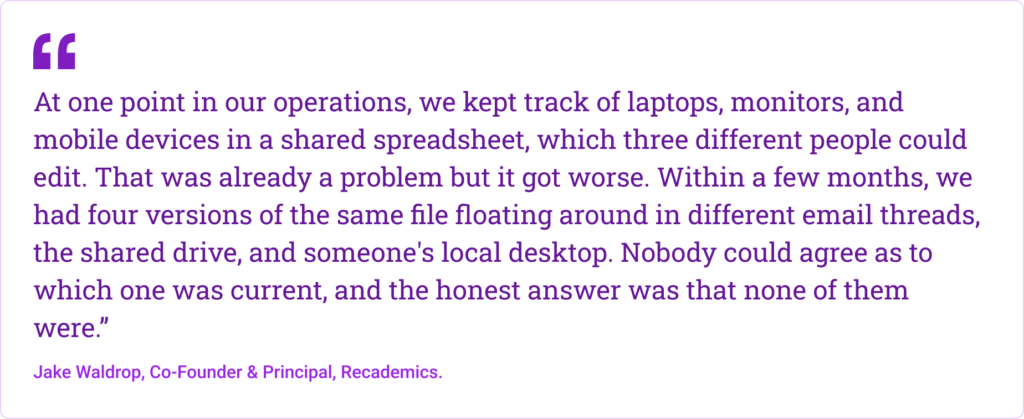
Sound familiar? When you’re managing assets in a growing team, things like version control and data accuracy get tricky quickly. Jake’s team ran into exactly that. Multiple versions of the same file, no one agreeing on which was the real one, and worst of all, the data was outdated almost all the time.
“The biggest problem was not the replicates. The spreadsheet only got updated when someone remembered to change it, which in a fast-moving operation means that it reflected reality 60% of the time on a good week. The other 40% was guesswork to look like a record.”
It’s easy to overlook at first, but when your asset list is only right 60% of the time, it’s not just an inconvenience. It’s a problem that costs you in time, money, and security. So, let’s talk about why spreadsheets can’t keep up, and why they’re lying to you.
How outdated data costs you more than you think?
Outdated asset data feels like a small problem until it starts affecting real work.
At first, it looks harmless. A laptop is assigned to the wrong person. A monitor shows up in the wrong location. A record does not get updated after someone leaves. On paper, those seem like minor mistakes. In reality, they slow teams down, create inventory confusion, and waste time that should be spent on more important work.
Carla Nina Pornelos, General Manager at Wardnasse, has seen that firsthand. As someone who oversees day-to-day operations, planning, and the systems that keep the business moving, she knows how quickly bad asset data turns into operational friction.
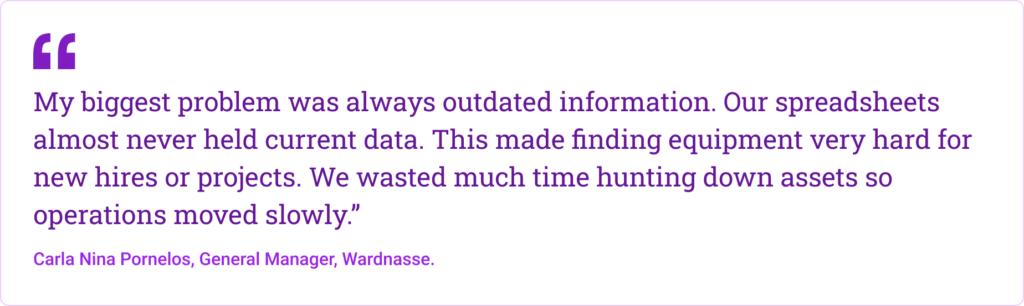
That is the real cost of outdated data. It is not just about having a messy spreadsheet. It is about the hours your team loses trying to confirm what should have been obvious in the first place.
Carla also shared how bad data led to inventory mismatches that pulled her team away from more valuable work. “I once saw a laptop record still assigned to someone who left months ago. Finding this meant we manually checked our whole stock. This took hours from other tasks and frustrated my team.”
That kind of problem adds up fast. One inaccurate record turns into a manual stock check. One missing update creates doubt about the rest of the sheet. Before long, nobody fully trusts the data, and every small question becomes a bigger task than it should be.
The issue gets worse when updates are inconsistent. Carla explained that their update schedule was irregular, even though the business needed something much more frequent. “We seldom updated data more than once a quarter. We wanted weekly updates but other tasks often pushed them aside. Daily changes like moving a monitor were not recorded fast enough, so our spreadsheet never reflected what was truly happening.”
That is where spreadsheets start becoming expensive. Not always in one dramatic moment, but in constant small losses. Lost time. Slower onboarding. Delayed projects. Frustrated teams. Duplicate purchases. Missing equipment.
And when different teams keep different records, the confusion gets even harder to untangle. As Carla puts it, “Different departments kept their own copies of spreadsheets. Finance had one sheet and IT had another with no single agreed-upon record. Merging them was hard and often caused errors.”
Sometimes, that confusion leads to a direct loss. Carla recalled one case where the spreadsheet said a costly display monitor was sitting in storage, but when her team went looking for it, it was nowhere to be found. “We spent an afternoon searching the office for it. This problem cost us time and money.”
That is the hidden price of outdated data. It does not just sit quietly in a spreadsheet. It shows up in wasted hours, broken trust, and decisions made on information that is no longer true.
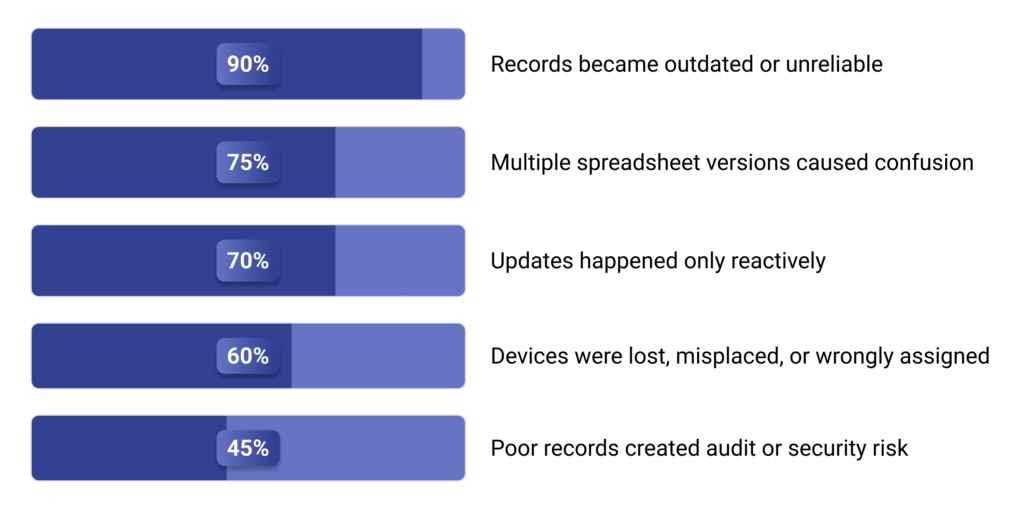
Nearly 90% respondents said spreadsheet records quickly became outdated or unreliable
After analyzing the responses we received, the clearest pattern was how quickly spreadsheet-based asset lists lost accuracy. Most respondents said the file often looked complete, but in reality it was already outdated, making it difficult to trust as a live record of where devices were, who had them, or whether they were still in use.
Around 75% respondents reported version-control problems or conflicting spreadsheet copies
Based on our analysis of the replies, version sprawl was one of the most common breakdown points. Many respondents described teams working from different copies of the same spreadsheet, leaving companies with multiple conflicting records and no reliable single source of truth.
Roughly 70% said updates happened only when a problem, audit, or staffing change forced them
Our review of the responses also showed that updates were rarely made in real time. Instead, spreadsheets were typically updated only during onboarding, offboarding, audits, or when something had already gone wrong, which allowed errors to build up over time.
More than 50% said poor spreadsheet tracking caused devices to be lost, misplaced, or wrongly assigned
After reviewing the data, we found that lost or misplaced assets were a recurring consequence of poor spreadsheet tracking. In many cases, devices were not truly gone, but the records were so inaccurate that teams could no longer tell where they were or who was responsible for them.
Around 45% linked poor asset records to audit, compliance, or security concerns
Our analysis also found that many respondents saw spreadsheet errors as more than just an administrative issue. Bad records were often tied to audit failures, compliance gaps, and security concerns, especially when former employees were still linked to active devices or when untracked hardware appeared during reviews.
You need more than a spreadsheet
There comes a point when the spreadsheet stops being “good enough” and starts becoming part of the problem.
That shift usually happens quietly. The team grows. More devices are purchased. Laptops are reassigned. Someone leaves. Someone forgot to update the sheet. Then one day, you realize the spreadsheet is no longer helping you manage assets. It’s making you second-guess everything.
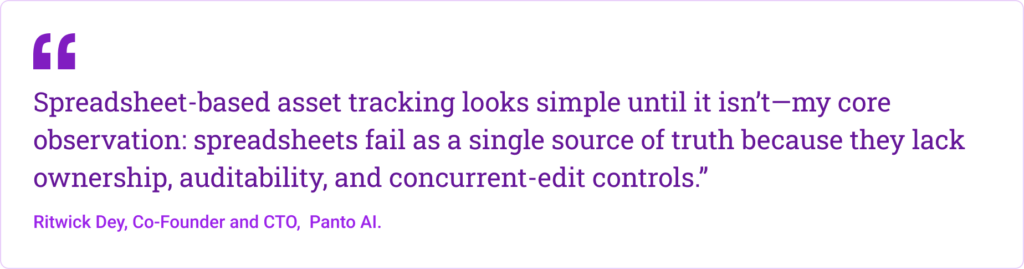
As Ritwick explains, spreadsheets fail as a single source of truth because they lack ownership, auditability, and proper controls for multiple people updating the same data. That’s when the cracks start to show. One person updates a device owner. Another changes the status. Someone else works from an older copy. Now the data conflicts, and nobody is fully sure what’s accurate anymore.
He’s also seen how quickly that gap grows in real operations. “The biggest problem is stale and conflicting data,” he says. “In my experience, 15–40% of rows in long-lived asset sheets are incorrect or outdated: wrong owner, wrong status, or missing disposition notes.”
That kind of inaccuracy is not a small admin issue. It affects purchasing, audits, offboarding, security, and planning. Ritwick shared one example of inheriting a 3,000-row asset spreadsheet where some laptops were still assigned to people who had left months earlier. During an audit, his team also found a high-value laptop listed as in stock even though it had already been decommissioned and resold, with no disposition record. That is exactly the kind of mess a spreadsheet creates when there’s no structure behind it.
Because at some point, you do not need a better spreadsheet.
You need something beyond one.
Good Asset Management software fixes what spreadsheets can’t
A good asset management system does not just give you a cleaner place to store data. It solves the problems spreadsheets keep creating in the first place.
Instead of relying on someone to manually update a row, asset management software gives you a more reliable way to track what is assigned, where it is, and what has changed. You can see device history, confirm ownership, track status changes, and keep records consistent as equipment moves across teams. That matters because IT assets are never static. People switch roles, devices get replaced, equipment goes missing, and warranties expire whether your spreadsheet is updated or not.
That is where a real system makes a difference. It helps you reduce duplicate records, avoid version confusion, and spot issues before they become expensive. You are not digging through tabs trying to figure out who has what. You are working from one place that is built to reflect reality as it changes.
The biggest benefit is trust. When your asset data is accurate, audits get easier, offboarding gets cleaner, purchasing decisions get smarter, and your team spends less time chasing missing information. Spreadsheets can list your assets. Good asset management software helps you actually manage them.
Frequently asked questions
An IT asset tracking spreadsheet is a manual file used to record and manage company devices such as laptops, monitors, phones, tablets, and other hardware. Businesses often use it to track serial numbers, assigned users, locations, purchase dates, and asset status.
The most common problems are outdated data, duplicate files, version-control issues, and delayed updates. Once teams begin editing different copies or forget to log changes in real time, the spreadsheet stops reflecting reality.




 AI Agent
 Asset Management
 Knowledge Base
 Automations
 SLAs
SLAs
 Customization
 Ticket Assignment
 Reports & Analytics
 Approval Management
 Helpdesk Security
 Explore All Features
 Banking and Finance
 Healthcare
 MSP
MSP Government
  Non Profit
 IT Services
 Customer Support
 Human Resources
 Facilities







