If you work in IT or customer support and you’ve been tasked with finding and presenting a new help desk software for your team, this article is for you. You probably fit one of two types:
A. you already have a tool that you’ve outgrown or is not working the way you want, or
B. you’re starting from scratch and are looking to implement a structured ticketing tool that moved you out of the chaos of overflowing inboxes and tracking sheets.
In this article we go over both how to find the right too and how to convince leadership to align with your chosen tool.
To find the right tool, extensive research and objective ranking helps find the one suited to your team. To get leadership buy-in, a clear pitch and unbiased comparisons moves the needle.
Here’s how to do thorough research and build a pitch that gets you the go–ahead from leadership.
1. Start by researching the market
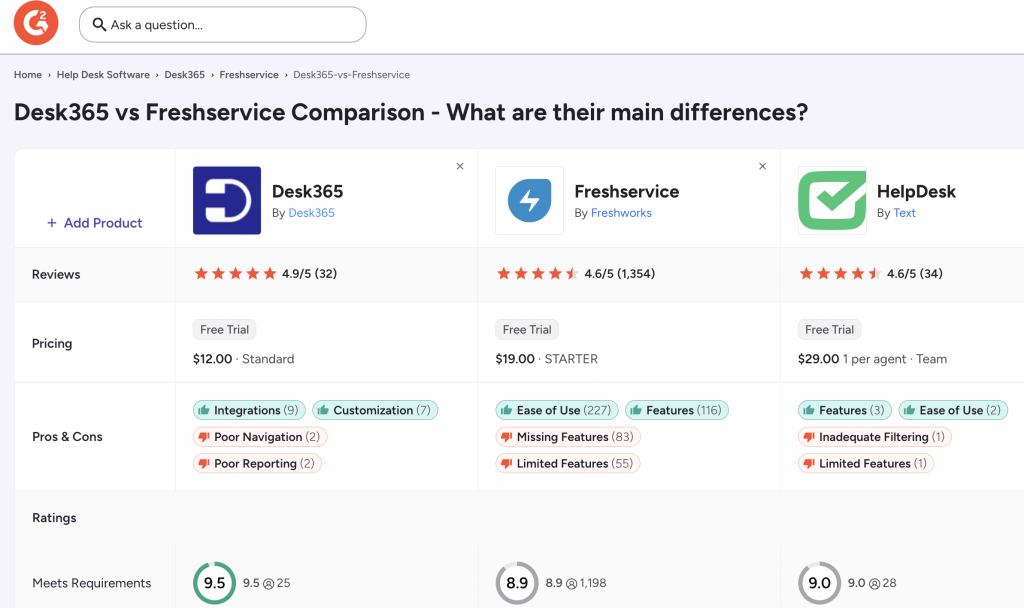
Before recommending a help desk, spend some time understanding what is actually available. Start with a shortlist of products that seem relevant to your team, then use customer review sites and online communities to understand how those products perform in the real world.
G2 is a useful starting point for comparing products, features, pricing, and customer reviews, while Reddit can give you a different perspective because you are hearing directly from people who use these tools in their day-to-day work. Look for discussions about implementation, support, usability, pricing, and the issues that only tend to surface after a team has been using a product for a while.
At this stage, the goal is not to pick a winner. Build a shortlist of products that could realistically work for your organization, then evaluate each one against the same set of criteria.
2. Compare pricing with your budget
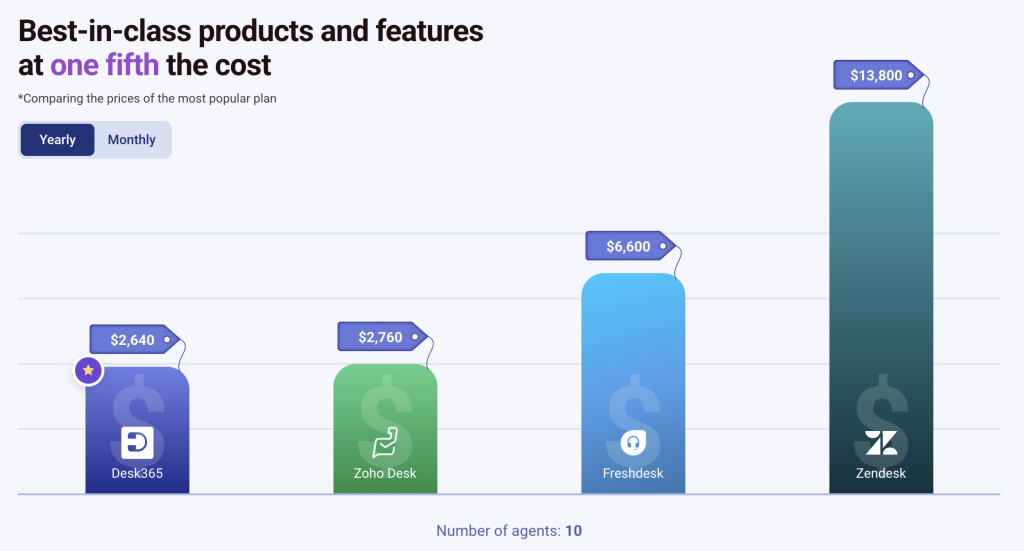
Once you have a shortlist, compare the pricing of each product against the budget you have been given. This sounds straightforward, but the advertised price is not always the full cost of adopting a help desk.
Look at what is included in each plan, what features sit behind higher tiers, whether implementation comes at an additional cost, and whether you will need consultants or outside help to get the system running. You should also think about what happens as your team grows. A platform that looks affordable today can become considerably more expensive once you add agents, integrations, or other services.
The question is not simply, “Which help desk is within our budget?” It is, “Which help desk gives us the most value for our budget?”
3. Evaluate the features and product evolution
Feature lists can be useful, but they should not become the center of your evaluation. The most established help desk platforms often have hundreds of features, but that does not mean your team will use them. In fact, a platform can become harder to manage when it is packed with functionality that most users never need.
Start with the problems your team is trying to solve, then look at whether each product gives you the right tools to solve them. Consider the workflows you run every day, the channels your users rely on, the automations you need, the reporting your managers expect, and the integrations that matter to your business.
There is another question worth asking, too: how quickly is the product changing?
A mature product is not necessarily a better product if most of its development happened years ago. A platform that keeps releasing useful improvements can be a better long-term investment because your help desk continues to evolve alongside your team and the market.
Incremental improvements can often be more valuable than a huge collection of features that create unnecessary complexity. You want a product that takes your needs seriously, listens to its customers, and continues to improve without making the experience harder to manage.
4. Look for business-product fit
The right help desk is not necessarily the one with the longest feature list or the biggest customer base. It is the one that fits your organization.
Think about the experience your agents will have using the product every day, how quickly a new employee can learn it, whether the pricing makes sense for your team, and whether it works naturally with the tools you already use. A platform that looks impressive during a sales demo can still be the wrong choice if your team finds it difficult to use or if it requires too much administration.
You should also think beyond your current requirements. Some platforms are designed primarily for large enterprises, while others are better suited to small and mid-sized teams. The important thing is to find a product that fits where you are today but can also grow with you as your support operation becomes more sophisticated.
This is particularly important when your organization already has a strong technology ecosystem. For teams that rely heavily on Microsoft 365, for example, integrations with Microsoft Teams, Microsoft Entra ID, Power Automate, and other Microsoft tools can make a significant difference to adoption and day-to-day use.
5. Try it before you buy it
Nothing replaces actually using a product.
If a vendor offers a free trial, use it. Set up a few real workflows rather than simply clicking around the interface. Create tickets, configure an automation, add your knowledge base, test the reporting, and see how the product handles the types of requests your team deals with every day.
It is also worth involving a few members of your support team in the process. They will often notice things that are easy to miss during a formal product evaluation because they are thinking about how they will use the platform every day, rather than how it looks in a demo.
If you cannot get access to a trial, product demonstrations on YouTube can still help you understand how a platform works before you commit to a conversation with a sales team.
The goal is simple: find out whether your team can see themselves using the product comfortably once the novelty of the demo has worn off.
6. Read what current customers are saying
Your vendor’s website will tell you what the product is designed to do. Existing customers will tell you what it is actually like to use.
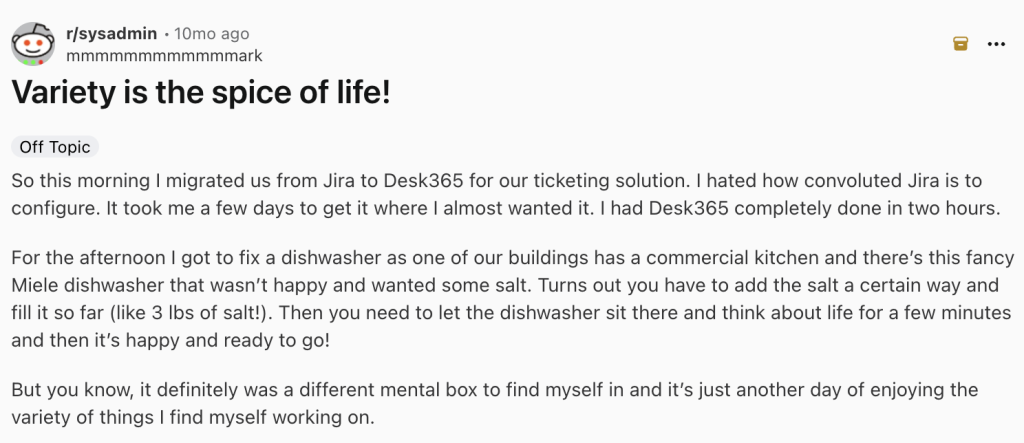
Spend time looking at recent reviews on G2 and conversations on Reddit, and do not focus only on the overall rating. Look for patterns. Are customers consistently happy with the support they receive? Do they find the platform easy to learn? Are there recurring complaints about performance, pricing, or implementation? Does the company respond to feedback and continue improving the product?
Customer sentiment matters because your team is not buying software in isolation. You are choosing a company that you will work with for years.
If existing customers are spending their time fighting the product, dealing with poor support, or working around limitations, there is a good chance your team will eventually face the same problems. On the other hand, when customers consistently talk about a product’s usability, support, and willingness to listen, that tells you something about what your own experience may look like.
7. Evaluate the implementation process
A help desk should make your support operation better, not create another project that consumes months of your team’s time.
Before you choose a platform, understand what implementation will actually involve. How long will migration take? How much configuration is required? Will you need an implementation partner? How much training will your agents need? Who will maintain the system once it is live?
This is particularly important when comparing enterprise platforms with simpler alternatives. A platform may have everything you could possibly want, but if it takes a large implementation team and significant ongoing administration to keep it running, those costs need to be part of your evaluation.
Your implementation plan should answer one basic question: how quickly can we get from choosing the product to actually solving support problems with it?
The simpler that journey is, the easier it becomes to make a strong business case.
8. Build a simple executive summary slide
Once you have completed your research, resist the temptation to present everything you found.
Leadership usually does not need to see every feature, every screenshot, or every note from every product demo. What they need is a clear recommendation and the reasoning behind it.
A simple comparison table can make this much easier. Rate your shortlisted tools against the factors that matter most to your organization, such as price, functionality, ease of use, customer reviews, integrations, and implementation effort. You could use a score out of 10 for each category and then provide a short explanation of why each product received that score.
The point is not to pretend that the decision can be reduced to a perfect mathematical formula. It is to show that you evaluated every option using the same criteria and that your recommendation is based on more than personal preference.
If your executive summary can answer “What should we buy?”, “Why this product?”, “How much will it cost?”, and “What will it take to get started?” in a few minutes, you have already done most of the work.
What this looked like for Omest
Omest evaluated 20 help desk tools before choosing Desk365. During the evaluation, they found that some enterprise platforms would require additional implementation partners and ongoing administration, which added complexity to the decision.
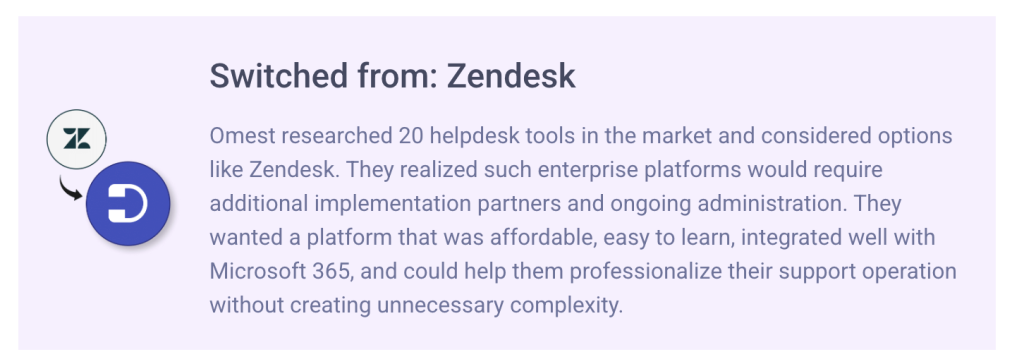
They wanted a platform that was affordable, easy to learn, integrated well with Microsoft 365, and could help them professionalize their support operation without creating unnecessary complexity.
That distinction is worth keeping in mind when you evaluate your own options. The goal is not to find the platform that can do everything. It is to find the platform that can do what your team needs, while giving you enough room to grow.
If you are comparing help desks, start here
If you are currently researching the market, we have also put together a comparison of some of the best customer service software available today. It can give you a starting point for comparing the different platforms, their features, and the types of teams they are built for.
You can also read our guide to multi-channel customer support if you are evaluating how different support channels can work together.
And then, trust your gut
After you have compared the pricing, evaluated the features, read the reviews, tested the products, and built your executive summary, there is still one factor that is difficult to put into a spreadsheet: your gut.
You know your team better than any vendor does. You know how they work, what frustrates them, what they are likely to adopt, and what will make their jobs easier. Sometimes two products will look almost identical on paper, but one will simply feel like a better fit when you use it.
That instinct should not replace the research, but it can help you make the final call when the numbers are close.