Picking a ticketing tool for Microsoft Teams usually comes down to one thing: how much of the work happens inside Teams, and how much still happens somewhere else.
Some tools build the entire ticket lifecycle into Teams chats and channels. Others bolt on a notification layer and send agents back to a separate web app. That distinction matters more than almost any feature on a comparison chart, because it decides whether your agents stop switching tabs or get one more place to check.
We tested 9 of the most-recommended Microsoft Teams ticketing system, read what real users say about each one, and broke down where they deliver versus where the marketing gets ahead of the product.
TL;DR - Best Microsoft Teams ticketing systems
We tested 9 of the most-recommended Microsoft Teams ticketing systems, read what real users say about each one, and narrowed it down to the ones that actually deliver.
- Desk365 – Two dedicated Teams bots: a Support Bot for end-users to create and track tickets, and an Agent Bot that gives agents a full Agent Portal, ticket replies, and mobile access, all inside Teams, with sign-in via Microsoft Entra ID SSO.
- Tikit (by Cireson) – Converts any Teams chat message into a ticket with a right-click, uses Microsoft’s Adaptive Card framework for custom ticket forms, and adds an AI bot (Tikit Virtual Agent) that deflects requests conversationally before they become tickets.
- TeamsWork (Ticketing as a Service) – Runs entirely inside Teams channels and chats with no separate portal at all; users sign in with their existing Teams account, and a built-in Teams chatbot sends real-time notifications on ticket changes.
- DeskDay (IT-Connect) – A Teams personal app that lets end users raise and track tickets in three clicks with Teams SSO, syncing ticket status back to DeskDay’s PSA backend for the MSP’s technicians.
- SysAid – A conversational bot in Teams for creating, viewing, and closing tickets by chat command, plus Teams-based approval workflows, though agents still do most ticket management in SysAid’s own web interface rather than inside Teams itself.
- Crow Canyon (NITRO Help Desk) – Runs natively on your own Microsoft 365/SharePoint tenant, with a Teams app called NITRO Engage that provides a chat-based interface and AI-powered routing for tickets submitted from Teams, email, or the portal.
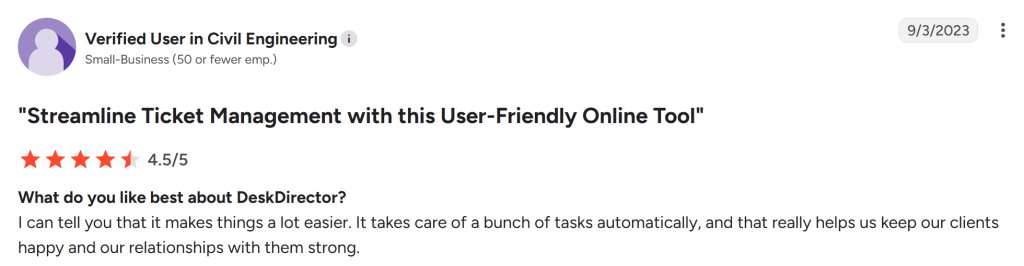
- DeskDirector – Automatically converts Teams messages into tickets with the conversation embedded, surfaces ticket views as Teams tabs for both techs and clients, and lets agents start a Teams chat, call, or meeting directly from a ticket.
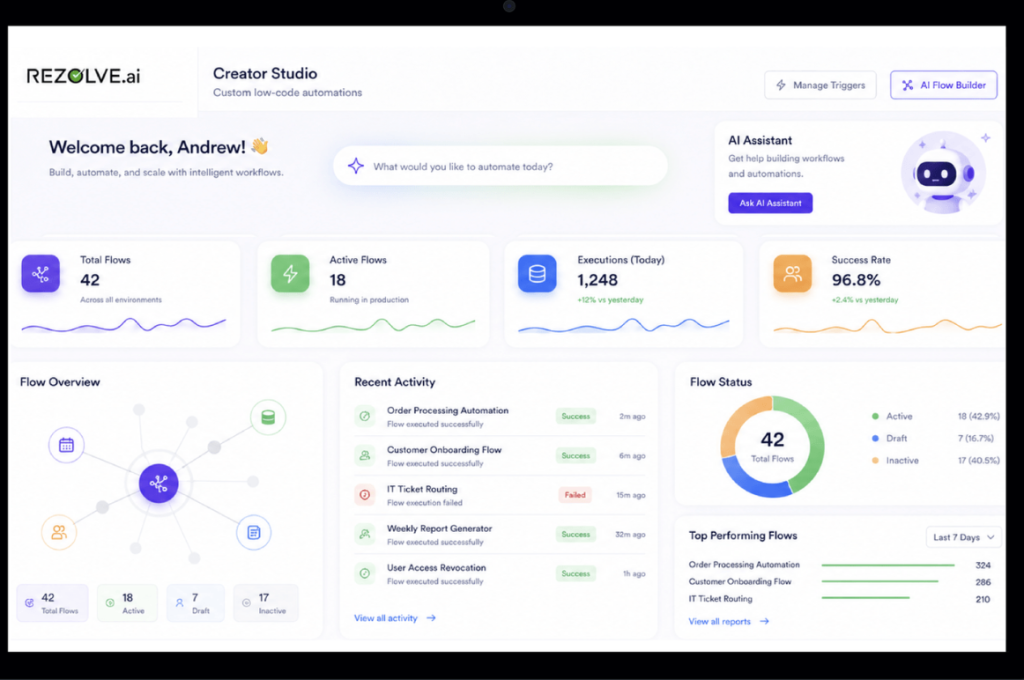
- Rezolve.ai – A GenAI-native bot lives directly inside Teams chat rather than bolting on a third-party integration, using contextual understanding to interpret conversations, auto-create tickets, and resolve a large share of L1/L2 issues.
- HaloITSM – A Teams bot lets agents connect their Halo account, follow or search tickets, and create tickets straight from a chat message; tickets can also be sent as adaptive cards into private or channel chats.
Why teams start looking for a Teams ticketing system
Most teams start support in Teams with a channel, a form, and good intentions. That works until ticket volume grows past what a few people can track by memory, or until someone asks for a number nobody can produce: average resolution time, tickets by category, how many SLAs got missed last month.
At that point, a dedicated Teams ticketing app stops being optional.
The market for these tools varies more than the marketing pages suggest. Some are built Teams-first, with the entire ticket lifecycle living inside a Teams bot: attachments, replies, status changes. Others treat Teams as one more notification channel bolted onto a tool that still runs through its own web portal. A few on this list are built for a completely different audience and happen to connect to Teams.
What to look for in a Microsoft Teams ticketing system
Before you start trialing tools, get clear on what you need. Pull in your support agents, IT team, and anyone else who touches tickets. Figure out what’s genuinely broken about your current setup, and the tool selection gets easier from there.
Here’s what to evaluate:
How natively it works inside Teams. Does the tool let agents create, update, and resolve tickets from inside Teams, or does it send Teams notifications that point somewhere else? That gap matters more than anything else on the feature list for most teams.
Core support fundamentals. Ticket routing, automation, SLAs, and multichannel coverage. A knowledge base and self-service options matter more than they look on a feature list once volume picks up.
How well does it fit your existing stack? If your team lives in Microsoft 365 and Outlook all day, does the tool fit into that naturally? Same question for your CRM and whatever else is running in your environment.
AI that does something. Auto-assignment, suggested replies, ticket summaries. Ask whether the AI saves your team time, or looks good in a demo, and not much else.
Reporting you can use. Can you track SLA performance, agent workload, and ticket trends without adding a separate analytics tool?
Pricing that holds up. Look at what’s included at each tier and whether the math still works once your team doubles.
What happens when something breaks? Support quality and onboarding tell you more about a vendor relationship long-term than any sales call will.
Once you have that list, pick two or three tools worth testing instead of trying to check every box on a generic feature list.
Proof this problem is everywhere
This kind of decision plays out regularly on r/sysadmin and r/MicrosoftTeams. One thread: a sysadmin managing 100–150 employees with a six-person IT team was looking to replace ManageEngine, Freshdesk, and Zendesk after years of rising prices, with leadership pushing for something Teams-native to ease adoption. Their wishlist was simple: basic ticketing and reporting now, AD integration and change management later, and most importantly, end users logging their own tickets without leaving Teams.
It’s a good sanity check on this list. The tools that hold up aren’t the ones with the deepest feature set on paper; they’re the ones that match what IT teams are actually asking for: Teams-native ticketing, predictable pricing, and a setup that doesn’t need a project plan to launch.
Review methodology
We did more than read marketing pages. We signed up for trials, clicked around the real product, and read what users say on G2, Capterra, GetApp, and Software Advice, including the negative reviews, especially those.
We also dug through Reddit threads and talked to support and IT folks directly about what’s working for them day to day.
For every tool on this list, we looked at how easy it is to get up and running, whether it handles the basics like routing, automation, and multichannel support, how well it fits into tools teams already use like Microsoft 365 and Teams, and whether the AI features save time or look good in a demo and not much else. We also factored in pricing and what happens when something breaks.
9 Best Microsoft Teams Ticketing systems for 2026
- Desk365
- Tikit (by Cireson)
- TeamsWork (Ticketing as a Service)
- DeskDay
- SysAid
- Crow Canyon
- DeskDirector
- Rezolve.ai
- Halo ITSM
1. Desk365
When you’re searching for a Microsoft Teams ticketing system, Desk365 is hard to ignore. Desk365 is the highest-rated Teams-native ticketing system.
You can install Desk365 in minutes from the Microsoft App Store.
It has become a strong name in the Microsoft Teams helpdesk space, and over the years, the product has continued to improve and mature.
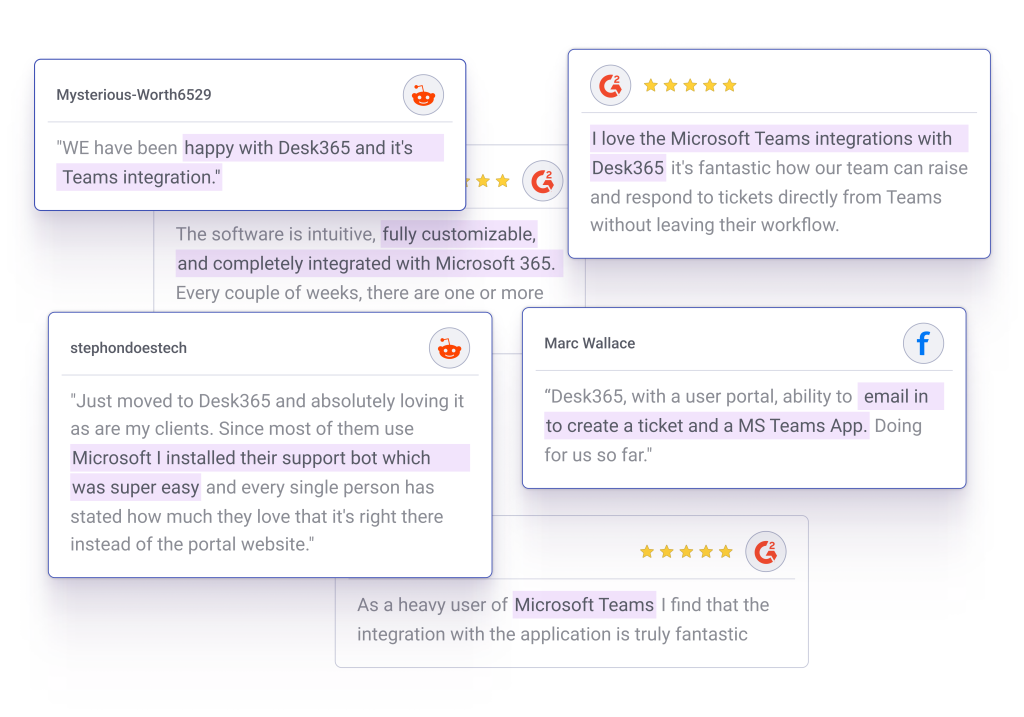
You can see that clearly in the way users talk about it across different platforms. One thing people often appreciate is how well Desk365 works inside Microsoft Teams, making it easier for employees to raise tickets and for IT teams to manage support without switching tools.
Desk365 is our own product, so take this section with that in mind. It’s an AI-powered help desk built for Microsoft Teams from the start.
The core approach is conversational ticketing: employees and agents handle support requests inside Teams without switching context, using the same channels they’re already in for everything else.
Features of Desk365:
A. Ticket creation in Microsoft Teams
The Desk365 Support Bot lets employees raise tickets, check status, and follow up on open requests without leaving Teams. It walks users through the right questions, collects what agents need upfront, and confirms the submission. No new tool, no separate login.
B. Conversion of Teams chat to tickets
Support requests don’t always arrive through a form. A direct message, a public channel post, a group chat: any Teams message can be turned into a tracked ticket without copying anything across. The original message comes with it, so agents have the full context and nothing gets lost because it came in the wrong way.
C. Support portal access within Teams
Agents can open the full Desk365 support portal as a tab inside Teams. Authentication goes through Microsoft Entra ID single sign-on, so clicking the tab opens the portal already logged in. For agents who prefer the full portal view over the bot, this keeps them inside Teams while giving them complete access.
D. Agent portal access within Teams
The Desk365 Agent Bot gives support staff a working view of their queue inside Teams: incoming tickets, conversation history, assignment controls, internal notes, resolution options. Agents can reply, update status, escalate, and close tickets without leaving Teams. For teams that want the whole support workflow in one app, this is what makes it work.
E. Powerful reporting
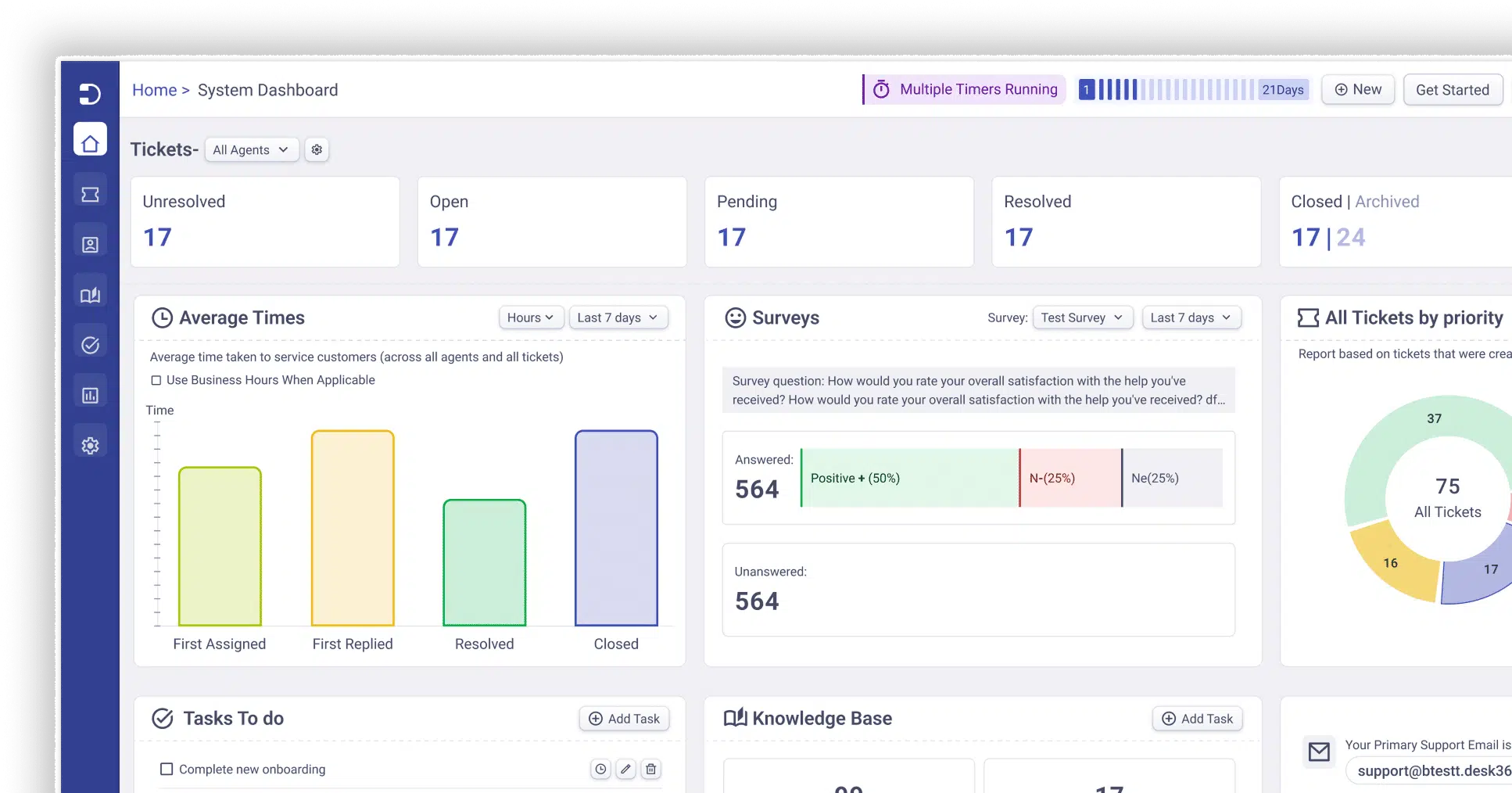
Built-in reports cover ticket volume, resolution times, agent workload, SLA performance, and customer satisfaction. Managers can see what’s taking longest, where requests are piling up, and how individual agents are tracking, without exporting anything to a separate tool. It turns a ticketing system into something you can manage a team with.
F. Custom roles
Admins can create roles with specific permissions scoped to the global level, a department, or an individual user. A first-line agent sees a different view than a department manager, who sees a different view than the system admin. Each configuration is set once and maintained without workarounds.
G. Custom ticket forms
An IT hardware request needs different fields than an HR onboarding form or a facilities maintenance ticket. Desk365 lets you build separate forms for the Support Portal and the Teams Support Bot, so each team’s intake collects what they need to know. Agents spend less time chasing missing information after the fact.
H. Email-based tickets in Teams
Incoming emails become tickets and land in the same inbox as Teams-generated ones. Agents handle one queue, not two. Replies go back to the requester’s email, and the full thread stays attached to the ticket regardless of where the conversation started. Everything is accessible through the web portal or the Desk365 Agent Bot inside Teams.
I. Advanced workflow automation
Desk365 handles assignment, categorization, prioritization, and escalation based on rules you set: ticket fields, customer properties, keywords, events. A billing request routes to finance on its own. A VIP customer’s ticket moves to the front of the queue. A ticket sitting open too long escalates without anyone watching for it. The triage work runs in the background.
J. Microsoft 365 and Power Automate integrations
Desk365 connects with Microsoft 365, Azure, and Power Automate. Organizations already running in the Microsoft ecosystem can extend the platform without building custom integrations. Power Automate opens up automation across connected apps, syncing ticket data, triggering actions elsewhere, and building cross-platform workflows without needing a developer to set it up.
K. SLA notifications in Teams
When a ticket is getting close to a response or resolution deadline, or has already missed one, Desk365 sends an alert inside Teams. The right person finds out before a miss becomes a report. Teams that used to monitor SLAs by manually scanning a queue find that most of that work disappears.
Read our Desk365 review on G2
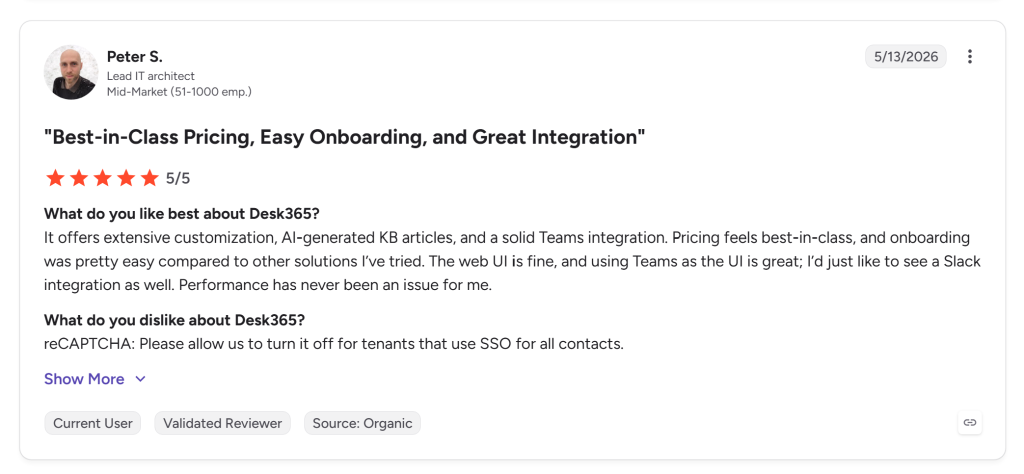
As of July 2026, Desk365 holds roughly a 4.9/5 rating on G2 and 4.9/5 on Capterra, with reviewers most frequently citing ease of use, depth of Teams integration, and support responsiveness.
What stood out
Desk365 runs on two bots inside Teams: A Support Bot for employees raising tickets and checking status, and an Agent Bot for support staff handling replies, updates, and collaboration. Neither requires opening a browser.
Several capabilities go beyond the basic ticket-in-Teams flow. Any Teams message can become a ticket, whether it comes from a direct message, a public channel, or a group. Push notifications fire for every ticketing action, so agents and end-users stay updated without checking a separate tool. SLA alerts come through Teams as well, which means deadline tracking does not require a separate tab. Agents can access both the support portal and agent portal from inside Teams via single sign-on through Microsoft Entra ID, removing the login interruption common in tools where the integration is shallower.
Considerations
Desk365 isn’t trying to be everything for every team, and the gaps in reviews reflect that.
A few reviewers also flagged missing integrations: a Slack connection and native Monday.com support come up specifically.
Customer support
Across Capterra and G2, support comes up as one of the most consistently praised parts of the product. One reviewer called it terrific, noting feature suggestions get implemented and requests are answered quickly and professionally. Another described it as the best part of the whole product, saying Desk365 does what you’d expect from a much more expensive ticketing system, questions get answered quickly and completely, and suggestions are taken seriously.
Pricing
Desk365 is free for up to three active agents.
The standard plan starts at roughly $12 per agent per month
Plus plan starts at roughly $22 per agent per month
The premium plan starts at roughly $32 per agent per month, which includes Asset management.
Know more about Desk365 pricing.
2. Tikit (by Cireson)
Cireson has been building IT service management tools for Microsoft-first organizations since 2011, and Tikit is its Teams-native service desk. It’s positioned as a lighter alternative to heavier ITSM platforms for companies already invested in Microsoft 365, with a clear growth path built into the pricing tiers for teams that know they’ll eventually need more.
Tikit features:
Right-click to ticket in Teams
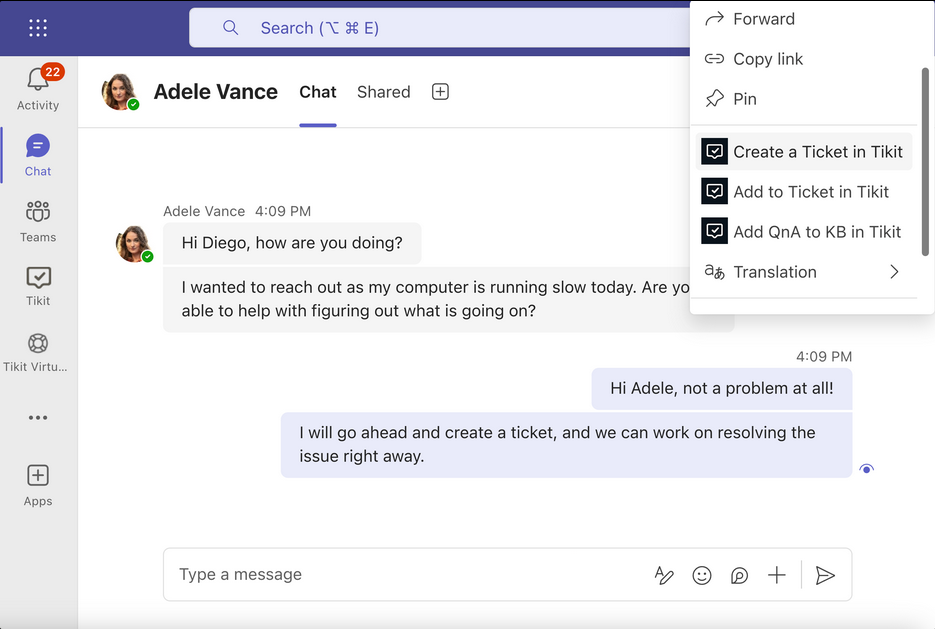
Tikit lets agents convert any Microsoft Teams chat message into a structured support ticket with a simple right-click. No separate portals or form-filling requests go straight into the queue while the full conversation context is preserved.
AI-powered ticket deflection
Tikit uses Azure OpenAI to surface instant answers from your knowledge base, uploaded documents, and preset responses before a ticket is ever created
Multi-department enterprise service management
Beyond IT, Tikit extends ticketing to HR, Facilities, Finance, Marketing, and more, each with dedicated private support channels and department-level access controls.
Deep Microsoft 365 integrations
Tikit connects natively with Microsoft Entra (SSO), Intune (asset and device data), Power BI (custom dashboards), Power Automate (workflow automation), and Azure DevOps. Users authenticate once with their existing Microsoft credentials and get access to the full support experience without leaving the Teams environment.
What stood out
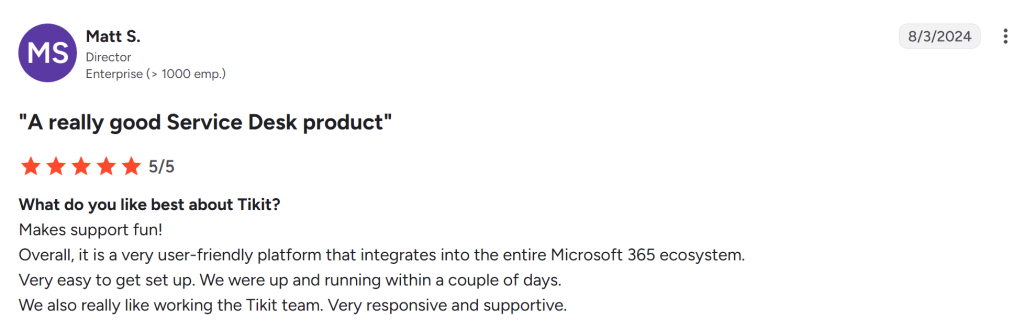
Turning any Teams message into a ticket is as simple as right-clicking it, and agents can create, update, resolve, and track without opening a browser. A separate AI-driven Virtual Agent bot handles common employee questions before they become tickets, and native integrations with Microsoft Entra, Intune, and Power BI extend the platform into identity, device management, and reporting. One reviewer credited the Power Automate integration specifically for helping their HR team automate onboarding and offboarding. Another said they were up and running within a couple of days, including testing.
Considerations
The entry-level plan is more limited than it first appears. The base Teams Ticketing tier restricts you to adding Tikit to a single Team, while higher tiers support an unlimited number, so any multi-department rollout needs a step up in plan right away, not eventually.
Some reviewers also note that Tikit is not fully self-contained inside Teams. Full comments and ticket attachments are not always available inside the Teams app, which sends agents to the web portal for some tasks. One Capterra reviewer who switched away cited a lack of an updated roadmap, a slower interface, and higher pricing as their reasons for moving on. Complaints on G2 and Capterra tend to focus on price relative to alternatives rather than core functionality.
Read Tikit review on G2
Customer support
Support does not come up as a persistent pain point in Tikit’s reviews. Where friction appears, it tends to be product-related: a slow interface, missing roadmap updates, not a team that’s hard to reach.
Pricing
Tikit’s three plans run $26, $39, and $49 per agent per month, all billed annually, with volume discounts built in as you add licenses and custom pricing available above 200 agents. A 14-day free trial is available with no credit card required.
Know more about Tikit pricing.
What users are saying
Reviewers consistently highlight how well Tikit fits into an existing Microsoft 365 environment. The praise centers on how naturally it connects with the tools IT departments already run daily. The criticism centers on price relative to alternatives and the reality that, on the base plan, some features teams assume are included require an upgrade.
3. TeamsWork (Ticketing as a Service)
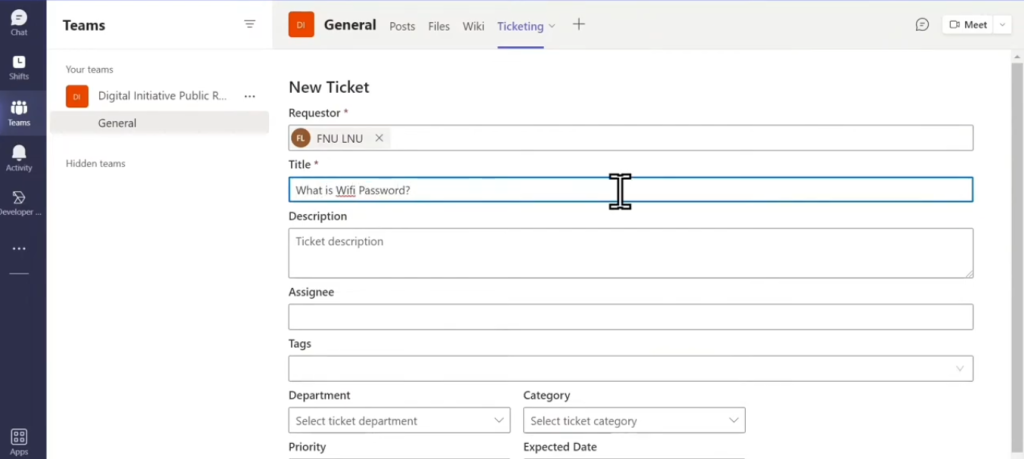
Ticketing as a Service from TeamsWork takes the most literal approach to “Teams-native” on this list. Tickets are created, assigned, tracked, and resolved inside Teams channels and chats, with no external interface required. For teams that want to stay completely inside Teams and never open a separate portal, this is the closest thing available.
TeamsWork features:
Multiple ticketing instances per channel or department
Ticketing as a Service lets you spin up separate ticketing instances inside any Team or Channel, keeping clients, departments, or projects neatly isolated. MSPs use this to manage multiple clients from a single app, while internal IT teams use it to separate HR, IT, and Facilities queues, all visible from one personal tab.
Microsoft 365 certification - SOC 2, ISO 27001, GDPR
TeamsWork is the only Teams ticketing system to hold official Microsoft 365 certification, having passed rigorous compliance audits against SOC 2, PCI DSS, and ISO 27001 standards. Data is hosted on Microsoft Azure with regional options for the US (HIPAA), EU (GDPR), and APAC (Australian Privacy Act), giving compliance-conscious organizations full data residency control.
Built-in SLA tracking with automated escalations
Teams can define response and resolution time targets at the instance level. The platform monitors every open ticket against those thresholds and fires automated notifications and escalations before SLAs are breached, giving managers real-time visibility into performance without manual tracking.
What stood out
TeamsWork can run multiple ticketing instances at the same time, separating IT, HR, customer support, legal, or facilities into distinct workflows without switching tools. Organizations outside the Microsoft tenant can still submit tickets by email, and the app includes built-in alerts for idle tickets, SLA deadlines, and due dates. It’s also Microsoft 365 Certified, which TeamsWork states makes it the first ticketing app for Teams to earn that distinction. That’s worth noting for organizations with strict compliance or procurement requirements.
Considerations
TeamsWork has a noticeably thinner public review footprint than the other tools on this list. Most of what’s publicly available comes from the vendor’s own site, its Microsoft Marketplace listing, and a Microsoft Community Hub write-up, not from G2 or Capterra, where most independent feedback accumulates. What is available skews positive, but it’s worth treating as an encouraging early signal rather than a settled verdict until more third-party reviews exist to balance it.
Read Ticketing as a Service review on G2
Customer support
Support does not come up as a persistent pain point in Tikit’s reviews. Where friction appears, it tends to be product-related: a slow interface, missing roadmap updates, not a team that’s hard to reach.
Pricing
Pricing starts at $10 a month for the whole organization, with no charges for inactive users. A free plan and a 30-day free trial are available. A ready-to-use Power BI report for ticket and agent performance is included on Professional plans and above.
What users are saying
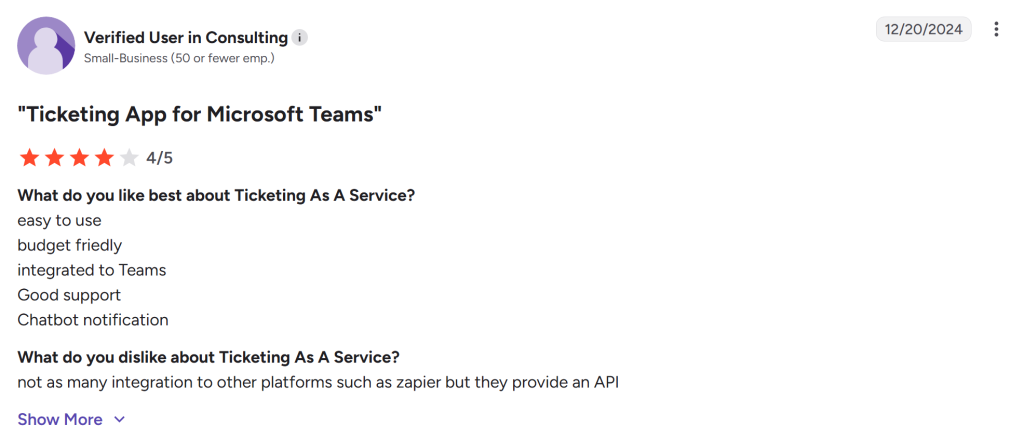
Available feedback skews positive, with customers pointing to the no-portal experience and responsive team. The honest caveat: the review base is small and mostly vendor-sourced. If that matters to your evaluation, it’s worth waiting for independent reviews to accumulate or running a trial and forming your own opinion.
4. DeskDay
DeskDay is a different kind of tool from the other four. It’s a conversational service automation platform built specifically for managed service providers, not a general internal IT helpdesk. That distinction matters before you spend time evaluating it, because most of what makes DeskDay strong is not relevant to internal IT teams.
DeskDay features:
IT-Connect - multichannel ticketing built into Teams
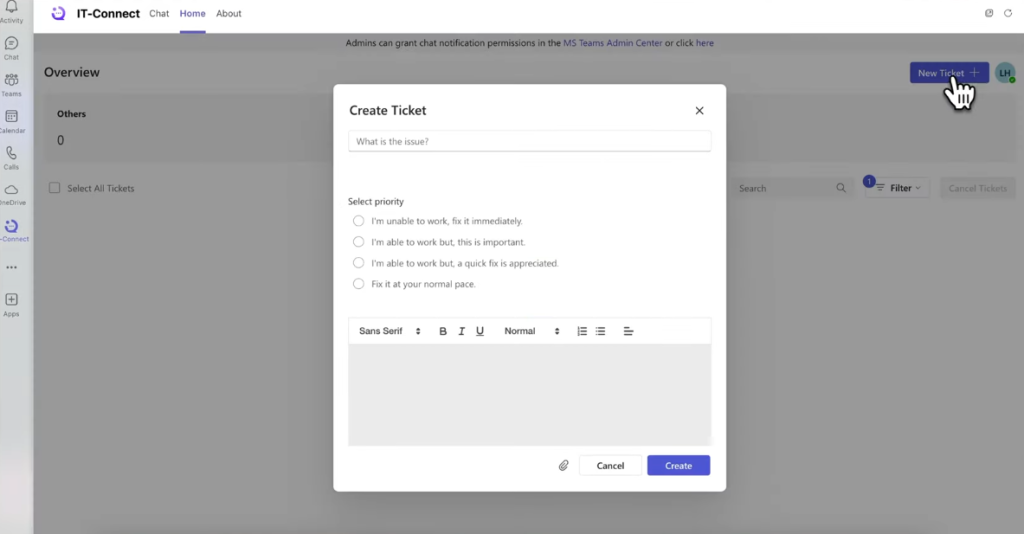
DeskDay’s IT-Connect is a purpose-built Teams app that lets MSP end-users raise, track, and manage helpdesk tickets directly inside Microsoft Teams without switching to a separate customer portal. Users can raise tickets with three clicks, use bot-driven prompts for faster submission, and get real-time status notifications all from their existing Teams workspace.
Real-time chat synced between Teams and the PSA
When a tech responds to a ticket inside DeskDay’s service desk, that message is delivered instantly to the end-user’s Teams conversation and vice versa. This two-way sync means users communicate where they already work while techs stay inside the PSA, eliminating context-switching on both sides and accelerating resolution times.
Helena AI - intelligent ticket assistance for techs
Teams can define response and resolution time targets at the instance level. The platform monitors every open ticket against those thresholds and fires automated notifications and escalations before SLAs are breached, giving managers real-time visibility into performance without manual tracking.
What stood out
IT-Connect is DeskDay’s end-user app for Teams, letting an MSP’s clients raise, track, and manage tickets directly inside Teams rather than switching to a portal or email. Techs and end users message each other directly within Teams in real time, and users can raise a ticket in three clicks. For MSPs whose clients live in Teams, the flow is clean and fast.
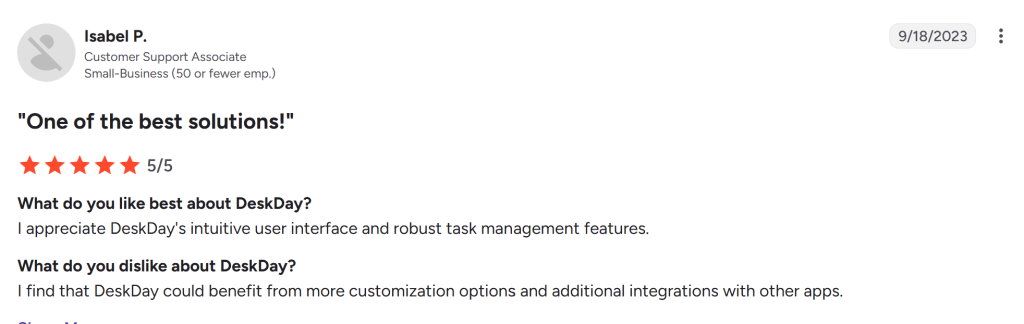
Reviewers point to fast setup and a modern interface as DeskDay’s strengths relative to older PSA platforms. It also comes in as the cheapest commercial PSA option by a meaningful margin, with a chat-first service desk that contrasts with the form-first ticketing common in older tools.
Considerations
As the youngest serious platform in its category, DeskDay has a smaller integration ecosystem and less advanced reporting than legacy PSA tools. The installed base is smaller too, which means fewer peer reviewers to learn from and less evidence of how the product holds up at scale. Negative feedback in reviews centers on a still-growing integration list rather than the core ticketing experience.
The bigger consideration is who this tool is for. If you’re an internal IT team rather than an MSP, most of what makes DeskDay strong won’t apply to you: client billing, contract management, and multi-tenant support. This belongs on an MSP shortlist, not an internal helpdesk one.
Read Deskday review on G2
Customer support
Support feedback in available reviews does not surface as a major pain point. Where frustration appears, it tends to be around the integration list or feature depth rather than responsiveness from the support team.
Pricing
DeskDay’s Standard plan runs $59 per tech per month billed annually, or $79 per tech per month billed monthly, with a minimum of two seats. Enterprise pricing starts at $499 a month, billed annually for five tech seats, with additional seats at $69 each. End-user apps, including the Teams app, are included at no extra cost on every plan.
Know more about DeskDay pricing.
What users are saying
For MSPs, reviewers describe a modern, fast-to-deploy alternative to heavier PSA tools that costs significantly less and feels less like working inside legacy software. For internal IT teams reading this, DeskDay is probably not the right fit. If you’re not an MSP, look at the other four options first.
5. SysAid
SysAid is the most established, full-featured ITSM platform on this list, in the market since 2002, covering incident, problem, change, and asset management well beyond what a dedicated ticketing app typically handles. If you need the full ITIL suite and you’re comfortable treating Teams as one channel among several rather than the primary workspace, SysAid is the most capable option here. If you need ticketing inside Teams and nothing more complex, it’s probably more than you need.
SysAid features:
Copilot AI chatbot — conversational ticketing in Teams
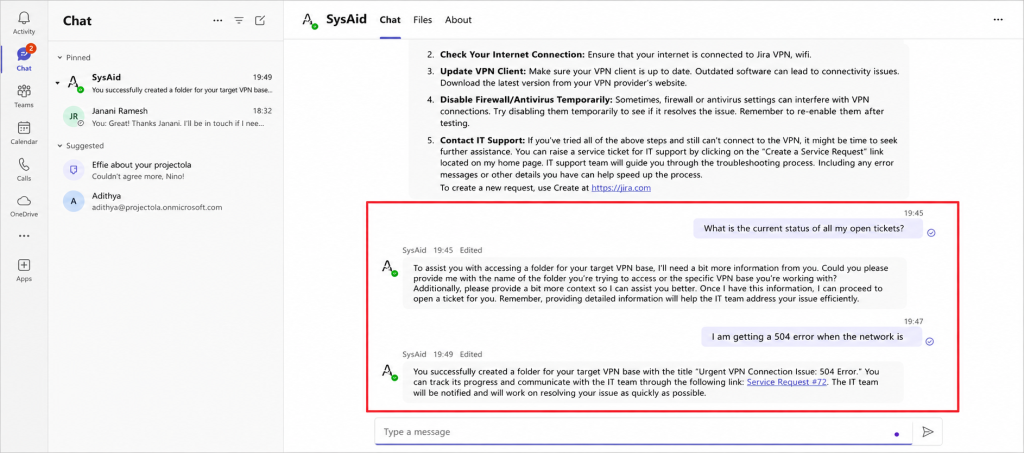
SysAid Copilot integrates an AI chatbot directly into Microsoft Teams so employees can create tickets, check status, and get answers just by chatting naturally, no forms or email required. The chatbot draws on curated organizational knowledge to deliver accurate, reliable answers and escalates automatically when it can’t resolve the issue.
AI intelligent categorization and auto-routing
On submission, SysAid’s generative AI reads each ticket’s content, assigns the correct category and priority, and routes it to the right queue without any human triage. This directly reduces Mean Time to Resolution (MTTR) by ensuring tickets reach the correct agent or team immediately, and accuracy improves as the model learns from historical data.
Approval workflows managed directly inside Teams
Managers receive approval notifications inside Microsoft Teams and can approve or reject requests without opening SysAid. Every Teams chat or conversation initiated from a ticket is linked back into the ticket’s activity log, maintaining a complete audit trail for compliance purposes while keeping approvers in their familiar daily workspace.
What stood out
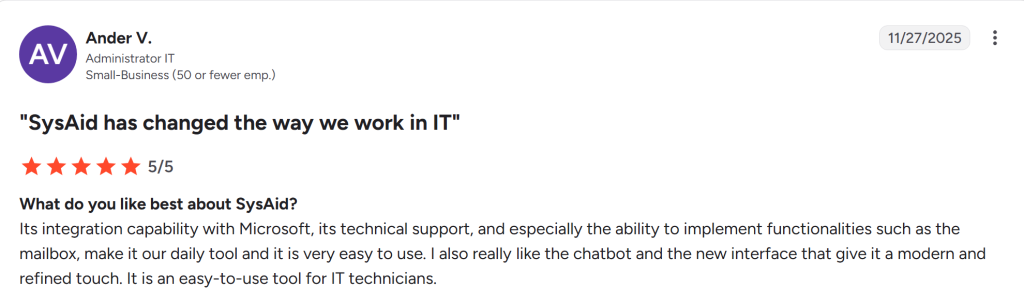
An AI chatbot integrates with Microsoft Teams, letting employees submit tickets, check status, and get answers to common IT questions without opening the SysAid portal. Auto-routing handles assignment and workflow triggers based on whatever rules you’ve configured. Reviewers on G2 and Capterra call out the platform’s automation, customizable workflows, and the tight link between ticketing and asset management as its biggest strengths. The depth here is real, and it shows up in how IT departments with complex environments talk about the platform.
Considerations
The Teams integration is useful, but it’s a bot connected to an external system rather than a Teams-native experience. Agents doing deeper ticket management, anything beyond submission and status checks, still work primarily in SysAid’s own interface. That works fine if Teams is one channel among several, but it becomes a real limitation if Teams-native is the whole reason you’re evaluating options.
SysAid’s AI features are still maturing relative to the rest of the platform, and some reviewers note the interface feels dated compared to newer entrants.
Read SysAid review on G2
Customer support
One reviewer flagged support response and resolution times taking longer than expected, worth noting for a platform positioned at mid-to-enterprise IT departments, where delays have real operational cost. Overall, support feedback across reviews skews positive, particularly around onboarding and initial configuration.
Pricing
SysAid does not publish pricing publicly, but third-party data points to roughly $79 per user per month for the Help Desk tier and $108 per user per month for the full ITSM tier. There’s no free plan, though a full-featured free trial is available without a credit card.
Know more about SysAid pricing.
What users are saying
SysAid holds solid ratings across G2 and Capterra, with automation depth, asset management integration, and customizable workflows as the consistent praise. The critical feedback centers on interface age, AI features that haven’t caught up to the rest of the platform, and pricing opacity that makes it harder to evaluate against alternatives without going through a full sales process.
6. Crow Canyon (NITRO Help Desk)
Crow Canyon Software has been building on SharePoint and Microsoft 365 since well before Teams existed, and NITRO Help Desk reflects that history. Rather than running on its own cloud, the entire platform lives inside the customer’s own Microsoft 365 tenant. For organizations that want ticketing data to never leave infrastructure they already control, that’s the core pitch.
Crow Canyon features:
Runs on your M365 infrastructure - no external cloud needed
NITRO Help Desk is built directly on Microsoft 365, SharePoint, and Teams rather than on a separate SaaS cloud. Ticket data stays inside your existing Microsoft tenancy, which appeals to organizations with strict data residency or compliance requirements. Single sign-on is built-in through Microsoft 365 with no extra credentials to manage.
Omnichannel support - email, Teams, bots, portals, texting
Users can reach the help desk through whichever channel suits them — email, the Teams bot, a self-service web portal, SMS, or a mobile app. New emails sent to the support address are automatically converted into tickets, and all subsequent replies on that thread are appended to the same ticket to keep the full history intact.
AI-powered KB Copilot for 24/7 self-service
The GenAI-powered KB Copilot draws on your curated knowledge base and historical tickets to give employees specific, concise answers at any time of day without agent involvement. Available in both the end-user bot and the agent portal, it suggests next steps based on the ticket’s content and conversation history, reducing resolution time for first-line agents.
What stood out
The Teams integration lets users create tickets directly from chat messages, and the omnichannel intake spans email, web portals, bots, and even SMS, so support requests funnel into one queue regardless of where they originate. NITRO Studio, the no-code workflow engine underneath the help desk, lets admins build approval chains, routing rules, and automation through a drag-and-drop visual designer rather than custom code. The Advanced tier adds NITRO Copilot KB, a GenAI layer that gives employees self-service answers around the clock and surfaces suggested next steps to agents working a ticket. One Capterra reviewer described full adoption across 600 employees within 30 days of rollout, attributing it to how familiar Teams and SharePoint already felt to end users.
Considerations
The dependency on Microsoft’s stack cuts both ways. One reviewer was blunt about it: the product “wouldn’t work for you if you don’t use Microsoft products.” If your organization runs on SharePoint and Teams already, that’s a non-issue; if it doesn’t, NITRO isn’t on your list regardless of feature fit. A NITRO Studio reviewer also noted that some custom processes still require code or scripting to fully replicate, despite the no-code framing. Crow Canyon’s review footprint is concentrated almost entirely on Capterra, with little independent presence on G2, which narrows how much third-party signal is available before you commit to a trial.
Customer support
Support is one of the most consistently praised parts of the product. One reviewer ranked it the single best thing about the platform; another called the training, implementation, and ongoing support “tremendous” across the board.
Pricing
Crow Canyon does not publish pricing publicly. Cost is quote-based and varies depending on which modules (Help Desk, Asset Management, Purchase Request, HR) and tier (Standard or Advanced) you select, so getting a number requires a sales conversation.
What users are saying
Reviewers highlight ease of use, fast adoption, and how naturally the tool fits an existing SharePoint and Teams environment as the strongest points. The tradeoffs are a Microsoft-only dependency, pricing that requires a quote rather than a quick comparison, and a thinner independent review base than some competitors on this list.
7. DeskDirector
DeskDirector is an MSP-focused client portal and ticketing automation platform, built around the idea that the techs and the end users should never have to leave the tools they already use, whether that’s Teams or a branded client portal. It’s positioned as “all-in-one automation and client portal software” rather than a pure ticketing app, with SOP management and service catalog features layered on top of the ticket lifecycle.
DeskDirector features:
Automatic ticket creation from Teams messages
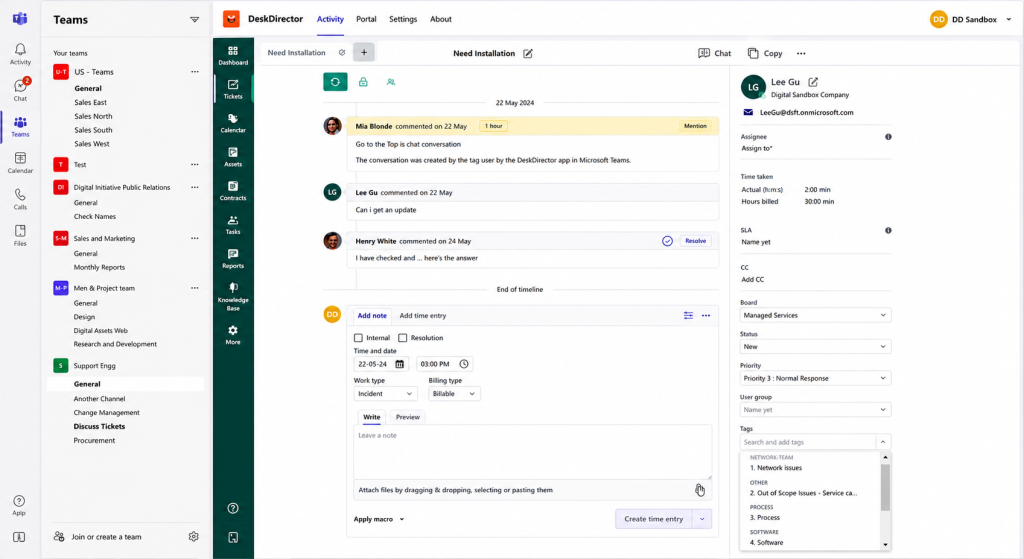
DeskDirector’s native Teams app converts chat messages into fully formed tickets with the original conversation context automatically embedded. End-users receive instant in-app notifications when their ticket is created or updated, and techs can manage their entire queue without ever leaving the Teams environment, resulting in 4x faster resolutions compared to traditional portals.
Built-in messaging and discussion threads within Teams
Techs and end-users can communicate about a ticket through Teams channels and messages without switching to a separate portal. Discussion threads are logged against the ticket for future reference, and Group Tags sync DeskDirector user groups to Teams channels so the right personnel automatically receive messages about the tickets relevant to them.
Automated ticket routing, queuing, and prioritization
DeskDirector queues and prioritizes tickets automatically based on configurable criteria urgency, time open, request type, and client SLA tier. Predetermined approval chains route tickets through the correct stakeholders without manual handoffs, eliminating bottlenecks and ensuring the most critical requests are always surfaced first.
What stood out
The native Teams app converts chat messages into tickets and automatically embeds the original conversation as context, so agents aren’t reconstructing the issue from scratch. Group Tags sync DeskDirector’s user groups to Teams channels, ensuring the right people see the right ticket activity without manual routing. Smart Tickets and Macros (available from the Gold tier up) let techs embed rules and instructions directly into a ticket so the full story travels with it. DeskDirector states this combination delivers 4x faster ticket resolutions and 20% higher user adoption compared to standalone portals, and reviewers consistently single out the automation and the professional, brandable client-facing portal as standout strengths.
Considerations
The most repeated complaint across G2 and Capterra is the lack of a mobile app, a real friction point for techs who need to triage tickets away from a desktop. The review base is also small, with reviews in the dozens rather than the hundreds seen for some competitors, so there’s less data to triangulate against. Pricing is flat per organization rather than per agent, and the entry-level Silver plan ships with zero tech user seats, meaning Gold at $670/month is effectively the real starting point for a team that wants techs working tickets through the platform.
Read DeskDirector review on G2
Customer support
Reviewers who switched from more complex platforms specifically called out a smoother onboarding experience with DeskDirector’s team, and the vendor has been responsive to feedback in public review threads.
Pricing
DeskDirector runs on three flat monthly plans: Silver Standard at $480/month (15,000 synced contacts, 0 tech users — portal and automation only), Gold Standard at $670/month (40 tech users, adds Smart Tickets, Chat, Broadcast, and Survey), and Platinum Standard at $875/month (80 tech users, dedicated customer success manager, onboarding included). All tiers are billed per organization, not per agent.
Know more about Desk Director pricing.
What users are saying
Praise centers on ease of use, automation depth through Power Automate, and a client portal that holds up well against bigger MSP tools. The recurring gripe is no mobile access, with a few reviewers also wanting more knowledge base content kept current as new features ship.
8. Rezolve.ai
Rezolve.ai takes the most aggressive approach on this list towards one specific goal: resolving tickets instead of logging them. It’s an agentic AI service desk built specifically for Microsoft Teams, positioned less as a ticketing system with a Teams add-on and more as an AI layer that sits inside Teams and tries to close out Level 1 and Level 2 requests on its own before a human gets involved.
Where the other tools on this list convert a Teams message into a ticket, Rezolve.ai’s default behavior is to try answering the question first, creating a ticket only when the request genuinely needs a person.
Rezolve.ai features:
Agentic ticket resolution inside Teams
Employees describe a problem in Teams the same way they’d message a coworker, and Rezolve.ai’s AI agents work out what’s being asked, then either resolve it directly (password resets, access requests, common how-to questions) or route it to the right team with full context attached, creating a ticket only when a human needs to act.
Voice AI Agent (VoiceIQ)
Rezolve.ai extends the same agentic approach to phone support. VoiceIQ answers calls, asks natural follow-up questions to capture what’s needed, and logs a structured ticket from the conversation, aimed at teams that still get a meaningful share of requests by phone rather than chat.
Unified knowledge search (SearchIQ)
SearchIQ pulls answers from documentation spread across SharePoint, Confluence, and other connected knowledge sources, so an employee’s question inside Teams draws on wherever the actual answer lives rather than requiring one painstakingly maintained knowledge base.
What stood out
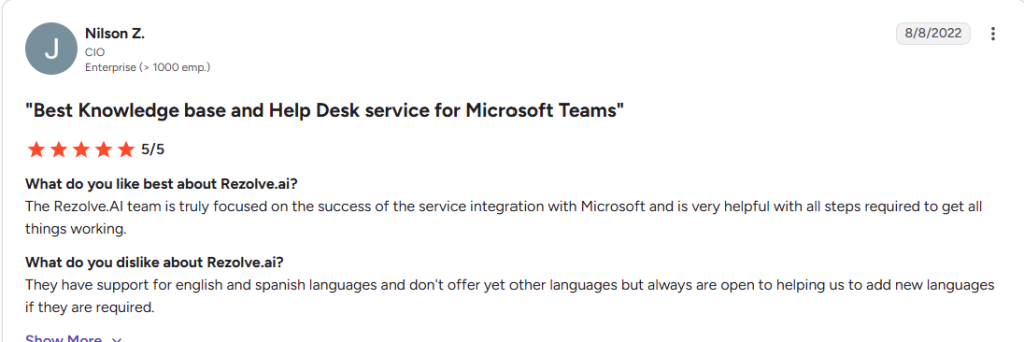
Rezolve.ai holds a 4.8 out of 5 rating on G2 across 38 reviews, with particularly strong marks for ease of setup and quality of support. The core pitch, resolving issues in seconds rather than logging them for a human to pick up later, shows up in reviews as a genuine drop in ticket volume reaching IT, not a faster queue alone. Reviewers also point to a broad set of pre-built connectors: Rezolve.ai integrates with systems like ServiceNow, Jira Service Management, Freshservice, and ManageEngine, so it can run as an AI front end on top of a service desk your team already has, not only as a full replacement for one.
Considerations
G2’s cost indicator flags Rezolve.ai as a higher-cost option relative to category averages, and reviewers report roughly three months to implement and about nine months to see full ROI, longer than the setup timelines quoted for most other tools on this list. Pricing anchors to a per-employee rate rather than a per-agent one, which changes the math a lot depending on your ratio of employees to support staff, and most tiers need a custom quote rather than a published number. One reviewer also flagged difficulty pulling complete data extracts out of the system for independent reporting.
Read Rezolve.ai review on G2
Customer support
Support consistently comes up as a strength in reviews, with reviewers describing an implementation team that stays engaged well past initial rollout and a support channel that responds quickly to feature requests and issues. Several reviewers specifically credit ongoing check-ins from the Rezolve.ai team for how much the platform improved for their use case over time.
Pricing
Rezolve.ai doesn’t publish detailed pricing, but its packaging runs across three tiers: Core (Teams-based conversational ticketing), Automate (adds Level 1 automation with intelligent answers and smart routing), and Automate Plus (automation plus hands-on implementation support). Public listings cite a starting anchor of roughly $2.50 to $3 per employee per month, though most real deployments need a custom quote once integrations and automation scope are factored in.
What users are saying
Reviewers consistently point to how easy Rezolve.ai is to set up and how responsive the support team stays after launch. The most common reservation is cost relative to other options in the category, along with the reality that most specific numbers require a sales conversation rather than a published rate card.
9. Halo ITSM
Halo ITSM takes a different bet than most tools on this list. Instead of narrowing in on Teams-native ticketing, it packages nearly every ITSM module, incident, problem, change, asset, and service catalog, into one all-inclusive platform, with Microsoft Teams as one of several connected channels rather than the primary interface.
The pitch that shows up most in reviews is value for the feature set: modules and integrations come bundled rather than sold as separate add-ons, a real contrast to some vendors on this list, and elsewhere in the ITSM market, that charge per module.

Halo ITSM features:
Native Microsoft Teams bot with click-to-call
Halo’s Teams bot pushes ticket updates and item changes directly into Teams as messages, and agents can call a requester straight from a ticket through Teams once Call Management is enabled, without leaving the ticket record to dial out separately.
All-inclusive ITIL module set
Incident, problem, change, and asset management, plus a service catalog, come standard rather than as paid add-ons. For a team that’s been priced out of extra modules elsewhere, that structure alone can be the deciding factor.
Deep configurability through APIs and custom fields
Halo exposes its data model through APIs, JSON, and custom field configuration, letting admins reshape workflows, forms, and validation rules well beyond what a typical out-of-the-box ticketing tool allows.
What stood out
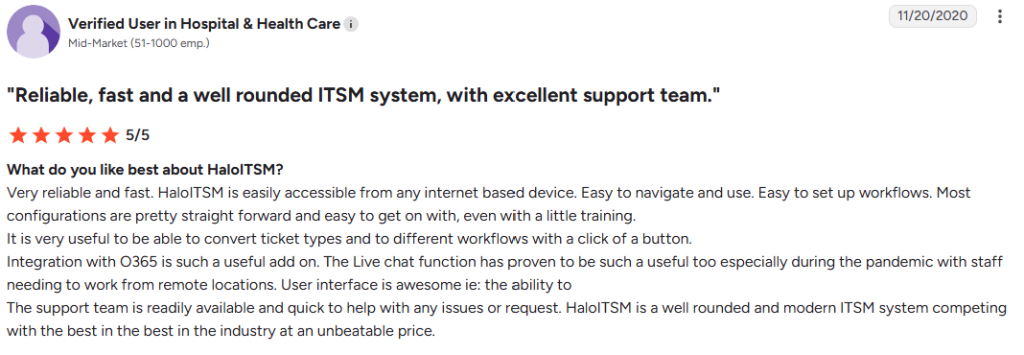
The all-inclusive pricing structure draws consistent praise in reviews. Teams that have been burned by add-on costs elsewhere point to Halo’s bundled modules as real value, not a marketing line. The platform’s ITIL heritage runs deep, and reviewers with complex environments describe replacing multiple older tools, in one case six separate systems, with a single Halo instance.
Considerations
The Teams integration here is a bot for notifications and click-to-call, not a place where agents fully build, triage, and resolve tickets the way Desk365 or Tikit’s Teams apps work. Deeper ticket management still happens in Halo’s own interface. The bigger consideration is configuration. Multiple reviewers and independent write-ups describe a real learning curve: getting genuine value out of Halo means being comfortable with SQL, JSON, and API-level configuration, not an out-of-the-box setup. One detailed community account described treating it like a powerful erector set rather than a tool that works well immediately after signup. Budget admin time, or a dedicated admin, accordingly.
Read Halo ITSM review on G2
Customer support
Support and migration assistance come up positively in reviews, particularly around moving from an on-premise setup to Halo’s cloud version. Complaints center on the product’s configuration demands rather than the responsiveness of the support team itself.
Pricing
Halo ITSM doesn’t publish a single fixed rate card. Third-party trackers list a starting price around $29 per agent per month, scaling with tier and modules selected. Halo generally recommends a quote for exact numbers based on team size and configuration needs.
What users are saying
Reviewers consistently praise the all-inclusive pricing and the platform’s flexibility once configured, along with support that’s rated highly for cloud migrations specifically. The recurring caution is real: this isn’t a tool your team stands up in an afternoon. Budget real setup time, and lean on Halo’s own implementation guidance or a partner if you don’t have SQL and API experience in-house.
Which one should you choose?
Of the 9 tools here, Desk365 is the only one that combines a genuinely free tier, full agent-side ticket management in Teams via Microsoft Entra ID SSO, and a review base spread across G2, Capterra, Software Advice, and GetApp rather than on a single platform. It’s also the most consistently highly rated of the group, it’s sitting around 4.9 out of 5 on G2 and 4.9 out of 5 on Capterra, with reviewers repeatedly calling out its ease of use, quality of support, and ticket-creation experience as standouts, while most of the other 8 tools on this list either don’t have a comparable multi-platform review footprint or sit noticeably lower.
TeamsWork matches the free entry point but keeps agents working in channels without a dedicated agent portal; Tikit and SysAid both require stepping outside Teams for deeper ticket work.
DeskDay only belongs on your shortlist if you’re an MSP serving external clients rather than running an internal IT help desk. If that’s not you, skip it.
SysAid is the right call only if you need full ITSM, not ticketing alone, and you’re comfortable with Teams as a secondary channel rather than the main workspace. If you require that agents stay inside Teams, SysAid is not a natural fit.
Pick based on how your team works today, not what a feature comparison matrix shows. A tool that sends agents to a browser tab every time they need to do real work is a ticketing tool with a Teams notification layer, and those are not the same thing.
Frequently asked questions
Desk365, TeamsWork, and Crow Canyon’s NITRO Help Desk run ticket creation and agent workflows inside Teams itself instead of redirecting to an external portal. Desk365 is the only one of the three with a free tier, a paired Support Bot/Agent Bot setup, and SSO via Microsoft Entra ID for both employees and agents.
Desk365 or TeamsWork. Desk365’s free tier covers up to three agents, and also it starts at $12 per agent/per month. TeamsWork’s flat $10/month org-wide pricing avoids per-seat math altogether. Both are built to run inside Teams without requiring a dedicated admin to maintain the setup.
Desk365 comes up most consistently for fast setup reviewers describe getting up and running with full functionality in hours. Tikit is also noted for quick deployment, with one reviewer going from zero to live including testing in a couple of days. Both are meaningfully faster than enterprise ITSM platforms like SysAid, which require more configuration before they’re usable.
Desk365 is free for up to three active agents with no time limit. TeamsWork offers a free plan and a 30-day trial. Tikit has a 14-day free trial with no credit card required. SysAid offers a full-featured trial but no ongoing free tier.
A DIY setup inherits the security and compliance posture of your existing Microsoft 365 environment. Dedicated apps add their own layer of security on top of that. Reputable vendors like desk365 publish details on compliance certifications such as SOC 2, GDPR, and HIPAA where relevant. It’s worth checking a vendor’s security documentation before rolling out any new app organization-wide.