
TL;DR
- Zoho Desk fits small teams, tight budgets, and companies that already use Zoho CRM.
- Zendesk fits larger teams that need many channels and can pay for add-ons.
- For 10 agents on annual billing, Zoho Desk Professional costs $230 a month. Zendesk Suite Professional costs $1,150.
- Desk365 fits teams that work in Microsoft Teams. Plans start at $12 per agent each month and include Teams, a knowledge base, and SLA reminders.
Choosing a helpdesk ticketing system changes how fast your team answers customers. Zendesk and Zoho Desk are two of the most common tools IT managers consider. Each one suits a different kind of team.
Zoho Desk is the lower-cost option. It connects well with other Zoho products and has a free plan for up to three agents (see our Zoho Desk pricing guide). Zendesk covers more channels out of the box, including email, live chat, phone, and a knowledge base. It costs more, and the bill grows as you add features (see our Zendesk pricing guide).
Both tools are strong players in the customer service software market. If you use Zoho CRM and want a low price, start with Zoho Desk. If you need a wide range of features and can pay for them, look at Zendesk.
This guide is for support team heads and IT managers at small and medium businesses (SMBs). We compared 2026 list prices with recent G2 and Capterra reviews. We also added data from Desk365’s survey of 92 helpdesk users, plus customer stories and Reddit discussions.
Understanding what each platform offers can help you make the best decision for your business’s customer service goals.
Why is Desk365 part of this comparison?
We compete with both tools in this guide. We added Desk365 as a third option for one reason: Teams that compare Zendesk and Zoho Desk often want a lower price and a tool that works inside Microsoft Teams. In our survey of 92 helpdesk users, price and better Microsoft integration ranked among the top reasons for switching vendors, right after ease of use.
How do I know this comparison is fair?
Every Desk365 comparison follows a published review methodology. Where permitted, we sign up for trials or demos and try the product. We read user reviews on G2, Capterra, GetApp, and Software Advice. We read vendor documentation and check it against what users report. We also check Reddit and IT forums, where people tend to be candid. We talk with support and IT teams too, including customers who switched from another tool.
We judge help desk tools on seven points. Can you set it up without a headache? Does it cover the basics, such as routing, automation, SLAs, channels, and a knowledge base? How well does it work with Microsoft 365 and Teams? Is the AI useful, or just a checkbox? Can you make sense of your data? Is the pricing fair at each tier? What happens when something goes wrong with support?
For this guide, we used published 2026 pricing, vendor documentation, G2 and Capterra reviews, our survey of 92 helpdesk users, customer stories, and Reddit discussions.
What is Zendesk?
Zendesk is a customer service platform that handles email, live chat, phone, social media, and self-service in one place.
Founded in 2007 in Denmark and now headquartered in San Francisco, California, Zendesk was created by Mikkel Svane, Alexander Aghassipour, and Morten Primdahl.
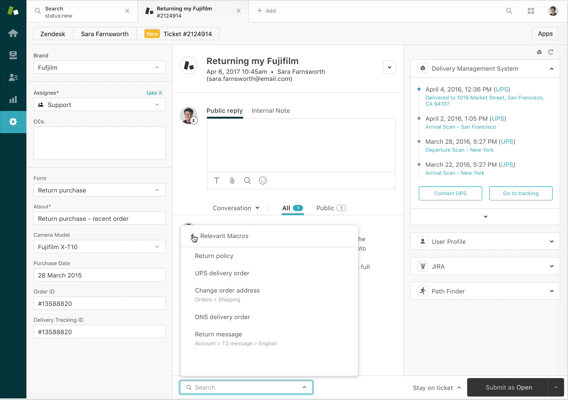
The platform pulls every channel into one view. Agents see each customer’s full history, so replies stay consistent. Zendesk includes automation for routine tasks and an app marketplace with add-ons like real-time translation and sentiment analysis. Its Help Center supports self-service. Reporting tracks ticket volume and customer satisfaction scores. It also supports many languages and has an open API.
Zendesk has trade-offs too. The ticketing dashboard can take a long time to set up, especially at large companies. Pricing can strain a small budget. Zendesk also sells its AI assistant, Copilot, as an add-on for $50 per agent each month (per Macha). Each Suite plan includes only a few AI resolutions per agent each month, and Suite Team includes five. Data migration often needs a developer’s help.
Read More – Best Zendesk Alternatives for Businesses in 2026
Want the full picture from real users? See our Zendesk reviews roundup.
What is Zoho Desk?
Zoho Desk is customer support software that helps teams manage and answer customer questions. It belongs to the Zoho family and connects with other Zoho apps, such as Zoho CRM.
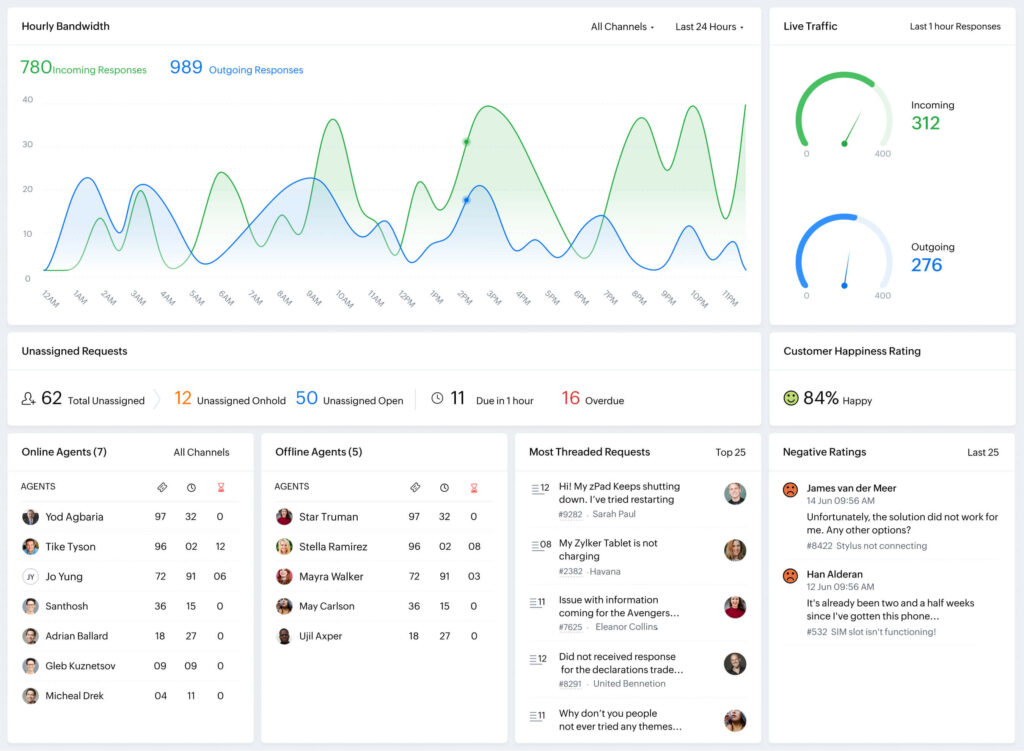
Zoho Desk handles email, phone, social media, and live chat from one screen. It also includes automation, a knowledge base for self-service, and analytics.
Reviewers on G2 call Zoho Desk affordable and quick to set up. Some report a learning curve for advanced automation, and others find the reporting thin for complex needs. Capterra reviewers also mention limited customization.
Read More – Best Zoho Desk Alternatives for Businesses in 2026
For more user feedback, read our Zoho Desk reviews roundup.
What are the main differences between Zendesk and Zoho Desk?
Zendesk costs more and covers more channels and add-ons. Zoho Desk costs less and fits best with other Zoho apps. Zendesk’s largest customer group on G2 is mid-market, while Zoho Desk’s is small business (G2). Both handle ticketing, automation, and a knowledge base. The biggest gaps are price, AI add-on costs, and how much setup and training your team can take on.
How do Zendesk and Zoho Desk compare side by side?
Both tools cover the basics well. Ticketing, automation, reporting, and a knowledge base come with each one. The gaps show up in price, AI costs, and how much setup you want to do.
On G2, Zendesk holds a 4.3 out of 5 rating from 7,032 reviews. Zoho Desk holds 4.4 from 7,840 reviews (G2 comparison page). Zoho Desk scores slightly higher on ease of setup, 8.1 compared with 8.0. Zendesk scores slightly higher on quality of support, 8.4 compared with 8.3.
Reviewers on both sides mention friction. G2 users cite limited customization as a Zendesk drawback in 159 reviews. Zoho Desk reviewers mention a learning curve in more than 500 reviews.
Zendesk features include a clean interface, advanced reporting, and a large app marketplace. It suits large enterprises. Its AI tools run through Copilot, which costs extra.
Zoho Desk focuses on price. Its Express plan starts at $7 per agent each month, and Standard starts at $14. Its AI assistant, Zia, handles tasks like sentiment analysis and works natively from the Professional plan (per HelpDesk). Zoho Desk offers solid ticketing and multi-channel support, though some reviewers find the interface less intuitive.
Here is how the three tools compare on the points buyers ask about most.
| Desk365 | Zoho Desk | Zendesk | |
|---|---|---|---|
| Entry paid plan | $12 (Standard) | $14 (Standard), or $7 (Express, up to five agents) | $19 (Support Team, email only) |
| Mid-tier plan | $22 (Plus) | $23 (Professional) | $115 (Suite Professional) |
| Free plan | Yes, up to 50 tickets a month | Yes, up to three agents | No, 14-day trial only |
| Microsoft Teams | Built in, with tickets from Teams messages and a Teams AI Agent | Tab, connector, and bot on paid plans | Free Teams app to create and update tickets |
| AI assistant | AI Copilot on Plus and Premium, plus an AI Agent add-on for Teams, portal, and chat | Zia AI, built in from Professional | Copilot add-on, $50 per agent |
| Best for | Teams that work in Microsoft Teams | Small teams and Zoho users | Large teams with complex needs |
Which helpdesk is right for your business?
Your team size, budget, and tools decide the right pick. The four questions below cover what buyers ask most.
1. Which one costs less, Zendesk or Zoho Desk?
Zoho Desk costs less at every comparable tier. For 10 agents on annual billing, Zoho Desk Professional runs $230 a month. Zendesk Suite Professional runs $1,150.
| Vendor | Plan | Monthly cost for 10 agents on annual billing |
|---|---|---|
| Desk365 | Standard | $120 |
| Desk365 | Plus | $220 |
| Desk365 | Premium | $320 |
| Zoho Desk | Standard | $140 |
| Zoho Desk | Professional | $230 |
| Zoho Desk | Enterprise | $400 |
| Zendesk | Support Team (email only) | $190 |
| Zendesk | Suite Team | $550 |
| Zendesk | Suite Professional | $1,150 |
Add-ons change the math. Zendesk sells Copilot as a $50 per agent add-on, so 10 agents add $500 a month (Macha). Value over time matters too. G2 reviewers report a return on investment in nine months for Zoho Desk and 16 months for Zendesk. Both average two months to implement (G2).
Zendesk is known for its large feature set, and that comes at a cost. Pricing climbs as you add features. Learn more in our guide, is Zendesk worth the money in 2026? One G2 user noted,
Pricing can get pretty steep as you add on features. Most of our clients are small businesses in a stage of growth—so while the features make perfect sense for their teams, sometimes the bill ends up pricing our people out.
Small businesses raise this concern most often: Their costs can climb past their budgets fast.
One reviewer also said Zendesk removed basic reporting from its entry plan, which hurt their team. The reviewer wrote,
“They also recently removed basic reporting from their basic Support Team plan (used to be included) which is a HUGE bummer, as well as removing quick live support (have to send an email instead).”
Despite these issues, many users still prefer Zendesk for its fast and easy startup process, making it a popular choice before moving on to less expensive options.
Zoho Desk costs less than Zendesk, which makes it popular with small and mid-sized businesses. It also has a free plan for up to three agents. Learn more about Zoho Desk pricing.
The lower price comes with trade-offs. Some users say the Standard plan has limited features and that the platform sometimes hangs. One G2 reviewer wrote,
Pricing, limited features in the standard plan, sometimes it hangs up.
Is Desk365 a cheaper alternative to both?
Desk365 costs less than Zendesk and slightly less than Zoho Desk at each comparable tier. The Standard plan starts at $12 per agent each month. It includes Microsoft Teams, a knowledge base, custom roles, and Service Level Agreement (SLA) reminders. Users praise its simplicity, its ease of use, and how fast the team responds to requests.
It's so easy to use and configure due to the simple interface. In addition, it's also cheaper compared to other ticketing systems in the market. Not to mention the amazing functions provided and the fast responses from Desk365 support team."
One nonprofit made the switch for this reason. Lauren Artis, Manager of Information Technology at T3partnership, said costs climbed as the team grew on Zendesk. The team moved to Desk365 to cut costs and now submits tickets and reads knowledge base articles inside Teams (Read more on Desk365 customer stories page).
Price drives many switches. In Desk365’s survey of 92 helpdesk users, price was the second biggest reason for changing vendors, behind ease of use (State of IT Helpdesks).
Switch to Desk365 and save more.
2. Which one has better customer support?
Zendesk offers email, live chat, phone, social media, and self-service portals. Automation helps agents close tickets faster.
On G2, the two score almost the same for quality of support. Zendesk earns 8.4 and Zoho Desk earns 8.3 (G2).
Even so, some Zendesk users are unhappy with the support they get. One G2 reviewer wrote,
Lastly, you'll never actually speak to anyone ever. Thier support and service is such a joke, you just get automated bots that email you the same messages about the same recurring problems. At the end of my experience, this service felt like it was sort of a scam. They take your money, won't let you downgrade, keep charging your card, and you can never speak to a real person. COMPLETE JOKE
Zoho Desk offers similar channels, automation, and a knowledge base. It connects well with other Zoho products. Some users still have complaints about support. One Capterra reviewer wrote,
Zoho on a whole I would not recommend. Support is terrible. We are on our 4th consultant as a good certified Zoho consultant is hard to find. Zoho CRM and Desk are full of bugs, they constantly change the way things work and stuff break and they can't explain why
Why do users praise Desk365 support?
Users often mention how fast Desk365 responds and how closely the team listens.
Desk365 does what you expect from a much more expensive ticket system. The best thing however is the customer support. All questions about the software are answered quickly and completely, and suggestions for improvement are treated seriously. They really make you feel they are part of your team
3. Which one is easier to customize?
Zoho Desk has a simple interface that helps teams start fast. Its customization is limited, though, and deep changes to complex workflows can be hard. As one G2 user noted,
One potential drawback of Zoho Desk is the limited customization options available. While the platform is designed to be easy to use and navigate, some users may find the customization options poor
Other G2 reviewers cite flexible ticket automation and workflow macros, so the answer depends on how complex your setup is.
Zendesk lets you change workflows, ticketing, and reporting in many ways. That freedom adds complexity, and the settings can be hard to navigate without training. Reviewers disagree on how flexible it feels, as one G2 user mentioned,
I find Zendesk Support Suite to be quite expensive, especially since it lacks a free plan, and the customization options are somewhat limited, making it challenging to tailor to our specific needs.
Can you customize Desk365 without extra complexity?
Desk365 lets you tailor forms, fields, roles, and views without a steep learning curve. Custom ticket forms, custom fields, and custom roles come with the Standard plan. A Capterra reviewer praised its customization,
A lot of customization possibilities and very easy to understand and use. Very good support by the team of Desk365. Fair price. Operability with Microsoft Teams almost 100%.
4. Which one works better with Microsoft Teams?
Both Zendesk and Zoho Desk now offer Microsoft Teams apps. The depth differs.
Zendesk’s app lets agents create, view, and update tickets from Teams. They can add internal notes and public replies, and pin ticket views as tabs (Microsoft AppSource listing). Zoho Desk’s Teams tab lets agents reply to tickets, change status, assign tickets, and add comments. The integration needs a paid plan (Zoho help doc).
Reviewers still point out gaps. One Zoho Desk user stated, “Lack of integration with major platforms like Microsoft Teams for ticket creation and response as well as Google Meet (Chat) has been a negative but not a dealbreaker by any means.” Test the current Teams setup in a trial before you rule either tool out.
Zendesk and Zoho Desk both offer strong ticket tools, but setup takes time. Configuring channels, ticket views, user roles, and portals can need real technical skill. Additionally, Zendesk’s personalized support comes at a significant cost.
Does Desk365 work better with Microsoft Teams?
Desk365 is built around Teams. Agents turn Teams messages into tickets and get Teams notifications. Teams support is part of the Standard plan. See the Microsoft Teams integration page for details.
One user praised the integration, saying,
Teams integration is fantastic and has improved user interaction by at least 500%. The tech team is notified in Teams when tickets come in. Users see tech questions and comments in their teams. Automation features are great. The knowledge base is more than adequate and search functions work well. The product is actively developed with new features rolling out regularly
Ryan Geiler, IT Director at Community Medical Center, said Desk365 fit their Microsoft 365 setup. Users can create tickets in Teams, by email, or in the portal, and ticket use by end users rose (see the CMC story and the customer stories page). On Reddit, an r/sysadmin user said their clients like the Desk365 support bot because it lives right inside Teams instead of a separate portal.
Desk365’s Standard plan includes custom forms, custom roles, custom fields, SLAs, and a knowledge base. A 10-agent team gets all of that, plus Teams, for $120 a month.
Zendesk vs Zoho Desk AI and automation features
Zendesk sells most of its AI as add-ons. Copilot costs $50 per agent each month, and each Suite plan includes only a few automated resolutions per agent (five on Suite Team), according to Macha. Zoho Desk’s AI assistant, Zia, comes built in from the Professional plan. Plan details are in our Zoho Desk pricing guide.
Desk365 includes AI Copilot and a Teams AI Agent on the Plus and Premium plans. The Desk365 AI Agent lets support agents and contacts get support directly from the Support portal, chat widget, and Microsoft Teams. They can ask questions, find answers from your Knowledge Base, create support tickets, and receive ticket updates without leaving Teams.
Desk365’s survey shows why control matters. Of 92 helpdesk users at small and mid-sized businesses, 74% said they don’t trust AI to answer tickets. The most common fix, chosen by 35%, was visibility into how the AI learns. Another 40 of the 92 want to get better at workflow automation. Read the full State of IT Helpdesks report.
Reddit users say the same. Commenters in an r/CustomerSuccess thread, covered in Desk365’s analysis of 15 Reddit threads, said AI works best when it handles a defined set of questions, draws on reliable knowledge sources, and hands context to a human when it can’t solve the issue.
In the first Humans of Support interview, ITSM analyst Stephen Mann says AI has moved IT service management faster since 2023 than the field is used to. He also separates real AI value from hype. Choose the AI you can control, not the one with the longest feature list.
Zendesk vs Zoho Desk ticketing system features list
Both tools cover the core ticketing features. This table lists what matters most to support teams.
| Feature | Zendesk | Zoho Desk | Desk365 |
|---|---|---|---|
| Email ticketing | Yes | Yes | Yes |
| Automation | Automation for routine tasks | Ticket automation and workflow macros | Workflow automation, plus time-based rules on Plus |
| Knowledge base | Help Center for self-service | Knowledge base, with FAQ articles from closed tickets | Public and private knowledge base on every plan |
| SLAs | SLA management | Basic SLAs, even on the Free plan | Reminders and escalations on every paid plan |
| Support portal | Help Center | Self-service portals, with multi-brand help centers | Support portal on every plan |
| Custom fields and forms | Yes, though 159 G2 reviews cite limited customization | Custom fields and workflows | Custom fields, forms, and roles on Standard |
| Reporting | Advanced reporting | Analytics, though some find depth limited | Reports and custom reports on every plan |
Desk365’s survey shows which features teams lean on. Of 92 respondents, 89 use their helpdesk to organize tickets. Missing information slows 64 of them, which is why custom ticket forms matter. Knowledge management is the top skill 48 teams want to build (State of IT Helpdesks).
Is Zoho Desk easier to set up than Zendesk?
Slightly. G2 reviewers score Zoho Desk 8.1 for ease of setup and Zendesk 8.0. Both average about two months to implement. Zoho Desk reviewers report a return on investment in nine months, compared with 16 for Zendesk (G2). Zoho Desk users still cite a learning curve for advanced automation, in more than 500 reviews.
Ease of use matters most to buyers. In Desk365’s survey, it ranked first among the factors for choosing a helpdesk, and 44 of 92 respondents switched vendors to find something easier (State of IT Helpdesks).
Customer stories back this up. Omest, a logistics company, evaluated 20 helpdesk tools, including Zendesk. The team found that enterprise platforms would need implementation partners and ongoing administration. Eight agents now handle more than 600 daily requests in Desk365 (Omest story). Mirko Babic of Suntastic Solar said almost none of about 100 employees needed training. On Reddit, a Windows admin said they moved from Jira to Desk365 in two hours (both on the customer stories page).
Zendesk vs Zoho Desk for small business owners
Zoho Desk fits most small teams better. It has a free plan for up to three agents and a $7 Express plan. G2 lists small business as its largest segment. Small-business reviewers describe Zendesk as expensive and sometimes too complex (G2).
Small IT shops ask this on Reddit too. One r/msp thread asks about Zendesk and Zoho Desk for a one-person IT company. An r/Zoho thread looks at Zoho Desk as an alternative. [Add one short quote from each thread, with username and date.]
A third path is Desk365. A small-team admin on Reddit said Freshdesk and Zendesk felt overpriced and heavy, so they chose Desk365 for its light setup and low cost. Another admin at a company of about 200 people pinned the app in Teams and called it very cheap (both on the customer stories page). Desk365 also has a free plan for up to 50 tickets a month.
Zendesk vs Zoho Desk for large enterprise customer service
Zendesk is the stronger pick for big, complex teams. Its largest G2 segment is mid-market, and its Enterprise plan needs a custom quote (G2). Add-ons such as Workforce Engagement and Contact Center cost $50 per agent each, according to Macha.
Zoho Desk Enterprise costs $40 per agent each month and includes 50 light agent licenses at no extra charge (per Macha). Reviewers say reporting depth can fall short for complex needs.
Desk365’s Premium plan adds audit logs, PII and PHI controls, data redaction, and HIPAA-ready controls. The company is SOC 2 Type 2 certified (pricing page). Pasquale Magneri, Business Systems Sr. Manager at CBRE, called the Desk365 team true partners in every sense of the word (see customer stories). You can also read why JDA TSG chose Desk365 over ServiceNow.
Best help desk software alternatives to Zendesk and Zoho Desk
G2 lists Agentforce Service (formerly Salesforce Service Cloud), Hiver in Gmail, and Fin as top alternatives to both tools. Hiver in Gmail scores 4.6 from 1,283 reviews, Fin scores 4.5 from 3,901, and Agentforce Service scores 4.4 from 7,359 (G2). Freshdesk also appears as an alternative to both.
If your team works in Microsoft Teams, put Desk365 on the shortlist. Omest compared 20 tools before choosing it, and T3partnership moved over after Zendesk costs grew. Our guides cover Zendesk alternatives, Zoho Desk alternatives, and the best customer service software overall.
Which helpdesk should you pick?
Your pick depends on your team size, your budget, and the tools you already use.
Choose Zendesk if you run a large team that needs deep analytics and many channels. Expect a higher price and extra costs for AI.
Choose Zoho Desk if you run a small or mid-sized team, want a lower price, or already use Zoho CRM. You may outgrow its reporting and customization sooner.
Choose Desk365 if your team lives in Microsoft Teams and you want most features at a low price.
Desk365 combines a clean interface, workflow automation, visual reports, and Microsoft Teams support. Its Switch at renewal guarantee lets you start now and pay when your current contract ends.
Ready to test it? Sign up for a free trial and see how Desk365 handles your tickets. The trial lasts 21 days, and you don’t need a credit card.
More from Desk365: read the Michelle Major-Goldsmith episode of Humans of Support on building trust to make IT more effective, or browse all customer stories.
Frequently asked questions
Zoho Desk costs less. Zendesk’s published plans run from $19 to $115 per agent each month, and Zoho Desk runs from $0 to $40. For 10 agents on annual billing, Zoho Desk Professional costs $230 a month and Zendesk Suite Professional costs $1,150.
Zendesk’s plans start higher, and it sells Copilot, Workforce Engagement, and Contact Center as $50 per agent add-ons. G2 reviewers say the bill grows as you add features and agents. Zoho Desk’s top public plan costs $40 per agent.
Zoho Desk scores slightly higher on G2, 4.4 from 7,840 reviews compared with 4.3 from 7,032 for Zendesk. Zendesk scores slightly higher on quality of support (8.4 compared with 8.3). Zoho Desk scores slightly higher on ease of setup (8.1 compared with 8.0).
Yes. Zoho Desk’s free plan supports up to three agents. Zendesk has no free plan, only a 14-day trial.
Yes. Zendesk offers a Microsoft Teams app. Agents can create, view, and update tickets from Teams.
Yes, on paid plans. You can add Zoho Desk to Teams as a tab, a connector, or a bot.
Yes, especially if your team uses Microsoft Teams. Plans start at $12 per agent each month, and a free plan covers up to 50 tickets a month. See our guides to Zendesk alternatives and Zoho Desk alternatives.
Yes. Desk365’s Switch at renewal guarantee lets you start now and pay when your current contract ends.