
TL; DR - Best knowledge base software at a glance
- Desk365 (helpdesk with a built-in KB): Best for IT teams that want knowledge base articles inside a Microsoft Teams helpdesk
- Freshservice (helpdesk with a built-in KB): Best for teams that want a familiar ITSM tool with a KB on every plan
- Document360 (dedicated KB platform): Best for teams that need public and private knowledge bases in one tool
- Helpjuice (dedicated KB platform): Best for teams that want flat monthly pricing and strong search
- Confluence (internal wiki): Best for teams that already work in Jira and Atlassian
- Notion (internal wiki): Best for small teams that want docs and projects in one workspace
- Slab (internal wiki): Best for a clean internal wiki with page verification built in
- BookStack (internal wiki): Best for teams that can host their own free wiki
- Featurebase (support and feedback suite): Best for SaaS teams that want a help center, feedback boards, and a changelog together
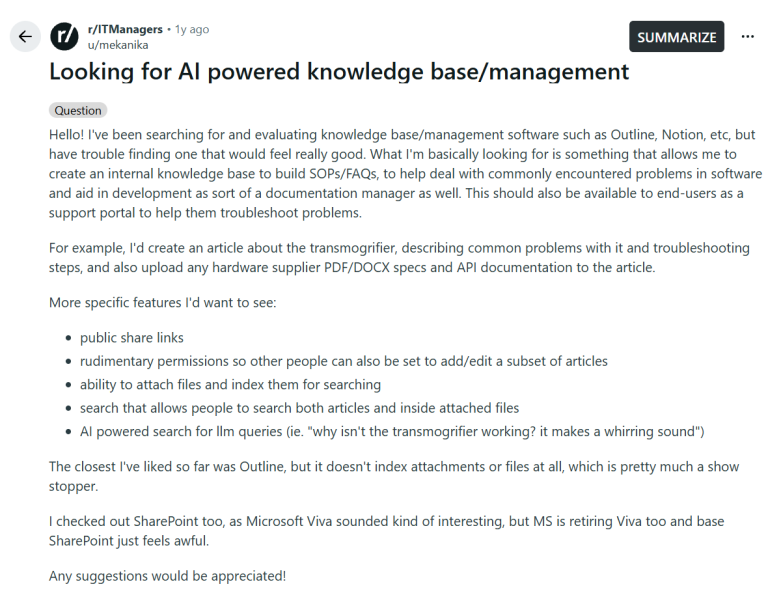
A Redditor in r/ITManagers laid out the problem clearly: They wanted an internal knowledge base for SOPs and FAQs that also works as a support portal for end users. Their needs were specific: public share links, simple permissions so other people can edit a subset of articles, search inside attached files, and AI search for plain-language questions. Outline came closest, but it does not index attachments, which they called a deal breaker. They also checked SharePoint and were not happy with it. Read the thread.
That wish list shows why this choice is hard. Some tools are built for customers, some for staff wikis, and some sit inside a helpdesk. A tool that does one job well can fall short on another. This list sorts nine tools into four types, so you can start with the group that matches your needs.
Disclaimer
I work for Desk365 and our product too features in this list. It sits first because its knowledge base runs inside a helpdesk that works in Microsoft Teams. For every tool here, I highlight one real limit, Desk365 included. Pricing pages and G2 reviews are linked as of October 2026, so you can check our work. Read more about our review methodology.
Types of knowledge base software
Knowledge base software falls into four types, and the type matters more than any single feature.
- Helpdesk with a built-in KB: The first type is helpdesk software that includes a knowledge base. Articles sit next to tickets, so agents can add them to replies and write new ones from solved tickets. Desk365 and Freshservice belong here.
- Dedicated KB platforms: These tools do one job, which is writing, reviewing, and publishing articles. They tend to offer deeper writing workflows and article analytics. Document360 and Helpjuice belong here.
- Internal wikis: These are team documentation tools for runbooks, SOPs, and onboarding notes. Confluence, Notion, Slab, and BookStack belong here.
- Support and feedback suites: These bundle a help centre with feedback boards and a changelog. Featurebase belongs here.
There is a second split to keep in mind. An internal knowledge base is for staff, such as fix guides and runbooks. A customer-facing knowledge base is a public help center for end users. Many IT teams need both, so each entry below says who the articles are for.
How I ranked the best knowledge base software
I ranked each tool on what an IT manager gets once the useful features are switched on. That meant six checks:
- Price at the tier where the useful features start
- Search quality, including AI search and search inside attached files
- Fit with Microsoft 365 and Microsoft Teams
- Link to ticketing, such as turning a solved ticket into an article
- Permissions for internal and public content
- Setup effort for a team without a developer
Comparison of the 9 best knowledge base software tools
| Tool | Type | Audience | Best for | Starting price | Free plan or trial |
|---|---|---|---|---|---|
| Desk365 | Helpdesk with KB | IT agents and end users | A KB inside a Teams helpdesk | $12/agent/month | 21-day trial, free plan for 50 tickets a month |
| Freshservice | Helpdesk with KB | Internal | A familiar ITSM tool with a KB on every plan | $19/agent/month | 14-day trial |
| Document360 | Dedicated KB | Staff and customers | Public and private KBs in one tool | Custom quote | Demo or quote request |
| Helpjuice | Dedicated KB | Staff and customers | Flat monthly pricing and strong search | $249/month for 30 users | 14-day trial |
| Confluence | Internal wiki | Internal | Teams on Jira and Atlassian | [VERIFY: current Standard price] | Free plan |
| Notion | Internal wiki | Internal, with public pages | Small teams that want one workspace | $10/member/month (Plus) | Free plan |
| Slab | Internal wiki | Internal | A clean wiki with verification | $6.67/user/month (Startup, billed annually) | Free plan for up to 10 users |
| BookStack | Internal wiki | Internal, can be made public | A free self-hosted wiki | Free, self-hosted | Open source, public demo site |
| Featurebase | Support and feedback suite | Customer-facing | A help center with feedback and changelog | $29/seat/month plus $0.49 per AI resolution | Free plan, 10-day trial |
Helpdesk with a built-in knowledge base
Type: Helpdesk with built-in KB
Audience: IT agents and the employees or customers they support

4.9/5
Desk365 is the best fit for IT teams that want knowledge base articles to live where tickets are handled. Every plan includes unlimited articles, even the $12 Standard plan, and agents can drop an article straight into a ticket reply. Employees raise and track tickets in Microsoft Teams on every plan, and our guide to a knowledge base in Microsoft Teams shows how articles reach them there.
Why I'd consider Desk365:
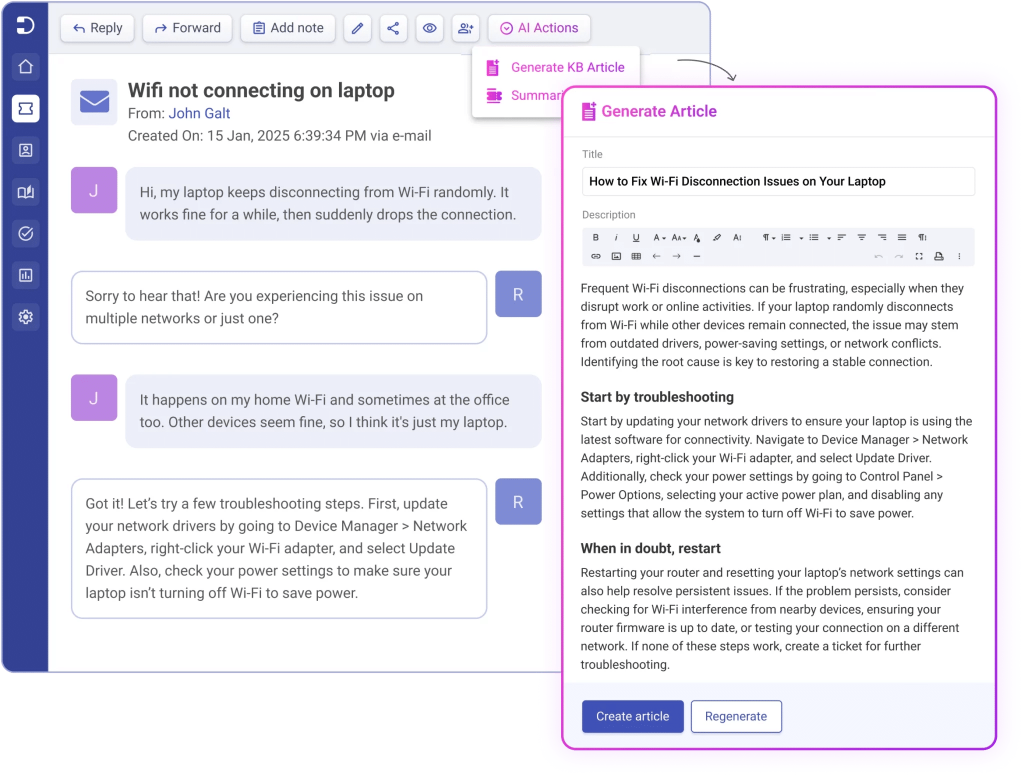
The main draw is the ticket-to-article loop. On the Plus plan at $22 per agent, AI Copilot can draft a KB article from a ticket conversation. The agent edits the draft and publishes it. The pricing page also lists a public KB and an internal or private KB, along with article versioning, article feedback, and category-level access.
For AI answers, the AI Agent add-on learns from your tickets and KB articles. It runs on credits at $50 per 1,000, with 100 free credits a month on Plus and 200 on Premium. Our page on the AI knowledge base gives more background.
Desk365 key features
- Knowledge base on every plan: Unlimited articles, article sections, versioning, article feedback, and category-level access.
- Public and internal: Publish a public help center for customers, and keep a private KB for your agents and employees.
- Articles in replies: Agents insert KB articles directly into ticket replies.
- AI Copilot (Plus): Generate a KB article from a ticket, summarize long tickets, and draft replies.
- AI Agent add-on: Learns from your tickets and KB articles and answers questions in chat.
- Microsoft Teams: Ticketing in Teams is on every plan, including Standard.
Desk365 pricing
- Free: up to 50 tickets a month, no end date, limited features
- Standard: $12/agent/month
- Plus: $22/agent/month
- Premium: $32/agent/month
- AI Agent credits: $50 per 1,000
Plans are billed annually. The free trial lasts 21 days, with no credit card required.
See how Intec Energy highlighted using Desk365 to leverage the knowledge base to store guides and solutions for quick reference.

Explore the features of Desk365’s Knowledge Base!
Type: Helpdesk with built-in KB
Audience: Internal
4.6/5
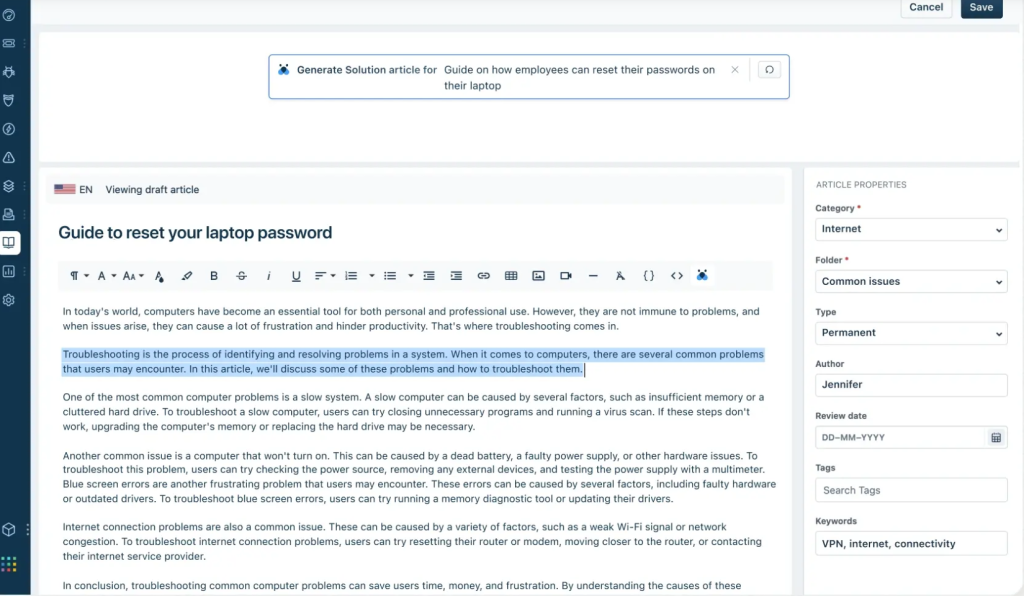
Freshservice includes knowledge management on every plan, so you can start a KB without paying extra. It is built for employee support, so the articles serve staff more than the public. ServiceBot on Microsoft Teams and Slack is also on every plan.
Why I'd consider Freshservice:
Knowledge management comes with every plan, starting at $19 per agent per month on Starter, so you can build a KB before deciding on anything else. AI article drafting costs extra. The Knowledge assistant, which drafts help articles, is part of the Freddy AI Copilot add-on at $29 per agent per month. The add-on sits on top of the Pro plan at $99, which puts AI drafting at $128 per agent per month at list price. Our Freshservice pricing guide breaks down the full cost. G2 reviewers also flag add-ons with high or hidden costs and weak reporting.
For AI answers, the AI Agent add-on learns from your tickets and KB articles. It runs on credits at $50 per 1,000, with 100 free credits a month on Plus and 200 on Premium. Our page on the AI knowledge base gives more background.
Freshservice key features
- Knowledge management, incident management, and task management on every plan
- ServiceBot on Microsoft Teams and Slack on every plan
- Freddy AI Copilot add-on with a Knowledge assistant that drafts help articles
- A support portal on every plan, with one portal on Starter and Growth and up to 50 on Pro and Enterprise
Freshservice pricing
- Starter: $19/agent/month
- Growth: $49/agent/month
- Pro: $99/agent/month
- Enterprise: custom quote
- Freddy AI Copilot add-on: $29/agent/month
Prices are billed annually. The free trial lasts 14 days.
Dedicated knowledge base platforms
Type: Dedicated KB platform
Audience: Staff (private projects) and customers (public projects)
4.7/5
Document360 suits teams that need a public help center and a private internal handbook under one account. Each project is a complete knowledge base that can be public or private, and you can run several projects at once. Its feature list includes search within attachments, which matters if your team stores specs and PDFs with articles.
Why I'd consider Document360:
Eddy AI covers an AI writing agent, AI search, FAQ creation, and an MCP server. The AI chatbot is an add-on, and the visual authoring tools such as screen capture and interactive demos sit in a separate AI Premium Suite add-on. The site lists integrations with Microsoft Teams, Freshdesk, and Zendesk, plus a Support Ticket Deflector.
Price is the sticking point. Document360 does not publish one. The quote depends on team accounts, workspaces, languages, security needs, the privacy model, and AI usage. G2 reviewers add that advanced search filters cannot be configured and that analytics are only available per workspace.

Document360 key features
- Public and private projects, so one account can hold a customer help center and an internal handbook
- Search within attachments and AI search
- Eddy AI with a writing agent and an MCP server
- Review reminders and approval workflows to keep articles current
- Roles and permissions, SSO, and SCIM
- Import from Word, Confluence, and other sources
- SOC 2 Type II and ISO 27001
Document360 pricing
- Custom quote based on your setup
- Standard migration is included in most quotes, according to the vendor
- Request a demo to get a price
Type: Dedicated KB platform
Audience: Staff (private projects) and customers (public projects)
4.7/5
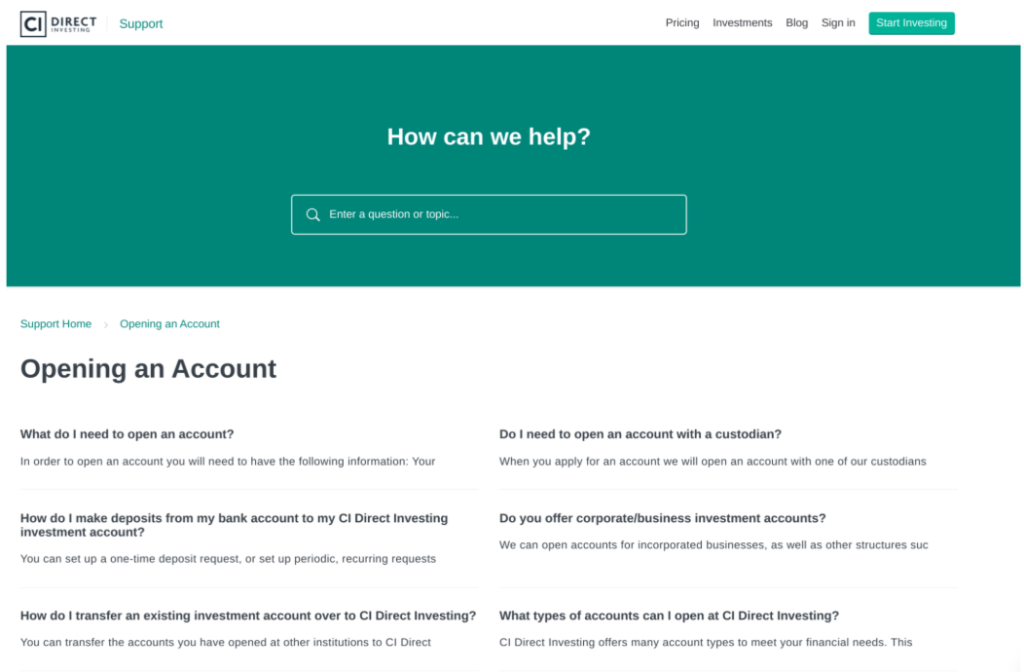
Helpjuice charges a flat monthly fee based on user count, not per agent, so the cost is easy to predict. Private and internal sections come with every plan, which lets one KB serve staff and customers. G2 reviewers praise its search and its migration help.
Why I'd consider Helpjuice:
Article expiration dates and publish approval come on every plan, which helps keep content from going stale. The $449 plan adds the AI suite: an AI writer, AI search, an AI chatbot, and a feature that turns support tickets into articles. The $249 plan leaves the AI suite out.
G2 reviewers say theming is code-based and wish for a more visual option, and one found translations too literal with no glossary.
Helpjuice key features
- Private and internal sections on every plan
- Version history, publish approval, scheduled publishing, and expiration dates
- Analytics, including search tracking
- More than 100 integrations, including Salesforce, Confluence, Slack, and Zendesk
- Free migration help from Zendesk, Confluence, and Help Scout
Helpjuice pricing
- Knowledge Base: $249/month for 30 users and 12 GB of storage, without the AI suite
- AI-Knowledge Base: $449/month for 100 users and 24 GB, with the AI suite and SSO
- Unlimited AI-Knowledge Base: $799/month for unlimited users and 38 GB
The free trial lasts 14 days with no credit card.
Internal wikis and workspaces
Type:Internal wiki
Audience: Internal
4.1/5
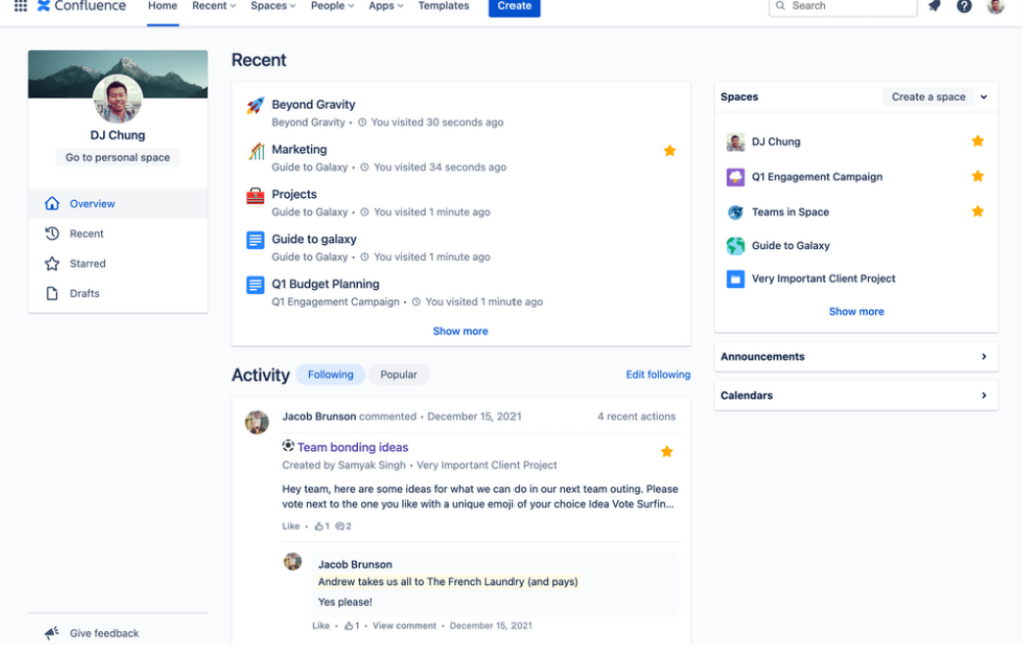
Confluence is the natural pick if your team already tracks work in Jira. G2 reviewers like it as a single source of truth with native Jira integration, and they use real-time editing for meeting notes and brainstorming.
Why I'd consider Confluence:
Confluence has a Free plan plus Standard, Premium, and Enterprise tiers, priced per user. At 300 users on monthly billing, Atlassian’s pricing page lists Standard at $5.78 and Premium at $11.16 per user per month.
Search and upkeep draw the most complaints. G2 reviewers say search often ranks old or unrelated pages first, spaces get cluttered without a disciplined structure, and permissions take time to learn.
Confluence key features
- Native Jira integration
- Real-time collaboration on pages
- Spaces for project documentation and technical specs
Confluence pricing
- Free plan available
- Standard: $5.78 per user per month. Premium: $11.16 per user per month. Both prices are for 300 users on monthly billing. Annual billing saves up to 17%, and the price per user changes with team size. Enterprise is billed annually only, and its price is not listed.
Type:Internal wiki
Audience: Internal, with public pages
4.6/5
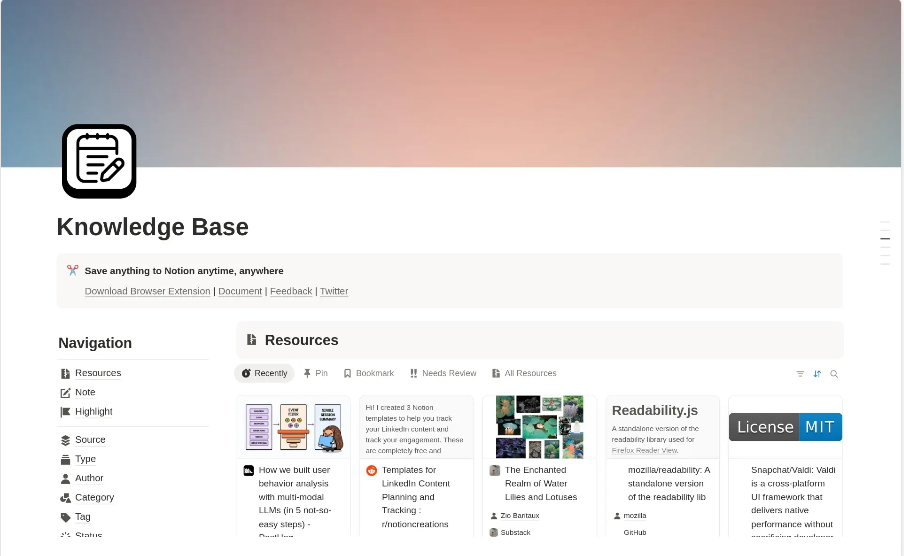
Notion works well as a lightweight internal wiki when your IT team is small. Docs, databases, and tasks live in one workspace, and G2 reviewers like linking docs, tasks, and incidents through databases. You can also publish pages to the web, even on the free plan.
Why I'd consider Notion:
Freshness is the strength for IT teams. The Business plan adds a Verify any page badge that marks pages as up to date, along with private teamspaces and SAML SSO. Business also adds Notion Agent and enterprise search. Notion AI is only a trial on Free and Plus. Public pages on a custom domain cost an extra $8 per month per domain when billed annually.
Scale and control are the limits. G2 reviewers say large workspaces get overwhelming and slow, permissions are coarse, and automations are limited.
Notion key features
- Pages, databases, and tasks in one workspace
- Publish pages to the web on every plan
- Verify any page, private teamspaces, and SAML SSO on Business
- Enterprise search across connected tools on Business
Notion pricing
- Free: $0
- Plus: $10/member/month
- Business: $20/member/month
- Enterprise: custom quote
Type:Internal wiki
Audience: Internal
4.6/5
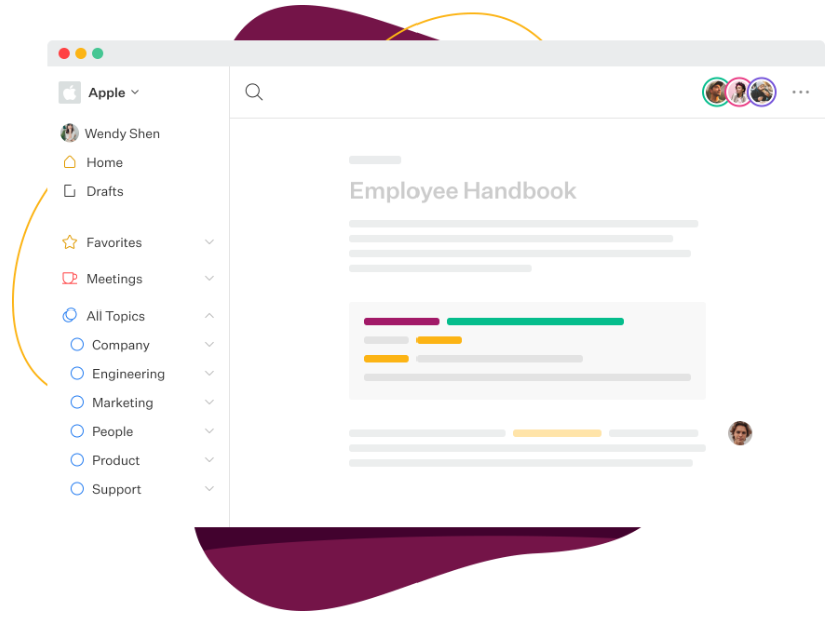
Slab is a focused wiki that includes verification and unified search on every plan, even the free one. Verification lets owners mark a page as current, which helps with stale articles. The G2 reviews for Slab are short and fairly generic, so its pros and cons below are lighter than for other tools.
Why I'd consider Slab:
The price steps are small. Slab is free for up to 10 users, then $6.67 per user per month on Startup and $12.50 on Business, both billed annually. AI Autofix starts on Startup, and AI Predict and AI Ask start on Business. Business also adds SAML SSO, custom domains, and a GraphQL API.
One G2 reviewer says markdown limits advanced image handling and that complex tables are limited.
Slab key features
- Unlimited posts and topics on every plan
- Verification, templates, real-time collaboration, and unified search
- Private topics from Startup
- Guests on paid plans, at 3 per user on Startup and 5 per user on Business
Slab pricing
- Free: up to 10 users
- Startup: $6.67/user/month, billed annually
- Business: $12.50/user/month, billed annually
- Enterprise: custom quote, at least 100 users
Type:Internal wiki
Audience: Internal, can be made public
3.6/5
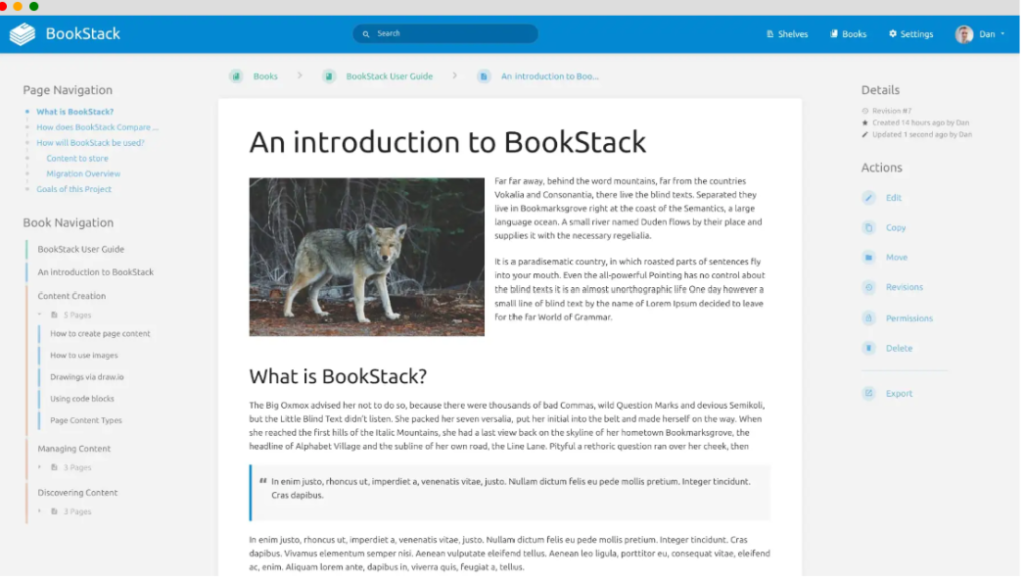
BookStack is free and open source under the MIT license, but you host it yourself. Content is organized into books, chapters, and pages, with a WYSIWYG editor and an optional Markdown editor.
Why I'd consider BookStack:
It runs on PHP, Laravel, and MySQL, and the project says it runs fine on a small, low-cost server. It includes page revisions, search across all books, roles and permissions, and built-in diagrams.net drawings. Sign-in options include OIDC, SAML2, LDAP, and multi-factor authentication. You can also make the whole instance publicly viewable. Managed hosting exists through third-party providers, which you would price separately.
Upkeep falls on you. You own the server and the updates, and recent releases include several security fixes, so plan for regular patching. The project site lists no AI features. G2 has only one review for BookStack, so its rating says little.
BookStack key features
- Books, chapters, and pages structure
- WYSIWYG editor with an optional Markdown editor
- Roles and permissions, page revisions, and cross-book search
- OIDC, SAML2, LDAP, and MFA
- Option to make the whole instance public
BookStack pricing
- Software: free
- You pay for the server or a managed host
Support and feedback suites
Type: Support and feedback suite
Audience: Customer-facing
4.7/5
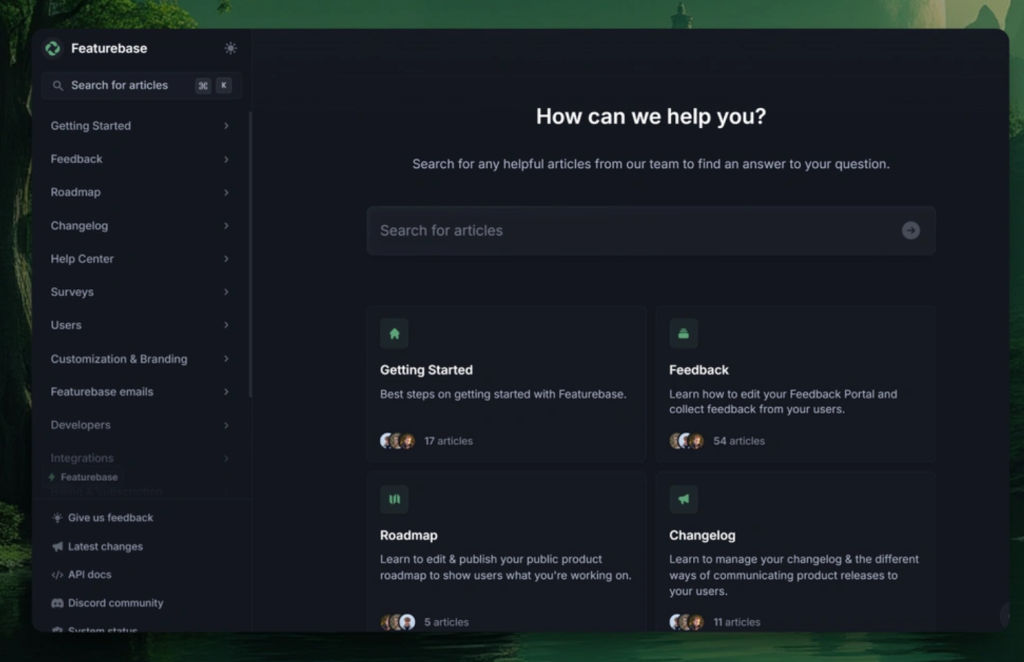
Featurebase suits SaaS support and product teams that want a help center, feedback boards, and a changelog under one subscription. G2 reviewers like the all-in-one approach and its multilingual helpdesk and changelog. Its pricing page now presents it as a support and product suite with a built-in helpdesk.
Why I'd consider Featurebase:
Pricing is per seat, with a fee for AI answers. There is a free plan for one seat. Growth costs $29, Professional $59, and Enterprise $99 per seat per month, billed yearly, plus $0.49 per AI resolution. The Fibi AI agent and AI Copilot start on Growth. Professional adds workflows, SLAs, and multilingual support.
Featurebase key features
- Help center, feedback boards, roadmaps, and a changelog
- Unified inbox and ticketing
- Fibi AI agent and AI Copilot from Growth
- Multilingual support, workflows, and SLAs from Professional
- Azure DevOps and AD integrations on Enterprise
Featurebase pricing
- Free: 1 seat
- Growth: $29/seat/month, billed yearly
- Professional: $59/seat/month, billed yearly
- Enterprise: $99/seat/month, billed yearly
- AI resolutions: $0.49 each on paid plans
The free trial lasts 10 days.
How do you choose the right knowledge base software?
Start with who will read the articles, which could be staff, customers, or both. Then match that need to a type.
- If articles should live next to tickets, look at Desk365 or Freshservice. Both include a KB on every plan. Desk365 adds AI article generation on Plus at $22 per agent, while Freshservice needs the Pro plan plus the Copilot add-on for AI drafting. Pro also covers a wider ITSM scope, so the two prices are not a like-for-like comparison. If you are comparing full ITSM tools, check which plan includes the knowledge base features you need.
- If you need a public help center, or public and private KBs together, look at Document360 or Helpjuice. Document360 is quote-based. Helpjuice has flat monthly pricing, but its AI suite starts at $449.
- If the goal is an internal wiki, look at Confluence for Atlassian teams, Notion for small teams, Slab for a clean wiki with verification, and BookStack if you can host and patch a server.
- If you run a SaaS product and want feedback besides your help center, look at Featurebase.
Before you buy, test the three things the Reddit poster cared about: search inside attached files, AI search for plain-language questions, and simple edit permissions. Document360 lists search within attachments. Ask every other vendor about it in a demo or trial.
The tool is only half the work. Stale articles are the usual failure, so look for features that flag them. Notion offers Verify any page on Business, Slab has verification, Document360 has review reminders, and Helpjuice has expiration dates. Our guide on how to build a knowledge base people actually use is a good next read.
Whichever way you lean, price the plan you will actually use. Add the AI tier, the extra seats, and any add-ons, then compare the totals.
Want to Learn More about Creating Your Knowledge Base?
Frequently asked questions
The best choice depends on the type. For a KB tied to tickets and Microsoft Teams, Desk365 is the pick on this list. For a public help center, Document360 or Helpjuice fit better. For a staff wiki, look at Confluence, Notion, or Slab.
An internal knowledge base is for staff, such as runbooks, onboarding notes, and fix guides. An external one is a public help center for customers or users outside IT. Several tools here can do both with private and public sections, including Desk365, Document360, and Helpjuice.
Yes. BookStack is free and open source, but you host it. Confluence, Notion, and Slab have free plans, and the Slab plan covers up to 10 users. Featurebase has a free plan for one seat. Desk365 has a free plan for up to 50 tickets a month with a limited feature set.
Often yes, if your goal is to deflect tickets and reuse solved tickets as articles. A dedicated platform adds things like multiple projects, translation tools, and deeper analytics, according to the Document360 and Helpjuice feature lists. Choose one of those when the knowledge base itself is a product your team manages.
Give every article an owner and a review date, then use the tool to enforce it. Notion has Verify any page on Business, Slab has verification, Document360 has review reminders, and Helpjuice has article expiration dates. Merging duplicate articles helps too, and Document360 lists duplicate content detection.