
A student needs help accessing an online portal at a late hour.
A teacher reports a broken projector minutes before class.
TL;DR - Customer service in education
Customer service in education shapes how students, parents, and staff experience a school, often behind the scenes. As schools become more digital, unstructured support leads to delays and missed requests. Desk365 helps schools centralize support, respond faster with automation and AI, enable self-service, and communicate clearly, so educators can stay organized and focus on teaching and learning.
What does customer service in education really mean?
- Students
- Parents or guardians
- Teachers
- Administrative staff
- IT teams
- Even alumni and external partners
- Questions don’t go unanswered.
- Problems don’t get lost in email threads.
- People know where to go for help.
- Support feels consistent, not chaotic.
At its core, it’s about creating a smoother experience so learning can stay the priority.
Why schools can’t ignore customer service anymore
1. Parents expect transparency
2. Students need support beyond the classroom
3. Staff are already overloaded
4. Reputation travels fast
Where many schools struggle
Most schools don’t lack effort; they lack structure. Common problems include:
- Requests scattered across email, WhatsApp, and Teams
- No clear ownership of issues
- Repeated questions are answered again and again
- No visibility into what’s pending or overdue
- No data to understand where support is breaking down
How Desk365 helps deliver better customer service in education
Desk365 is a helpdesk platform designed to bring order to everyday support chaos, without making things complicated.
1. One place for all support requests
Parents, students, and staff can reach out via:
- Support forms, web forms, or web widgets on the school website
- Microsoft Teams (great for internal staff support)
Nothing slips through the cracks, and everyone knows what’s being worked on.

Recommended Reading: 9 Best Omnichannel Customer Support Platforms for 2026
2. Faster responses with automation
Desk365 lets you:
- Auto-assign tickets to the right team
- Send instant acknowledgements
- Set priority rules for urgent issues and a lot more.

3. AI to respond faster and smarter
4. Self-service that helps
With Desk365’s knowledge base, schools can create:
- FAQs for parents
- How-to guides for students
- Internal resources for teachers and admins

Recommended Reading: 9 Best Knowledge Base Software for 2026
5. Built for schools using Microsoft Teams
- Convert messages into tickets.
- Collaborate internally without switching tools.
- Stay updated on ticket progress.
6. Clear visibility for administrators
With built-in reporting and analytics, school leaders can see:
- How many requests are coming in
- Where delays are happening
- Which teams need extra support

7. Keep everyone informed with announcements
- Inform students and parents about planned maintenance, system downtime, or portal outages.
- Share updates on school policies, schedules, or important academic dates
- Notify teachers and administrative staff about internal process changes or new systems.
- Highlight reminders like enrollment deadlines, fee payments, or exam timelines.

What schools and educators say about Desk365
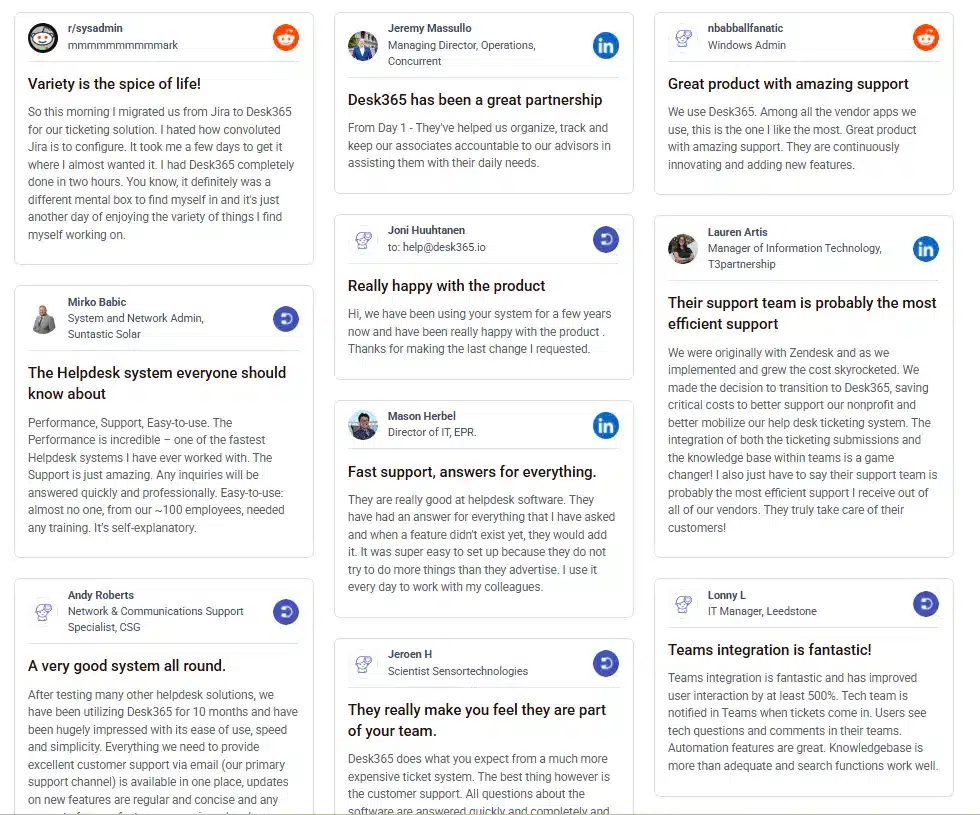
Desk365 is used across multiple industries, and customer feedback consistently highlights qualities that are especially important for educational institutions: ease of use, fast onboarding, and reliable support.
On platforms like Capterra, G2, and Reddit users commonly mention:
- How easy Desk365 is to set up and navigate
- The responsiveness and helpfulness of the support team
- How quickly teams are able to get organized and manage requests efficiently
Best practices for using Desk365 in schools
- Create custom views: Separate requests like IT support, admissions, finance, and facilities so tickets reach the right people faster.
- Keep the knowledge base simple: Short articles with clear steps work better than long documents.
- Train staff lightly: A quick walkthrough is often enough. Desk365 is designed to be intuitive.
- Review trends monthly: Look at recurring issues and fix them at the root.
- Respond faster
- Stay organized
- Reduce staff overload
- Improve communication with parents and students.
Most importantly, it allows educators to focus on what truly matters, teaching and learning, not chasing support requests.