
If you have been exploring alternatives to Freshdesk, you are probably noticing a pattern. The more your teams grow and the more departments you support, the harder it becomes to work around the gaps in cost, flexibility, integrations, and day-to-day ticketing workflows. This is especially true for the people who live in these tools every day.
Managers who need clearer reporting and better oversight. Heads of HR or facilities who depend on reliable approvals. IT leaders who care about integrations, data control, and technical efficiency.
Across all of these roles, one theme keeps coming up. Freshdesk feels heavy, expensive, and limiting once you push beyond basic support. And that is exactly why so many teams start looking for a more modern alternative like Desk365. It is built for multi department service management, it keeps things simple for agents and end users, and it avoids the bloated complexity that so many teams are trying to get away from.
In this guide, we will walk through the top reasons organizations move away from Freshdesk and why Desk365 has become a natural upgrade for teams that want a cleaner, more affordable, and more flexible service platform.

60-Second Overview,
Discover the top 13 Freshdesk alternatives to try:
- Desk365: Best for teams and organizations that want a clean, easy-to-use service platform that scales affordably as your organization grows.
- Jira Service Management: Best for advanced issue tracking and automation tailored for IT support teams.
- Front: Best for a team communication tool with shared inboxes for better collaboration.
- ManageEngine: Best for enterprise-grade IT service management with strong asset and incident tracking.
- Kayako: Best for unified multi-channel customer service platform with live chat support.
- Hiver: Best for collaborative support system directly within Gmail for seamless team workflows.
- Zendesk: Best for omnichannel support platform for flexible and scalable customer service.
- TeamSupport: Best for B2B-focused support with strong customer management and collaboration tools.
- HelpSpot: Best for self-hosted helpdesk solution with customizable workflows and reporting.
- Rezolve.ai: Best for AI-powered employee support within Microsoft Teams for instant issue resolution.
- HappyFox: Best for customizable workflows and integrations for comprehensive support management.
- Help Scout: Best for collaborative support tool with shared inboxes and knowledge base integration.
- Zoho Desk: Best for context-aware customer support with strong automation and CRM integration.
Table of Contents
Common reasons why businesses might seek Freshdesk alternatives
Here are some common reasons businesses might look for alternatives to Freshdesk based on the Capterra reviews
Painful setup process
Setting up Freshdesk was challenging, requiring multiple support calls without resolution. The user had to resolve issues independently, and ongoing support was slow and seemed uninformed.

Review by a Capterra User
The setup process was painful. Call after call booked in with nothing really being achieved. We ended up figuring most things out ourselves. Ongoing support when there are issues is painfully slow and I feel most of the guys supporting don’t understand the system fully themselves
High pricing and limited integrations
Freshdesk is criticized for its higher cost, limited third-party integrations, and restricted branding options, which may not justify the pricing for some users.
Also Read – Freshdesk pricing: Does it offer value for money in 2025?
Review by a Capterra User
Pricing is bit higher. Limited 3rd party integration and limited branding options
Confusing UI and long load times
Freshdesk’s user interface is difficult to navigate initially, and the platform suffers from long loading times, which can disrupt the user experience
Review by a Capterra User
Bad UI. It can be confusing at first when you use Freshdesk for the first time. Long loadings could occur when you load the helpdesk up and go exploring the helpdesks, however is less so when you’re going through tickets
Overwhelming platform
A Freshdesk user mentioned that while the platform offers a lot of features, it can feel overwhelming to get started.
Review by a Capterra User
Inadequate automation features
Freshdesk’s automation features are insufficient, lacking advanced rules for effective automation without negatively impacting user experience.
Review by a Capterra User
Available automation capabilities are for kindergarten. Freshdesk does not have a wide set of rules that enable fluid automation while not having a negative (or robotic) impact on the user experience.
Persistent bugs and poor support
Freshdesk is criticized for focusing on unnecessary features while ignoring persistent bugs, leading to decreased productivity. Support often fails to deliver promised solutions.
Review by a Capterra User
Development of unneeded features, adding bugs that never get fixed. Support that promises solutions but is fairly powerless to follow through. The bugs are such that productivity is affected for all users.
Recommended Reading – Freshdesk Reviews 2025: Features, pricing, and real customer feedback
List of top 13 Freshdesk alternatives for businesses in 2025
- Desk365
- Jira Service Management
- Front
- ManageEngine
- Kayako
- Hiver
- Zendesk
- TeamSupport
- HelpSpot
- Rezolve.ai
- HappyFox
- Help Scout
- Zoho Desk
Freshdesk alternatives comparison table
Software
Pricing
Capterra Overall Ratings
Desk365
Starts at $12 /agent /month
4.9
Jira Service Management
Starts $20 /agent /month
4.5
Front
Starts $19 /agent /month
4.5
ManageEngine
Starts $10 /agent /month
4.4
Kayako
Starts $15 /agent /month
4.0
Hiver
Starts $22 /agent /month
4.7
Zendesk
Starts $55 /agent /month
4.4
TeamSupport
Starts $49 /agent /month
4.5
HelpSpot
Starts $699 /agent /month
4.5
Rezolve.ai
Custom pricing plans
4.8
HappyFox
Starts $26 /agent /month
4.6
Help Scout
Starts $20 /agent /month
4.5
LiveAgent
Starts $15 /agent /month
4.7
13 best Freshdesk alternatives in 2025
Here are the top Freshdesk competitors you should consider,
1. Desk365
Desk365 stands out as one of the best Freshdesk alternatives because it delivers a cleaner, more modern and more affordable service management experience. The platform is designed to be intuitive from day one, which means teams can get up and running quickly without navigating unnecessary complexity.
Desk365 includes powerful capabilities such as advanced automations, AI powered assistance, flexible forms, strong reporting and deep integrations with tools like Microsoft Teams, Jira, and Power BI. It also supports multi department environments effortlessly, making it ideal for IT, HR, operations and support teams working together in a single system. For organizations looking for a streamlined, scalable and cost effective alternative to Freshdesk, Desk365 is a natural fit.
Comparing Desk365 vs. Freshdesk
Here is an in-depth feature comparison between Desk365 and Freshdesk, two prominent customer support platforms in the industry
FEATURES
DESK365
FRESHDESK
Microsoft Teams App for Agents
Create Tickets from Microsoft Teams
Email Ticketing
Customer Support Portal
Web Form / Web Widget
Automations
Knowledge Base
SLAs
(Multiple Survey Types)
(Available only in Pro & Enterprise plans)
Custom Email Servers
Custom Ticket Fields
Custom Roles
(Available only in Pro & Enterprise plans)
Customer Surveys
(Multiple Survey Types)
(Available only in Pro & Enterprise plans)
Reports
(Multiple Custom Reports)
API Access
Power Automate Connector
Onboarding Specialist
Microsoft Entra ID Single Sign-On
(No set-up needed)
(Takes time to set-up)
Agent Collision Detection
Email Support
Custom Statuses and Categories
Time Tracking
Free Trial
(21 days)
(21 days)
Free Plan Available
Number of Users
Unlimited
Unlimited
Lowest Paid Plan
$12/agent /month
$15/agent /month
Highest Paid Plan
$20/agent /month
$79/agent /month
Here are the features of Desk365 that really make it stand out:
Unified inbox
Desk365’s unified inbox consolidates all customer communications from various channels into a single platform, allowing multiple agents to efficiently manage and respond to inquiries. This centralization ensures that no customer issue goes unnoticed, facilitates better teamwork, and promotes a cohesive approach to customer service.
AI-powered ticket responses
Desk365 enhances agent efficiency by utilizing AI to generate quick, contextual replies. These AI-powered responses are based on historical ticket data and knowledge base articles, allowing agents to respond faster and with more accuracy. This significantly reduces the time spent on routine inquiries.
Affordable and transparent pricing
Desk365 offers simple, predictable pricing that stays affordable as your team grows. Customers avoid the add-on costs and tier jumps they experience with Freshdesk.
Fast onboarding with a clean UI
Teams get started quickly because Desk365 is simple, uncluttered and easy to learn. No overload, no steep learning curve, and AI + knowledge base are tightly connected.
Omnichannel support
Desk365 supports seamless integration across multiple communication channels, including email, and live chat. This ensures that customers can always reach out through their preferred medium, enhancing the accessibility and responsiveness of your support team.
Ticket categorization and prioritization
Desk365 allows you to categorize tickets based on the nature of the enquiry or the product/service involved. This helps support teams to prioritize and allocate resources accordingly. By assigning different levels of priority, urgent issues can be addressed promptly, preventing any potential escalations. This helps to ensure that customer enquiries are handled in the most appropriate manner.
Customization
Desk365 allows customization of the helpdesk to align with your company’s branding. You can modify the look and feel of the platform, including logos, themes, and colors, to maintain brand consistency across your customer service touchpoints.
Collaborating on tickets
Collaboration is an important aspect of Desk365. It allows team members to work together on customer issues, discuss the issue using private notes and comments, and provide feedback. This helps to ensure that all team members are on the same page and that customer conversations are handled efficiently and effectively. This promotes knowledge sharing and enhances problem-solving capabilities.
Automation capabilities
Desk365’s automation feature allows teams to automate repetitive tasks such as assigning tickets, sending notifications, setting SLAs, and more. With helpdesk automation, teams can streamline their workflows, reduce manual effort, and ensure that customer support processes run smoothly and effectively.
Reporting and analytics
Desk365 offers reporting and analytics features that allow teams to track helpdesk metrics like response and resolution times, as well as customer satisfaction. This data helps identify areas for improvement and ensures efficient handling of customer inquiries. Managers can analyze ticket trends and satisfaction metrics to optimize support workflows and make data-driven decisions to enhance customer satisfaction
CSAT surveys
Desk365’s CSAT surveys are a valuable feature that allows teams to gather feedback from customers and measure their satisfaction levels. This helps to identify areas for improvement and ensure that customer needs are being met. With Desk365, you can easily create and send CSAT surveys to customers and track their responses in real-time.
Knowledge base
Desk365’s knowledge base serves as a central repository where customers and agents can find detailed articles and guides. This resource is crucial for enabling self-service and equipping agents with the information they need to handle inquiries effectively.
Collision detection
In Desk365, Service Level Agreements (SLAs) ensure timely and effective responses to customer inquiries, setting clear response and resolution time expectations for support teams. SLAs in Desk365 are highly customizable, allowing businesses to define the rules and time frames that align with their service commitments and customer expectations.
Pricing:
Lowest Paid Plan: $12/agent/month
Highest Paid Plan: $20/agent/month
Free trial available.
2. Jira Service Management (JSM)
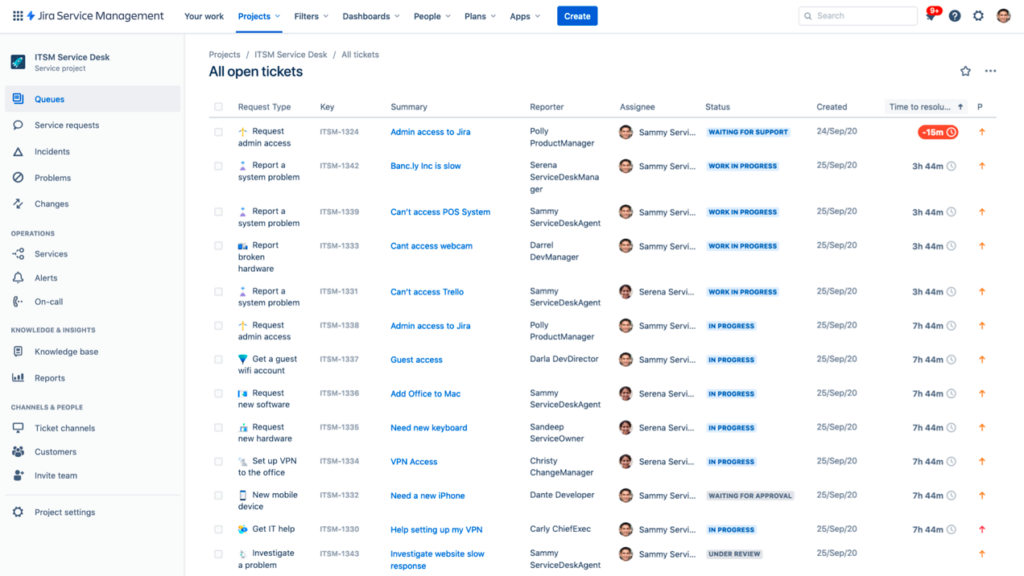
Jira Service Management (JSM) is a powerful service desk solution designed by Atlassian for IT and service teams. It builds upon the strengths of Jira, a popular tool for issue tracking and project management, and enhances it with features tailored for managing service requests, incidents, problems, and changes. Jira Service Management is known for its flexibility, integration capabilities, and focus on promoting agile practices even in service management.
Here are some key features of Jira Service Management:
- Request management
- Incident management
- Problem management
- Change management
- Asset management
- Configuration Management Database (CMDB)
- Service Level Agreement (SLA) management
- Advanced reporting and analytics
Recommended reading:
Pricing:
Free: Forever free plan (up to 3 agents)
Standard: $20/agent/month
Premium: $45/agent/month
Enterprise: Custom plan
3. Front
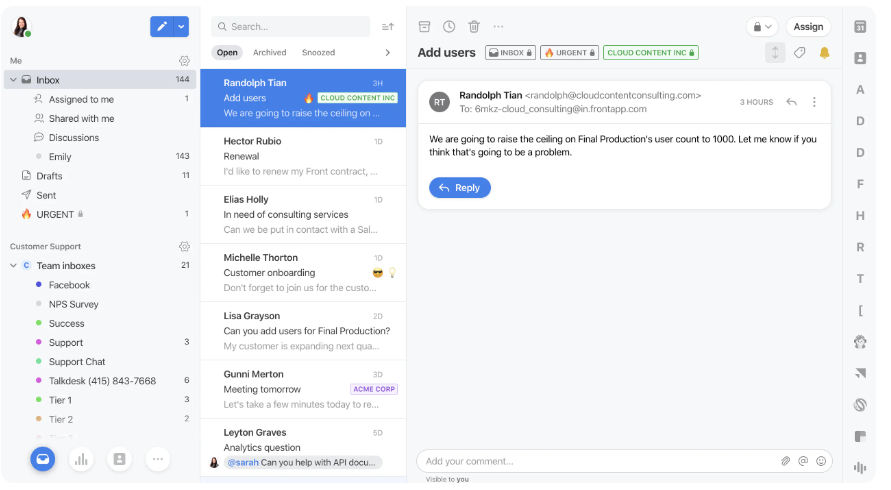
Front is a customer communication platform that centralizes your email, social media, and team collaboration into one unified inbox. It is designed to help teams work together more efficiently on customer communications and to provide better service.
Key features of Front:
- Unified inbox
- Collaboration tools
- Automated workflows
- Analytics and reporting
- Integrations
- Customization
- Mobile accessibility
Recommended reading:
Pricing
- Starter: $19/user/month
- Growth: $59/user/month
- Scale: $99/user/month
- Premier: $229/user/month
4. ManageEngine
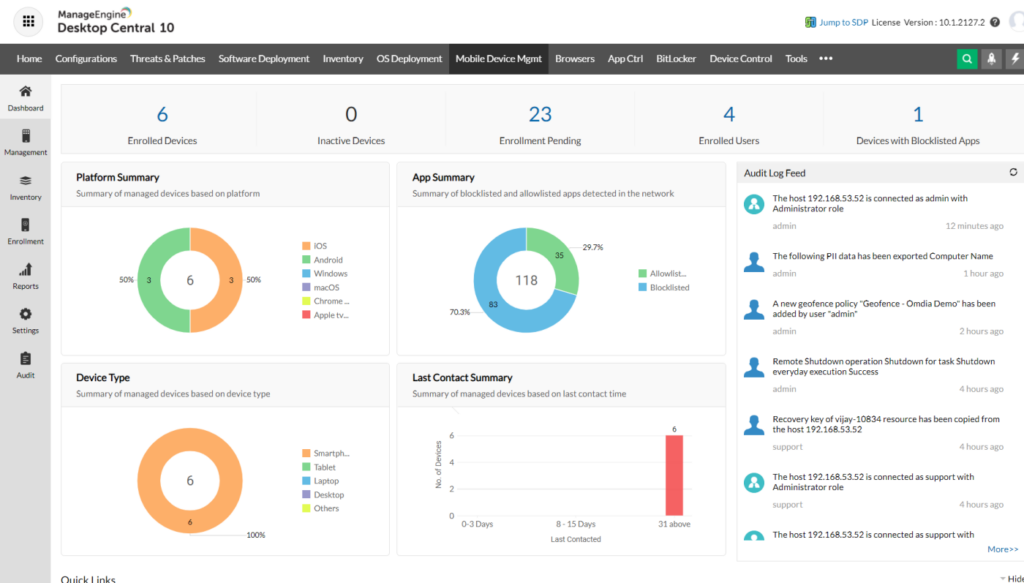
ManageEngine is a comprehensive suite of IT management software developed by Zoho Corporation that aims to simplify IT operations for businesses of all sizes. It offers a wide range of tools designed to address various aspects of IT management, including network management, security, help desk, Active Directory management, and more. The platform is known for its robust features, ease of use, and flexibility, making it a popular choice among IT professionals.
Key features of ManageEngine:
- IT Service Management (ITSM)
- Active directory management
- Network and server management
- Application Performance Management (APM)
- Desktop and mobile device management
- Security Information and Event Management (SIEM)
- Data analytics and IT intelligence
Pricing
Standard: $10/technician/month
Professional: $21/technician/month
Enterprise: $50/technician/month
5. Kayako
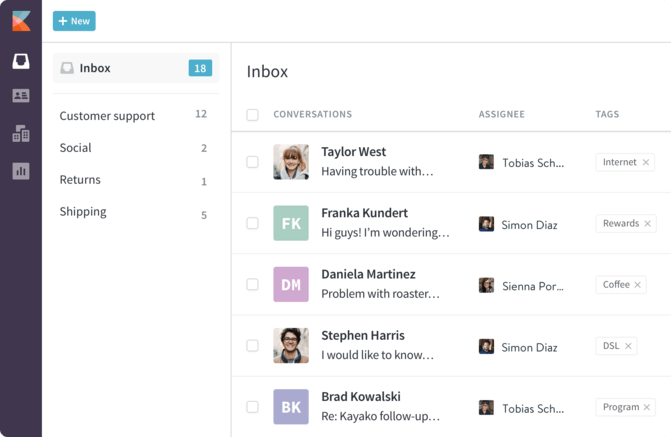
Kayako is a comprehensive customer support platform designed to help businesses provide exceptional customer service efficiently. It combines various support tools into a single application, enabling companies to manage customer interactions across multiple channels seamlessly.
Key features of Kayako:
- Multi-channel support
- Unified customer view
- Live chat
- Self-service portal
- Ticketing system
- Automation and workflows
Pricing
- Starter: $19/user/month
- Growth: $59/user/month
- Scale: $99/user/month
- Premier: $229/user/month
6. Hiver
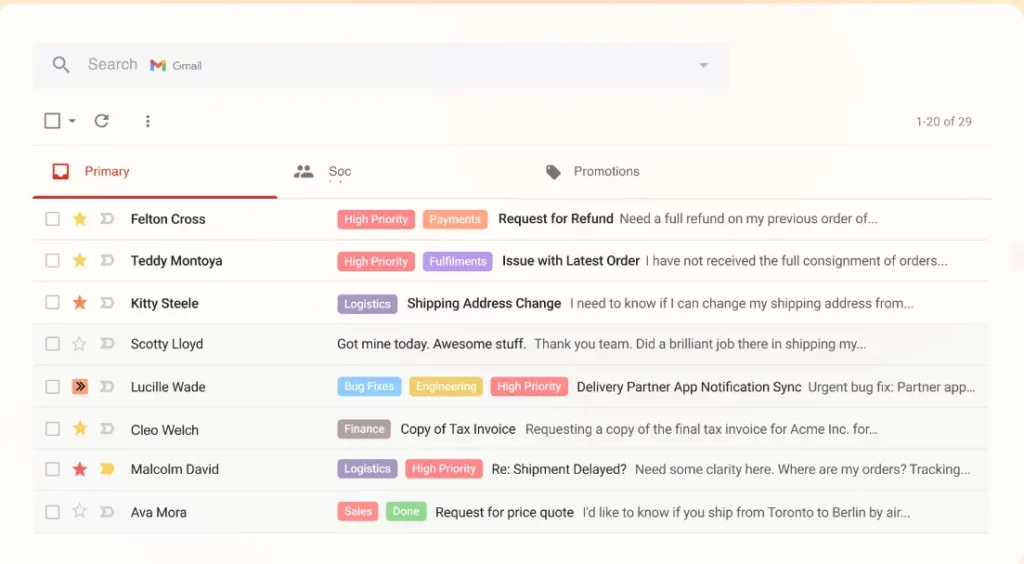
Hiver is a customer service solution that transforms Gmail into a powerful collaboration and customer support tool, particularly designed for teams that manage shared inboxes. It is ideally suited for small to medium-sized businesses and teams looking for an efficient way to handle customer communications without leaving the Gmail interface.
Key features of Hiver:
- Shared inboxes
- Email tags
- Collision alerts
- Email templates
- Automated workflows
- Customer satisfaction ratings
- Analytics and reports
- Round robin assignment
- Integration with other tools
Pricing
- Growth: $22/user/month
- Pro: $37/user/month
- Elite: $57/user/month
7. Zendesk
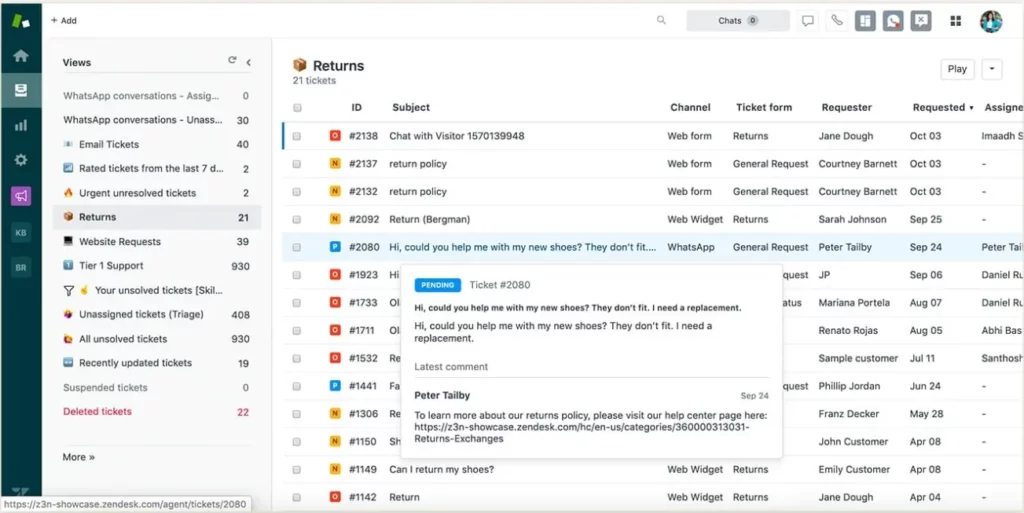
Zendesk, often compared with Freshdesk is a powerful customer service software that caters to businesses looking for a robust, scalable solution to manage their customer interactions. Known for its flexibility and comprehensive set of features, Zendesk allows companies to build better customer relationships through streamlined communication and improved support services.
Recommended Reading – Best Zendesk Alternatives in 2025
- Multi-channel support
- Advanced ticketing system
- Automation and workflows
- Customizable interfaces
- Reporting and analytics
- Integrations with other business tools
- Knowledge base and self-service options
- Live chat capabilities
- AI and machine learning enhancements
- Security and compliance measures
Read more – Zendesk features 2025: +[Pros and Cons]
Pricing
- Suite team: $55/agent/month
- Suite growth: $89/agent/month
- Suite professional: $115/month/ user
Read More – Zendesk Pricing: Does it offer value for money?
8. TeamSupport
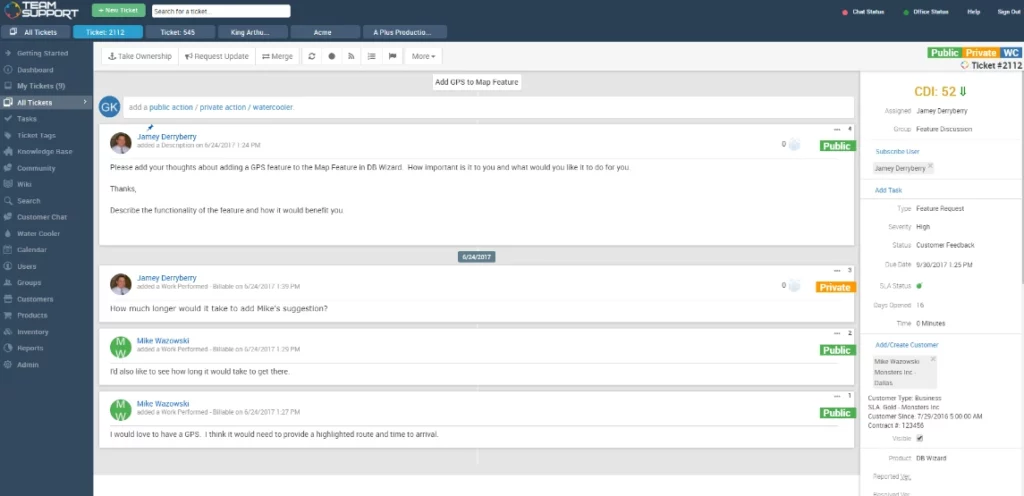
TeamSupport is a robust customer support software tailored specifically for B2B (business-to-business) companies, helping them manage and enhance their customer service operations. It is designed to streamline communication between businesses and their clients, ensuring efficient resolution of issues and fostering strong customer relationships.
Key features of TeamSupport:
- Ticket management
- Customer self-service portal
- Live chat
- Customer management
- Multi-channel support
- SLA management
- Advanced reporting & analytics
- Collaboration features
- Knowledge base management
Pricing
TeamSupport offers three pricing levels:
- Essential support – $49 per agent per month
- Enterprise support – $69 per agent per month
- Complete customer support suite – $119 per agent per month
9. HelpSpot
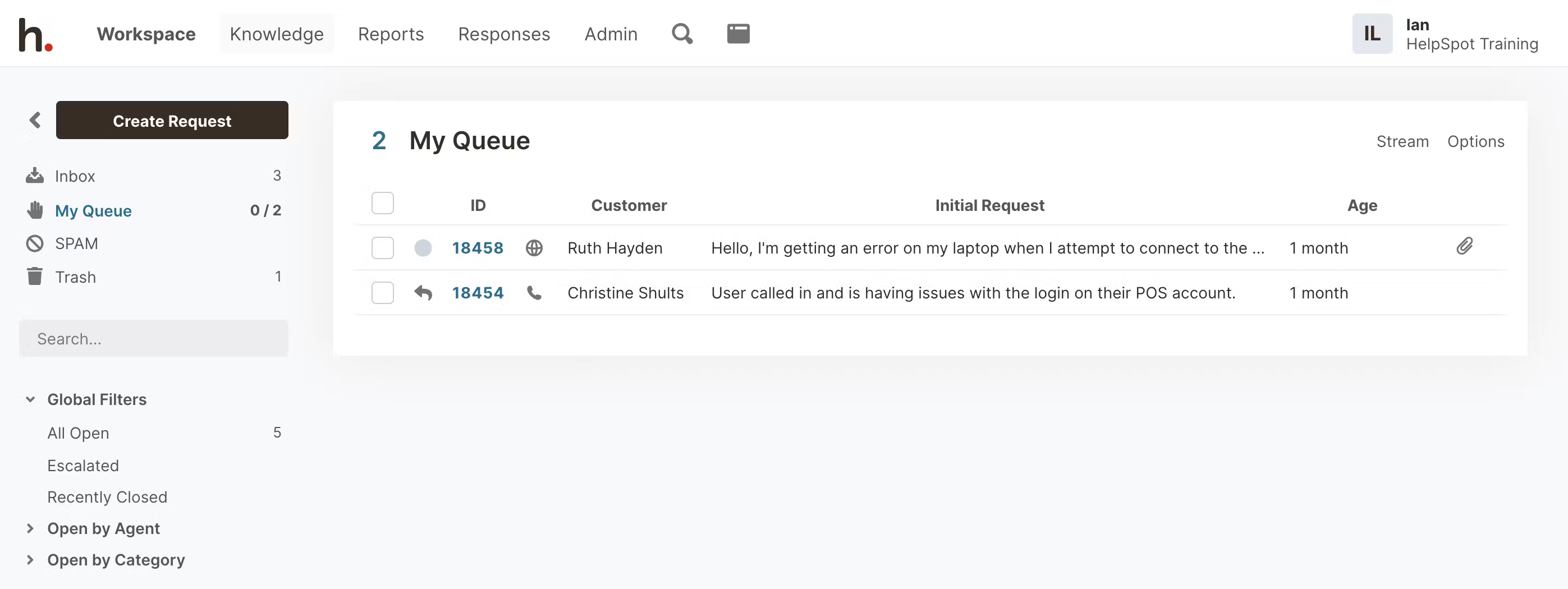
HelpSpot is a versatile and powerful help desk software designed to enhance customer support operations for businesses of all sizes. It provides a comprehensive suite of features aimed at streamlining the support process, improving efficiency, and enhancing customer satisfaction.
Key features of HelpSpot:
- Ticket management
- Customer self-service portal
- Knowledge base
- Automated workflows
- Customizable reports
- Email integration
- Multi-channel support
- Collaboration tools
Pricing
Starts at a maximum of 3 agents $699/year
10. Rezolve.ai
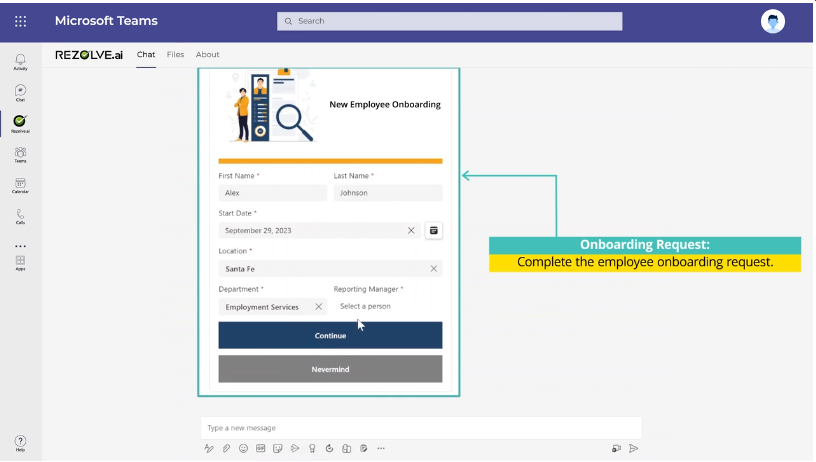
Rezolve.ai is a GenAI-driven service desk platform designed to streamline and automate IT support processes. Integrating natively with Microsoft Teams and Slack, Rezolve.ai leverages artificial intelligence to rapidly resolve user issues through features such as automated ticketing, smart workflows, and a self-learning knowledge base. The platform is built to improve employee productivity, reduce service times, and offer an enhanced user experience.
- GenAI-powered ticketing system
- Automated knowledge base and self-service
- Intelligent workflow automation
- Advanced L1 triaging and troubleshooting
- AI-driven chat support for instant resolutions
- Built-in employee productivity tools
- Real-time analytics and reporting
- Seamless Microsoft Teams/Slack integration
Pricing
- Custom pricing based on business needs
11. HappyFox
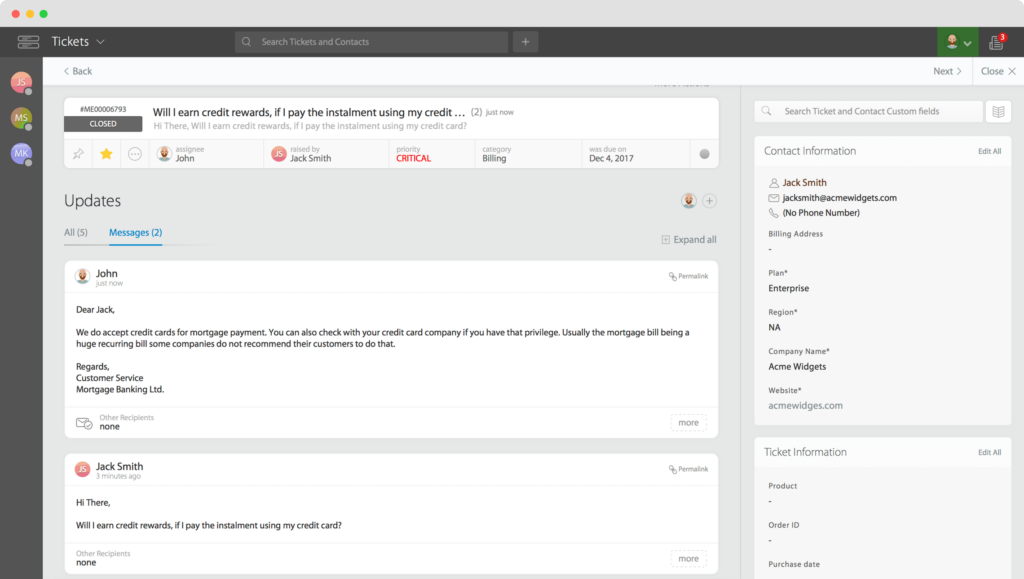
HappyFox is a robust and versatile ticketing system that integrates seamlessly with Microsoft Teams. Designed to enhance the efficiency of support and service teams, HappyFox offers a streamlined approach to managing customer support tickets directly within the Teams environment. This integration allows teams to maintain their workflow in Microsoft Teams while leveraging the powerful features of HappyFox for ticket management, ensuring a cohesive and productive user experience.
Features of HappyFox Teams Ticketing:
- Microsoft teams integration
- Automation tools
- Multi-channel support
- Customizable workflows
- Real-time collaboration
- Reporting and analytics
- Knowledge base integration
Pricing
Lowest plan – $26/agent/month
Highest plan – $64agent/month
12. Help Scout
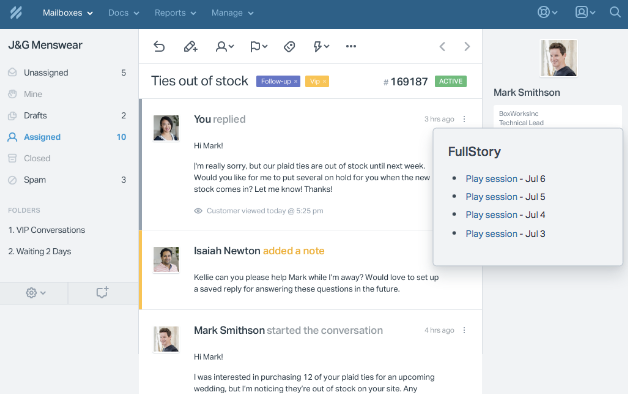
Help Scout, often compared with Zendesk is a customer service platform designed to streamline support processes and enhance customer interactions with features like shared inboxes, knowledge bases, and automated workflows. Known for its user-friendly interface and strong focus on customer satisfaction, Help Scout is a popular choice for businesses seeking efficient and personalized customer support solutions.
Help Scout Features:
- Shared inboxes
- Knowledge Bases
- Automated workflows
- Reporting and Analytics
- Integrations with various apps
- Live chat
- Collaboration tools
Pricing
- Standard: $20/user/month
- Plus: $40/user/month
- Company: $65/user/month
13. Zoho Desk
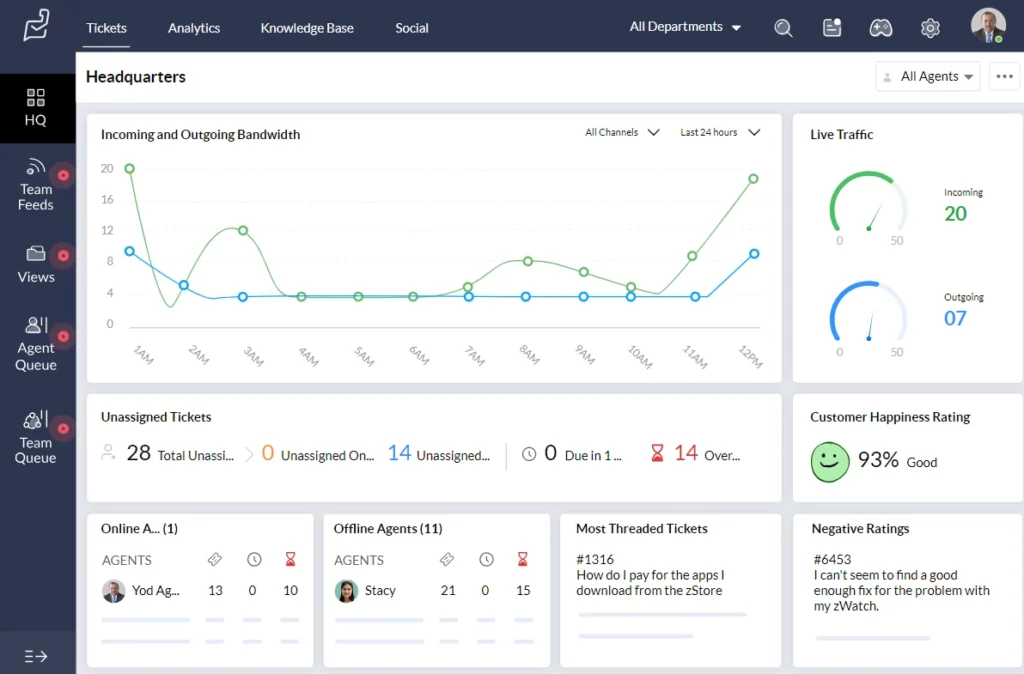
Zoho Desk, often compared with Zendesk is a cloud-based customer service software designed to help businesses manage their customer support activities efficiently. As a part of the Zoho ecosystem, which includes a wide range of business and productivity tools, Zoho Desk integrates seamlessly with other Zoho applications as well as third-party systems. Here’s what makes Zoho Desk stand out:
Recommended Reading – Best Zoho Desk Alternatives for Businesses in 2025
Zoho Desk Features
- Customization
- Ticket management
- Omnichannel
- Automation
- Analytics
Pricing
- Standard: $14/user/month
- Professional: $23/user/month
- Enterprise: $35/user/month
What are the considerations for choosing the right Freshdesk alternatives?
When considering alternatives to Freshdesk, it’s important to evaluate various factors to ensure the selected helpdesk software meets your specific needs. Here are some key considerations to guide your decision:
Business requirements
Choosing the right alternative to Freshdesk starts with understanding your business requirements. Assess the scale and complexity of your support operations, as small businesses might need a simpler solution compared to large enterprises with complex workflows. Additionally, consider any industry-specific needs, such as compliance with regulations like HIPAA for healthcare or GDPR for data privacy.
Feature set
Evaluating the feature set is crucial. Ensure the alternative offers core features like ticketing, automation, reporting, and multi-channel support (email, chat, social media). For businesses requiring more sophisticated capabilities, look for advanced features such as AI-powered chatbots, workflow automation, custom reporting, and integration with other business tools like CRM and ERP systems.
User experience
The user experience of the platform should be a top priority. It should have an intuitive interface that is easy for your team to learn and use. Customization options are also important, allowing you to tailor the platform to fit your specific workflows and branding.
Cost
Cost is always a key consideration. Compare the pricing structures of different alternatives to ensure they fit within your budget, considering both initial and long-term costs associated with scaling. Evaluate the value for money by assessing the features and benefits you get relative to the cost, as sometimes a slightly more expensive option might offer better value through more comprehensive features or better support.
Support and training
Assess the quality and availability of customer support provided by the vendor. Look for options with 24/7 support if needed. Additionally, check if the vendor offers comprehensive onboarding and training resources to help your team get up to speed quickly, ensuring a smooth transition to the new platform.
Which Freshdesk alternative is right for you?
Desk365 is one of the best Freshdesk alternatives if you’re looking for a support platform that is simple, modern and cost effective without compromising on functionality. It offers a clean interface, fast onboarding and powerful features like flexible automations, AI powered assistance, custom forms, strong reporting and built in change management.
With deep integrations for Microsoft Teams, Jira, Power BI and Power Automate, Desk365 fits naturally into the tools most teams already use. It also handles multi department workflows with ease, making it a great choice for IT, HR, operations and support teams working together. If you want a platform that removes complexity, scales smoothly and gives you more value for your budget, Desk365 is the right Freshdesk alternative for you.
Don’t hesitate to take action and try Desk365 by signing up for a 21-day free trial or booking a personalized demo. You can determine if it fits your organization and potentially discover a powerful tool that elevates your customer service to new heights.


Frequently asked questions
If you’re looking for something better than Freshdesk, Desk365 is one of the strongest options to consider. It offers a cleaner and more intuitive interface, stronger multi-department support and more flexible workflows without the complexity Freshdesk is known for. Desk365 also includes modern features like AI assistance, powerful automations, custom forms, and deep integrations with tools like Microsoft Teams.
It’s easier to set up, more affordable as you scale and designed to help IT, HR, operations and support teams work smoothly in one place. For many organizations, Desk365 ends up being a better, simpler and more cost-effective alternative to Freshdesk.
Freshdesk often feels expensive because many of the features teams need are only available in the higher-priced plans. As you add more agents or want things like advanced automation, better reporting, AI tools or multi-department support, the cost increases quickly. The platform is also priced per agent, so the total goes up as your team grows. What seems affordable at first can become costly once you need more powerful features or bring more people onto the system.
Freshworks, especially Freshdesk, has several well-known competitors in the help desk and support space. Some of the main alternatives include Desk365, Zendesk, Zoho Desk, Intercom, Help Scout, Jira Service Management, and ManageEngine ServiceDesk Plus. These tools compete with Freshworks by offering different strengths such as lower pricing, simpler interfaces, stronger IT workflows, or better automation and chat features. Depending on what a business needs, one of these platforms may be a better fit than Freshdesk.
 AI Agent
 Knowledge Base
 Automations
 SLAs
SLAs Customization
 Ticket Assignment
 Reports & Analytics
 Approval Management
 Explore All Features
 Banking and Finance
 Healthcare
 MSP
MSP Government
  Non Profit
 IT Services
 Customer Support
 Human Resources
 Facilities







