Crow Canyon is a popular choice for building service management solutions on SharePoint. But as teams grow, many start looking for tools that are easier to manage and offer stronger automation, reporting, and user experience.
Crow Canyon users today want multi-channel support through email, Microsoft Teams, and self-service portals. They are also looking for better workflows with Power Automate, APIs, approvals, and clearer visibility through dashboards and SLAs.
That is why more organizations are exploring Crow Canyon alternatives. In this post, we will look at some of the best options available and what makes them worth considering.
TL;DR - Best Crow Canyon alternatives in 2026
Desk365 – Best overall alternative to Crow Canyon. It offers AI-powered ticketing, strong automation with Power Automate, omnichannel support, SLA management, reporting, and Microsoft Teams integration.
BMC Helix ITSM – Best for large enterprises that need deep ITIL processes, advanced customization, and enterprise-scale service management.
ServiceNow – Best for global organizations looking for a highly scalable, all-in-one platform for IT, HR, and enterprise workflows.
frevvo – Best for teams focused on forms, approvals, and workflow automation rather than a full service desk.
Nintex – Best for SharePoint and Microsoft 365 users who want advanced process automation and document-driven workflows.
5 best Crow Canyon alternatives for businesses in 2026
Here are the 5 best Crow Canyon alternatives for businesses that want more flexibility, better automation, and a modern service management experience.
1. Desk365
Teams exploring alternatives to Crow Canyon are often looking for a service desk that feels simpler to manage while still offering powerful capabilities. Desk365 stands out because it focuses on delivering a complete service management experience without the complexity that comes with heavy SharePoint customization.
A common requirement is multi-channel support. Organizations want to accept requests through email, Microsoft Teams, and a self-service portal so users can reach support in the way that is most convenient for them. The ability to create multiple forms for different departments also helps teams route requests more accurately from the start.
Automation is another key area. Teams want workflows that reduce manual effort, whether that means integrating with Power Automate, using APIs and webhooks, or setting up approval workflows, including group-based approvals. These features make it easier to adapt processes as needs change.
There is also a strong focus on capturing the right data. Multi-level based fields allow teams to structure requests without relying on workarounds or custom development.
Visibility matters just as much. dashboards, SLA tracking, detailed reports, and scheduled exports help teams understand performance and stay on top of service commitments. Desk365 supports a more organized and scalable approach to service management within Microsoft 365.
1. Desk365 AI
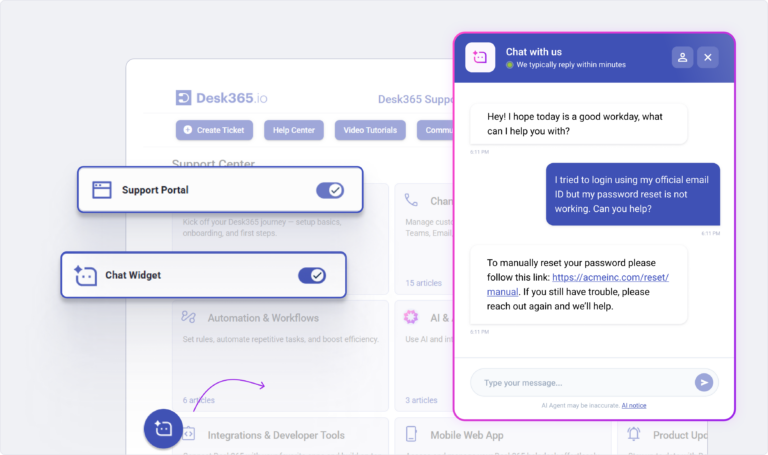
Build and deploy multiple AI Agents trained on your knowledge to chat with customer, answer repetitive questions and deflect L1 tickets. Deploy your AI Agents on your websites, support portal and more. Along with an AI Copilot that supports your human agents in the background by drafting replies, summarizing tickets, and generating knowledge base articles, your team can focus on complex issues.
2. IT Asset Management
Track and manage hardware, software, consumable and all IT assets in one place. Link assets directly to tickets for instant context, maintain clean inventory records, and manage the full asset lifecycle as your operations scale.
3. Helpdesk Security & Compliance
Protect customer and organizational data with advanced security controls built into Desk365. Features like data redaction, advanced encryption, audit logs, and access controls help teams stay HIPAA compliant and ensure sensitive information is handled securely.
4. Unified inbox
Desk365 consolidates all customer support requests from various channels into a single, easy-to-use inbox. This feature allows agents to collaborate efficiently and manage requests without toggling between different communication platforms.
5. Service Level Agreements (SLAs)
Desk365 ensures the timely resolution of tickets by monitoring SLAs. It provides periodic reminders to agents about upcoming due dates and alerts them when SLA infractions occur, helping teams stay on track and avoid delays.
6. Automations
Desk365 offers a wide range of automation tools to improve productivity. For example, automation macros can be triggered when a ticket is created or updated, ensuring that routine tasks are handled automatically based on predefined conditions (such as ticket properties or customer events).
7. Real-time alerts and notifications
Instant notifications keep agents informed of updates to tickets. Whether it’s a new reply, a status change, or other activities, Desk365 ensures agents are aware of important developments in real-time, preventing them from missing critical updates.
8. Knowledge base
Desk365 makes it easy to create and share knowledge base articles with your team and customers. The knowledge base can serve as a training tool for agents, and selected solution articles can be made public on the customer support portal, allowing customers to find answers on their own.
9. Custom ticket views and reports
Desk365 offers customizable ticket views and detailed analytics that allow you to monitor your team’s performance. You can track metrics like ticket resolution time, agent performance, and customer satisfaction, helping you to make data-driven decisions to improve your support process.
10. Omnichannel support
Desk365 integrates with multiple channels, making it easy for customers to reach you through the medium they prefer. Channels include:
- Microsoft Teams: Customers can create tickets, check statuses, and respond to agents all within Teams.
- Email: Incoming emails are converted into tickets, and agents can respond directly from the platform.
- Web Widget: A customizable widget that can be embedded on your website for easy ticket creation.
- Web Form: A configurable iframe form that can also be added to your website for seamless ticket creation.
11. Customization options
Desk365 allows extensive customization to suit the specific needs of your business. You can tailor:
- Agent roles and permissions for different levels of access.
- Ticket forms with custom fields and workflows to align with your processes.
- Support portal appearance to match your branding.
- Email settings and secondary email configurations for different departments (e.g., sales, marketing).
12. Powerful analytics
Desk365 includes powerful reporting tools that provide actionable insights into your support operations:
- Custom reports: Tailor reports to analyze any specific data related to your team’s performance, ticket trends, or customer satisfaction.
- Agent performance reports: Evaluate individual agent metrics like response times and ticket resolution rates.
- Ticket trends report: Visualize trends across different ticket fields to identify recurring issues or bottlenecks.
Pricing:
Lowest Paid Plan: $12/agent/month
Highest Paid Plan: $32/agent/month
Free trial available.
2. BMC Helix ITSM
BMC Helix ITSM is an enterprise-grade IT service management platform built for large organizations with complex service operations. It is commonly used where deep ITIL alignment and customization are required.
BMC Helix ITSM key features
Incident management
Problem management
Change and release management
Asset and configuration management
ITIL aligned workflows
AI driven insights and automation
SLA tracking and escalation rules
Advanced reporting and dashboards
Integrations with enterprise systems
BMC Helix ITSM pricing
Pricing is quote based and not publicly listed. It is generally positioned at the higher end of the market and suited for mid sized to large enterprises.
3. ServiceNow
ServiceNow is a widely adopted IT service management platform used by large and global organizations. It supports IT, HR, security, and enterprise-wide workflows within a single platform.
ServiceNow key features
Incident, problem, and change management
Request fulfillment and service catalog
Workflow and process automation
Asset and configuration management
Approval workflows
Dashboards and performance reporting
SLA and compliance tracking
Integrations across IT, HR, and security systems
ServiceNow pricing
Pricing is quote-based and not publicly listed. It is generally positioned at the higher end of the market and suited for mid-sized to large enterprises.
4. frevvo
frevvo is a low-code forms and workflow automation platform focused on approvals and business processes. It is often used when organizations need flexible workflows rather than a full service desk.
frevvo key features
Form builder for business processes
Approval-based workflows
Role-based routing
Conditional logic in forms
Integrations with external systems
Cloud and on-premises deployment options
Support for HR and finance processes
frevvo pricing
frevvo uses subscription-based pricing. Costs vary depending on the user, workflow, and deployment model, with details provided through sales.
5. Nintex
Nintex is a process automation platform commonly used with SharePoint and Microsoft 365. It focuses on automating workflows, approvals, and document-driven processes.
Nintex key features
Workflow automation
Form creation
Approval and review processes
Document generation and management
Integrations with Microsoft 365 and SharePoint
Process mapping and optimization tools
Analytics and reporting
Nintex pricing
Nintex pricing is subscription-based and varies by product and usage. Costs typically increase as workflows and automation needs grow.
Why Desk365 is the best Crow Canyon alternative?
When comparing alternatives to Crow Canyon, it’s helpful to consider what your team truly needs. All of the tools we covered have their strengths, but they are built for slightly different use cases.
If what you want is a modern service desk that works naturally with Microsoft 365, Desk365 is a great place to start. It combines key service management features with a simpler setup and user experience. Unlike some of the enterprise-heavy ITSM platforms, it does not require great technical skills or long implementation cycles.
Sign up for a free trial or book a demo today and take the first step towards transforming your customer service with Desk365.
Frequently asked questions
Here are some popular Crow Canyon alternatives you can consider, depending on your needs:
Service desk and help desk alternatives
- Desk365 –Ideal for organizations that want a service desk that fits naturally into Microsoft 365 and is easy to set up. It helps teams manage requests, automate workflows, and track performance without complex configuration.
Zendesk – A leading help desk platform with strong ticketing, multi-channel support, and automation.
Freshdesk – Similar to Zendesk with omnichannel support and easy setup.
Enterprise IT service management tools
ServiceNow – a comprehensive ITSM platform used by large organizations for service, asset, and workflow management.
BMC Helix ITSM – an enterprise service management solution with ITIL-aligned workflows and advanced automation.
Workflow and automation-focused alternatives
frevvo – a low-code platform focused on forms and workflow automation.
Crow Canyon can still work well for organizations that rely heavily on SharePoint and have the technical resources to manage complex configurations. However, many growing teams find it hard to scale, customize, and maintain over time.
When evaluating alternatives, prioritize tools that offer strong automation, flexible workflows, clear reporting, and native integrations with the platforms your team already uses. Ease of setup, scalability, and long-term usability are key.