Measuring helpdesk success depends on your team’s priorities. Every support team has a few numbers they keep an eye on. Most frequently, teams contemplate whether SLAs or CSAT takes priority.
Service Level Agreements (SLAs) are formal contracts between a service provider and a customer that define the exact quality, availability, and responsibilities expected for a service. SLA tells you whether your team kept its service commitments.
Customer satisfaction scores, or CSAT are the surveys that tell you whether customers actually walked away happy after their issue was resolved. CSAT tells you how customers felt about the experience.
Both metrics matter: CSAT vs. SLA. But if you’ve ever had to explain your team’s performance to leadership, this blog is for you.
Looking at just one of these metrics is a bit like judging a restaurant based only on how quickly the food arrived. Speed matters, but so does the quality of the meal.
The best support teams understand that neither metric works well on its own. In this article, we’ll look at what CSAT and SLAs actually measure, why they sometimes tell different stories, and how successful support teams use both to deliver faster, better service.
CSAT vs. SLA - Why this debate keeps coming up
If you’ve spent any time in IT or customer support communities on Reddit, you would have probably seen this debate before.
Someone asks on Reddit; whether it’s better to hit every SLA target or keep customers happy, and the opinions start rolling in.

Some people argue that SLAs should always come first because they’re contractual commitments. Miss them too often, and trust starts to disappear.
Others believe CSAT is the better indicator because customers don’t really care whether you responded in 28 minutes or 32 minutes. They care about whether you solved their problem.
The interesting part is that both sides have a point.
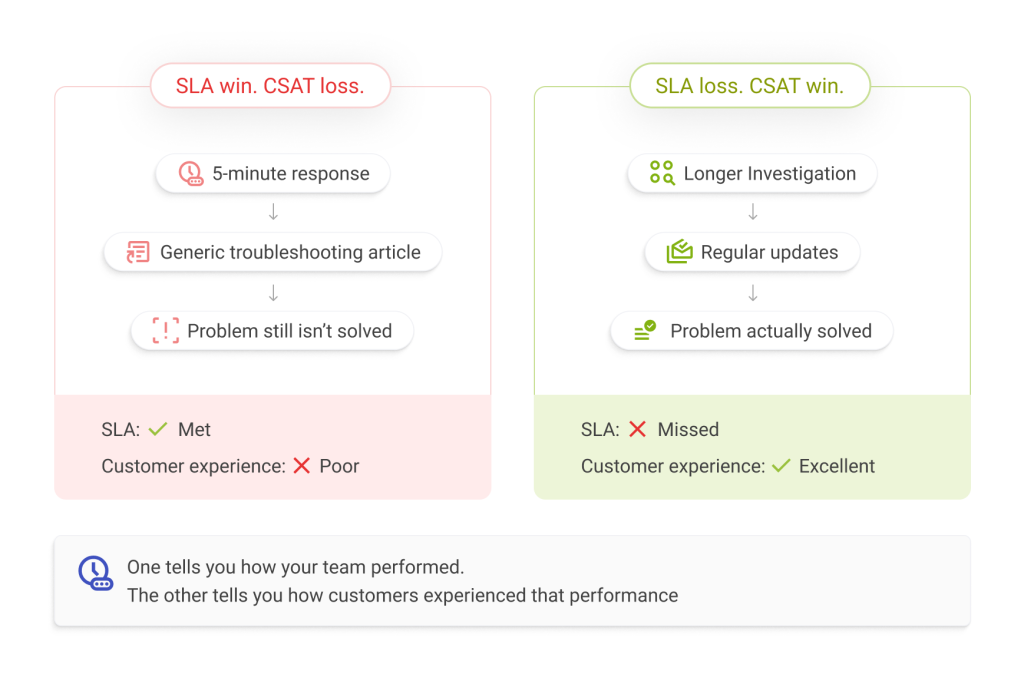
Imagine you contact customer support because you can’t access an important application before a meeting and an agent replies within five minutes. Great.
But the response is a generic troubleshooting article that doesn’t solve your issue.
Technically, the team met its response SLA. From your perspective, though, the interaction wasn’t helpful.
Now imagine another situation.
A support engineer takes an hour to investigate the issue because they need to work with another team. They keep you updated, explain what’s happening, and fix the problem the same afternoon.
The SLA might have been missed, but your experience was still excellent.
That’s why looking at only one metric rarely gives you the full picture. One tells you how your team performed against expectations. The other tells you how customers experienced that performance.
Both matter. Just in different ways.
Let's start with SLA
Service Level Agreements (SLAs) are one of the most widely used ways to measure support performance.
At a basic level, an SLA is a promise. It defines how quickly your team will respond to a ticket, how long it should take to resolve different types of issues, and what happens if those targets aren’t met.
For example, your support team might commit to:
- Responding to critical tickets within 15 minutes
- Resolving high-priority issues within four hours
- Responding to low-priority requests by the next business day
These targets help create consistency. Customers know what to expect, and support teams know what they’re working towards.
They make sure the most important issues get attention first. That’s one of the reasons SLAs are so common in IT Service Management (ITSM), Managed Service Providers (MSPs), and Enterprise Customer Support Teams. They’re not just performance metrics. They’re part of the service promise.
The good news is that you don’t have to track all of this manually.
Modern help desks let you create different SLA policies based on priority, customer, support group, or business hours. The system automatically starts the clock, tracks deadlines, and alerts agents before an SLA is breached.
If you’re exploring how SLA policies work in practice, here’s a detailed guide on SLA Management in Desk365 that covers setting up response and resolution targets, business hours, escalations, and reporting.
But here’s the thing.
Meeting every SLA doesn’t automatically mean customers are happy. That’s where CSAT comes in.
Now let's talk about CSAT
Think about the last time you contacted customer support. Do you remember exactly how long it took for someone to respond?
Probably not. What you do remember is whether your problem was solved. You remember if the agent understood what you were trying to explain. You remember whether you had to repeat yourself three different times or whether the whole experience felt easy.
That’s exactly what Customer Satisfaction (CSAT) measures.
Unlike an SLA, which looks at how your team performed against a target, CSAT measures how the customer felt about the interaction.
It’s usually collected through a simple survey after a ticket is resolved.
The question might be as simple as:
“How satisfied were you with the support you received?”
Customers choose a rating, sometimes from one to five stars, sometimes with a thumbs up or thumbs down, and often have the option to leave additional comments.
Those comments are often just as valuable as the score itself.
A customer might give your team four out of five stars and explain that the solution worked, but it took too long to understand what the next steps were.
Another customer might give five stars simply because the agent kept them updated throughout the process, even though the issue took longer than expected to resolve.
Those are insights that response times alone can never tell you.
If your helpdesk doesn’t already collect feedback after ticket resolution, it’s worth making it part of your support process. Even a short survey can reveal patterns that dashboards and reports often miss.
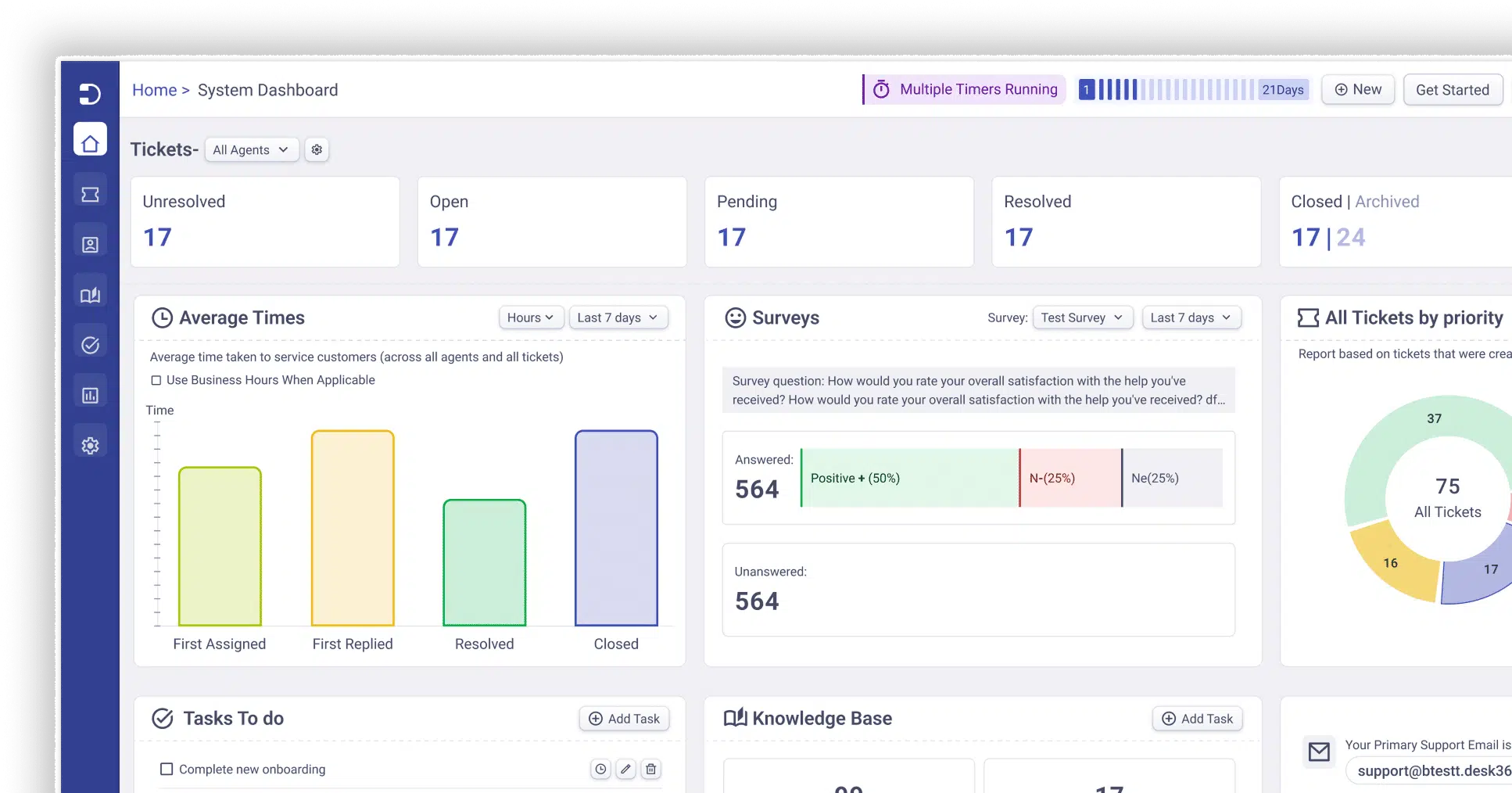
Desk365, for example, lets you automatically send customer satisfaction surveys after a ticket is closed and track trends over time instead of relying on occasional feedback.

CSAT vs. SLA - Which is important?
Most people assume it’s a choice. But the question is: What are you trying to improve?
If your team is struggling to respond to tickets on time, SLAs will quickly show you where things are breaking down.
If customers are leaving unhappy even though your response times look great, CSAT will tell you something your SLA dashboard never could.
One metric measures efficiency. The other measures experience.
Neither one replaces the other.
Why hitting every SLA doesn't always create happy customers
One of the biggest misconceptions in customer support is that faster always means better. While speed certainly matters, it doesn’t always lead to a better customer experience.
Imagine you submit a ticket because your laptop won’t connect to the company VPN. Within three minutes, you receive a response that says, “Please restart your computer and let us know if the issue continues.” Technically, the support team has met its response SLA. But from your perspective, nothing has really changed. You’re still unable to work, and you’re left wondering what happens next.
Now imagine a different experience. Instead of sending an immediate response, the support agent spends a little time investigating the issue. About 20 minutes later, they let you know they’re checking whether the problem is affecting other users and promise to keep you updated. A short while later, they identify the root cause, walk you through the solution, and make sure everything is working before closing the ticket.
Which experience would you rate higher?
For most people, it’s the second one. Not because it was faster, but because it felt like someone genuinely took ownership of the problem.
The reality is that customers are often more patient than we think. They don’t expect every issue to be resolved instantly, especially when it’s complex. What frustrates them is a lack of communication, having to follow up repeatedly for updates, or feeling like their ticket has disappeared into a queue. That’s why clear communication often has a much bigger impact on CSAT than response time alone. A quick reply is valuable, but a helpful and reassuring one is even better.
Great CSAT isn't enough either
Imagine your customers consistently leave good reviews. They appreciate your support team, agents take the time to understand every issue, and nobody feels rushed through a conversation. At first glance, that sounds like the ideal support experience.
But if every ticket takes twice as long as it should, the cracks eventually begin to show. New tickets start piling up, first response times increase, and urgent issues end up waiting alongside routine requests. As agents become busier, customers wait longer before anyone even acknowledges their request.
Ironically, those long wait times can eventually hurt the very thing you’re trying to protect. Even if the quality of support remains high, customers become less satisfied simply because it takes too long to get help.
This is where SLAs play an important role. They provide structure, help teams prioritize urgent work, and prevent small delays from turning into overwhelming backlogs. You can think of SLAs as the framework that keeps your support operation running smoothly, while CSAT measures how customers felt about the experience.
One metric tells you whether your team delivered on its commitments. The other tells you whether those efforts actually met customer expectations. Neither one gives you the full picture on its own, and that’s exactly why the best support teams pay attention to both.
CSAT vs. SLAs within Desk365
Managing SLAs and collecting CSAT feedback shouldn’t feel like two separate tasks.
They work best when they’re part of the same support workflow.
With Desk365, you can create different SLA policies based on priority, support group, business hours, or customer type. The platform tracks response and resolution targets automatically, alerts agents before an SLA is breached, and gives managers clear visibility into team performance.
Once a ticket is resolved, you can automatically send a customer satisfaction survey to collect feedback while the interaction is still fresh. Over time, those responses help you spot trends, identify coaching opportunities, and understand how customers feel about the support they’re receiving.
Looking at both metrics together gives you a much clearer picture of your support operation.
You’re not just measuring how fast your team works.
You’re measuring whether that speed is creating a better customer experience.
Which metric should your team prioritize?
So, let’s go back to the original question. Should your team prioritize CSAT or SLA?
The answer is neither. Or, more accurately, both.
An SLA keeps your support operation consistent. It helps you prioritize work, set expectations, and make sure important requests don’t fall through the cracks.
CSAT adds the customer’s perspective. It tells you whether your team’s efforts are actually making a difference.
One measures performance. The other measures perception. Together, they tell the complete story.
If your dashboard only tracks SLAs, you know how your team is performing. If it only tracks CSAT, you know how customers are feeling. When you track both, you know why.
And that’s what helps support teams improve, month after month.
Frequently asked questions
Not necessarily. CSAT measures how customers feel about the support they received, while an SLA measures whether your team met agreed response and resolution targets.
Yes. A team might respond quickly to every ticket but still provide incomplete answers, poor communication, or rushed resolutions. That’s why SLA compliance doesn’t always mean satisfied customers.
While benchmarks vary by industry, many organizations aim for a CSAT score of 85% or higher. Rather than comparing yourself with everyone else, it’s often more useful to track your own trend over time and continuously improve.
Start by setting realistic SLA targets, automating ticket routing, keeping customers updated during longer investigations, and reviewing customer feedback alongside SLA reports. The goal isn’t simply to respond faster. It’s to communicate better and solve issues effectively.






 AI Agent
 Asset Management
 Knowledge Base
 Automations
 SLAs
SLAs
 Customization
 Ticket Assignment
 Reports & Analytics
 Approval Management
 Helpdesk Security
 Explore All Features
 Banking and Finance
 Healthcare
 MSP
MSP Government
  Non Profit
 IT Services
 Customer Support
 Human Resources
 Facilities