

TL DR;
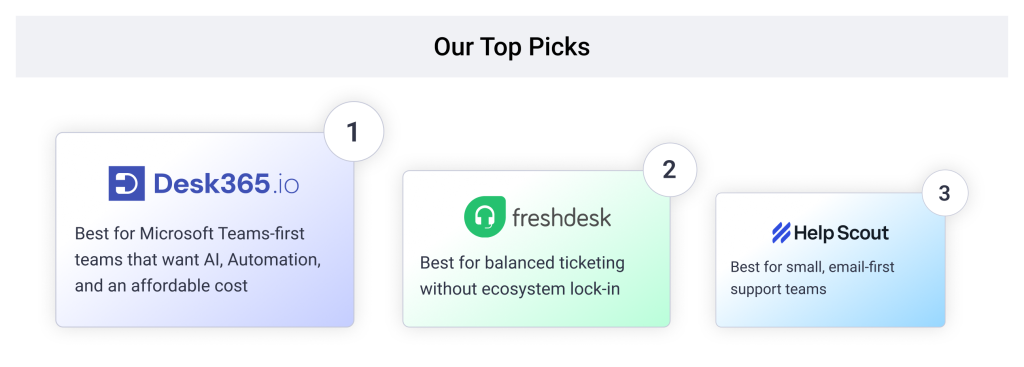
- Desk365: Best for teams that live in Microsoft Teams and want native integration, AI features, and easy setup at a lower price.
- Freshdesk: Best for balanced ticketing without the Zoho ecosystem lock-in.
- Zendesk: Best for large teams that need enterprise governance and are prepared to pay for it.
- Help Scout: Best for small, email-first support teams.
- HubSpot Service Hub: Best for support tied directly to CRM data.
- Fin (formerly Intercom): Best for AI-first chat and messaging support.
- Front: Best for shared-inbox collaboration across teams.
- Gorgias: Best for ecommerce support billed by ticket volume.
- HappyFox: Best for unlimited-agent pricing and a sibling ITSM product.
If you’re comparing Zoho Desk alternatives, you’re probably running into one of three walls: live chat needs a separate Zoho SalesIQ subscription, the built-in Zia AI feels thin next to what competitors ship by default, or your MSP or multi-department setup doesn’t map cleanly onto Zoho’s account structure. On G2’s help desk category, Zoho Desk’s own con tags back this up directly: 296 reviewers flag a learning curve, 209 call it steep, 185 cite limited customization, and 164 cite general complexity. This guide ranks 9 real alternatives against those specific problems, using current pricing pages plus G2 and Capterra review data, not just a feature checklist.
Disclaimer
Full disclosure, we evaluated ourselves in this list. Desk365 sits at number one on Microsoft Teams support and matches Zoho Desk’s price at the entry tier. That said, we’ve called out a real limitation for every tool here, including ours. We’ve linked the reviews and pricing pages throughout so you can check our work. Read more about our review methodology.
How I ranked the best Zoho Desk alternatives
To rank these tools, we focused on what actually changes your monthly bill and your admin’s workload: whether live chat, AI, and SSO ship at the entry price or sit behind a pricier tier, and whether multi-client or multi-department account structure is handled natively or needs a manual workaround, the same test worth applying to Zoho Desk itself. We weighed real G2 and Capterra ratings against where each platform’s own pricing page contradicts its marketing.
A tool that gated live chat, SLA management, or a working account hierarchy behind a paid upsell ranked lower on transparency, even with a strong base feature set. That’s the exact pattern that pushes teams off Zoho Desk in the first place, so we didn’t let an alternative get away with it either.
A cheap-looking entry price that hides the feature you actually need isn’t low. It’s just delayed.
All ratings are pulled from G2 and Capterra, current as of September 2026, and sourced throughout this guide.
| Alternative | Best for | G2 rating | Starting price | Free trial |
|---|---|---|---|---|
| Desk365 | Microsoft Teams-first support teams | 4.9/5 | $12/agent/month | 21 days |
| Freshdesk | Balanced ticketing without ecosystem lock-in | 4.4/5 | $19/agent/month | 14 days |
| Zendesk | Enterprise governance and scale | 4.4/5 | $19/agent/month | 14 days |
| Help Scout | Small, email-first support teams | 4.4/5 | $25/user/month | 15 days |
| HubSpot Service Hub | Support tied directly to CRM data | 4.4/5 | Free tier; paid from $15/seat/month | Free plan available |
| Fin (formerly Intercom) | AI-first chat and messaging support | 4.5/5 | $29/seat/month (annual) | 14 days |
| Front | Shared-inbox collaboration across teams | 4.6/5 | $25/seat/month | 7 days |
| Gorgias | Ecommerce support billed by ticket volume | 4.6/5 | Volume-based, from $10/month | 7 days |
| HappyFox | Unlimited-agent pricing and ITSM | 4.5/5 | $24/agent/month | 14 days |
9 best Zoho Desk alternatives for your business
1. Desk365, best for Microsoft Teams-first support teams

4.9/5

4.9/5
If your support requests already start in Microsoft Teams and you want ticketing where the work actually happens, Desk365 is the best Zoho Desk alternative for that job. It’s built for internal IT and shared-services teams that care about adoption and simplicity: tickets get created, assigned, and resolved without agents ever leaving Teams for a separate portal. On seat price alone, Desk365 and Zoho Desk land close together, but Desk365 includes live chat, AI-drafted replies, and Azure AD single sign-on at its entry Standard plan rather than gating them behind a higher tier or a separate subscription.
Why I chose Desk365 to lead this list
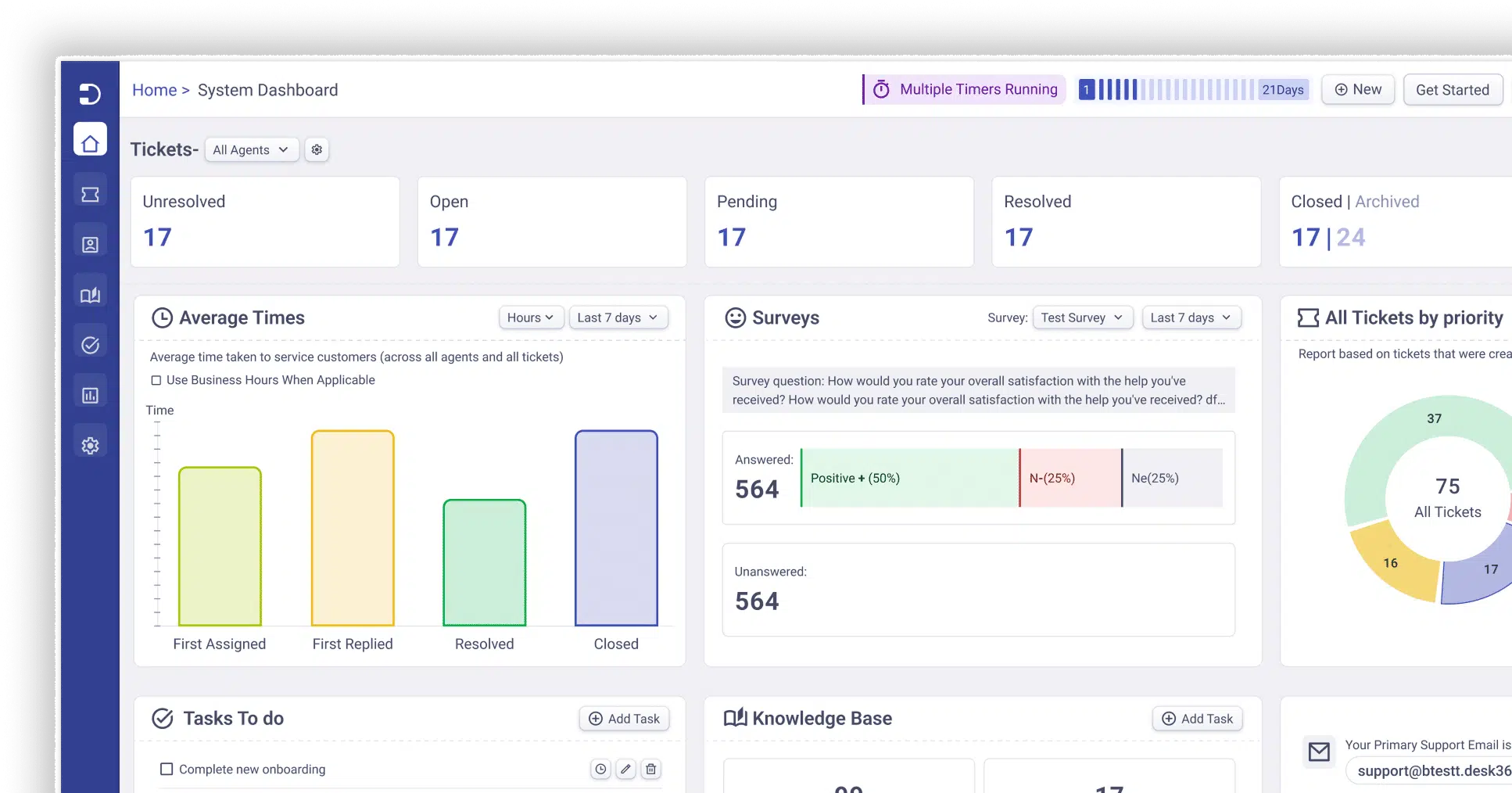
Desk365 is an AI-powered helpdesk built natively for the Microsoft 365 ecosystem, especially Microsoft Teams, enabling organizations to manage support tickets, assets, and service workflows without leaving Teams. Its deep Teams integration lets users and agents create, update, assign, and track tickets conversationally through bots, while omnichannel channels like email, portal, and web forms are unified into one system. Built-in ITSM capabilities such as asset management, knowledge base, SLAs, and workflow automation round out a complete service desk for Microsoft-centric organizations.
Desk365 features:
1. Desk365 AI
Build and deploy multiple AI Agents trained on your knowledge to chat with customer, answer repetitive questions and deflect L1 tickets. Deploy your AI Agents on your websites, support portal and more. Along with an AI Copilot that supports your human agents in the background by drafting replies, summarizing tickets, and generating knowledge base articles, your team can focus on complex issues.
2. IT Asset Management
Track and manage hardware, software, consumable and all IT assets in one place. Link assets directly to tickets for instant context, maintain clean inventory records, and manage the full asset lifecycle as your operations scale.
3. Helpdesk Security & Compliance
Protect customer and organizational data with advanced security controls built into Desk365. Features like data redaction, advanced encryption, audit logs, and access controls help teams stay HIPAA compliant and ensure sensitive information is handled securely.
4. Automations
5. Round-robin ticket assignment
To ensure a balanced workload, Desk365 includes a round-robin ticket assignment feature. This automatically distributes tickets to agents in a balanced way, improving response times and preventing any one agent from becoming overwhelmed.
What customers are saying about Desk365

Chosen over: Zendesk and Zoho
SpendCare evaluated several alternatives, including Zendesk and Zoho. While these platforms offered extensive functionality, they also introduced complexity that did not fit the needs of a fast-growing startup.
Pros
- Easy to use with a short setup time
- Native Microsoft Teams ticketing, not a bolted-on integration
- Strong, responsive customer support
- AI-drafted replies included at the entry tier
Cons
Reporting features are not strong enough
Narrower third-party integration marketplace outside Microsoft 365
Pricing:
Lowest Paid Plan: $12/agent/month
Highest Paid Plan: $32/agent/month
Free trial available.
4.5/5
4.4/5
Why I'd consider Freshdesk:
Freshdesk covers the same ground as Zoho Desk, email, chat, social, and a self-service portal, with a larger third-party app marketplace and a more mature reporting layer, but without the pull toward a single vendor’s suite. It’s the closest like-for-like swap for a team that wants Zoho Desk’s channel breadth without staying inside the Zoho ecosystem.
Freshdesk key features
- Omnichannel ticketing across email, chat, social, and a self-service portal
- Freddy AI Copilot for drafting replies, sold as an add-on above the entry tier
- SLA management and workflow automation from the Growth plan up
What customers are saying about Freshdesk
“Easy to use, UI is pretty simple, the Analysis are smooth, capability to integrated other apps” – Shivam R.
“The best customer support platform” – Andrew D.
“Feature-rich applications and unparalleled customer service” – Niall K.
Pros
- Easy to use with a large marketplace of integrations
- Strong automation and ticket views
- Well-designed, familiar interface
- Broad channel coverage out of the box
Cons
- Freddy AI Copilot is a separate per-agent add-on, not included
- AI Agent sessions are metered and expire unused
- Some reporting and customization sit behind higher tiers
- Entry price has climbed noticeably in the past year
Freshdesk pricing
- Growth: $19/agent/month
- Pro: $55/agent/month
- Enterprise:$89/agent/month
4.4/5
4.4/5
Why I'd consider Zendesk:
Zendesk is the step up from Zoho Desk when a team needs advanced routing, workforce management, audit logs, and a larger partner ecosystem, and has the budget for it. It’s built for organizations that have outgrown Zoho Desk’s department structure rather than ones just getting started.
Zendesk key features
- Omnichannel Suite plans with built-in AI agents and unified workspace
- Advanced routing, custom roles, and audit logs at the Enterprise tier
- A large partner and app marketplace for deeper customization
What customers are saying about Zendesk
“It accomplishes most of what we need as an organization, with little fuss and good customization.” – Ryan M.
“The tool perfect but it’s success really depends on the customer support’s quaility.” – Ahmet Serdar A.
Pros
- Mature, enterprise-grade feature set
- Strong routing and workforce management tools
- Large partner and integration ecosystem
- Well-documented for admins and developers
Cons
- Price climbs sharply from Support Team to Suite Professional
- AI resolutions past the included allocation are metered at an unpublished rate
- Copilot, workforce management, and contact center are separate add-ons
- Steeper admin learning curve than a smaller helpdesk
Zendesk pricing
- Support Team: $19/agent/month
- SuiteTeam: $55/agent/month
- Suite Professional: $115/agent/month
4.6/5
4.4/5
Why I'd consider Help Scout:
Help Scout strips out the department and workflow complexity that Zoho Desk carries by design. There’s no sprawling admin panel to configure. It’s a shared inbox with a knowledge base attached, and reviewers consistently rate it highest on exactly what small teams need most: getting live in minutes, not weeks.
Help Scout key features
- Shared inbox with saved replies, collision detection, and simple workflows
- Built-in knowledge base to deflect repeat questions before they become tickets
- AI Answers, priced per resolution, for automated responses
What customers are saying about Help Scout
“Helpscout is very CX user friendly for handling emails” – Chandu P.
“I like how Help Scout has been evolving the app” – Benjamin Albert C.
Pros
- Clean, simple interface with a short learning curve
- Fast, guided onboarding most teams complete without vendor help
- Genuinely useful free tier for very small teams
- Excellent, responsive customer support
Cons
- No native Microsoft Teams or Slack ticketing for internal support
- Limited reporting compared to larger platforms
- AI Answers bills per resolution rather than a flat rate
- Not built for complex, multi-department account structures
Help Scout pricing
- Standard: $25/user/month
- Plus: $45/user/month
- Pro: $75/user/month
4.4/5
4.4/5
Why I'd consider HubSpot Service Hub:
HubSpot Service Hub makes sense when your support team needs the same customer record your sales and marketing teams see, since tickets, deals, and marketing history live in one CRM rather than three disconnected tools, unlike Zoho Desk’s Zoho CRM tie-in, which only pays off if you’re already on the Zoho suite specifically.
HubSpot Service Hub key features
- Tickets tied natively to HubSpot’s CRM contact and deal records
- Breeze AI tools for drafting and summarizing replies
- Free tier available for up to two users before a paid seat is required
What customers are saying about HubSpot Service Hub
“An All-in-One Tool” – John N.
Pros
- Tickets tied directly to CRM contact and deal data
- One platform for tickets, chat, and reporting
- Useful free tier for very small teams
- Familiar interface for teams already on HubSpot
Cons
- SLA management weaker than dedicated helpdesk or ITSM tools
- Professional tier requires a five-seat minimum plus a one-time onboarding fee
- Knowledge base and help center not available below Professional
- Best value tied to already using HubSpot’s CRM
HubSpot Service Hub pricing
- Free tier: $0/month (up to 2 users)
- Starter: from $15/seat/month
- Professional: from $90/seat/month,
Plus a $1,500 to $3,500 one-time onboarding fee
4.5/5
4.5/5
Why I'd consider Fin:
Intercom rebranded to Fin in May 2026 around its AI agent of the same name, and Salesforce completed its roughly $3.6 billion acquisition of the company on September 10, 2026. Whatever changes under Salesforce ownership, Fin’s resolution rate is real and well documented, making it the strongest AI-first pick here for teams whose primary channel is chat, not email or Teams.
Zia, Zoho’s full AI assistant, needs the Professional plan, not Enterprise. So Zoho Desk’s headline price only holds until a team wants AI; then it’s a 64% jump from Standard to Professional. Live chat pushes further still, requiring Enterprise at $40/agent, a 186% jump from Standard.
Fin key features
- AI Agent, billed separately from seats, for autonomous conversation resolution
- Modern in-app messenger widget built for proactive, chat-first support
- Workflow automation and a public help center on every seat-based plan
What customers are saying about Fin
“Bye bye email, zendesk, and chat apps!” – Nathaniel B.
“Great onboarding and skyrocketed our customer support” – Max V.
Pros
- Modern, easy-to-use messenger interface
- Strong AI resolution quality, independently documented
- Wide range of integrations across CRM and support tools
- Scales well for growing SaaS teams
Cons
- Pricing is high compared to most alternatives on this list
- Per-resolution AI fees make the bill hard to predict
- Nearly every advanced feature sits behind an upsell
- No permanent free plan
Fin pricing
- Essential: $29/seat/month (annual)
- Advanced: $85/seat/month (annual)
- Expert: $132/seat/month (annual)
Plus $0.99 per AI-resolved conversation, 50-resolution monthly minimum
4.5/5
4.6/5
Why I'd consider Front:
Front is built around a shared inbox rather than a formal ticket queue, which suits teams where support, sales, and account management all need visibility into the same customer conversation without switching tools. It’s a fit for cross-functional teams specifically, not just dedicated support agents.
Front key features
- Shared inbox with assignments, internal notes, and visibility into who’s handling what
- Rules-based automation for incoming messages across email, chat, and social channels
- AI Copilot, Smart QA, and Smart CSAT available as add-ons
What customers are saying about Front
“I wish I had moved to Front sooner! It’s been revolutionary for our team.” – Serena K.
“Streamline your Customer Support” – Catherine O.
Pros
- Easy to use with strong team collaboration
- Helps organize shared conversations well
- Customizable workflows
- Efficient email management and faster team responses
Cons
- 10-seat cap on Starter, and a single channel type until Professional
- AI Copilot, Smart QA, and Smart CSAT are all separate add-ons
- Not built for SLA compliance or asset-tracking workflows
- Search function is weaker than dedicated helpdesk tools
Front pricing
- Starter: $25/seat/month (up to 10 seats)
- Professional: $65/seat/month (up to 50 seats)
- Enterprise: $105/seat/month
4.6/5
4.6/5
Why I'd consider Gorgias:
Gorgias is purpose-built for ecommerce, with deep native integrations into Shopify and similar platforms so agents can see order history and process returns without leaving the ticket. Pricing runs on ticket volume with unlimited seats on every plan, the opposite of Zoho Desk’s per-agent model.
Gorgias key features
- Native Shopify and ecommerce platform integrations, with order data inside every ticket
- Multi-channel inbox covering email, chat, and social
- Unlimited agent seats on every plan, with pricing tied to monthly ticket volume
What customers are saying about Gorgias
“Gorgias Keeps Our Customer Support Organized and Highly Customizable” – Viviana G.
Pros
- Easy to use and quick to set up
- Strong native Shopify integration
- Unlimited users included on every plan
- Revenue attribution tied directly to support conversations
Cons
- Ticket volume, not agent count, drives your bill
- AI Agent is a separate per-resolved-conversation add-on
- Not built for internal IT ticketing or asset management
- Overage charges apply quickly once you exceed a plan’s ticket cap
Gorgias pricing
- Starter: $10/month (50 tickets)
- Basic: $60/month (300 tickets)
- Pro: $360/month (2,000 tickets)
- Advanced: $900/month (5,000 tickets)
4.5/5
4.4/5
Why I'd consider HappyFox:
HappyFox covers the same core ground as Zoho Desk and adds an unlimited-agent plan that most competitors on this list don’t offer, along with a separate ITSM product for internal service management. It’s the clearest fit for teams with a large or seasonally fluctuating agent count who don’t want to recalculate their bill every time headcount changes.
HappyFox key features
- Per-agent plans plus an unlimited-agent option that typically pays off past 15 to 17 agents
- A separate HappyFox ITSM product for internal service management alongside customer support
- Smart rules and canned actions for automating repetitive replies
What customers are saying about HappyFox
“User Friendly, Custom Solutions” – Sarah K.
Pros
- Fast setup and a clean admin interface
- Unlimited-agent plans remove per-seat math for larger teams
- Reliable performance and transparent demos
- Sibling ITSM product available for internal support needs
Cons
- Newer features, including deeper asset management, sit behind top-tier pricing
- Admin editing flow is less fluid than category leaders, per user reviews
- Knowledge base editor lags behind more polished competitors
- Reporting is thinner at the entry Basic tier
HappyFox pricing
- Basic: $24/agent/month
- Team: $49/agent/month
- Pro: $99/agent/month
- Unlimited-agent plans: from roughly $499/month, custom
What are the considerations for choosing the best Zoho Desk alternatives?
Match the tool to where your support actually happens, not to the longest feature list or the highest star rating in isolation. A team drowning in Microsoft Teams messages doesn’t need Gorgias’s Shopify integrations, and an ecommerce brand doesn’t need HubSpot’s CRM tie-in.
Then read the review data the way you’d read a reference check: what do reviewers agree on, and what’s the honest trade-off they keep repeating? Every tool on this list has one.
Desk365 trades a smaller integration marketplace for Teams-native setup speed at Zoho Desk’s own price point. Fin trades a strong AI resolution rate for a hard-to-predict, per-resolution bill. Zendesk trades a steeper learning curve and a taller price ladder for enterprise governance most small teams don’t need yet. Pick the trade-off you can live with, not the one with zero complaints, because that tool doesn’t exist.
Frequently asked questions
There isn’t a single best option, since the right pick depends on where your team actually works. Desk365 is the strongest fit for Microsoft Teams-first internal IT and support teams at essentially the same seat price as Zoho Desk. Freshdesk and Zendesk suit general-purpose ticketing with a bigger app marketplace, and Help Scout or Front fit smaller, collaboration-first teams.
Desk365 has the lowest entry price on this list at $12 per agent per month, just under Zoho Desk’s own Standard plan at $14. HubSpot Service Hub’s free tier and Jira-style entry pricing on other tools can also work if your team is small enough to stay within their limits.
Yes. Desk365 is built natively for Microsoft 365 and Microsoft Teams, letting agents create, update, and resolve tickets without leaving Teams, and it includes Azure AD single sign-on at its entry plan.
By G2 score alone, Desk365 (4.9/5) and Front (4.6/5) rate highest, though Desk365’s review sample is far smaller than the category leaders. By review volume and score together, Zoho Desk itself and Fin carry the most statistically meaningful ratings among the tools compared here.
The most common reasons are live chat requiring a separate Zoho SalesIQ subscription, a real learning curve that shows up repeatedly in G2 reviews, generative AI features that need a self-supplied OpenAI key on lower tiers, and account or department structures that don’t map cleanly onto MSP or multi-client setups without a manual workaround.



 AI Agent
 Asset Management
 Knowledge Base
 Automations
 SLAs
SLAs
 Customization
 Ticket Assignment
 Reports & Analytics
 Approval Management
 Helpdesk Security
 Explore All Features
 Banking and Finance
 Healthcare
 MSP
MSP Government
  Non Profit
 IT Services
 Customer Support
 Human Resources
 Facilities







