
TL;DR: A Teams native help desk keeps your ticket data inside Microsoft 365, and it works best if you have strict data rules and in-house Microsoft skills. A Teams integrated help desk is its own product that plugs into Teams, and it gives you more features and channels with less setup. The difference between Teams native vs Teams integrated help desk comes down to where your tickets live. Native tools keep them in your Microsoft 365 tenant, and integrated tools keep them in the vendor’s cloud. Most small and mid-sized teams are happier with integrated.
Picking a help desk for Teams gets confusing fast. Every vendor says “native” or “integrated” (or both), and almost nobody explains what that changes for you. This post sorts it out: what each one means, how they differ, who should pick which, and where Desk365 fits.
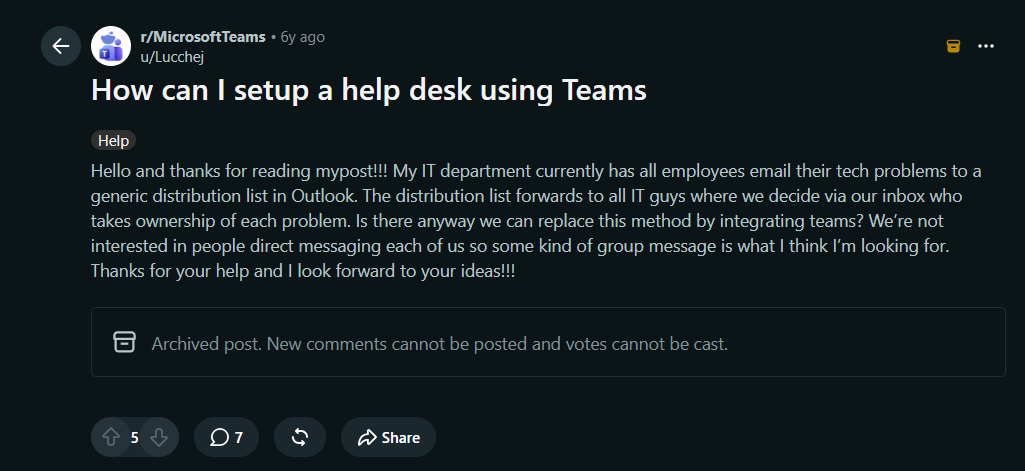
Someone on r/MicrosoftTeams asked how to set up a help desk in Teams, and their current process was painfully familiar. Everyone emails a distribution list, the list goes to every IT person, and the team works out who owns what from their own inboxes. Then two people grab the same request, or everybody assumes somebody else already replied. That’s the real test for any help desk, native or integrated. When a request lands, does it have an owner right away?
Quick heads-up before I get into it. This is a Desk365 blog, so I talk about Desk365 more than the other tools here. I still try to be fair about where each option fits, and you can see how I research and review software on our review methodology page.
Teams native vs Teams integrated help desk: what do they mean?
A Teams native help desk is built on Microsoft’s own platform, so your support tickets and permissions live inside your Microsoft 365 tenant. An integrated one is a separate product with its own database and portal that plugs into Teams through bots, apps, or connectors. Employees can raise requests from Teams either way. The real difference is where the ticketing engine runs.
Native tools usually sit on SharePoint, Power Platform, or the Teams app framework. Helpdesk 365 is a good example, since it describes itself as SharePoint-native with no data leaving your Microsoft tenant. If your first rule is that nothing leaves Microsoft, that matters a lot.
Zendesk, Freshdesk, Zoho Desk, and Desk365 are integrated. They run their own cloud platforms and reach Teams through a bot or an app. You get more features, but how good the Teams side feels varies a lot from vendor to vendor.
One more thing worth knowing. Teams doesn’t come with a ticketing system, so every option here is something you add. Our Microsoft Teams ticketing system guide shows how the pieces fit, and our walkthrough on how to use Microsoft Teams as a help desk covers setup step by step.
Where does Desk365 land? Integrated. It runs its own ticketing platform and brings agents and employees into Teams with two bots and an AI Agent. I’ll get to those in a bit.
What is the difference between Teams native and integrated help desks?
The main difference is where tickets live and who runs the engine behind them. A native help desk stores tickets in your Microsoft 365 tenant and builds on Microsoft tools. An integrated help desk stores tickets in the vendor’s cloud and adds a Teams layer on top.
| Factor | Teams native | Teams integrated |
|---|---|---|
| Where tickets are stored | Inside your Microsoft 365 tenant | In the vendor’s cloud |
| Built on | SharePoint, Power Platform, or the Teams app framework | The vendor’s own ticketing platform |
| Channels beyond Teams | Often centered on Microsoft 365 apps such as Outlook | Email, support portal, web forms, and web widgets in tools like Desk365 |
| Feature depth | Depends on the Microsoft platform underneath | Full ticketing engine with SLAs, automation, reports, and a knowledge base |
| Access control | Inherits your Microsoft 365 permissions | Own roles, plus single sign-on through Microsoft Entra ID |
| Cost model | Microsoft 365 licenses plus a tool fee or build time | Per-agent subscription |
| Examples | Tikit, Helpdesk 365, NITRO Help Desk | Desk365, Zendesk, Freshdesk, Zoho Desk |
Control and breadth pull in opposite directions here. Native gives you tighter control over where data sits. Integrated gives you more channels and automation right out of the box.
Pros and cons of native Microsoft Teams ticketing
Native systems win on data control and give up some breadth. Here’s what that looks like day to day.
| Pros | Cons |
|---|---|
| Ticket data stays in your Microsoft 365 tenant | Features depend on the Microsoft platform underneath |
| Permissions follow your existing Microsoft 365 setup | Deep changes often need SharePoint or Power Platform skills |
| Your IT admins already know the tools underneath | Many products offer fewer channels beyond Teams and Outlook |
| One fewer outside vendor to review for security | Setup can take longer than installing a cloud app |
Native is a good fit if you have Microsoft platform skills and a strict data rule. It’s a harder fit for a lean team that wants to go live in a day.
How integrated help desks like Desk365, Zendesk, and Freshdesk work inside Teams
An integrated help desk keeps its own ticketing platform and connects to Teams through a bot, an app, or an automation connector. How deep that connection goes decides how much work actually happens inside Teams.
Desk365 works through two bots. An employee raises a request in the Support Bot, and Desk365 turns it into a structured ticket with attachments, priority, and department routing. An agent picks it up in the Agent Bot, and the whole conversation carries on in Teams, status updates and replies included. That loop is why Desk365 is integrated on paper and still feels native to the people using it.
Zendesk, Freshdesk, and Zoho Desk keep agents in their own workspace. Zapier, for example, lists connectors that create Freshdesk and Zoho Desk tickets from new Teams chat messages. That moves a message into the help desk, and that’s about it. Check whether employees can also see status and reply from Teams, because that’s where integrations differ most.
Popular help desk tools for Microsoft Teams: Native vs integrated
The top-rated options split into native tools like Tikit and Helpdesk 365, and integrated tools like Desk365, Zendesk, Freshdesk, and Zoho Desk. Here they are with G2 ratings as of November 2026.
| Tool | Type | G2 rating | Best for |
|---|---|---|---|
| Desk365 | Integrated, Teams-first | 4.9/5 | Teams-centric IT and support teams that want full ticketing at a low price |
| Tikit by Cireson | Native | 4.7/5 | Teams-only IT service management |
| Helpdesk 365 | Native | 4.8/5 | IT, HR, and operations teams that live in SharePoint |
| NITRO Help Desk by Crow Canyon | Native | 4.3/5 | Teams that want deeper SharePoint workflows |
| Zendesk | Integrated | 4.3/5 | Large customer-facing support teams |
| Freshdesk | Integrated | 4.4/5 | Multi-channel customer support |
| Zoho Desk | Integrated | 4.4/5 | Teams already on Zoho apps |
Ratings move around, so check G2 before you commit. Want a longer shortlist? Our roundup of the best Microsoft Teams ticketing systems covers nine tools. For head-to-heads, read Desk365 vs Tikit, or the Zendesk alternatives and Freshdesk alternatives pages.
Who should pick native, and who should pick integrated?
Pick native if your policy says ticket data has to stay inside your Microsoft 365 tenant and you have people who can look after SharePoint or Power Platform builds. Pick it too if Teams is your only support channel. In those cases the tenant boundary is worth the extra build effort.
Pick integrated if you want email, a support portal, web forms, Service Level Agreements (SLAs), automation, and reports in one place, with Teams as the front door. It also suits lean teams that can’t spend weeks on setup. Most small and mid-sized teams end up here, because they need breadth sooner than they need a tenant-only data model.
Why Desk365 is the strong choice for Microsoft Teams
In my view, Desk365 is the best fit for most Teams-centric teams because it pairs a full ticketing engine with a Teams experience that covers agents, employees, and AI answers. Plenty of Teams help desks make you choose between convenience and depth. Desk365 was built so you don’t have to.
The numbers back it up. Desk365 holds a 4.9/5 rating on G2, serves more than 7,000 businesses, and starts at $12 per agent per month, billed annually. At that price, you’d expect the Teams features to be trimmed, and they’re not.
Agent Bot: reply to tickets without leaving Teams
The Desk365 Agent Bot lets agents work tickets right inside Teams. They can reply, add notes, check status, and change properties like SLA, status, priority, group, assignee, type, and category from simple dropdowns. It’s agent-only, and it works on mobile through the Teams app.
The Agent Bot is free to download from Microsoft AppSource, and our Agent Bot setup guide walks through the install. Agents stop alt-tabbing between chat and a help desk, which is usually where replies get lost.
Support Bot: where employees ask for help
The Desk365 Support Bot lets employees create tickets, add attachments, check status, and reply to agents without leaving Teams. They get a notification when an agent responds. You can put your own icon and name on it with the Support Bot customization guide.
Admins can set it up with the Support Bot setup guide, then pin and auto-install it for everyone with Teams app setup policies. Nobody has to hunt for the app, and people are far more likely to raise a ticket than to fire off a direct message.
Want to see both bots together? Watch the quick overview of the Agent Bot and Support Bot.
Turn any Teams message into a support ticket
You can convert a Teams message into a ticket from the More actions menu on the message, then choose to create a ticket in the Support Bot. It works on direct messages, group chats, and public channel messages, and you can add attachments before you save. Something that started as a chat reply becomes a tracked ticket in seconds.
Custom ticket forms let each department collect the details it needs. There’s a how-to on creating tickets from Teams messages on the Desk365 YouTube channel.
The Teams AI Agent handles repeat questions
The Desk365 AI Agent answers employee questions in Teams around the clock, using only the sources you approve, like knowledge base articles, FAQs, and Q&As. If it can’t find an answer, it helps the employee create a ticket for a human agent. Repeat questions get answered before an agent ever sees them.
The Teams AI Agent setup guide explains how to train it. Pair it with a knowledge base in Microsoft Teams, because the AI Agent is only as good as the articles behind it.
Turn Teams messages into tickets in minutes with Desk365.
What G2 and Reddit users say about Desk365
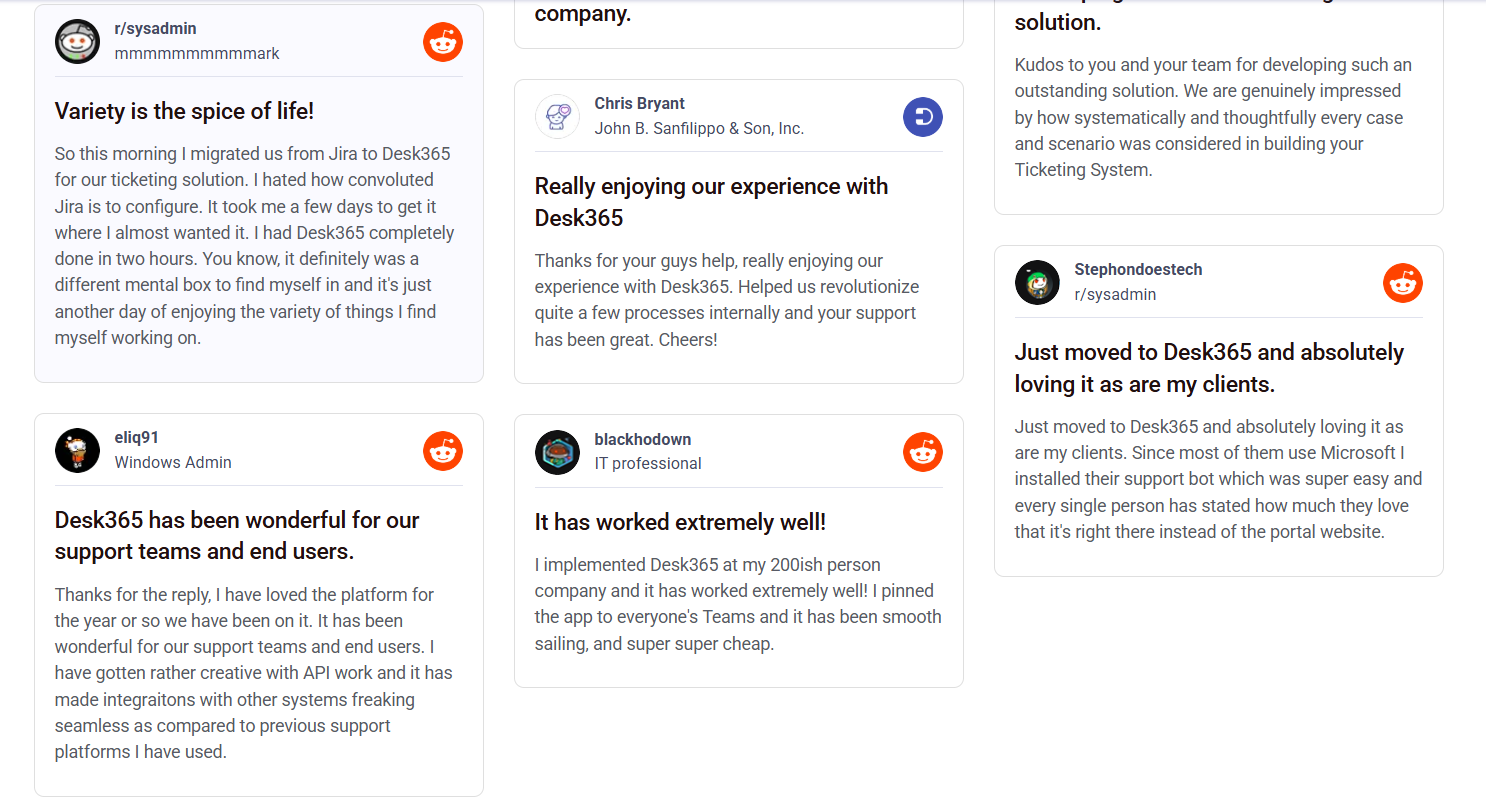
Reviewers on both sites keep coming back to two things, the Teams experience and the price. Desk365 holds a 4.9/5 rating on G2.
On G2, Steve Beaudet, a Windows Systems Administrator at Desjardins, gave five stars and called the Teams integration “truly fantastic”. He says his users and agents submit and process tickets without switching tools. Another small-business reviewer on G2 describes the same thing as a heavy Teams shop. That’s exactly the outcome a Teams-first design is going for.
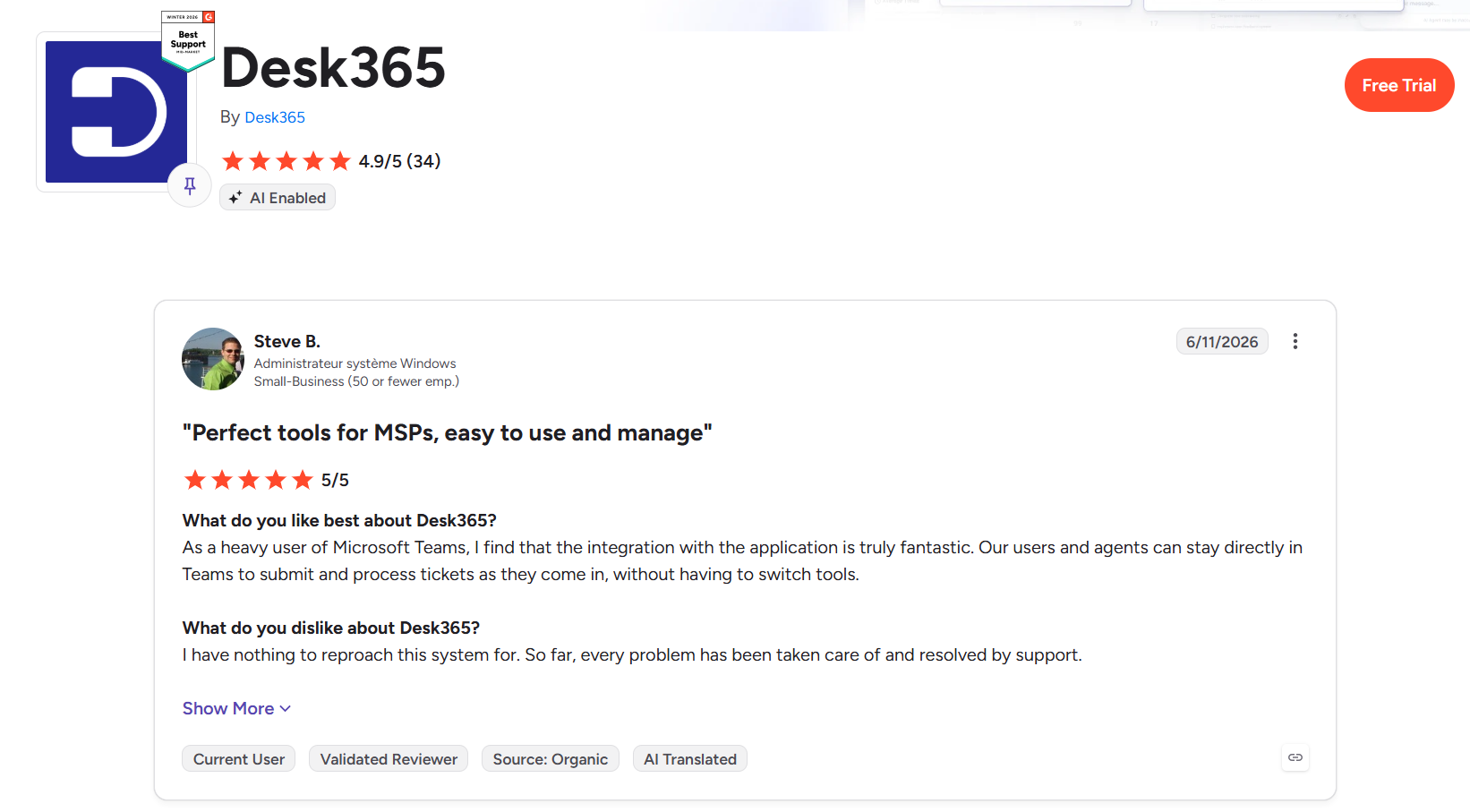
Over on Reddit, one r/sysadmin user rolled Desk365 out at a company of about 200 people, pinned the app in everyone’s Teams, and called the rollout smooth and very cheap. Another r/sysadmin user moved from Jira to Desk365 in two hours after spending days configuring Jira. A third said the feature list is strong for the price. There are more on our customer stories page.
Ryan Geiler, IT Director at Community Medical Center, says his organization uses Teams and Microsoft 365 heavily. Adoption went smoothly, and employees now file tickets instead of walking over or calling. Read the full CMC story. The interesting part is the change in habit, more than the software.
Data security and privacy: native vs integrated
Native tools keep ticket data inside your Microsoft 365 tenant. Integrated tools store it in the vendor’s cloud, so you need to check what the vendor actually has in place. Neither is unsafe by default. The responsibility just sits in different places.
Desk365 is SOC 2 Type 2 certified and GDPR compliant, with data centers in the US and the EU. Premium plans add HIPAA-ready controls, with a Business Associate Agreement (BAA) on qualifying annual contracts. A certified cloud vendor can meet most review checklists, but only your own policy decides whether data may leave the tenant.
Ask any integrated vendor five questions:
- Which certifications do you hold?
- Where is my data hosted?
- Do you support single sign-on and multi-factor authentication?
- Do you keep audit logs?
- Can you encrypt or redact sensitive fields?
Desk365 covers all five with Microsoft Entra ID sync and single sign-on, MFA, audit logs, encrypted PII and PHI fields, and data redaction. The Desk365 helpdesk security page lists each control.
Whichever way you go, keep sensitive requests like HR cases in private channels or one-on-one chats, not open team channels.
Why is Desk365 the best Teams help desk for small businesses with limited IT staff
An integrated, Teams-first tool like Desk365 suits small teams with limited IT staff best. You install it from Microsoft AppSource in minutes, pricing starts at $12 per agent per month, and you don’t need any Power Platform skills. If your IT team is one person, a tool that works on day one is worth a lot.
Setup help is included. Desk365 offers free setup and installation, plus data migration at no extra cost if you’re moving from another help desk. Omest chose Desk365 after evaluating 20 helpdesk tools, which is a good picture of how small teams compare options before they commit.
Automation is where lean teams save the most hours. Round-robin and load-based assignment spread tickets without a manager, and our guide to automating ticket assignment in Microsoft Teams shows how to set it up. Add the AI Agent for repeat questions, and a solo admin can look after a much bigger company.
Pick the help desk that makes ownership obvious
The best Teams help desk is the one where every request has an owner the moment it arrives. For most teams, that means an integrated, Teams-first tool with a full ticketing engine behind it. This week, install the Desk365 Support Bot in a test Teams channel, convert one real message into a ticket, and see who owns it before the day ends.
See Desk365 live. Book a short demo and watch the Agent Bot, Support Bot, and AI Agent work inside Teams.
Frequently asked questions
No. Microsoft Teams doesn’t include a ticketing system. You add one through a native tool built on Microsoft 365 or an integrated help desk like Desk365.
Desk365 is an integrated help desk built Teams-first. It runs its own platform and brings it into Teams through the Agent Bot, the Support Bot, and the AI Agent, so employees and agents can work in Teams without opening another tool.
Yes. With the Desk365 Support Bot, you can convert a direct message, a group chat message, or a public channel message into a trackable ticket, and you can add attachments.
It depends on your team. Integrated tools charge per agent, and Desk365 starts at $12 per agent per month. Native tools can cost less in licensing but may need build and upkeep time from your IT staff.
With an integrated help desk like Desk365, yes. Email, the support portal, web forms, and web widgets all feed the same inbox, and agents can see tickets from every channel inside the Agent Bot.