

Unthread fits Slack-first teams best. If your IT team works in Microsoft Teams, Desk365 and Freshservice are the alternatives to compare first. Unthread is an AI helpdesk that turns Slack and Microsoft Teams messages into tickets. It shows up on a lot of shortlists for IT and support teams that want to handle requests inside chat. This guide covers what Unthread does, what it costs, what reviewers say, and five alternatives worth comparing. It’s written for IT managers and helpdesk leads at companies that run on Microsoft Teams.
TL;DR
- Pricing: Unthread’s Pro plan starts at $85 per agent per month with a five-seat minimum, so the smallest Pro bill is $425 a month. Business and Enterprise are quote-only. Older guides still list $50 and $75 plans that no longer appear on Unthread’s pricing page.
- Reviews: Unthread rates 4.9 out of 5 on G2, but that score comes from only 13 reviews. Reviewers like how easy it is to use and how much it automates. The few complaints are about reporting, data mapping, and integrations.
- Slack vs. Teams: Unthread supports both. Most of its plan features, case studies, and reviews still center on Slack, so Teams-first buyers should test it in their own tenant.
- Alternatives: Desk365 is first on our list for teams that work in Microsoft Teams, starting at $12 per agent per month. Freshservice, ClearFeed, Siit, and Pylon follow.
What is Unthread?
Unthread is an AI-native helpdesk for Slack and Microsoft Teams. It turns chat messages, emails, and portal requests into tracked tickets. It also answers common questions from connected knowledge and runs workflows in other tools. Unthread sells to IT, HR, customer support, employee support, and RevOps teams.
The company behind it is Get Turnout, Inc., which is backed by Y Combinator. Unthread names customers such as Intuit, Lemonade, SpaceX, Sisense, and Automattic. In a case study on Unthread’s blog, Lemonade’s head of IT says Unthread resolves about 40% of its tickets automatically. \
You can’t sign up on your own. Unthread starts every buyer with a demo, and the 14-day free trial comes through that demo.
What features does Unthread offer?
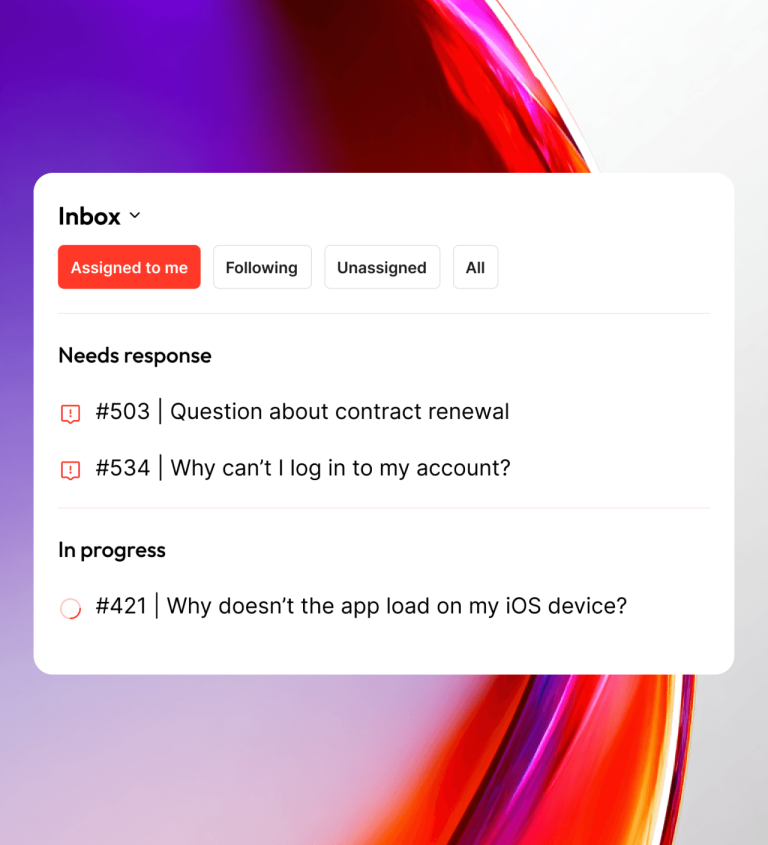
Unthread combines chat-based ticketing, AI agents, workflow automation, a knowledge base, analytics, and ITSM features in one product. The catch is that several of these sit on higher plans, so check the tier before you plan around a feature.
Does Unthread work in Slack and Microsoft Teams?
Yes. Unthread lists native support for both. On its Microsoft Teams page, it says Teams messages become tickets with the requester, owner, status, priority, and SLA attached. Agents can reply, update status, and close tickets without leaving Teams. One G2 reviewer says Unthread pulled their Slack, Teams, email, and chat tickets into one place.
Slack still sits at the center of the product. The Pro plan lists a Slack Inbox and Slack Broadcasts, and Slack Enterprise Grid support is on Business. Even the Teams page describes change management happening “right from Slack.” Most of Unthread’s customer stories and reviews describe Slack use too. If your company runs on Teams, ask for a Teams-only demo and confirm each feature you need works there.
Agentic AI and the automation builder
Unthread’s AI agents answer repeat questions, sort requests, and take approved actions in connected tools. You describe a workflow in plain English, and the AI builds it as a visual diagram with code you can inspect and edit. Unthread pitches this as a way to build your own integrations.
Check your plan before you count on it. The pricing page lists the AI automation builder under Business, not Pro.
Self-learning knowledge base
Unthread drafts knowledge base articles from resolved tickets and conversations. A gap analysis flags new issues that have no article and old articles that need updates. It can also sync knowledge you already keep in tools like Confluence, Notion, Google Drive, or SharePoint. Knowledge base sync is on Pro, while self-learning documentation is listed under Business.
Omnichannel inbox, SLAs, and on-call routing
Requests from Slack, Teams, email, a customer portal, live chat, and the API land in one inbox. Each conversation becomes a ticket with SLA tracking and alerts. On-call rotations send work to whoever is available or has the right skills. Pro also includes custom analytics dashboards and NPS and CSAT surveys.
ITSM features
Unthread says it covers ITIL-style work with a configuration management database (CMDB), asset tracking, change management, problem management, and change advisory board (CAB) approvals. The pricing page doesn’t say which plan includes these, so ask during the demo.
Integrations
Unthread lists more than 100 native integrations. They include Jira, Linear, HubSpot, Salesforce, Zendesk, PagerDuty, Okta, Microsoft Entra, Workday, and Kandji. Two-way ticket sync with other help desks is on Pro, and custom integrations are on Business.
Security and admin controls
Unthread’s security page lists SOC 2 Type II certification, HIPAA support with business associate agreements (BAAs), SAML single sign-on (SSO), SCIM provisioning, and a 99.9% uptime SLA. Data can live in the US, EU, UK, Australia, or Canada.
Many of these are gated by plan. SSO and custom role-based access control (RBAC) are on Business. HIPAA, BAAs, and data residency are on Enterprise.
How much does Unthread cost?
Unthread’s Pro plan starts at $85 per agent per month, with a minimum of five seats. That puts the smallest Pro bill at $425 a month, or $5,100 a year. Business and Enterprise are sold by quote. Every plan includes a 14-day free trial, which you get by booking a demo.
| Plan | Price | What it adds |
|---|---|---|
| Pro | From $85 per agent per month, five-seat minimum | Ticket tracking, SLAs, assignments, Slack Inbox and Broadcasts, customer portal, knowledge base sync, custom analytics dashboards, NPS and CSAT surveys, CRM integrations, two-way ticket sync, escalations and approvals |
| Business | Custom quote | AI automation builder, self-learning documentation, a dedicated solutions engineer, custom RBAC, custom integrations, SSO, HRIS integration and directory sync, Slack Enterprise Grid |
| Enterprise | Custom quote | Dedicated hosting, data residency, LDAP, HIPAA and BAAs, a custom master service agreement (MSA) |
Source: Unthread pricing page checked in October 2026.
Two details on that page deserve a closer look. Pro carries a note that conversation limits apply, but Unthread doesn’t publish the limit or the overage rate. The page also shows an annual and monthly toggle, so confirm which billing cycle the $85 figure assumes. Unthread offers monthly, annual, and multi-year contracts.
Unthread’s pricing has changed recently. Unthread’s G2 listing still shows a $250-a-month startup package and Pro from $50 per seat. Comparison posts from August 2026 list a $50 Basic plan and a $75 Pro plan. Neither matches the current pricing page, so treat older numbers as out of date and ask for a written quote.
What do G2 reviewers say about Unthread?
Unthread rates 4.9 out of 5 on G2, and all 13 reviews sit in the top rating band. It also rates 5.0 on Capterra, from three reviews. That’s a small sample, so read it as a signal and not a verdict.
Most reviewers work at companies with 50 or fewer employees, and a few are mid-market. The reviews we could see were posted between November 2024 and December 2025, before the current $85 Pro price.
What do users like about Unthread?
Ease of use comes up most, with four mentions in G2’s pros and cons summary. One reviewer says anyone on the team can learn it quickly.
Automation is the second theme. A technical support manager says Unthread brought their Slack, Teams, email, and chat tickets into one inbox and saves the team time. A senior product manager says it was the only tool worth the effort of replacing Jira for internal operations. Another reviewer credits Unthread’s SLA reminders with keeping tickets from slipping.
Teams that support customers in shared Slack channels also like it. One reviewer gives each customer a dedicated Slack channel and uses Unthread to track every request in those channels.
What do users dislike about Unthread?
The complaints are few, and each shows up only once. One reviewer says there is no proper customer-centric dashboard for building reports. Another finds data mapping more complex than it should be.
The rest are smaller. One reviewer wishes Unthread had more integrations and finds the dark mode odd in the web app.
What are the best Unthread alternatives?
The right Unthread alternative depends mostly on where your team talks. Teams that live in Microsoft Teams should look at Desk365 or Freshservice. Slack-first teams have more chat-native options, such as ClearFeed, Siit, and Pylon.
How we picked these alternatives
We compared five tools on five points. These were whether pricing is public, whether Microsoft Teams support is native and on which plan, whether Slack is supported, whether asset management is built in, and how AI is priced.
Disclaimer
Full disclosure: Desk365 is on this list, and we ranked it first for teams that work in Microsoft Teams. We still call out a real limitation for every tool here, including ours. Desk365 does not support Slack, so Slack-first teams should look further down the list. Pricing pages are linked throughout so you can check our work. Read more about our review methodology.
1. Desk365: best for Microsoft Teams-based IT teams
Why Desk365 leads this list
Desk365 is the best Unthread alternative for IT and support teams that work in Microsoft Teams. It offers Teams ticketing on every plan, published prices from $12 per agent per month, and built-in IT asset management. Even its top plan costs less per agent than Unthread’s Pro plan, with no five-seat minimum.
Pricing, features, and reviews in this guide were rechecked on October 27, 2026.
TL;DR
- Pricing: Unthread Pro starts at $85 per agent per month with a five-seat minimum. Business and Enterprise are quote-only.
- Reviews: 4.9 out of 5 on G2, from only 13 reviews.
- Teams vs. Slack: Unthread supports both, but most of its product centers on Slack.
- Best alternative for Teams-first IT teams: Desk365, from $12 per agent per month. Freshservice, ClearFeed, Siit, and Pylon follow.
What is Unthread?
Unthread is an AI-native helpdesk for Slack and Microsoft Teams. It turns chat messages, emails, and portal requests into tracked tickets. It also answers common questions from connected knowledge and runs workflows in other tools. Unthread sells to IT, HR, customer support, employee support, and RevOps teams.
The company behind it is Get Turnout, Inc., which is backed by Y Combinator. Unthread names customers such as Intuit, Lemonade, SpaceX, Sisense, and Automattic. In a case study on Unthread’s blog, Lemonade’s head of IT says Unthread resolves about 40% of its tickets automatically. That figure comes from Unthread’s own marketing and not from independent testing.
You can’t sign up on your own. Unthread starts every buyer with a demo, and the 14-day free trial comes through that demo.
What features does Unthread offer?
Unthread combines chat-based ticketing, AI agents, workflow automation, a knowledge base, analytics, and IT service management (ITSM) features in one product. The catch is that several of these sit on higher plans, so check the tier before you plan around a feature.
Does Unthread work in Slack and Microsoft Teams?
Yes. Unthread lists native support for both. On its Microsoft Teams page, it says Teams messages become tickets with the requester, owner, status, priority, and service level agreement (SLA) attached. Agents can reply, update status, and close tickets without leaving Teams. One G2 reviewer says Unthread pulled their Slack, Teams, email, and chat tickets into one place.
Slack still sits at the center of the product. The Pro plan lists a Slack Inbox and Slack Broadcasts, and Slack Enterprise Grid support is on Business. Even the Teams page describes change management happening “right from Slack.” Most of Unthread’s customer stories and reviews describe Slack use too. If your company runs on Teams, ask for a Teams-only demo and confirm each feature you need works there.
Agentic AI and the automation builder
Unthread’s AI agents answer repeat questions, sort requests, and take approved actions in connected tools. You describe a workflow in plain English, and the AI builds it as a visual diagram with code you can inspect and edit. Unthread pitches this as a way to build your own integrations.
Check your plan before you count on it. The pricing page lists the AI automation builder under Business, not Pro.
Self-learning knowledge base
Unthread drafts knowledge base articles from resolved tickets and conversations. A gap analysis flags new issues that have no article and old articles that need updates. It can also sync knowledge you already keep in tools like Confluence, Notion, Google Drive, or SharePoint. Knowledge base sync is on Pro, while self-learning documentation is listed under Business.
Omnichannel inbox, SLAs, and on-call routing
Requests from Slack, Teams, email, a customer portal, live chat, and the API land in one inbox. Each conversation becomes a ticket with SLA tracking and alerts. On-call rotations send work to whoever is available or has the right skills. Pro also includes custom analytics dashboards and Net Promoter Score (NPS) and customer satisfaction (CSAT) surveys.
ITSM features
Unthread says it covers IT Infrastructure Library (ITIL)-style work. That includes a configuration management database (CMDB), asset tracking, change management, problem management, and change advisory board (CAB) approvals. The pricing page doesn’t say which plan includes these, so ask during the demo.
What does Unthread integrate with?
Unthread lists more than 100 native integrations. They include Jira, Linear, HubSpot, Salesforce, Zendesk, PagerDuty, Okta, Microsoft Entra, Workday, and Kandji. Two-way ticket sync with other help desks is on Pro, and custom integrations are on Business.
Security and admin controls
Unthread’s security page lists SOC 2 Type II certification, HIPAA support with business associate agreements (BAAs), Security Assertion Markup Language (SAML) single sign-on (SSO), System for Cross-domain Identity Management (SCIM) provisioning, and a 99.9% uptime SLA. Data can live in the US, EU, UK, Australia, or Canada.
Many of these are gated by plan. SSO and custom role-based access control (RBAC) are on Business. HIPAA, BAAs, and data residency are on Enterprise.
How much does Unthread cost?
Unthread’s Pro plan starts at $85 per agent per month, with a minimum of five seats. That puts the smallest Pro bill at $425 a month, or $5,100 a year. Business and Enterprise are sold by quote. Every plan includes a 14-day free trial, which you get by booking a demo.
Plan | Price | What it adds |
|---|---|---|
Pro | From $85 per agent per month, five-seat minimum | Ticket tracking, SLAs, assignments, Slack Inbox and Broadcasts, customer portal, knowledge base sync, custom analytics dashboards, NPS and CSAT surveys, CRM integrations, two-way ticket sync, escalations and approvals |
Business | Custom quote | AI automation builder, self-learning documentation, a dedicated solutions engineer, custom RBAC, custom integrations, SSO, HR information system (HRIS) integration and directory sync, Slack Enterprise Grid |
Enterprise | Custom quote | Dedicated hosting, data residency, Lightweight Directory Access Protocol (LDAP), HIPAA and BAAs, a custom master service agreement (MSA) |
Source: Unthread pricing page, checked October 23, 2026.
Two details on that page deserve a closer look. Pro carries a note that conversation limits apply, but Unthread doesn’t publish the limit or the overage rate. The page also shows an annual and monthly toggle, so confirm which billing cycle the $85 figure assumes. Unthread offers monthly, annual, and multi-year contracts.
Unthread’s pricing has changed recently. Unthread’s G2 listing still shows a $250-a-month startup package and Pro from $50 per seat. Comparison posts from August 2026 list a $50 Basic plan and a $75 Pro plan. Neither matches the current pricing page, so treat older numbers as out of date and ask for a written quote.
What should you ask Unthread on a pricing call?
Get these answers in writing before you start a pilot:
- Is the $85 Pro price billed annually or monthly, and what is the other rate?
- What is the conversation limit on Pro, and what happens when you pass it?
- Which AI features are on Pro, and which need Business?
- Which plan includes the CMDB, asset tracking, and change management?
- Do you need Business for SSO, and what does Business cost for your team size?
- Does every feature you need work the same way in Microsoft Teams as in Slack?
- How much can the price rise at renewal?
What do G2 reviewers say about Unthread?
Unthread rates 4.9 out of 5 on G2, and all 13 reviews sit in the top rating band. It also rates 5.0 on Capterra, from three reviews. That’s a small sample, so read it as a signal and not a verdict.
Most reviewers work at companies with 50 or fewer employees, and a few are mid-market. The reviews we could see were posted between November 2024 and December 2025, before the current $85 Pro price.
What do users like about Unthread?
Ease of use comes up most, with four mentions in G2’s pros and cons summary. One reviewer says anyone on the team can learn it quickly.
Automation is the second theme. A technical support manager says Unthread brought their Slack, Teams, email, and chat tickets into one inbox and saves the team time. A senior product manager says it was the only tool worth the effort of replacing Jira for internal operations. Another reviewer credits Unthread’s SLA reminders with keeping tickets from slipping.
Teams that support customers in shared Slack channels also like it. One reviewer gives each customer a dedicated Slack channel and uses Unthread to track every request in those channels.
What do users dislike about Unthread?
The complaints are few, and each shows up only once. One reviewer says there is no proper customer-centric dashboard for building reports. Another finds data mapping more complex than it should be.
The rest are smaller. One reviewer wishes Unthread had more integrations and finds the dark mode odd in the web app. None of the reviews we could see mention the price increase, which happened after most of them were written.
What are the best Unthread alternatives?
The right Unthread alternative depends mostly on where your team talks. Teams that live in Microsoft Teams should look at Desk365 or Freshservice. Slack-first teams have more chat-native options, such as ClearFeed, Siit, and Pylon.
How we picked these alternatives
We compared five tools on five points. These were whether pricing is public, whether Microsoft Teams support is native and on which plan, whether Slack is supported, whether asset management is built in, and how AI is priced. Each price comes from the vendor’s own pricing page, rechecked on October 27, 2026.
Disclosure: Desk365 is on this list
Full disclosure: Desk365 is on this list, and we ranked it first for teams that work in Microsoft Teams. We still call out a real limitation for every tool here, including ours. Desk365 does not support Slack, so Slack-first teams should look further down the list. Pricing pages are linked throughout so you can check our work. Read more about our review methodology.
Tool | Best for | Starting price | Microsoft Teams | Slack |
|---|---|---|---|---|
Desk365 | Teams-based IT teams that need built-in asset management | $12 per agent per month, billed annually | Every plan | Not supported |
Freshservice | Teams that want ITIL-style process modules at a published price | $19 per agent per month, billed annually | ServiceBot on every plan | ServiceBot on every plan |
ClearFeed | Slack-first teams that want agent-based or usage-based pricing | $24 per agent per month | Professional plan and up | Every plan |
Siit | Internal IT and ops teams that pay per admin | $23 per admin per month, billed annually | Every plan | Every plan |
Pylon | B2B customer support teams in shared Slack channels | $89 per seat per month, annual contract | Advanced plan and up | Every plan |
1. Desk365: best for Microsoft Teams-based IT teams
Why Desk365 leads this list
Desk365 is the best Unthread alternative for IT and support teams that work in Microsoft Teams. It offers Teams ticketing on every plan, published prices from $12 per agent per month, and built-in IT asset management. Even its top plan costs less per agent than Unthread’s Pro plan, with no five-seat minimum.
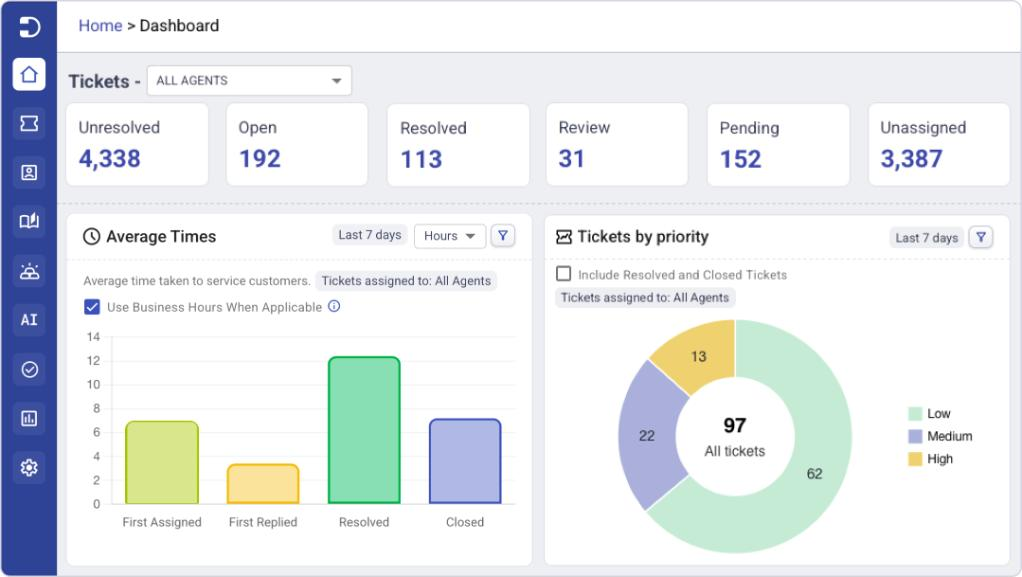
At its core, Desk365 is a Microsoft Teams ticketing system and IT help desk that publishes the price of every plan. Teams ticketing comes on all of them, starting with Standard at $12 per agent per month. Employees create and track tickets through a Teams support bot. Agents work tickets through an agent bot and can turn any Teams message into a ticket.
The price gap with Unthread is wide, but the plans aren’t identical. Five agents on Unthread Pro cost at least $425 a month at the listed rate, and Unthread doesn’t say whether that rate assumes annual or monthly billing. Five agents on Desk365 Premium, the top plan, cost $160 a month on annual billing. Premium also includes IT asset management, HIPAA controls, and audit logs. Unthread doesn’t say which plan includes asset tracking, and it puts HIPAA on Enterprise. Unthread Pro does include Slack support, which no Desk365 plan offers.
IT asset management sits on the Premium plan at $32 per agent per month. It includes Microsoft Intune sync, lifecycle tracking from purchase to retirement, software license management, vendors, and depreciation. Assets link to tickets, so an agent can see the laptop, its owner, and the issue in one place.
AI Copilot drafts, rephrases, and translates replies. It also summarizes long tickets and turns resolved tickets into knowledge base articles. The AI Agent add-on costs $50 per 1,000 credits, with 100 free credits a month on Plus and 200 on Premium.
Desk365 is SOC 2 Type II certified and GDPR compliant, with data centers in the US and EU. Premium adds HIPAA compliance controls, encrypted fields for personal and health data, data redaction, and audit logs. Microsoft Entra ID single sign-on comes on every plan, while Unthread puts SSO on its Business plan.
Desk365’s switch-at-renewal offer lets teams start on an extended trial and pay only when their current help desk contract ends. Data migration is included at no extra cost.
Desk365 features
- Microsoft Teams ticketing with a support bot for employees and an agent bot for your team
- Email, support portal, web form, and web widget channels feeding one inbox
- Workflow automation with SLA reminders, escalations, and round robin ticket assignment or load-based assignment
- Change and approval management on Plus and Premium
- Knowledge base with a self-service portal on your own domain
- Microsoft Entra ID sync, a Power Automate connector, and a Microsoft 365 Copilot plugin
- Productivity, ticket trend, and agent performance reports, with multiple dashboards on Plus
How does Desk365 compare with Unthread feature by feature?
Unthread is the stronger pick if Slack is your main tool or you want an AI builder that writes integration code. Desk365 fits better if your company runs on Microsoft 365 and wants published prices, Teams on every plan, and asset management without a second tool.
| Feature | Desk365 | Unthread |
|---|---|---|
| Microsoft Teams | Support bot, agent bot, Teams message to ticket, and Teams notifications on every plan | Teams messages become tickets, and agents can work in Teams. Many plan features name Slack |
| Slack | Not supported | Native, with Slack Enterprise Grid on Business |
| Other channels | Email, support portal, web form, web widget | Email, customer portal, live chat, API |
| Pricing | $12, $22, and $32 per agent per month billed annually, all published | Pro from $85 per agent per month. Business and Enterprise by quote |
| Minimum seats | No minimum listed | Five seats on Pro |
| Free plan and trial | Free plan up to 50 tickets a month and a 21-day trial with no credit card | 14-day trial through a demo. No free plan |
| AI | AI Copilot on Plus and Premium. AI Agent add-on at $50 per 1,000 credits | AI agents on the platform. AI automation builder on Business |
| Automation | Rules on ticket creation and updates, time-based triggers, SLA reminders, escalations, round robin and load-based assignment | Natural-language workflow builder, on-call rotations, escalations and approvals |
| Change management | Multi-stage approvals on Plus and Premium | Change management and CAB approvals. Plan not stated |
| Asset management | Premium plan, with Intune sync, lifecycle tracking, software licenses, vendors, and depreciation | CMDB and asset tracking. Plan not stated |
| Knowledge base | Knowledge base and self-service portal. AI turns tickets into articles | Self-learning knowledge base with gap analysis |
| Reporting | Productivity, trend, agent, and custom reports. Multiple dashboards on Plus. Power BI through the API | Custom analytics dashboards and CSAT on Pro, plus AI analytics |
| Security | SOC 2 Type II, GDPR, US and EU data centers. Premium adds HIPAA controls, encrypted fields, redaction, and audit logs | SOC 2 Type II. SSO on Business. HIPAA, BAAs, and data residency on Enterprise |
| Integrations | Entra ID, Intune, Power Automate (Jira, Asana, Azure DevOps), Microsoft 365 Copilot plugin, API, webhooks | More than 100 native integrations. Custom integrations on Business |
Pros
- Lowest starting price of any tool on this list
- Teams ticketing on every plan
- Asset management with Intune sync on Premium
Cons
- No Slack support, so it doesn’t fit Slack-first companies
- Fewer native integrations than Unthread, with many connections running through Power Automate
- Asset management is only on the top plan
Pricing
2. Freshservice: best for teams that want ITIL-style process modules
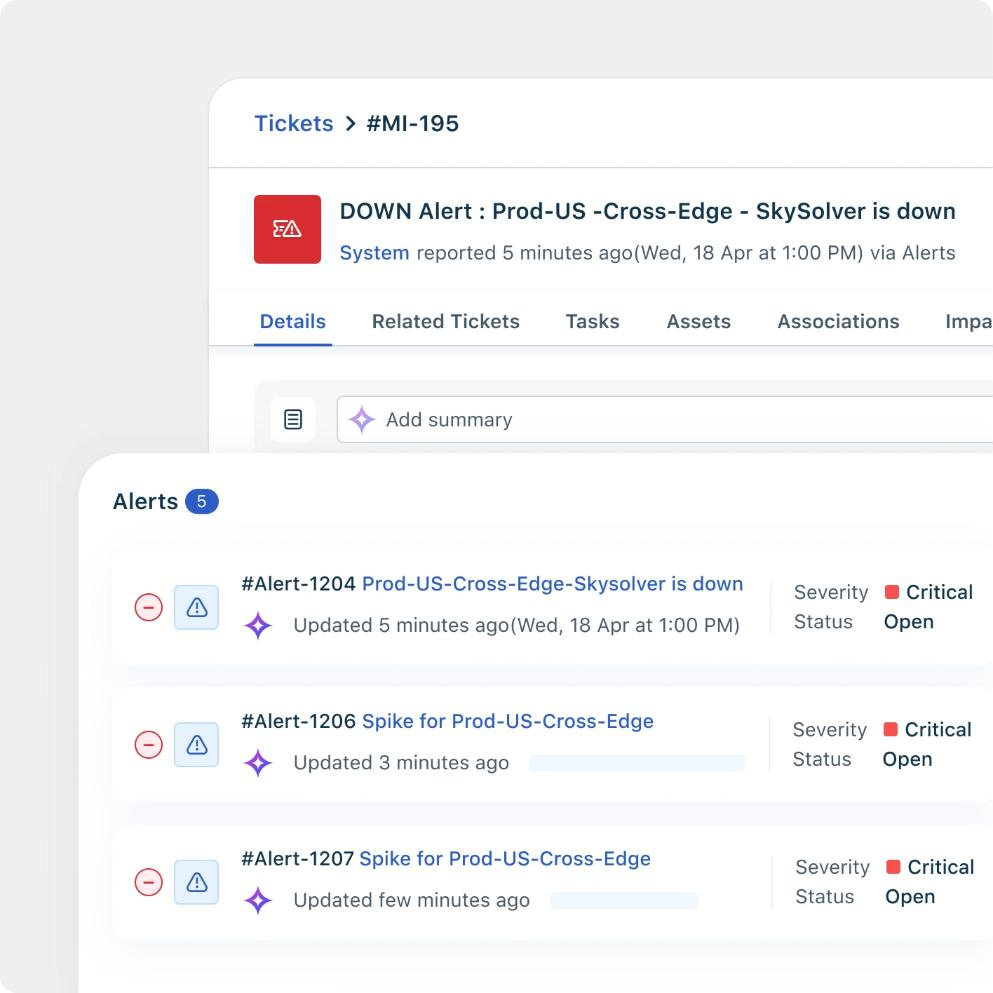
Freshservice is Freshworks’ IT service management product. Starter costs $19, Growth $49, and Pro $99 per agent per month, billed annually, and Enterprise is custom. SLA management starts at Growth, and change and problem management start at Pro. Most teams that need real ITSM end up on the $49 or $99 tier.
Freshservice’s ServiceBot works in both Microsoft Teams and Slack on every plan. That makes it one of the few tools here that serves both chat apps equally. AI is a separate purchase, though. Freddy AI Copilot is a $29 per agent per month add-on sold only on Pro and Enterprise, and the Freddy AI Agent appears only on Enterprise.
Growth, Pro, and Enterprise include an asset management package with 100 asset units, and more units cost extra. Starter doesn’t include it. Count your devices and software first, because 100 units goes fast. For a plan-by-plan breakdown, see our guide to Freshservice pricing.
- Pros: ServiceBot in Teams and Slack on every plan, plus change, problem, and release management on Pro
- Cons: Copilot is a $29 add-on on Pro and Enterprise only, the AI agent is Enterprise-only, Starter has no asset package, and asset units past 100 cost extra
- Pricing: $19, $49, and $99 per agent per month billed annually, Enterprise custom, 14-day free trial. Check the Freshservice pricing page for current numbers
3. ClearFeed: best for Slack-first teams that want agent-based or usage-based pricing
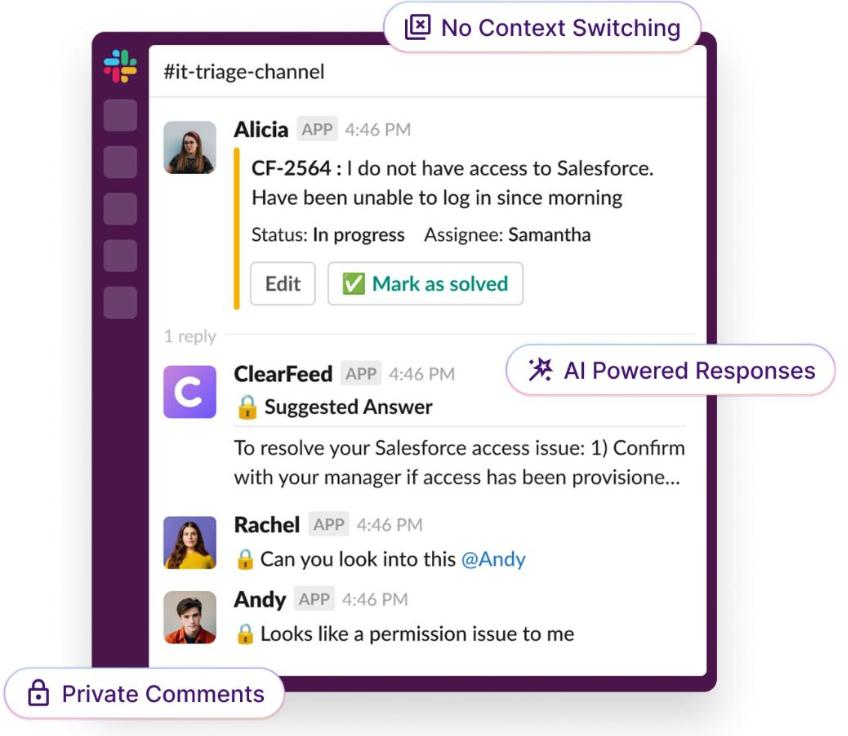
ClearFeed is a Slack-native helpdesk for both employee and customer support. Its agent-based plans start at $24 per agent per month for Starter and $49 for Professional, with 15% off on annual billing. Teams with many casual responders can pick usage-based pricing instead, which starts at $40 a month for 10 channels or 100 tickets.
Starter covers tickets from Slack channels, email, and web chat, plus two-way sync with tools like Jira, Zendesk, and Linear. SLAs, approval workflows, a portal, a knowledge base, and IT tool integrations such as Okta and Kandji start at Professional. AI agents come as a pack from $20 a month on Starter, and Professional includes 50 AI credits per agent.
Microsoft Teams channels are listed on Professional. ClearFeed’s own FAQ describes its internal helpdesk around Slack and email, so confirm Teams works for employee support before you buy. SSO with a SAML provider and HIPAA support are on Enterprise.
- Pros: Low entry price on Starter, a usage-based option, and two-way sync with the ticketing tools you already run
- Cons: SLAs and Teams channels need Professional at $49 per agent, Teams support looks focused on customer support, and SSO is Enterprise-only
- Pricing: $24 and $49 per agent per month, Enterprise custom, 14-day free trial with no credit card. See ClearFeed’s helpdesk pricing
4. Siit: best for internal IT and ops teams that pay per admin
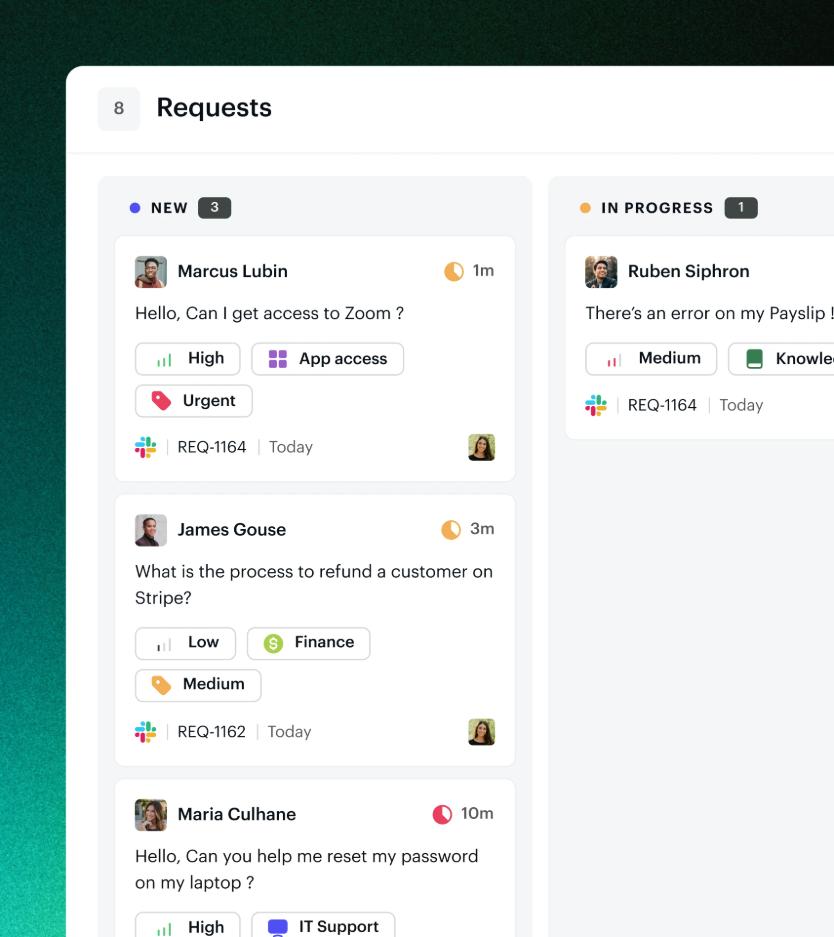
Siit is an AI service desk for internal ticketing across IT, HR, finance, and other back-office teams. It charges per admin, meaning the people who resolve requests, so employee headcount never raises the bill. Essentials costs $23, Standard $45, and Pro $89 per admin per month, billed annually.
Slack, Microsoft Teams, and email all come on Essentials. Standard adds automated workflows, asset and SaaS management, and HRIS and device management integrations. Siit can also grant and remove app access through your identity provider, which suits IT teams that handle a lot of access requests.
AI is where the plans split. The Assist feature is capped at 10 conversations per admin per week on Essentials and Standard. Autonomous AI agents arrive only on Pro at $89 per admin.
- Pros: Slack and Teams bots on the entry plan, per-admin pricing, and a self-serve 14-day trial
- Cons: AI agents need the $89 Pro plan, and asset management needs Standard
- Pricing: $23, $45, and $89 per admin per month billed annually, custom Enterprise plan. See the Siit pricing page
5. Pylon: best for B2B customer support in shared Slack channels
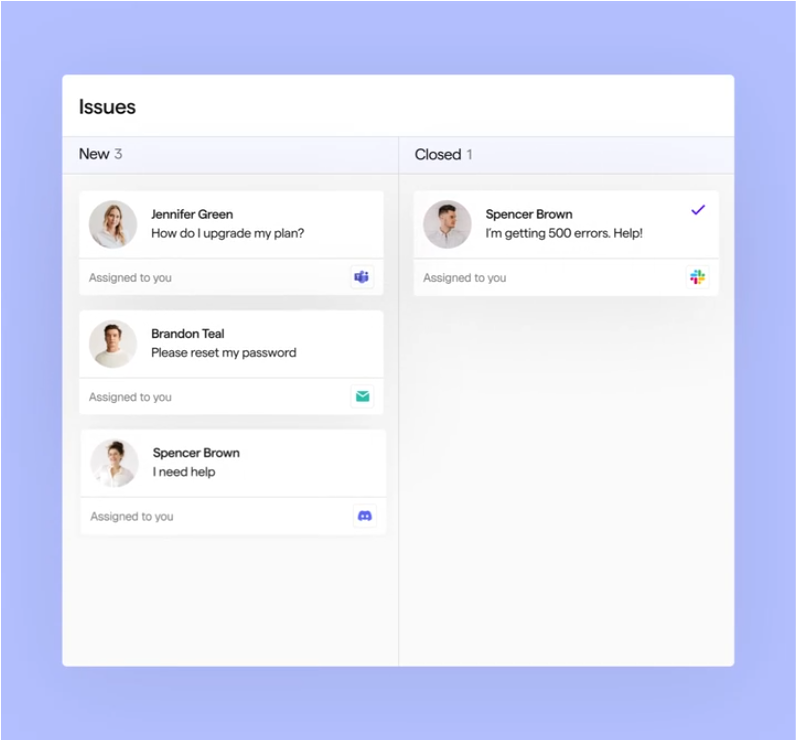
Pylon is a support platform built for B2B companies that serve customers in shared Slack channels, email, and chat. It tracks support at the account level, so each customer company’s history stays together. That makes it a different kind of tool from Desk365, Freshservice, or Siit, which focus on internal IT.
Professional costs $89 per seat and Advanced $139 per seat per month on an annual contract, and Enterprise is custom. New customers face a minimum seat count, which Pylon doesn’t publish. AI features run on credits on top of seats, with a minimum commitment of 5,000 credits.
Microsoft Teams support starts at Advanced, so Teams users pay at least $139 per seat. SAML SSO is a $125 a month add-on on Advanced and included on Enterprise. For most internal IT teams on Microsoft Teams, that makes Pylon the hardest fit on this list.
- Pros: Strong shared-channel support for B2B customers, with many channels, including Discord and WhatsApp
- Cons: Built for customer support rather than internal IT, Teams needs Advanced, and AI costs extra through credits
- Pricing: $89 and $139 per seat per month on annual contracts, Enterprise custom. See the Pylon pricing page
What should you do next?
Unthread is a capable chat helpdesk, and it fits Slack-first teams best. The right choice for you depends on your chat app, your budget, and how much IT service management you need.
If your company runs on Slack, shortlist Unthread next to ClearFeed, Siit, and Pylon. If it runs on Microsoft Teams, compare Desk365 and Freshservice, and test Unthread’s Teams experience in your own tenant before you commit. For a wider view, see our list of the best Microsoft Teams ticketing systems.
To see how a Teams-based help desk with built-in asset management fits your team, start a free 21-day Desk365 trial with no credit card.
Frequently asked questions
Unthread’s Pro plan starts at $85 per agent per month with a five-seat minimum, so the smallest Pro bill is $425 a month. Business and Enterprise are priced by quote. Pricing was checked on Unthread’s pricing page in October 2026.
No. Unthread offers a 14-day free trial, but you get it by booking a demo, and there is no free plan. Desk365 has a free plan for up to 50 tickets a month and a 21-day trial with no credit card.
Yes. Unthread turns Teams messages into tickets, and agents can reply and close tickets from Teams. Many of its plan features, customer stories, and reviews still focus on Slack, so test the Teams experience in your own tenant.
Desk365 is our pick for teams that work in Microsoft Teams. It includes Teams ticketing on every plan from $12 per agent per month, plus asset management with Intune sync on Premium. Freshservice and Siit also support Teams on their entry plans.
It depends on who you support. ClearFeed and Siit fit internal IT and ops teams, and Pylon fits B2B customer support in shared Slack channels. Desk365 doesn’t support Slack.
Unthread is worth a look if your team lives in Slack and wants AI that can build workflows and answer requests in chat. At $85 per agent with a five-seat minimum, it costs more than most alternatives here. Teams-first companies and smaller IT teams can usually get Teams ticketing and asset management for less.










